


Manage Mac, Windows, iOS, and iPadOS devices in one system
Rippling vs. Kandji
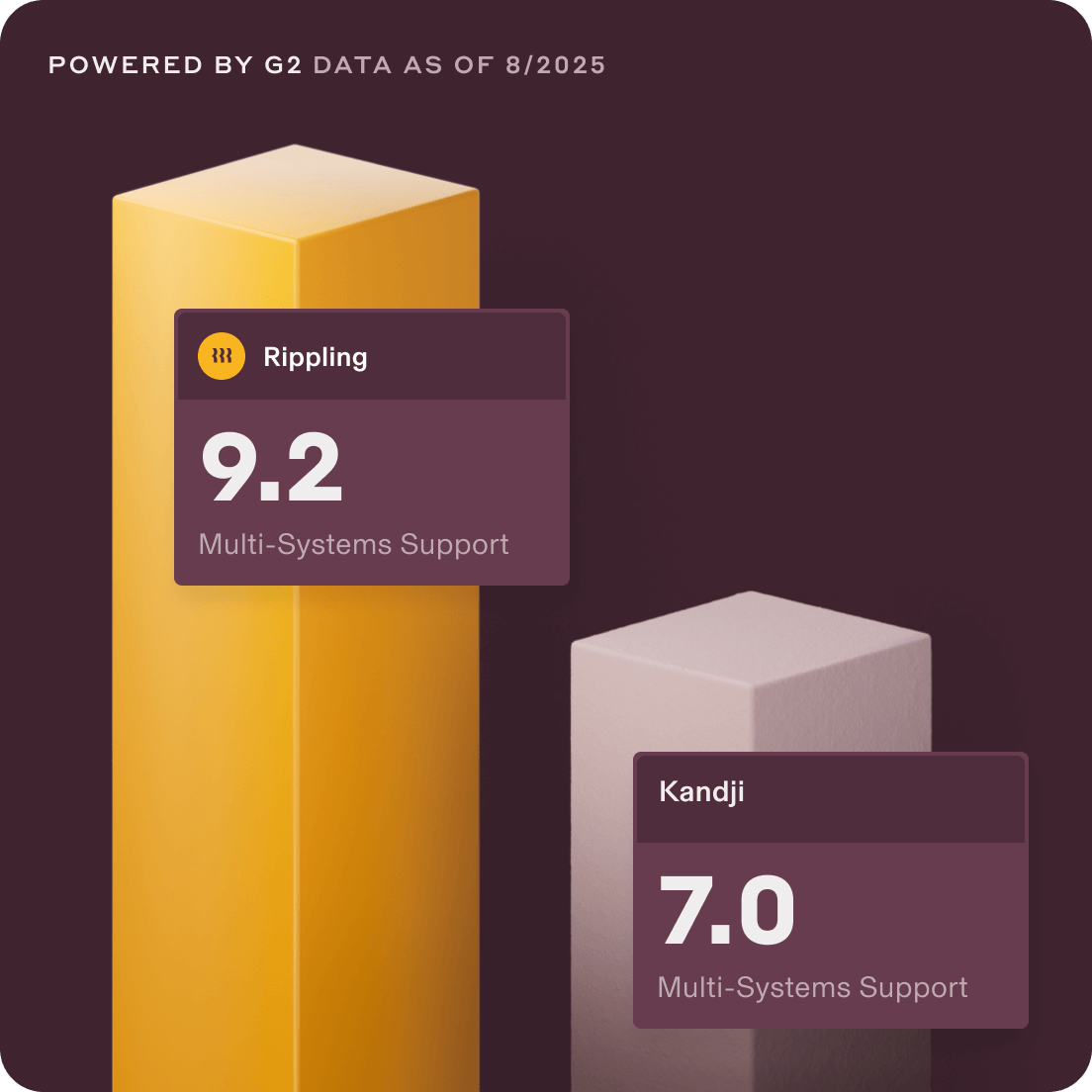
Verified users on G2 rate Rippling higher than Kandji for 3 key reasons.
With Rippling, you can:
Strengthen security with behavioral detection rules and 650+ pre-built SSO integrations
Automate device logistics—ship, retrieve, and store devices across global warehouses
We value your privacy. Learn more.
What Rippling IT means for you
$582k
Net present value2×
employees supported per IT admin**$222k
average savings for IT over 3 years***Compare Rippling vs. Kandji
Capabilities | ||
|---|---|---|
SSO and MFA support | Built-in SSO and MFA | Built-in SSO and MFA |
Provides free trial | 14-day free trial | 14-day free trial |
Unified device and app provisioning with HR | IT, HR, and Spend — all in 1 platform | No HR triggers for automation |
Cross-platform device management | Mac, Windows, iOS, iPadOS, Lenovo | Apple-only management |
Built-in identity management | SSO, MFA, SCIM, app provisioning | Requires 3rd party for identity/SSO |
Onboarding/offboarding | Automated workflows | No access provisioning |
Integrated compliance alerts | SOC 2 and ISO | No centralized audit trail |
Device lifecycle management | Warehousing, shipping, and retrieval | No logistics capabilities |
Automate IT operations
Make IT easy with Rippling IT
Cut admin work in half
Automate more than with any other system — including onboarding, offboarding, and security permissions — without Kandji’s manual policy updates.
Apple and Windows device management
Kandji is limited to Apple devices. Rippling manages Apple and Windows devices together in one unified platform.
Simple to configure and use
Skip complex setups and certifications — Rippling IT’s workflows can be configured in just a few clicks, no scripting required.
Built different
The most efficient way to run IT
Take the effort out of IT with custom workflows, dynamic permissions and policies, and rich reports for users and devices.

Permissions
Automatically govern what each person can see, do, and access.
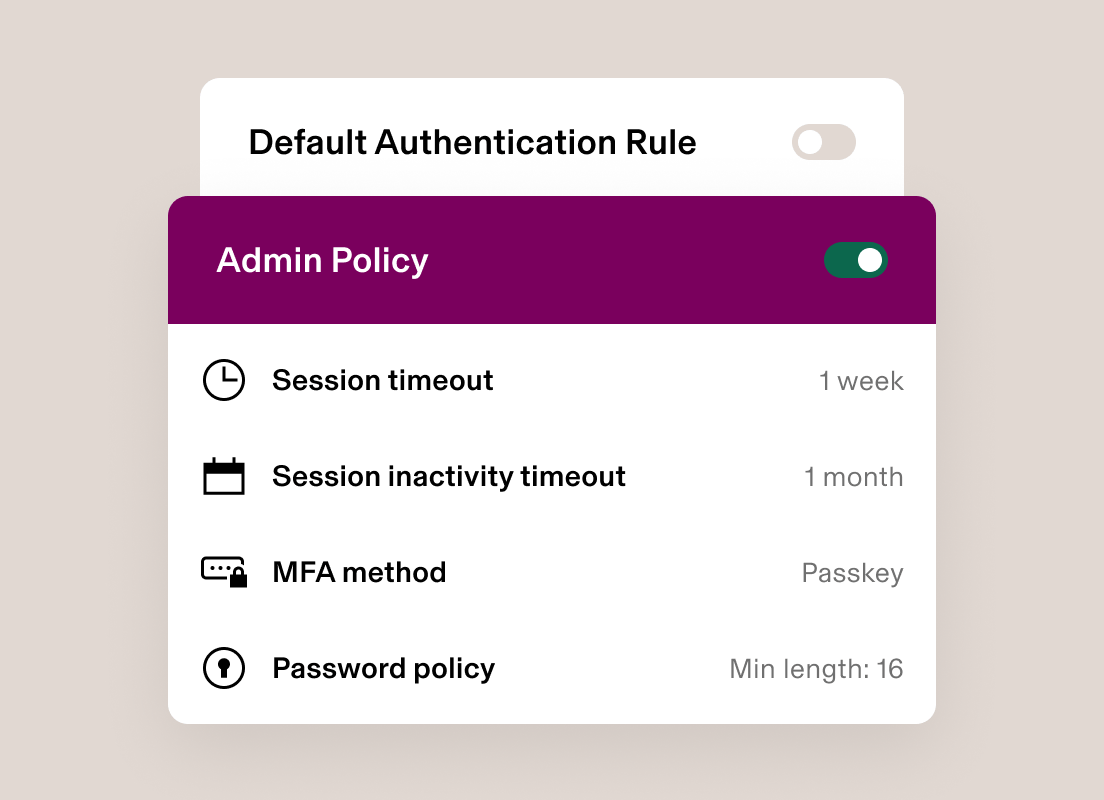
Policies
Enforce unique rules with custom policies built on dynamic groups of users.

Workflows
Automatically route requests to the right approvers and craft dynamic policies to ensure seamless collaboration between IT and HR.
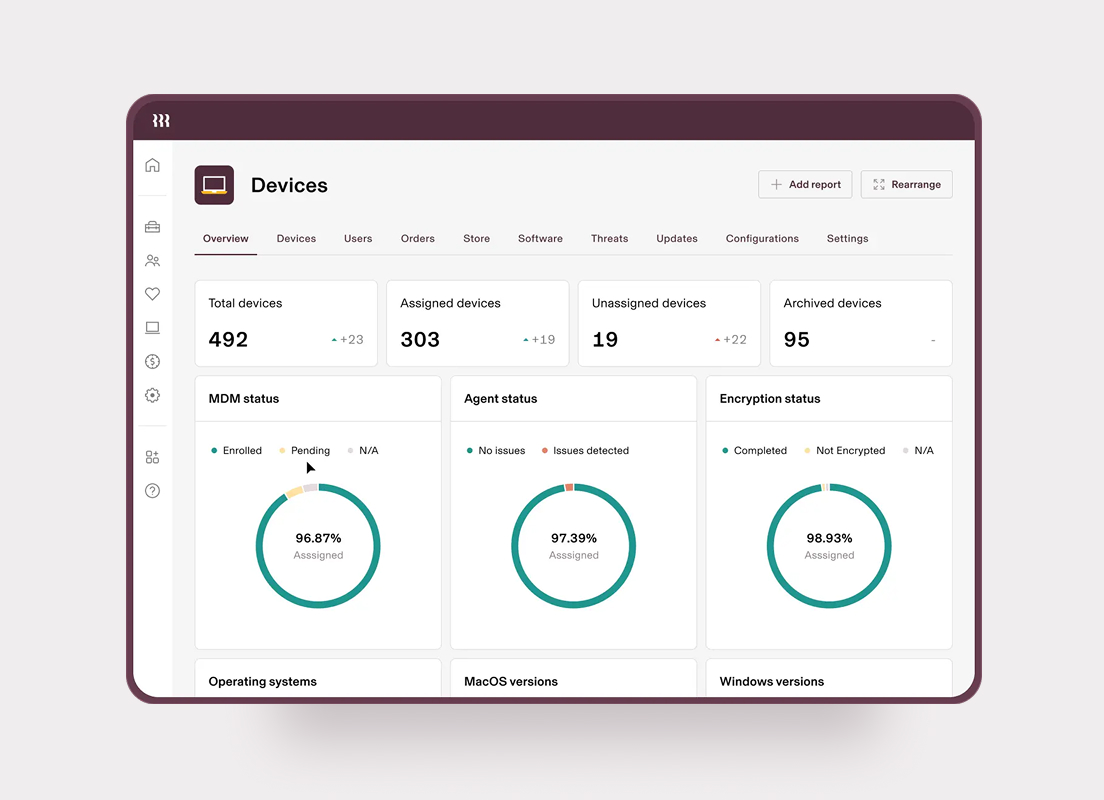
Analytics
Make better decisions with real-time, unified data in a report builder.
The preferred choice in the industry


Curious for more details? Check out our product video tour.
By using Rippling IT, Maui Oil reduced its IT spend by over 80%

“What we pay for Rippling IT annually, we spent monthly on other IT tools and services. That’s major cost savings.”
Randall Parabicoli
Chief Information Officer at Maui Oil
80%
reduced IT spend4hr
saved per new hire in setting up work accounts and devicesEnd-to-end IT management
Other solutions only solve a piece of the puzzle. With Rippling IT, you can securely manage identity, access, devices, and physical device logistics all from one easy-to-use platform — no extra headcount needed.
Identity & Access Management
Custom app integrations (including SAML and SCIM)
User provisioning
Single sign-on (SSO)
Multi-factor authentication (MFA)
Activity audit logs
Compliance reporting
Built-in password manager
Data attribute mapping
Custom behavioral detection rules
SSH key manager
Virtual LDAP
+ And more
Device Management
Cross-OS MDM for macOS, Windows, iOS, and iPadOS
Endpoint protection
Zero-touch deployment
MFA and 2FA enforcement
Remote locking and wiping
OS update and patch management
Cloud RADIUS
Reassign devices
Remote device locking and wiping
Mobile BYOD support
Role-based software installation
Point-and-click custom reports
+ And more
Inventory Management
Global warehouses (US, CAN, UK, EU, AUS)
Shipping and retrieval
Device store
Device storage
Device inspection
+ And more
Book a demo. See it in action.
"Rippling is like the Swiss army knife of HR and IT management."
We value your privacy. Learn more.
*Reviews compiled across G2, TrustRadius, and Capterra. **Source: Forrester: The Total Economic Impact™ Of Rippling. ***Source: Benenson Key Findings: With Rippling, IT Teams Save on Headcount at Every Stage of Growth