

























Online employee scheduling apps let managers assign shifts, track employee hours, and approve time-off requests from one dashboard. Most use drag-and-drop interfaces and update schedules in real time across web and mobile.
The 11 best employee scheduling apps in Canada (2026)
In this article
When you manage rosters manually, one wrong move can throw off your whole month. One person calls in sick, someone else swaps a shift, and suddenly you’re short-staffed or paying unexpected overtime. Eventually, that kind of chaos leaves your team frustrated and makes them lose trust in leadership.
Scheduling software helps solve these problems. When everyone’s working from the same cloud-based system, updates happen automatically, and no one’s left guessing who’s working when. In addition, with all of your data in one place, it’s easier to track costs, stay compliant, and make informed staffing decisions.
To find the best options for Canadian businesses, we analyzed and tested 27 scheduling tools, rating them by their ease of use, automation, compliance, pricing, and local support. Each platform was rated using a weighted system, and Rippling ranked as the best scheduling app in Canada.
A note on transparency: Our product is included in this list. To remain neutral, we used the same scoring criteria for every software, which is based on public information. You can view the results from all 27 employee scheduling software options on my research spreadsheet.
Platform | Best for | Choose this if… | Starting price* |
|---|---|---|---|
| Rippling | Mid-enterprise teams that need everything in one place | You want HR, IT, payroll, and scheduling with full Canadian compliance | Request a quote |
| Dayforce | Enterprise businesses | You need enterprise scheduling with local payroll | Not public |
| UKG | Enterprise businesses | You manage multiple locations and need compliance tools | Not public |
| Agendrix | SMBs | You want a locally built scheduling option for retail or hospitality | $3.00 CAD/employee/month |
| 7shifts | Hospitality businesses | You need multi-location scheduling with a POS integration | $34.99 CAD/location/month |
| ADP Workforce Now | Mid-to-enterprise businesses | You already use ADP payroll and want to add scheduling | Not public |
| Humanity | Medium-sized teams | You need multi-location scheduling | Not public |
| Zoho Shifts | SMBs | You already use Zoho People and want an affordable scheduling option | $1.50 CAD/employee/month |
| Celayix | Mid-to-enterprise businesses | You want to schedule particularly complex shift patterns | Not public |
| When I Work | SMBs | You want simple shift swaps, mobile alerts, and affordable pricing | $3 CAD/employee/month |
| Paychex | Individuals and small businesses | You want a trusted, reliable platform that connects with payroll | Not public |
*The above pricing is based on publicly available data at the time of writing. Always confirm with providers for their latest pricing.
1. Rippling
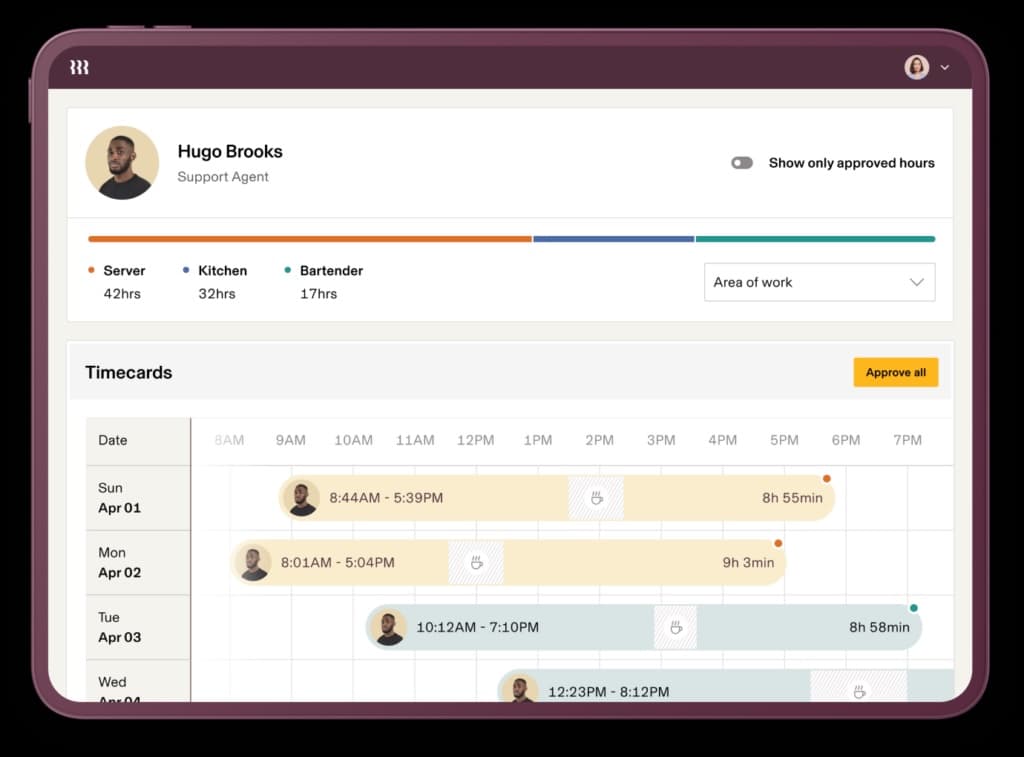
Rippling brings HR, IT, payroll, time tracking, and scheduling together in one platform. It’s designed for growing teams that want to manage all things related to their employees in one place.
What makes Rippling stand out is how seamlessly its scheduling connects with payroll and compliance.
This means that managers can build rosters, track attendance, and process timesheets from the same dashboard they use for HR and IT. On top of this, the platform also supports Canadian payroll and labour compliance, helping businesses naturally stay compliant with federal and provincial rules.
Starting price: Request a quote.
Source: People managing people
Why do companies choose Rippling?
Automates timesheets and overtime calculations
Integrates with QuickBooks, Xero, and more than 600 other tools
Supports federal and provincial labour standards across Canada
Managers get a real-time view of the true labour costs as they create schedules
“Overall, Rippling has been a great solution for our team. It’s reliable, intuitive, and has reduced the amount of manual work we used to do across HR and payroll. The time savings and ease of use alone make it worth it, and it’s clear that the platform keeps evolving with new features.” - Rippling Capterra review
User-flagged challenges
Pricing can increase quickly as more modules are added
Certain workflows and views feel limited and require workarounds
The initial setup and configuration can be time-consuming
Is Rippling right for your business?
Rippling suits scaling businesses from mid-market to enterprise that want a highly rated (4.9 stars from 4,184 reviews) modern system to handle scheduling, payroll, and HR together. It’s best for teams planning to grow and wanting Canadian compliance. Users often praise how much time it saves, with rosters, costs, and employee data all in one place.
2. Dayforce
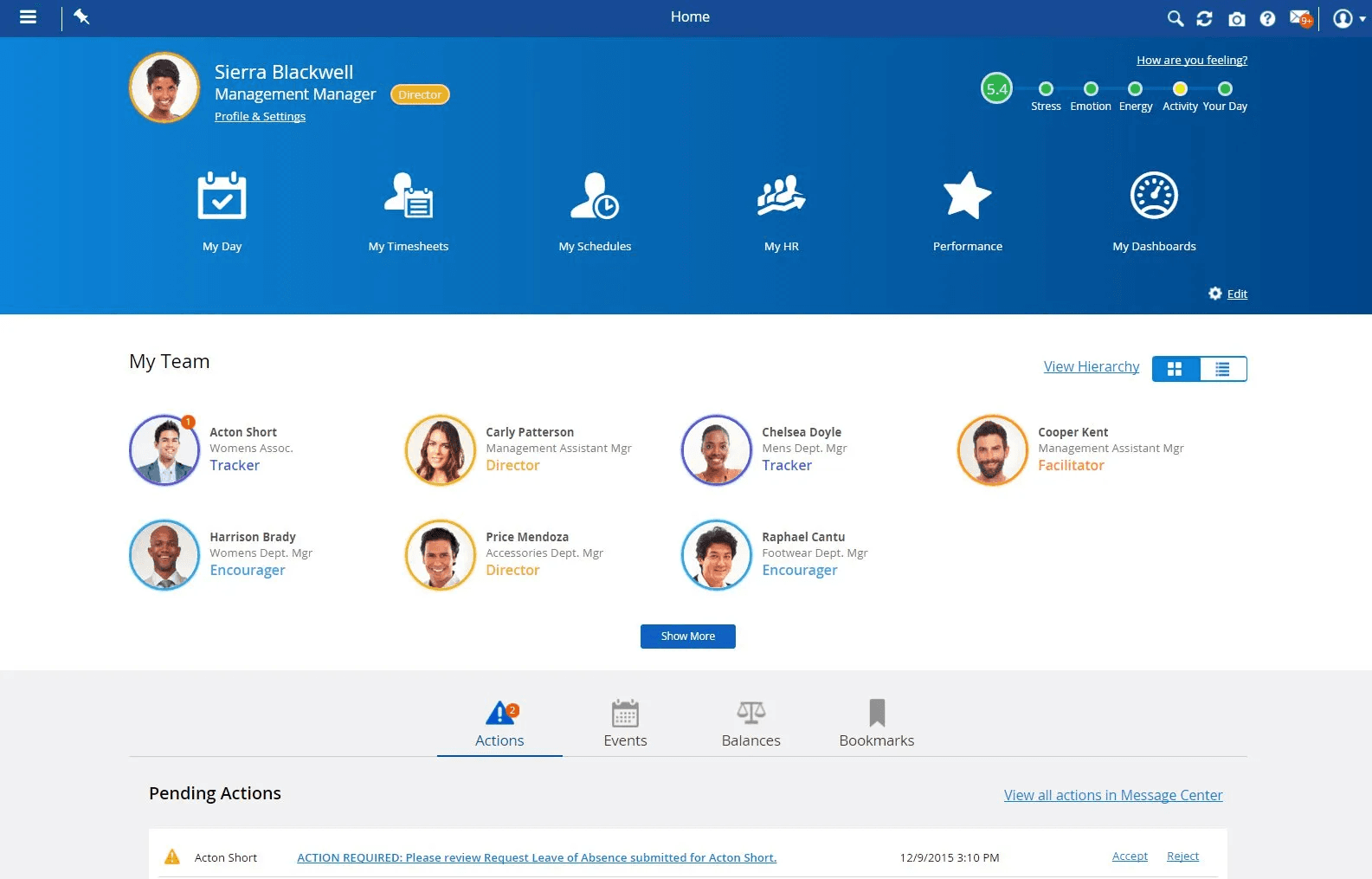
Dayforce is another option for an all-in-one HR, payroll, and workforce management platform. However, it’s specifically built for big businesses.
What sets Dayforce apart is how much you can customize it. Teams can adjust workflows, forms, and reports to fit their day-to-day processes instead of relying on fixed templates or trying to adapt to set rules.
Payroll is also often highlighted as a strength of the platform, especially for organizations that need detailed controls and visibility.
Starting price: Not public.
Source: Dayforce
Why do companies choose Dayforce?
Highly customizable scheduling and approvals for complex operations
Scheduling, time tracking, and payroll data are managed in one platform
Built to support large, multi-location organizations
“Easy to use interface, the wide range of customization that is available is a great feature. Super easy to use for employee timesheets.” - Dayforce Capterra review
User-flagged challenges
If you want customization, it can take a long time to set up
Reporting and schedule logic can feel complex and take time to learn
Since it is so complex, it is best if you have an admin person to manage the platform
Is Dayforce right for your business?
Dayforce suits large organizations that need very fine control over their scheduling and connected payroll. It works best for teams that already have complex rostering requirements and are willing to put in the time to configure the platform to suit them.
3. UKG
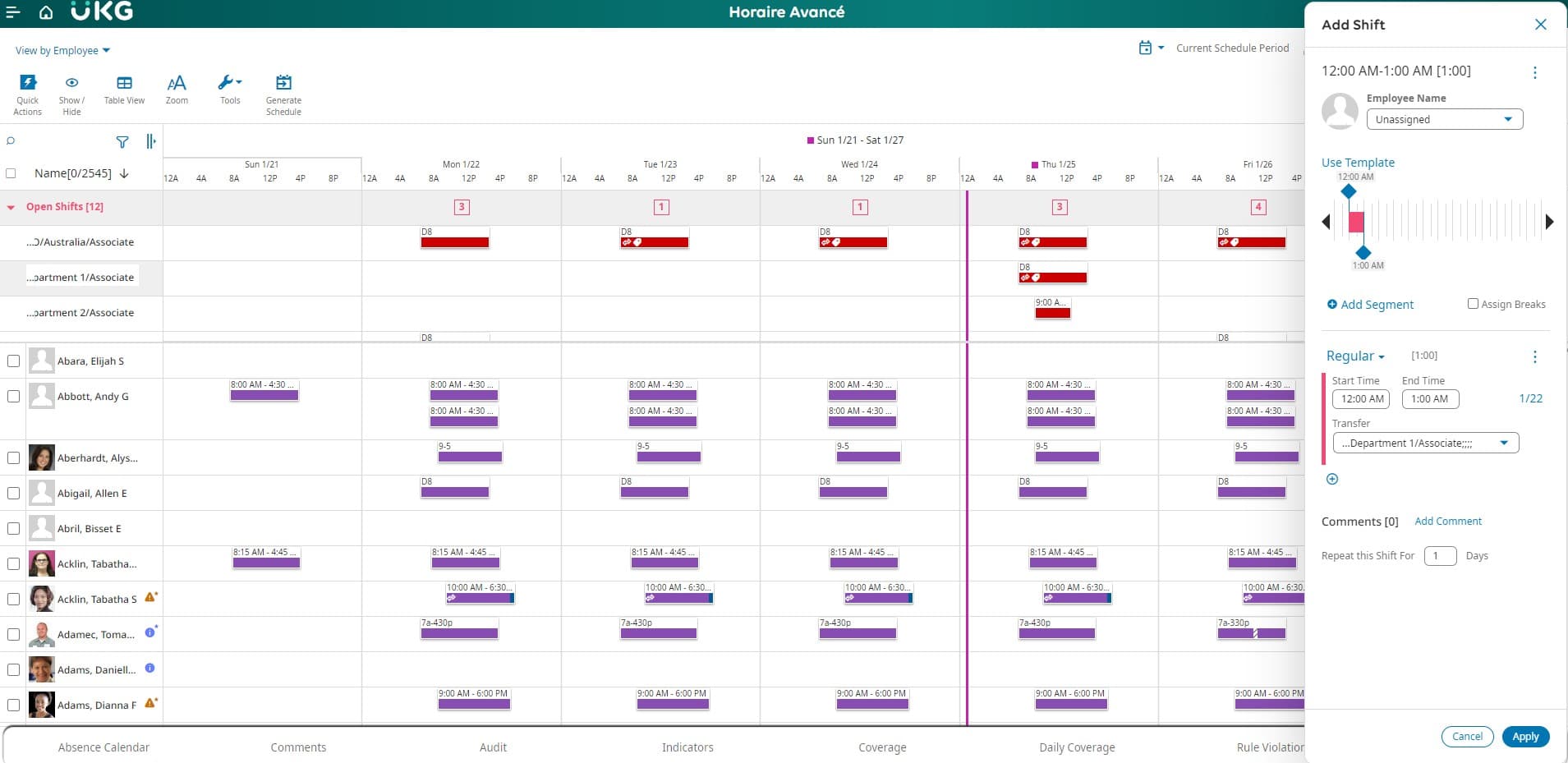
UKG is an enterprise-level workforce management platform built for large organizations that need advanced scheduling and compliance, with strong reporting. It’s designed for teams managing multiple sites and thousands of employees across departments.
Much like Dayforce, what makes UKG stand out is its configurability and depth. Managers can forecast labour needs, build the most optimized schedules, and track attendance across locations in real time.
Starting price: Not public.
Source: UKG
Why do companies choose UKG?
Advanced forecasting and analytics
Handles large, multi-site scheduling and complex compliance
Reliable uptime and strong data security that enterprise businesses can rely on
“The interface with timecards and scheduling is really easy to learn and teach. We changed the software, and not much training was required to learn the new platform.” - UKG Capterra review
User-flagged challenges
Pricing and implementation can be high for smaller teams
Some modules still rely on legacy interfaces
Support responsiveness can vary depending on your account tier
Is UKG right for your business?
UKG is best suited to large organizations that need functions that support scheduling, like forecasting and detailed reporting. It’s ideal if you manage strict compliance and want data safe reliability with plenty of options for customization.
4. Agendrix
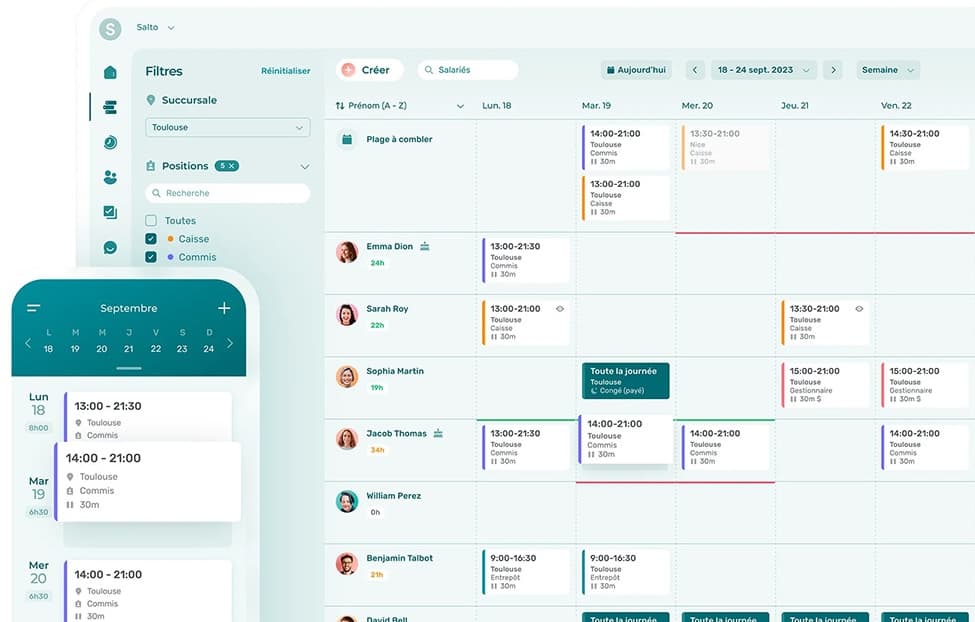
Agendrix is a Canada-built scheduling platform for small to mid-sized teams. Users often describe it as easy to learn, both for managers building schedules and for employees checking their shifts from the mobile app.
What makes Agendrix stand out is how easy it fits into the daily life of shift workers. Scheduling is done through a quick drag-and-drop feature and is easy to adjust. It also offers clear visibility into availability, time off, and hours worked.
Ease of use is the name of the game with Agendrix, as customers also often highlight how responsive and accessible their customer support is.
Starting price: $3.00 CAD per user, per month.
Source: Agendrix
Why do companies choose Agendrix?
Simple scheduling that works well for both managers and employees
Mobile-friendly access for shifts and availability
Responsive customer support based in Canada
“Very user-friendly and easy to use now that I have installed the app on my phone.” - Agendrix Capterra review
User-flagged challenges
Some scheduling and timesheet settings have limitations
Reporting and payroll-related features are very basic
Certain requests (like viewing comments for time-off) require extra steps
5. 7shifts
7shifts is built specifically for hospitality. It’s designed around how restaurants actually run, focused on managing rotating shift work. Users often describe it as feeling purpose-built for both front-of-house and back-of-house teams, rather than a generic scheduling tool adapted for hospitality.
Features like tip management, POS integrations, and labour compliance tools are frequently mentioned by businesses as reasons why the tool fits hospitality so well.
Starting price: $34.99 CAD per location, per month.
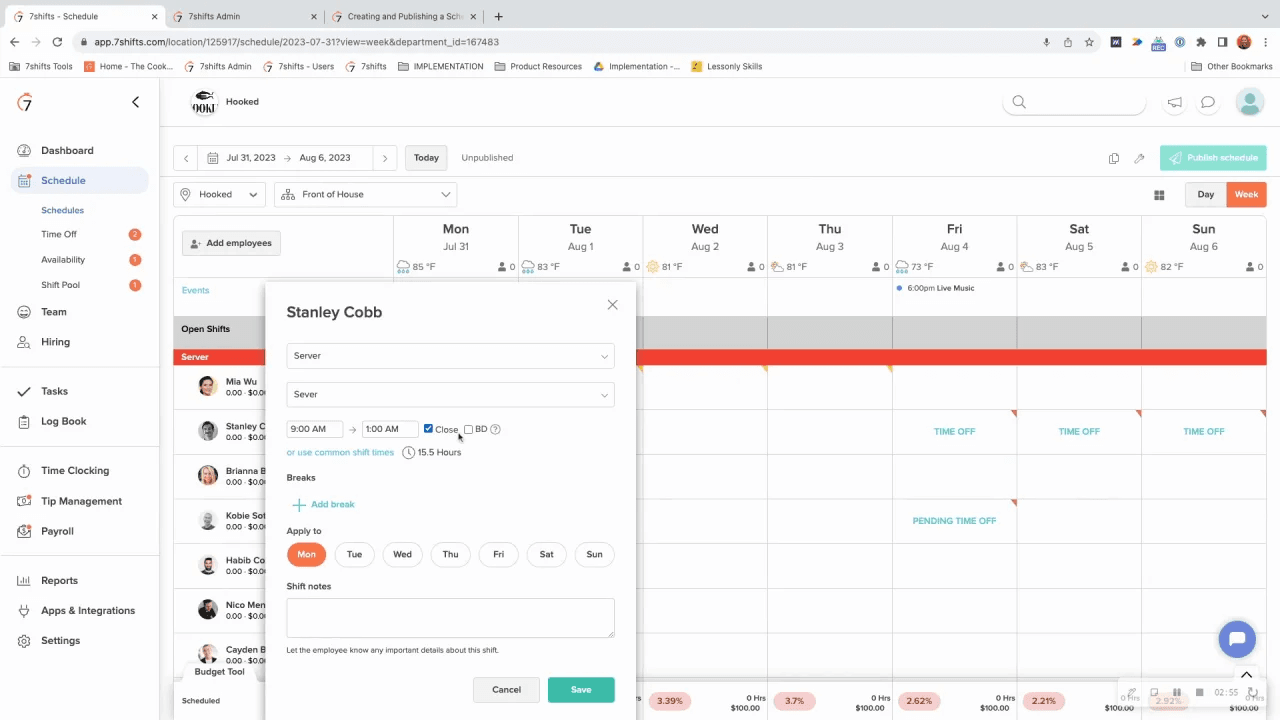
Source: 7shifts
Why do companies choose 7shifts?
It’s designed specifically for restaurants, cafés, and bars
Scheduling, time clocking, tips, and team communication with an app
Options to integrate it with your POS system
“Easy to use. Great for scheduling. Great for communication. Great for requesting time off.” - 7shifts Capterra review
User-flagged challenges
Occasional performance issues, such as slow loading or logouts
Some cost views are limited to higher-tier plans
Users report feeling locked into certain pricing structures or tiers
6. ADP Workforce Now
ADP is the oldest option on this list, launching its Workforce Now software in 2006, but it’s had staying power for a reason. It’s built on decades of payroll and compliance experience, which is why many businesses see it as a safe, low-risk choice, with users often describing it as dependable.
Users also frequently point to accurate payroll processing and strong tax support in Canada as key reasons for choosing ADP, even if the platform has an older interface and is more expensive than newer tools.
Starting price: Not public.
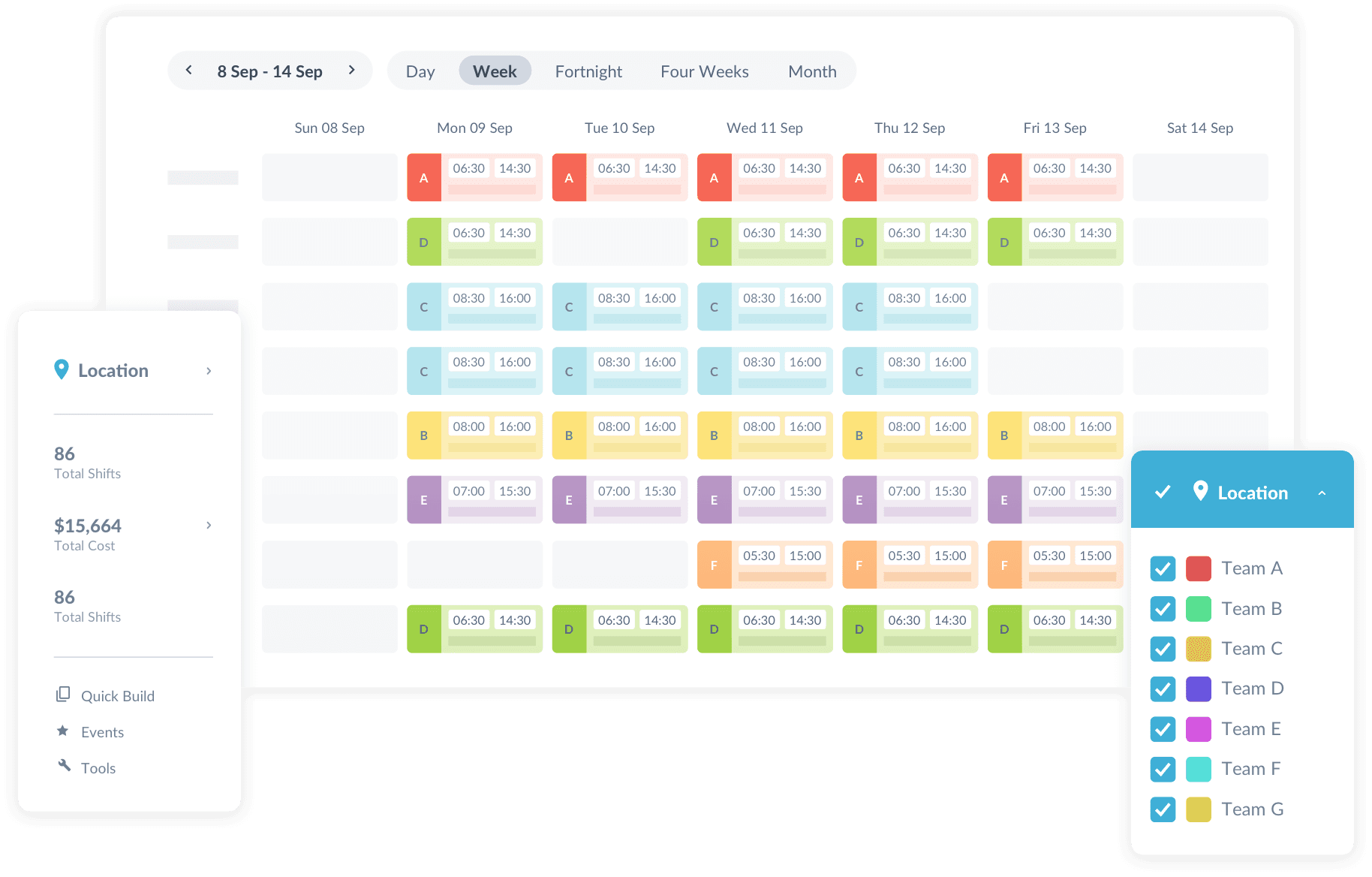
Source: ADP Workforce Now
Why do companies choose Workforce Now?
Payroll is reliable, even for complex setups
A long track record of supporting Canadian businesses with tax compliance
Strong self-service for employees wanting to access their payslips and PTO balances
“Overall, I appreciate having access to a quality app like ADP WFN. It really helps streamline some necessary admin work, and it's nice having it all consolidated in one app.” - Workforce Now Capterra review
User-flagged challenges
Pricing is high compared to newer SaaS platforms
The platform can feel complex and overwhelming at first
Support experiences vary, with some users reporting long wait times
7. Humanity
Humanity is a scheduling-first platform designed for organizations that manage rotating shifts and on-call work. Many users see it as a natural step up from spreadsheets, which makes it a good choice for small to medium businesses scaling up.
What stands out most about the platform is how flexible it is. It works well for teams managing schedules across countries, especially where different labour and compliance rules apply. Users also point to its notifications as a real strength, helping both managers and staff stay up to date when shifts change.
Starting price: Not public.
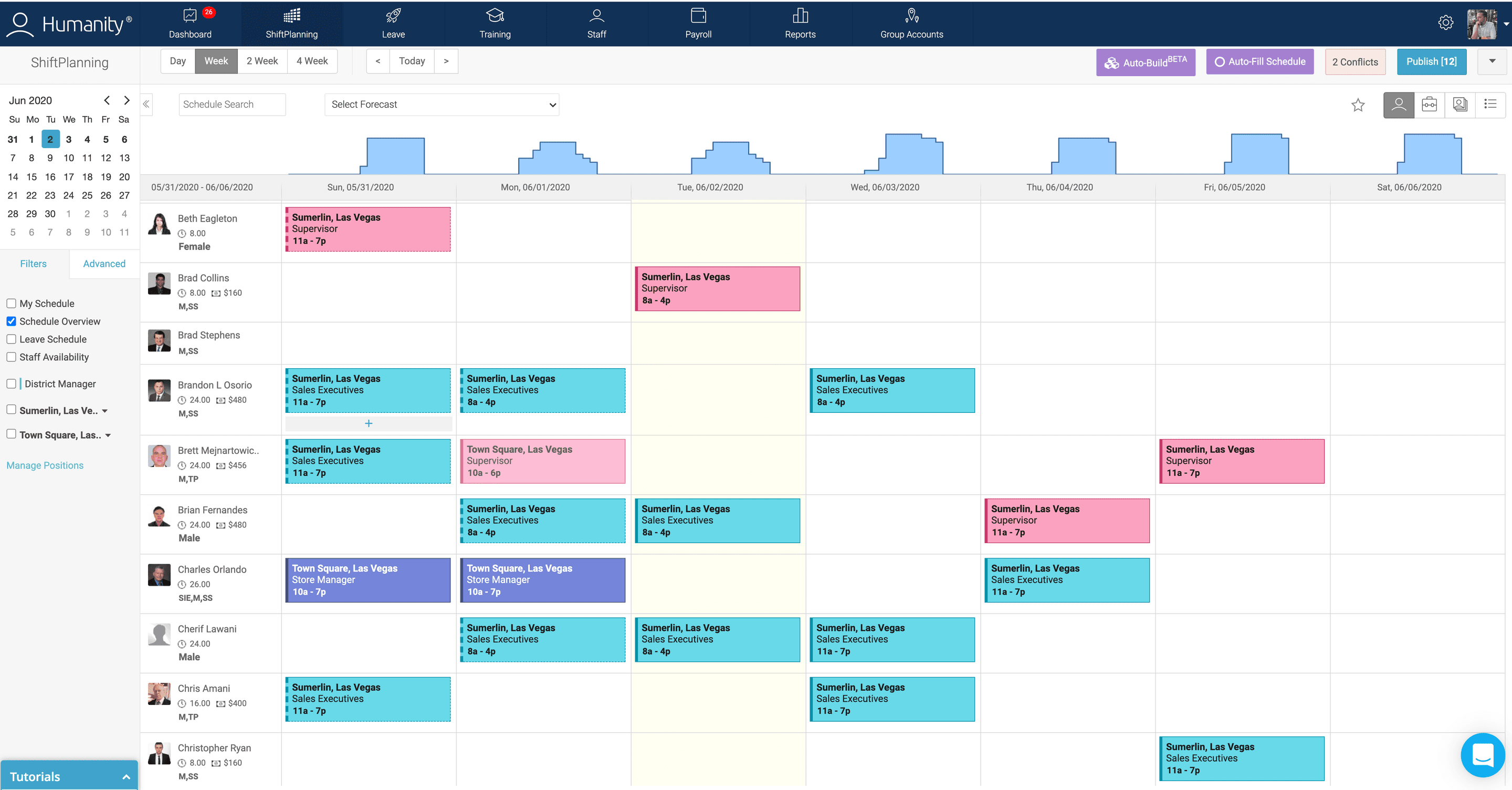
Source: Humanity
Why do companies choose Humanity?
Shift scheduling with notifications and reminders
Mobile app makes it easy for staff to view schedules and trade shifts
Has features for businesses working with on-call teams
“Great product! I would recommend this to anyone who is short on time for scheduling.” - Humanity Capterra review
User-flagged challenges
Break tracking can be unreliable at times
All of the customization options can feel intimidating at first
Schedule change notifications don’t always show enough detail
8. Zoho Shifts
Zoho Shifts is a low-cost option if you’re only looking for something simple and lightweight. It’s easy and quick to build new schedules in, and allows you to track each employee's hours without much of a learning curve.
Much like Humanity, notifications and built-in messaging are a big part of how it keeps teams connected. This is helpful for when businesses need unexpected coverage or employees want to swap shifts.
Starting price: $1.50 CAD per user, per month.
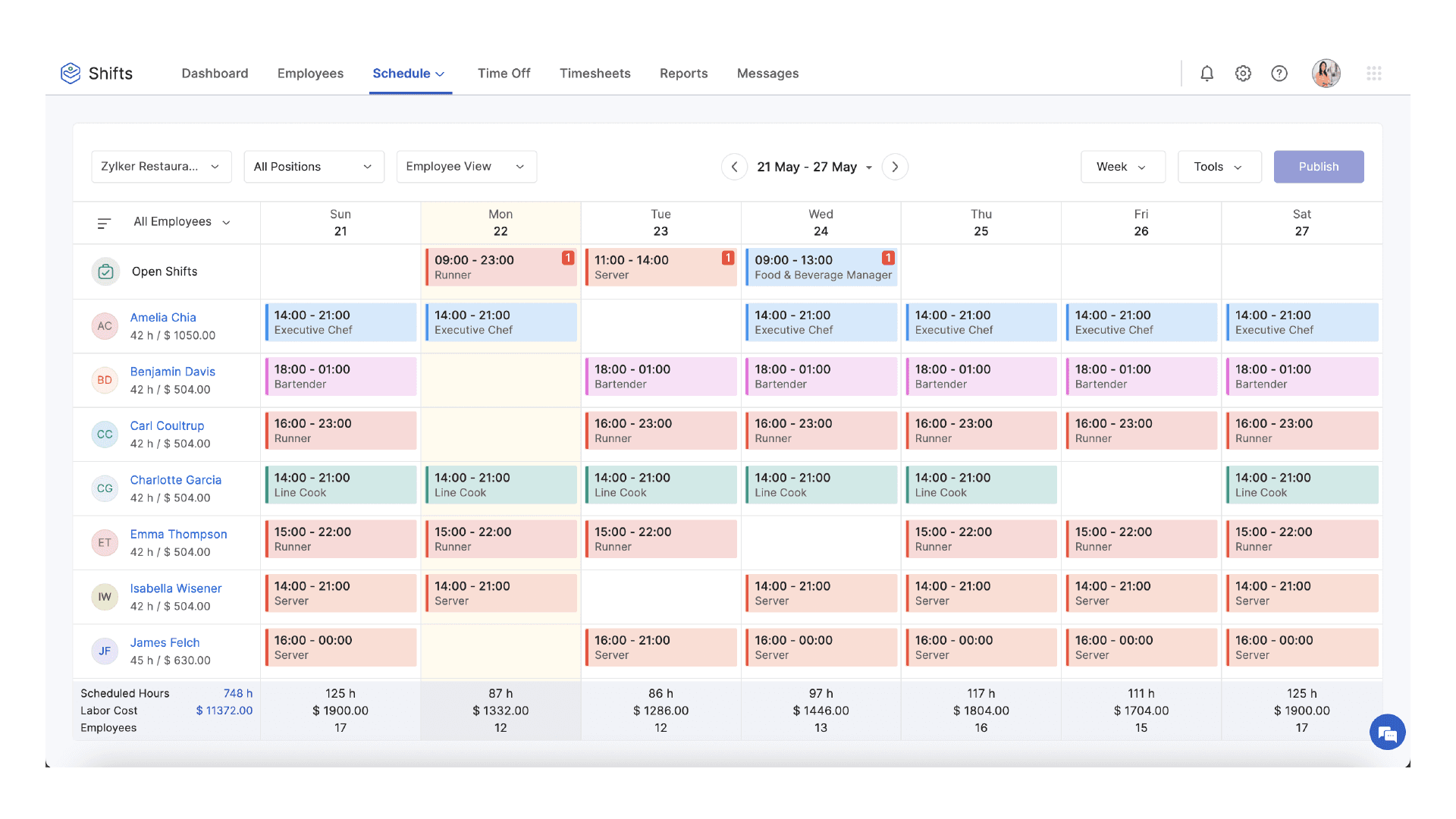
Source: Zoho Shifts
Why do companies choose Zoho Shifts?
It plugs into other popular Zoho apps in their ecosystem
Offers notifications and messaging to keep staff and managers connected
Easy exports to payroll and integrations with accounting apps
“Only been using Zoho Shifts for a few months so far however really liking its easy to use layout and reporting. It has definitely made communications regarding shifts run smoother!” - Zoho Shifts Capterra review
User-flagged challenges
Feature depth is lighter and can’t handle complex shifts
It’s fairly new, with a smaller number of reviews (only two)
Its payroll integrations aren’t available in every region
9. Celayix
Celayix is specifically built for businesses with complex scheduling needs, especially where both different locations and roles need to be considered at once. Users often describe it as a big step up from manual scheduling.
What stands out most about the platform is its rules-based automation features. This helps reduce mistakes and prevent inconsistent scheduling across employees. For compliance-heavy industries, this is especially valuable, as it gives managers peace of mind that their schedules are fair and compliant.
Starting price: Not public.
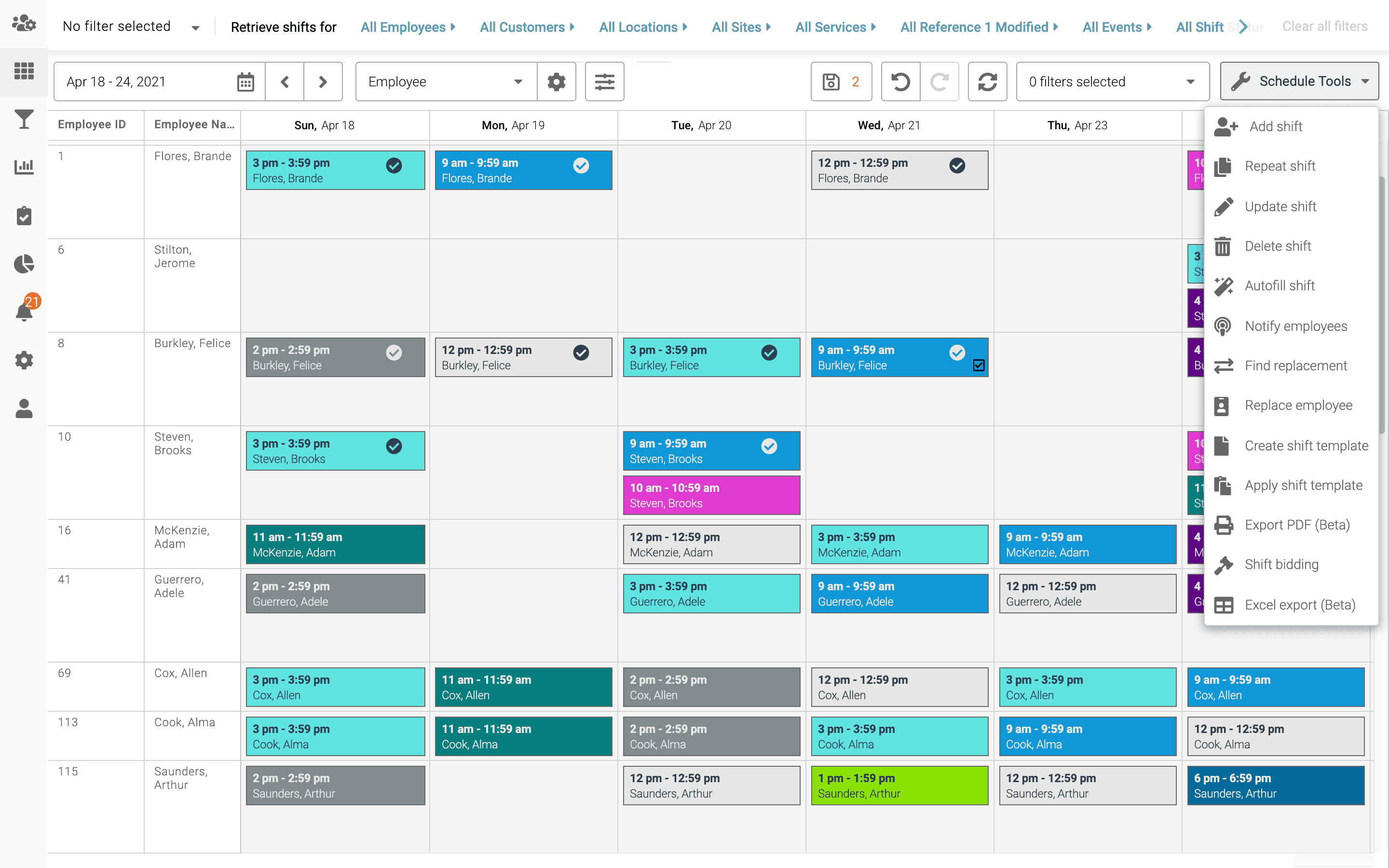
Source: Celayix
Why do companies choose Celayix?
Automated scheduling based on roles and qualifications
Made for large teams and multi-location schedules
Automates much of the manual work involved in scheduling
“Overall, Celayix has reduced the time we spend on manual scheduling and administrative tasks, allowing me to focus more on strategy and execution.” - Celayix Capterra review
User-flagged challenges
Initial setup can take time due to the vast number of options
Some reporting and calendar views are harder to export and share
The mobile app is a lot lighter than the desktop version
10. When I Work
When I Work is a highly rated app focused on reducing the time it takes managers to build and manage shift schedules. Part of this is giving employees more control over their availability and swaps through its mobile app.
Rather than offering a long list of workforce tools, it focuses on doing employee scheduling well. This focused approach makes it a reliable choice for teams that want something that’s going to enable them to work, not add more work to their plate.
Starting price: $3 CAD per user, per month.
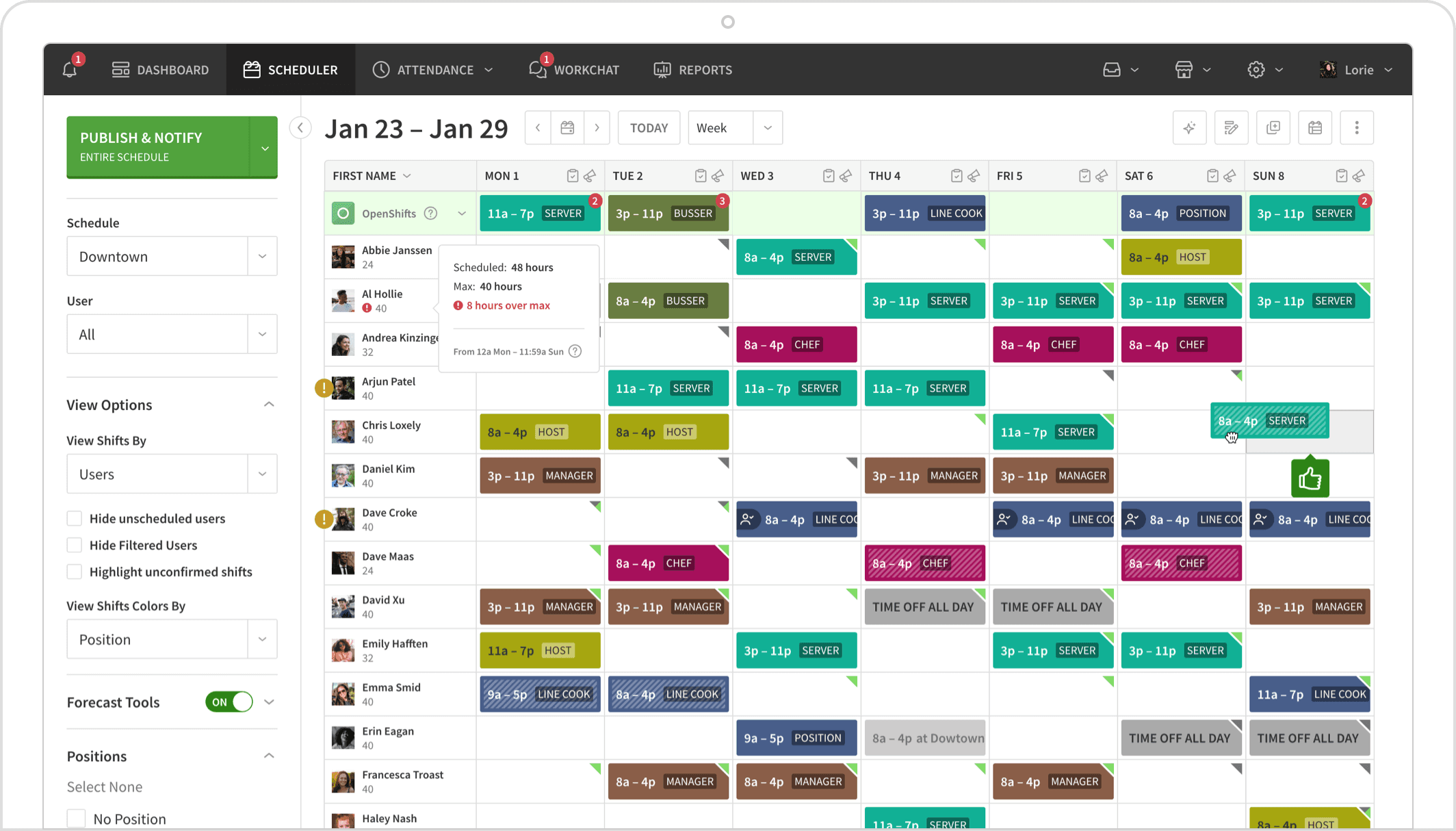
Source: When I Work
Why do companies choose When I Work?
Employees can swap or drop shifts themselves, with managers only needing to approve changes
Notifications and confirmations make last-minute changes easier to have oversight of
The app is so simple that most staff need little to no training at all
“When I Work has been great, the UI is easy on the eyes, and everything feels intuitive and up to date.” - When I Work Capterra review
User-flagged challenges
No support for complex or unusual shift patterns
Some users report lag and slow loading at times
Reporting and integrations are limited compared to other options on this list
11. Paychex
Much like Workforce Now, Paychex is an older, more established platform. While some might not be a fan of their older look, many businesses still turn to them for their reliability. On top of this, many employees may already have experience with the platform, which may make implementation easier.
This sentiment is reflected in its reviews, with many users describing Paychex as a safe option, especially for payroll and tax handling. For Paychex, it’s less about cutting-edge innovation and more about reliability and global coverage.
Starting price: Not public.
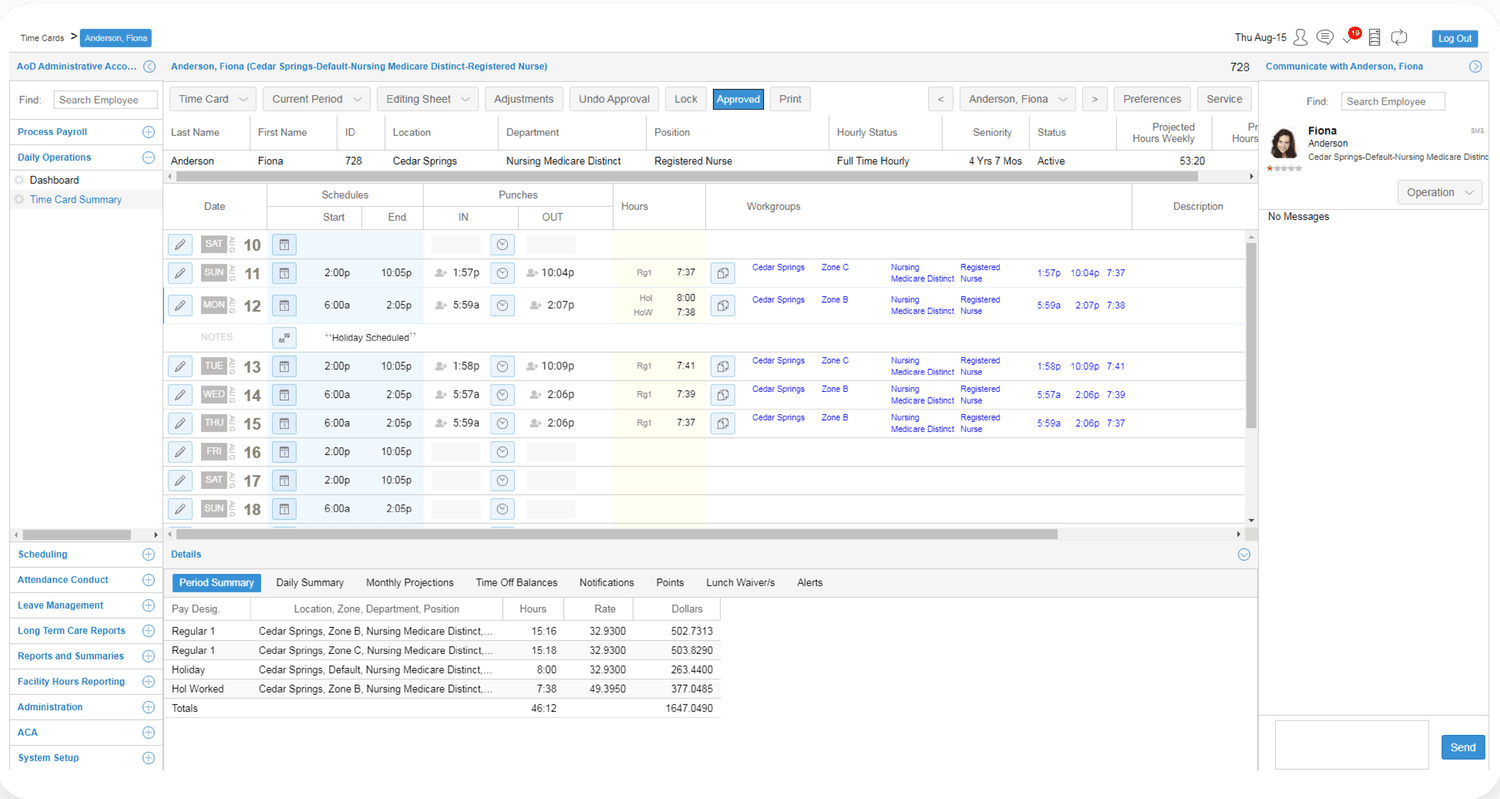
Source: Paychex
Why do companies choose Paychex Flex?
Payroll and tax compliance are easy to manage in one system
Employee self-service for payslips, time off, and benefits
Well-established provider that many accountants already work with
“I have been with them for 20+ years. I had the same representative for 13 years.” - Paychex Capterra review
User-flagged challenges
The platform can feel dated and harder to navigate than newer tools
An overall user rating of 4.2 stars out of 5 is low compared to other options
Reviews report leaving the platform based on the lack of transparency around pricing
What to look for in a scheduling system
The right scheduling software for your business should make your life easier, not more complicated. Here are some important elements to consider when making your decision.
Ease of use
An intuitive interface means faster onboarding and fewer mistakes. Your team should be able to use the software without constant training.
Automation
Look for built-in automation that can take over repetitive tasks like shift changes, timesheets, and cost calculations.
Compliance
Systems that automatically apply Canadian labour standards save time, reduce payroll errors, and help protect your business from costly compliance mistakes.
Integrations
The best platforms connect with your payroll, HR, and accounting tools (like Xero or QuickBooks Online) so you don’t need to double-handle data.
Scalability
Choose software that can grow with you. You don’t want to outgrow the system the moment your team expands or adds locations.
Support
Responsive support matters. If something goes wrong, you want a real person who understands Canadian payroll and compliance.
Transparency
Clear pricing and flexible plans make it easier to manage costs and compare value between different platforms.
Recent compliance changes in Canada
Scheduling has recently become more regulated in parts of Canada, particularly around notice periods and communicating changes. These updates to employment law may affect how you build your rosters and what you might need built into your scheduling software.
Here are two changes you should be aware of.
1. The Right to Disconnect (only for federally regulated employers)
Canada is introducing Right to Disconnect requirements for federally regulated employers, with regulations to take effect in 2026. In practice, this means that employers will be required to document any time that employees are expected to engage in work-related communication outside of their hours.
This matters for scheduling because shift changes, coverage requests, or availability messages sent outside rostered hours could be treated as working time.
For example, sending last-minute changes or informal chats over a messaging system could breach the new RTD rules. To avoid this, it's good to put in place a policy to clearly define how scheduling changes are communicated and when employees are expected to be available or respond.
2. 24-hour notice required for shift changes
Since 2019, it’s been a legal requirement for employers to give at least 24 hours’ written notice before changing an existing shift or adding a new one. This includes changes to start times or extra shifts outside the original roster.
There are, however, limited exceptions, such as if there is a genuine emergency or an unforeseeable situation where you need coverage. Outside of these cases, last-minute schedule changes can be a compliance problem for employers.
Bringing your team together
What stood out after reviewing every major scheduling tool is how much easier it is to stay compliant when everything’s connected. The strongest platforms link rosters, payroll, and time tracking so managers can see changes in real time, prevent errors, and plan costs in advance.
When your data lives in one place, you get visibility across your whole workforce and, as a result, fewer surprises at the end of the pay cycle.
If you’re comparing options, check out Rippling. Unlike most tools that only handle rosters, Rippling automates your entire workflow, including scheduling shifts, processing payroll and updating employee records.
FAQs
How does online employee scheduling software work?
Can employee scheduling tools integrate with payroll providers?
Yes. Rippling even has its own built-in payroll feature. On top of this, many scheduling platforms connect directly to payroll software like Xero, Sage, or QuickBooks. Having this tight connection helps make sure you have accurate scheduling, simplifies compliance with labour laws, and reduces payroll errors.
How do scheduling apps help control labour costs?
They track labour hours automatically, flag overtime, and compare planned vs actual costs. This visibility helps businesses manage their labour budget and reduce unnecessary spending.
What should I look for in an employee scheduling platform?
Look for automation, compliance with Canadian labour laws, and payroll integrations. The best employee scheduling features include drag-and-drop shift creation, scheduling templates, shift trades, and built-in time tracking software.
Staff with confidence
Disclaimer
Rippling and its affiliates do not provide tax, accounting, or legal advice. This material has been prepared for informational purposes only, and is not intended to provide or be relied on for tax, accounting, or legal advice. You should consult your own tax, accounting, and legal advisors before engaging in any related activities or transactions.

Author

Vanessa Kahkesh
Content Marketing Manager, HR
Vanessa Kahkesh is a content marketer for HR passionate about shaping conversations at the intersection of people, strategy, and workplace culture. At Rippling, she leads the creation of HR-focused content. Vanessa honed her marketing, storytelling, and growth skills through roles in product marketing, community-building, and startup ventures. She worked on the product marketing team at Replit and was the founder of STUDENTpreneurs, a global community platform for student founders. Her multidisciplinary experience — combining narrative, brand, and operations — gives her a unique lens into HR content: she effectively bridges the technical side of HR with the human stories behind them.
Hubs
See Rippling in action
Increase savings, automate busy work, and make better decisions by managing HR, IT, and Finance in one place.