


Rippling and its affiliates do not provide tax, accounting, or legal advice. This material has been prepared for informational purposes only, and is not intended to provide or be relied on for tax, accounting, or legal advice. You should consult your own tax, accounting, and legal advisors before engaging in any related activities or transactions.
Custom Apps and Rippling Data Cloud
In this article
Custom Applications have been available on Rippling since 2025, but as part of today’s Rippling Data Cloud announcement, we’ve enhanced their capabilities by marrying them with Rippling Data Cloud.
What are Custom Apps?
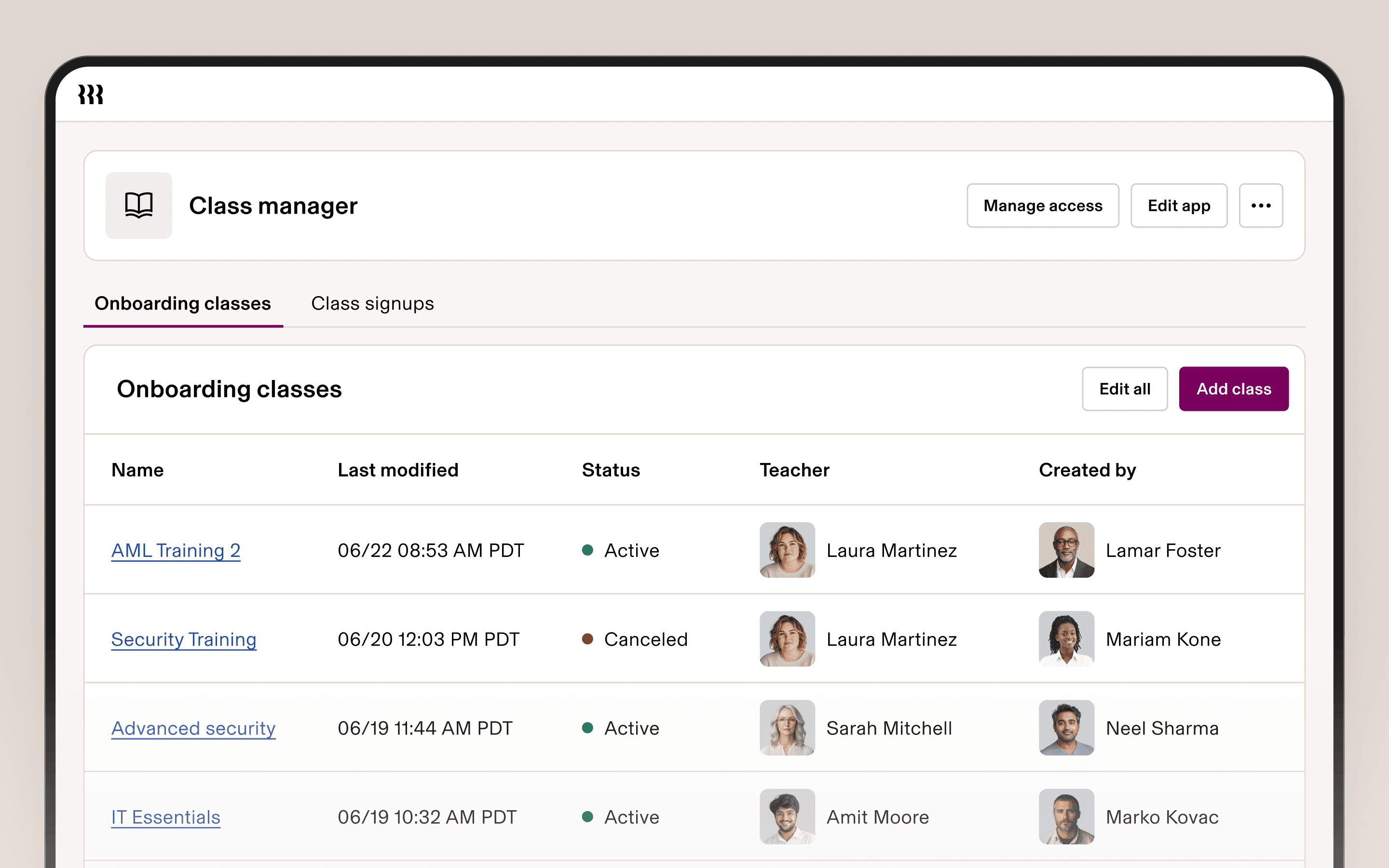
Custom Apps are business applications built inside Rippling for company-specific processes. They use Rippling’s data platform, permissions, workflows, and third-party data as the foundation. A Custom App typically helps customers manage and automate business processes that might otherwise end up in spreadsheets, such as compliance management, employee attendance tracking, or vendor onboarding.
Your data shouldn’t stop at dashboards
Most data platforms are built to answer questions. Snowflake lets you store and query data. Looker and Tableau turn it into charts. Add an AI layer, and you can ask questions in natural language. But once you have the answer, what happens next?
Usually, the work leaves the data platform. You spot a problem in a dashboard, then switch to another system to fix it: HRIS, payroll, IT, finance, ticketing, procurement. The insight lives in one place, but the action happens in another.
That’s why Rippling Data Cloud is worth more in combination with Custom Apps. Once your business data is unified in Rippling, you can do more than analyze it. You can build applications on top of it: approval flows, exception queues, remediation workflows, audit processes, and operational systems that use the same data, permissions, worker identities, and automation as the rest of Rippling.
The building blocks of a Custom App
Custom Objects are custom data models, defined by you. They come out-of-the-box with all of our platform features, like Workflows, REST APIs, Permissions, and Reports.
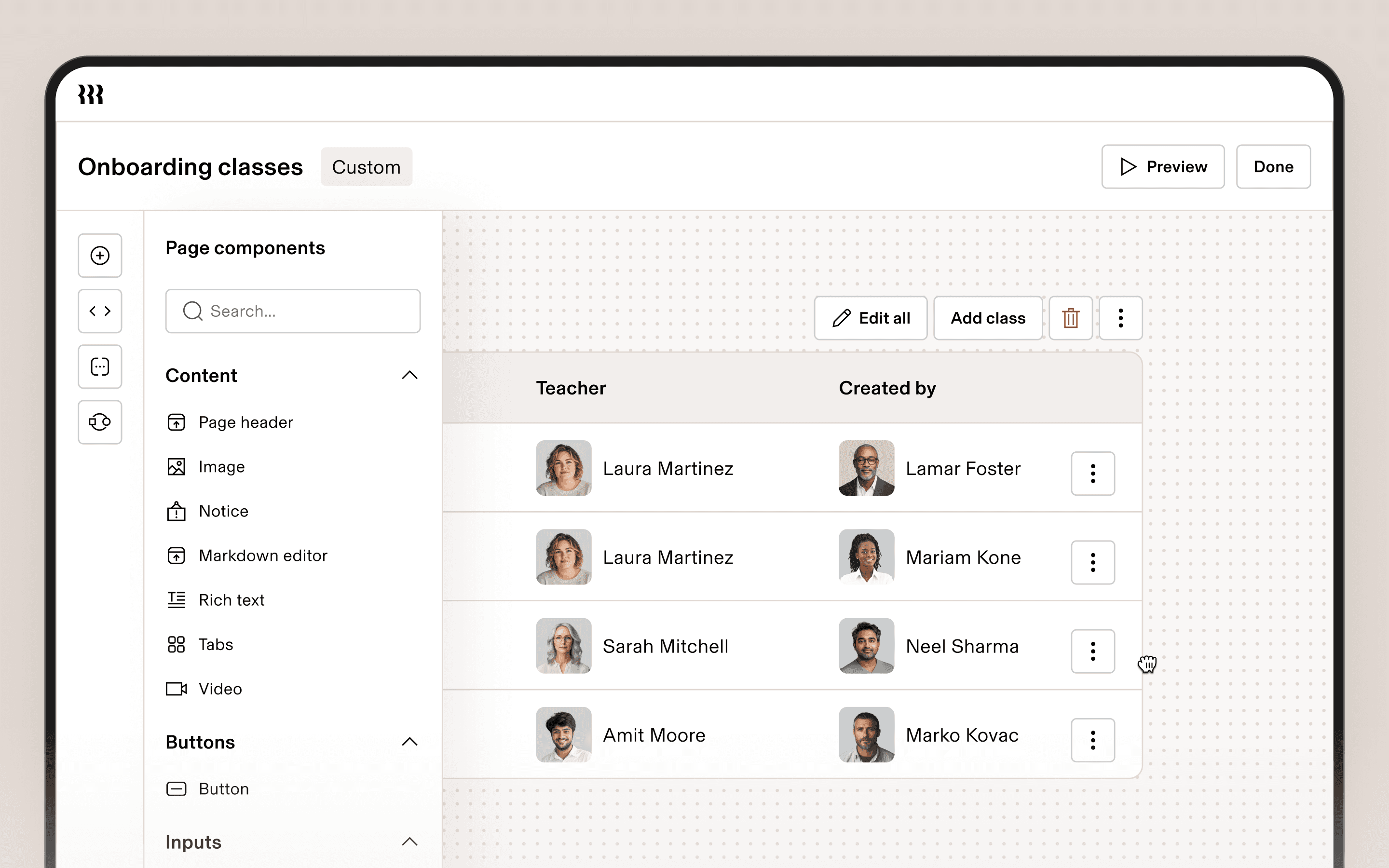
Canvas Pages are drag-and-drop Custom App interfaces that use Rippling’s component library.
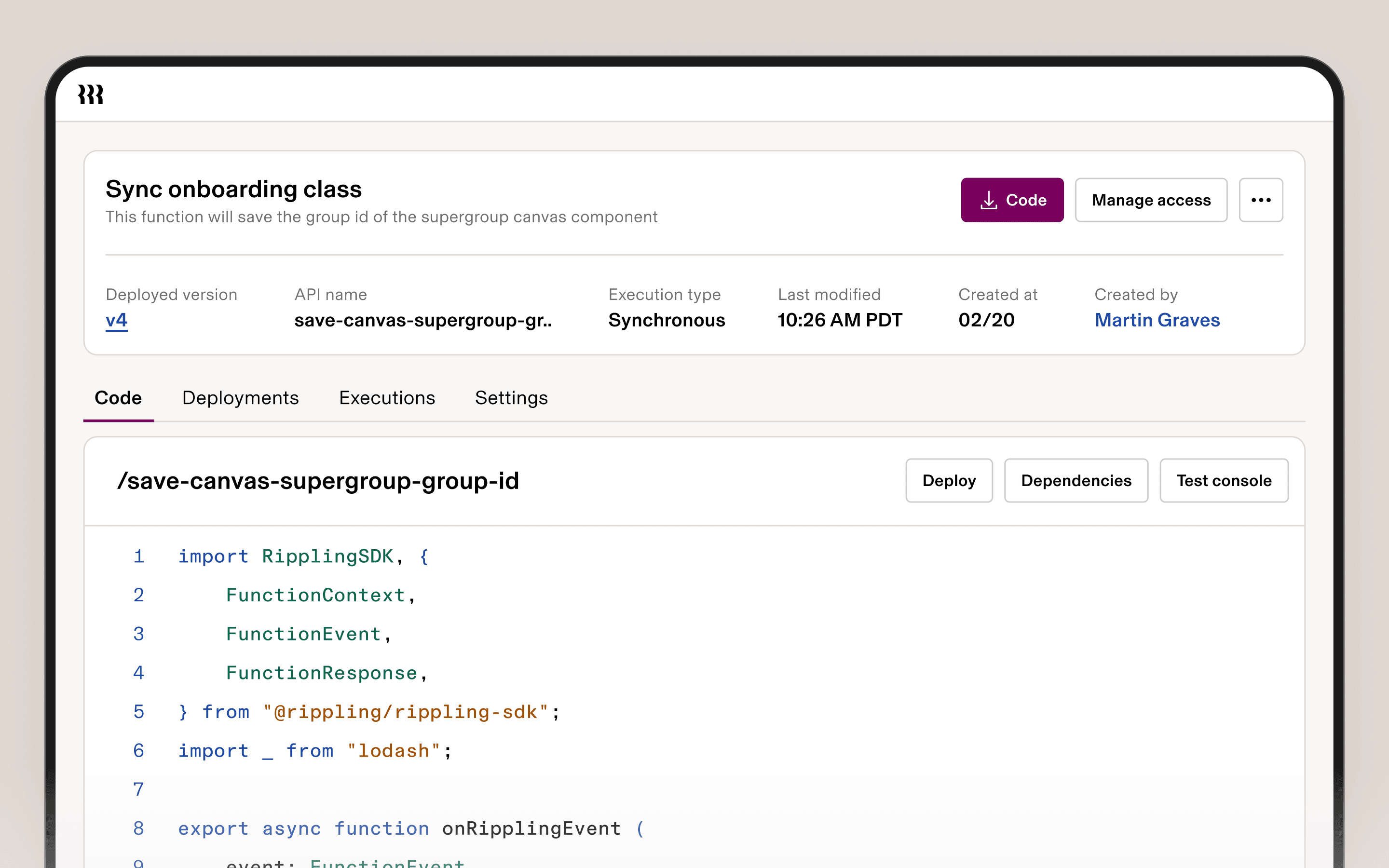
Functions are code that runs on Rippling’s platform. Functions can be run from Custom App UIs, Workflows, or even our REST APIs. Call APIs, process data, or implement custom logic as needed to complete tasks.
Workflows allow you to trigger multi-step processes from a data change, on a schedule, or manually. You can route approvals, send notifications, and update records. When external data lands in Rippling as Custom Objects, those objects are first-class workflow participants; a change in a connected system can now trigger a process in Rippling.
Embedded dashboards put analytics inside the app rather than somewhere else in the system. See data as you do your work in context, not hours later after it syncs to another system.
1/3
How Data Cloud makes Custom Apps better
External data can trigger operational processes
When a deal closes in Salesforce, that data gets synced to Rippling via a Data Connector. From there, a commission is automatically calculated based on the Employee’s tenure, the amount gets staged in payroll, the manager gets notified, and finance approves it. Nobody copies data between systems. The workflow executes end-to-end, with human approval at every step that requires it.
Improved dashboards and reporting
Even Custom Apps made entirely on top of operational data you already have in Rippling benefit from Data Cloud’s new analytics capabilities. Observability and reporting are important pieces of any business process, and the new generation of BI and Dashboards improve this. You can use Transformations and Dashboards to add interactive analytics directly to your Custom App UIs.
![[fig. 12] Custom Dashboard](/_next/image?url=https%3A%2F%2Fimages.ctfassets.net%2Fk0itp0ir7ty4%2F6LX0fqhOzm3yUFwTsnduAj%2Fef04d22bb6391db4486d75f5389413cf%2F-fig._12-_Custom_Dashboard.png&w=2880&q=75)
What real companies have built
A national behavioral therapy provider replaced an entire process involving hours of daily manual work with a live compliance app in Rippling. Custom Data Connectors pull all training data from the Litmos LMS into Rippling, while transformations consolidate 30+ objects into a single record per employee, complete with certifications, training progress, and more. When an employee falls behind on training or certifications, a workflow inside the app flags it automatically. What previously required daily manual checks is now automated and always current.
An international fitness studio built a commission calculation app with class attendance data from Mindbody. Instructor commissions are auto-calculated based on class attendance, factoring in the correct pay rules, and staged directly in payroll. A manual, error-prone process that consumed hours every pay period is now automatic.
Come build more powerful Custom Apps with Data Cloud
Data Cloud plus Custom Apps makes Rippling a more complete platform for builders.
Data Connectors let you bring in the external data your apps need.
Transformations helps shape that data into usable application models.
Dashboards add richer BI directly into the app experience.
And because all of it runs on Rippling’s workflows, permissions, identity, and automation, you can turn connected data into real operational applications—not just reports about the work happening elsewhere.
Disclaimer
Author
Matt MacInnis
Chief Operating Officer
Matt MacInnis is Chief Operating Officer at Rippling where he oversees business operations. He was previously co-founder and CEO of Inkling, a mobile learning platform that raised over $100 million in funding before being acquired in 2018. Before Inkling, Matt spent eight years at Apple, growing the use of its products in education and the sciences. He holds an Electrical and Computer Engineering degree from Harvard, and lives in San Francisco with his husband and kids.