



















We value your privacy. Learn more.
- Products
- Platform
Rippling AI
Unlock business-critical insights and delegate tedious tasks to AI built for HR, Payroll, IT, and Finance.
Learn more
Rippling Solutions
Get engineer-built custom apps in Rippling to automate any business process you have.
Learn more
- Solutions
- Global

Employer of Record
Hire globally without entities

Global Payroll
Pay employees anywhere

Global Contractors
Pay contractors anywhere

Contractor of Record
Mitigate contractor risk

Global HRIS
Run global HR in one place

Global HR Advisor
Get localized HR expertise

Global Benefits
Manage benefits anywhere

Global Spend
Save everywhere you operate
- Resources
Resources

Blog
Customer Stories
Customer Stories


Barry’s empowers their workforce with a scalable HR solution

Forterra automates busywork to drive impact

Chess.com creates a frictionless people process

Clay grew 5x by automating 80% of its onboarding tasks

Blank Street Coffee saves 40 hours by automating open enrollment

Rippling gave Andros automation superpowers
Webinars
Glossary

Events

Rippling U

Help Center

Compare


EN
Select language
United States (EN)


Australia (EN)

Canada (EN)
Canada (FR)

France (FR)

Germany (DE)

Ireland (EN)

United Kingdom (EN)
EN
United States (EN)
Australia (EN)
Canada (EN)
Canada (FR)
France (FR)
Germany (DE)
Ireland (EN)
United Kingdom (EN)
EN
United States (EN)
Australia (EN)
Canada (EN)
Canada (FR)
France (FR)
Germany (DE)
Ireland (EN)
United Kingdom (EN)
Powered by G2 - data as of 02/2026
Rippling vs. QuickBooks
Is Quickbooks slowing you down? Reduce your administrative burden, work more efficiently, and stay compliant automatically with Rippling.
- Eliminate manual process for HR, payroll, and finance
- Automate compliance coverage at the local level
- Leverage expert, world-class customer support
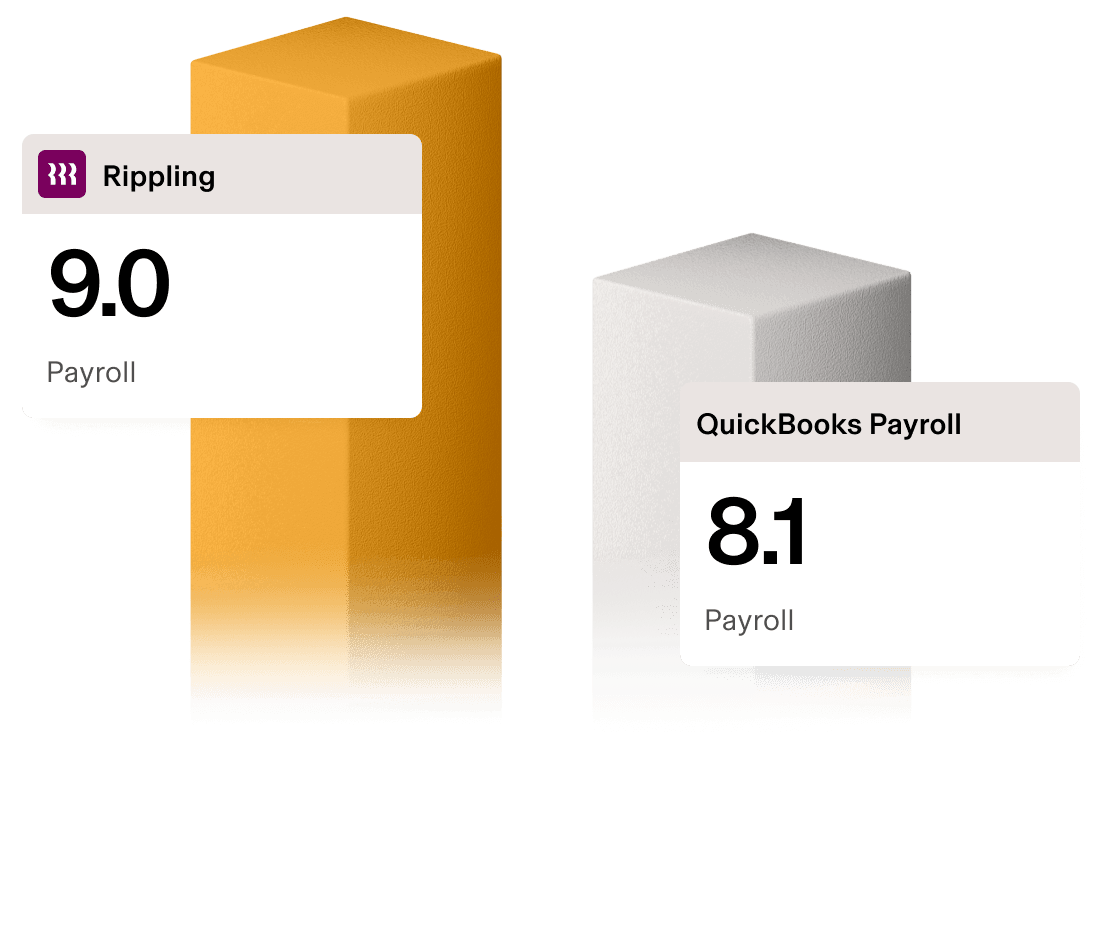
What sets Rippling apart from Quickbooks Payroll?
Don't let limited payroll software hold back your business. While QuickBooks Payroll is a traditional tool that can support basic payments, it often creates more manual work for your team. In contrast, Rippling unifies your payroll and HR systems in one place, giving you hours back and automating compliance on your behalf.
Feature | Rippling | QuickBooks Payroll |
|---|---|---|
U.S. Payroll | ||
Supports hundreds of different industries, from software tech to manufacturing and more | ||
Full suite of HR tools | ||
Solutions for small, medium, and enterprise-scale organizations | ||
Automatic, localized compliance tracking at the individual employee level | ||
Automatically syncs employee data across all modules | ||
Live video call support w/ screen sharing | ||
Fully customizable, cross-module reporting | ||
150+ pre-built workflows | ||
Global HR & payroll coverage in 185+ countries | ||
Full Spend management suite, with travel, expenses, corporate cards and more | ||
Full IT suite, with identify & access management, device management and more |
What ex-Quickbooks users say
“With QuickBooks I had to manually enter in everybody’s tip information, which was ripe for error. I was always afraid I was going to mistype something. With Rippling, I love that I can upload a CSV with the tip information.”
Jenny Chen
Co-founder at IZOLA
Employee count: 50
Pricing and products
Starting at $8 per user per month
Powered by G2 data as of 02/2026
Thousands of verified users on G2 rate Rippling higher than QuickBooks Payroll
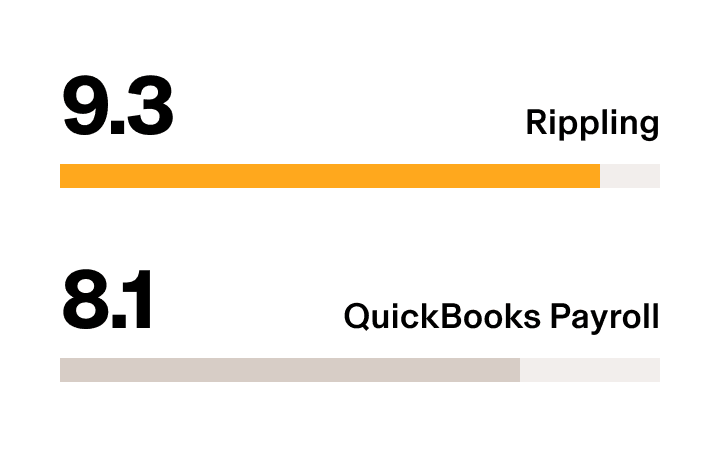
Payroll: Overall
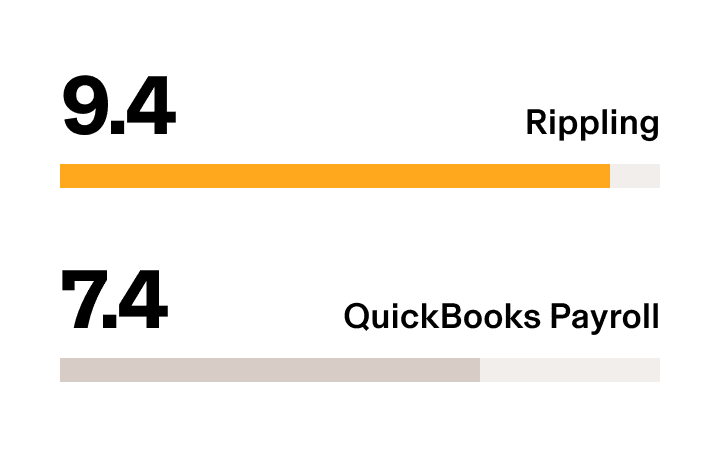
Payroll: Scalability
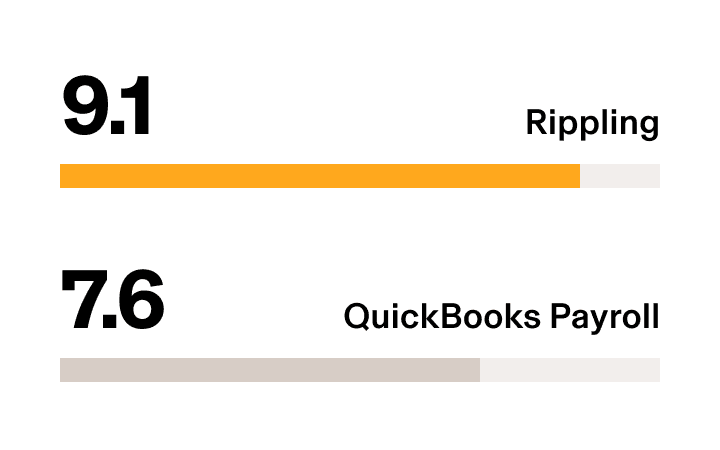
Payroll: API/Integration
Payroll: Time Tracking Integration
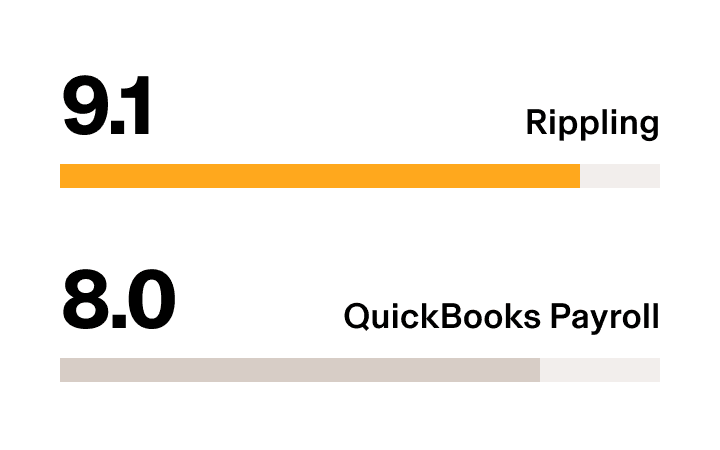
Payroll: Reporting and Dashboards
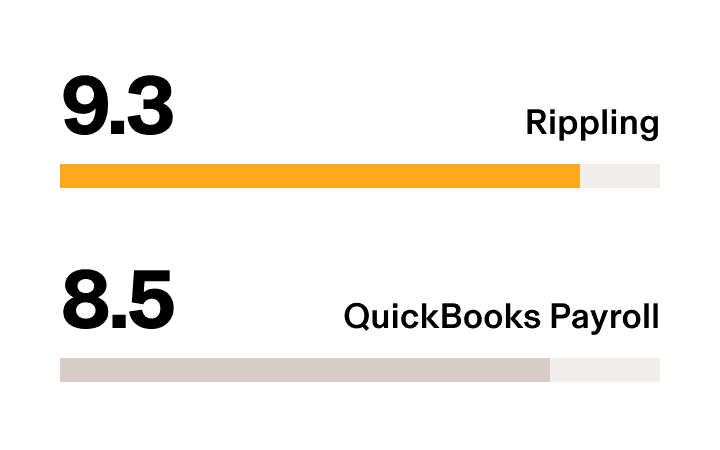
Ease of Setup
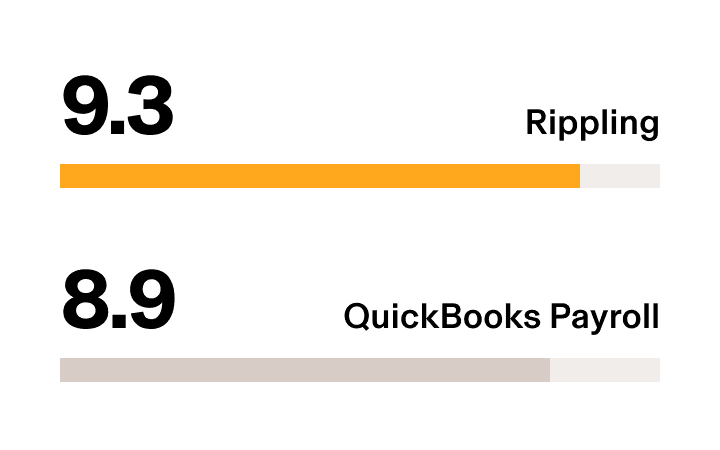
Quality of Support
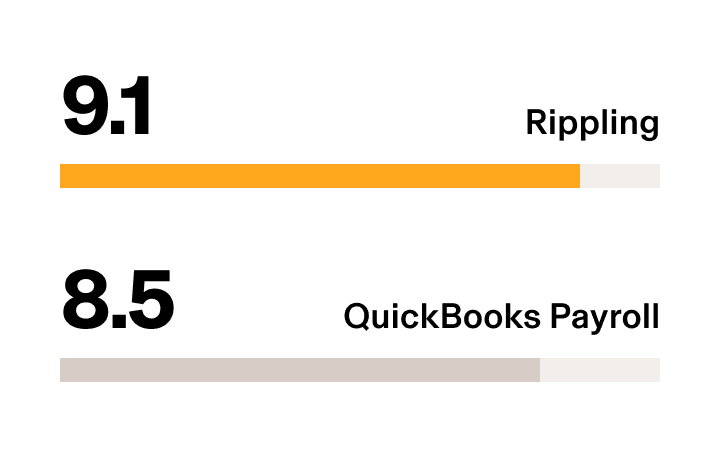
Benefits Administration
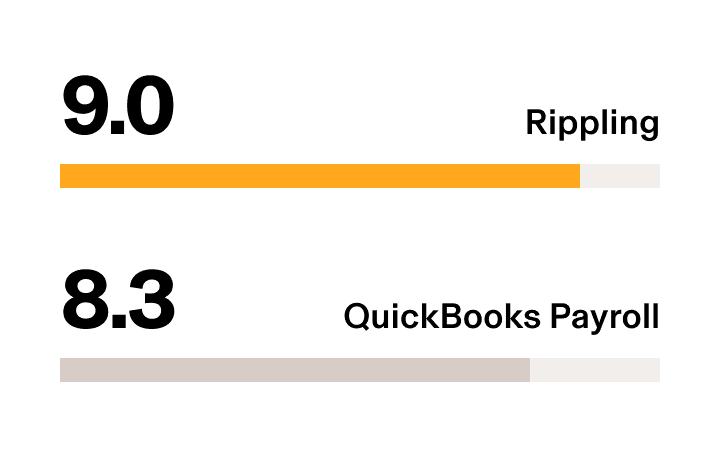
Onboarding
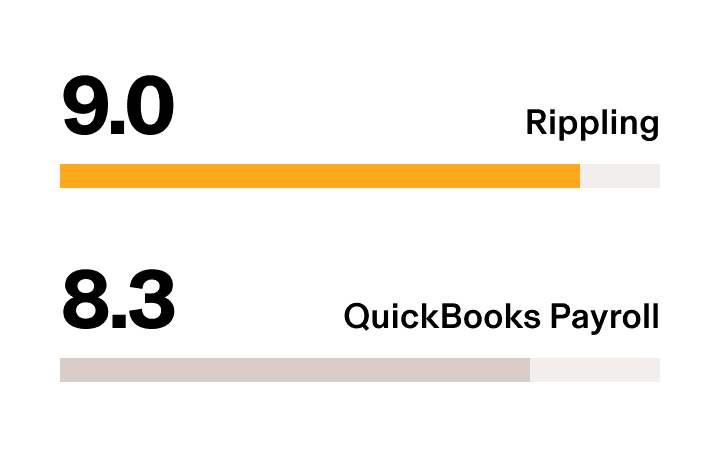
Core HR: Overall
Why switch to Rippling from Quickbooks?
Eliminate more manual work
Workforces get more done with Rippling. Take advantage of powerful, out-of-the-box automation features designed to get rid of busywork. Reduce your administrative burden and focus more on strategic work that drives your business forward. From day one, leverage hundreds of pre-built workflow recipes designed to give you back your workweek.

All of your employee data in one place: no more silos
Rippling connects HR, IT, and finance in one system—so you can onboard employees, run payroll, manage devices, and control access all from the same place. Our platform is built on a single source of truth of all employee data, natively connecting all applications in one place without stitching together multiple tools.
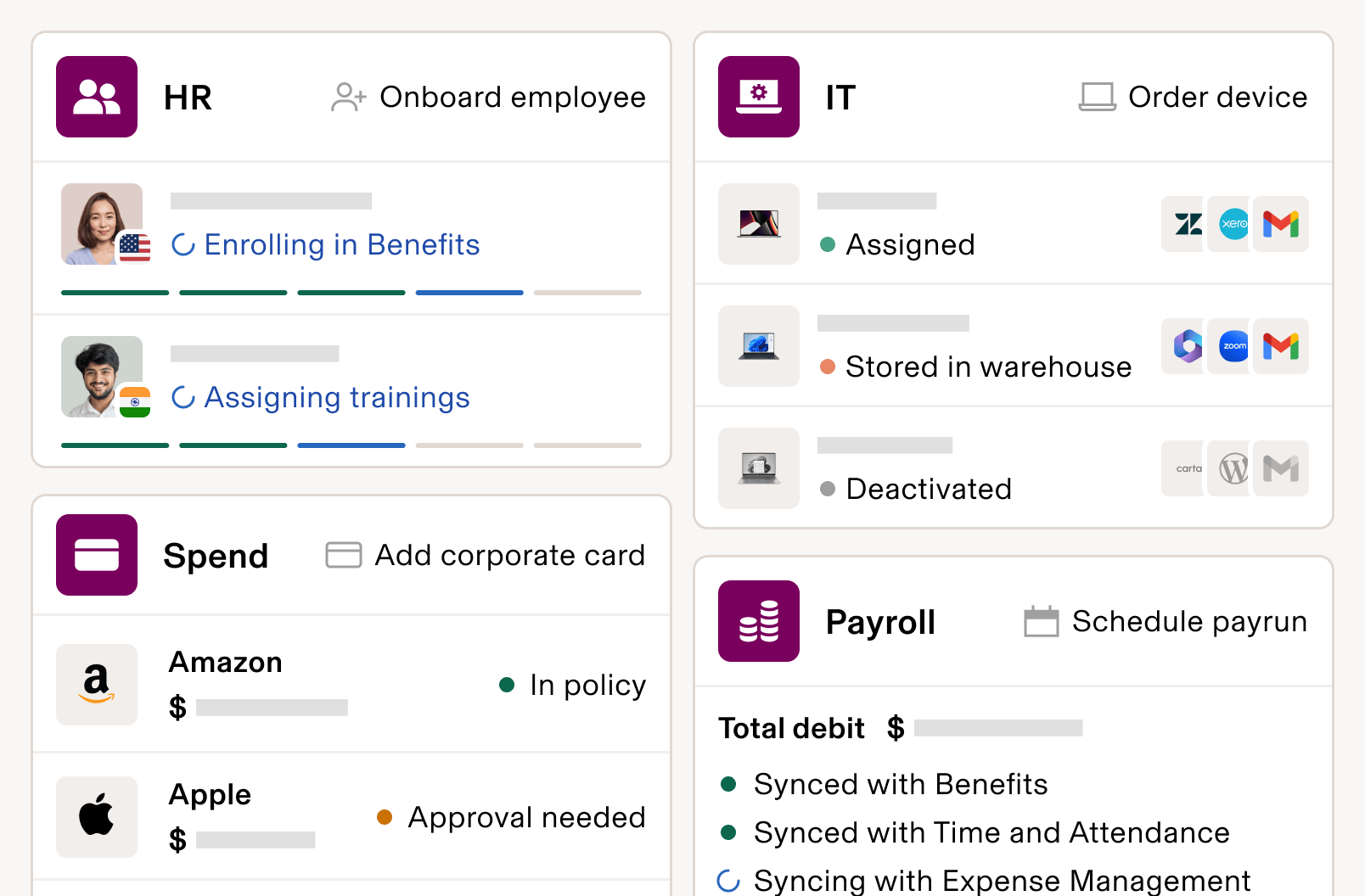
See and act on insights in real time
Rippling enables you to report across your HR, IT, and finance tools in any way that you want, directly on our platform. Go beyond static reports by triggering retention workflows, budget adjustments, or onboarding improvements directly from your dashboards.
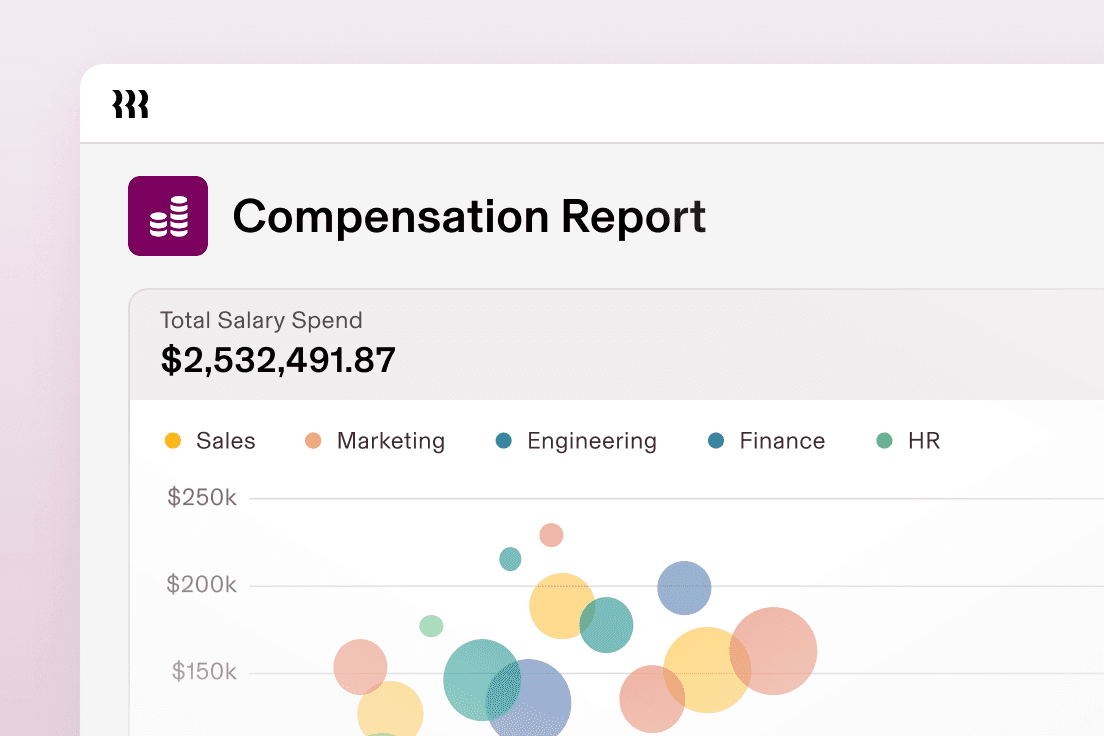
No-stress compliance
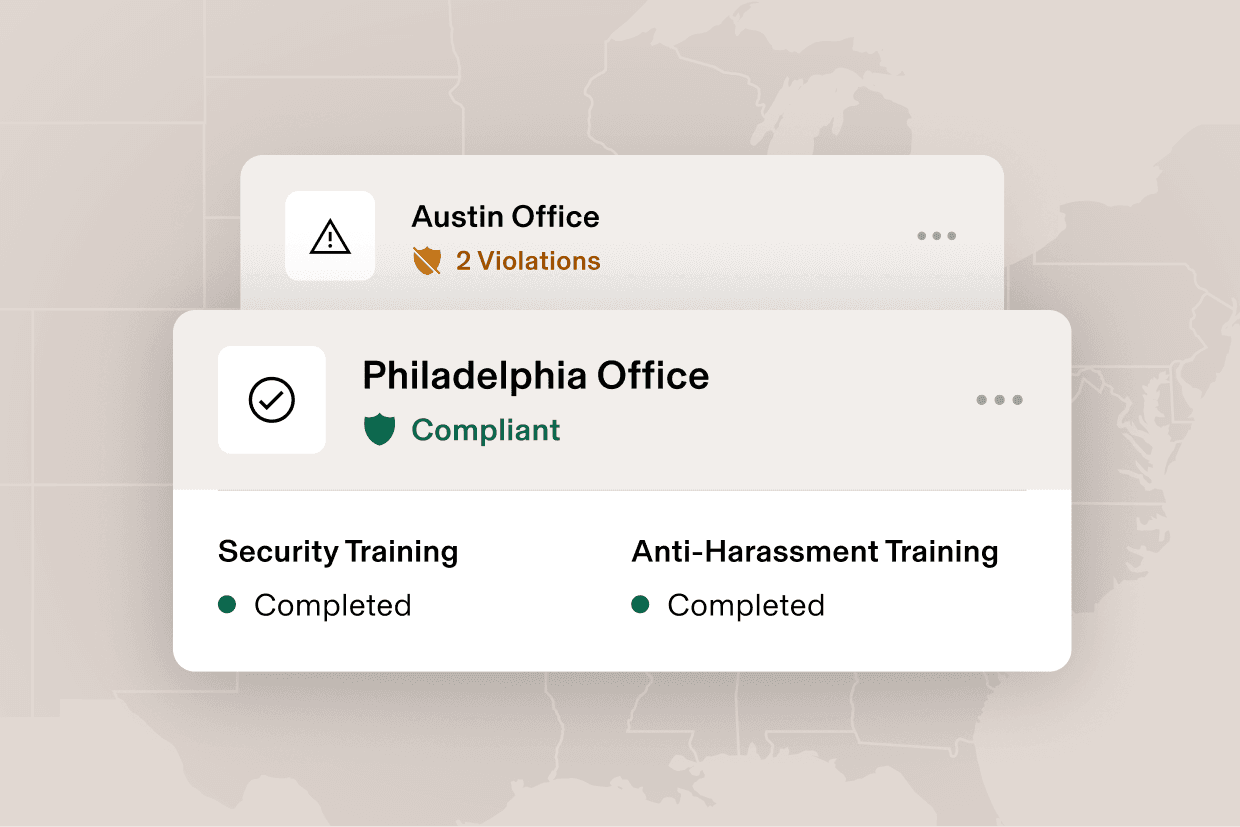
Rippling keeps an eye on all employment laws—country-specific, state, and local. If an employee is close to breaking a rule, like working too much overtime, you’ll get an alert that helps you address it before it becomes a problem.
650+ integrations to simplify your life
Rippling centralizes and connects all of your data in one place. Fully integrate your complete stack of tools with pre-built, bi-directional integrations across finance, legal, HR, IT, security, sales, marketing, and more.

World-class support when you need it
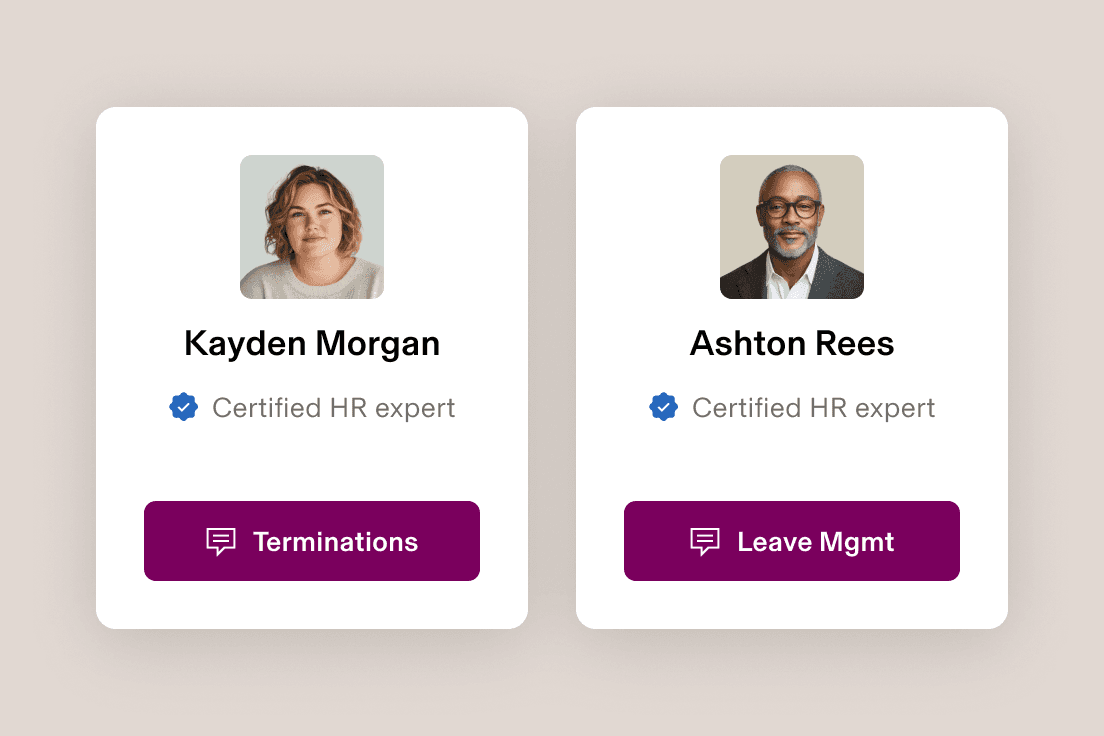
Rippling won’t put you on hold. Our dedication to support is why we are the first in the industry to publish our support metrics online. Leverage product-level experts with a >90% CSAT and avoid unnecessary disruptions with your workforce.
Book a demo. See it in action.
“What used to take a ton of manual effort now happens seamlessly. [This gives] our new hires, and our teams, a much better experience.”
Michelle Colangelo
Rippling User
Director of People at Sibros
All-in-one HR software
FAQs
Does Rippling offer the same level of functionality as QuickBooks Payroll?
Rippling exceeds QuickBooks Payroll in overall functionality. Rippling offers a comprehensive payroll and HR suite to support the entire employee lifecycle, from recruiting to offboarding. In addition, Rippling also offers comprehensive global, IT and Finance product suites to support needs like employee travel and equipment inventory management.
How do I choose the best payroll software for my company?
To choose the best payroll software for your company, you should consider:
- Size of your business: Does the system support your business size, whether you're a small business, startup, or enterprise?
- Scalability: Can the system grow with your company and workforce?
- Integration capabilities: Does it connect seamlessly with payroll, accounting, and third-party tools?
- Ease of use: Is it a user-friendly experience for both payroll professionals and employees?
- Pricing: Is there transparent and scalable pricing based on features and company size?
- Implementation: What does a typical implementation look like? How long should I expect implementation to take, and will I need to pay for third parties to assist with the implementation?
How many employees can be supported by Rippling’s platform?
Rippling can support companies ranging in size from a single employee to thousands of employees across multiple countries. We currently support over 25,000 customers with various company sizes.
What are the key differences between QuickBooks and Rippling?
Both Rippling and QuickBooks offer payroll solutions, but the two companies have taken a different approach in several key areas:
- Payroll + HR: Rippling’s platform includes a full suite of payroll and HR products, supporting all sizes of organizations across hundreds of industries. Unlike QuickBooks, Rippling’s product coverage extends beyond basic HR and payroll to include a full suite of talent management, workforce management, and more, available as optional add-ons.
- Single source of truth for all applications: Rippling’s platform and products are powered by employee data from a single source of truth: the customer’s employee graph; QuickBooks uses cloud connectors to sync data from multiple locations
- Automation capabilities: Rippling’s platform includes 150+ cross-functional workflow automations, plus a fully configurable workflow studio that enables automation down to the individual field level; Quickbook’s workflow automations must be manually configured and are limited to automating actions such as notifications or alerts
- Customer support: Rippling provides publicly disclosed customer support metrics with live chat that converts to live video call support as needed, using product-level experts; QuickBook’s customer support model is primarily built around phone and email ticketing, with no publicly disclosed support metrics
Reporting capabilities: Rippling’s data manager enables fully customizable, cross-module reporting with in-app pivot tables and formula fields, allowing users to report on any data object; QuickBook’s reporting engine relies on pre-built, standardized reports with limited abilities to build customized, cross-module reporting without submitting a support ticket
What’s the difference between Rippling’s and QuickBook’s customer support model?
Rippling provides publicly disclosed customer support metrics with live chat that converts to live video call support as needed, using product-level experts; QuickBook’s customer support model is primarily built around phone and email ticketing, with no publicly disclosed support metrics
Which industries can Rippling support?
Rippling’s customer base of over 25,000 includes a wide range of industries including hospitality, manufacturing, finance, software, business services, retail, and more; Rippling’s platform is not limited to specific industries.
Can Rippling support global teams?
Yes, Rippling supports global workforces through country-specific, localized HR compliance, global payroll, global employer of record (EOR), and contractor management in 185+ countries.
Do users prefer Rippling or QuickBooks?
Rippling outscores QuickBooks Payroll on G2, Capterra, and TrustRadius (scores as of February 2026).
Over 10,000 verified users on G2 rate Rippling 4.8/5.0 overall, compared to QuickBooks Payroll’s 4.4/5.0 score from over 400 verified users.
Rippling is rated 4.9/5.0 on Capterra, while QuickBooks Payroll is rated 4.5/5.0 Rippling is rated 9.0/10.0 on TrustRadius, while QuickBooks Online Payroll is rated 7.5/10.0
Is Rippling or QuickBooks best for payroll?
Rippling customers can run payroll in 90 seconds, taking advantage of more advanced automation, quicker approvals, and in-house payroll infrastructure. Verified users rate Rippling higher than QuickBooks on payroll:
Rippling: 9.3/10.0 QuickBooks Payroll: 8.1/10.0
Which products does Rippling offer that QuickBooks does not?
Rippling offers comprehensive HR, IT and Finance product suites, unlike QuickBooks. Rippling customers can optionally add on HR solutions like scheduling, recruitment, performance management, learning management, PEO & HR Services, global hiring, and more. Rippling customers can also add-on IT solutions such as identity & access management, mobile device management, and IT inventory management. Rippling customers can also add-on Finance solutions like travel and corporate cards.