

























Rippling and its affiliates do not provide tax, accounting, or legal advice. This material has been prepared for informational purposes only, and is not intended to provide or be relied on for tax, accounting, or legal advice. You should consult your own tax, accounting, and legal advisors before engaging in any related activities or transactions.
How Fluxx turned offboarding into a one-click process
In this article
Jessie Bourg is the Senior HR Manager at Fluxx. She’s a Rippling power user who uses the product to tackle hard business problems.
We're a lean team of three managing HR for the entire company, and one of our biggest challenges was offboarding. When someone leaves, there's a long list of tasks that need to happen across multiple departments, so many stakeholders, and every single one needs to be documented for SOC 2 compliance.
The coordination alone was eating up time we didn't have. We were looking for a solution that could automate the administrative burden.
The problem: Manual spreadsheets for every departure
Our offboarding process wasn't fancy at all. We were using an Excel spreadsheet with all the tasks listed in a column, along with the owner for each task. Once a task was completed, we'd add a timestamp. And we were duplicating that spreadsheet for every single person we offboarded.
It was very manual with no automation whatsoever. Between the people team, IT, and different system owners who needed to deprovision access depending on the department, it was a lot to coordinate.
The lack of automation was really what made the potential of bringing this into Rippling so exciting.
The solution: Building a custom offboarding app
I built a custom app with Rippling's Forward Deployed Engineering team, and that experience surpassed my expectations — not just for what I learned, but for what I was able to build.
Step 1: Map the current process
I explained our current spreadsheet process: who was involved, what needed to happen, and why. The Rippling team asked questions to really understand our company and the problem we were trying to solve. They'd suggest potential solutions, then ask more questions to find the best fit.
What stood out was how quickly we went from idea to app. The solution became clear on the initial call.
Step 2: Build the custom offboarding workflow
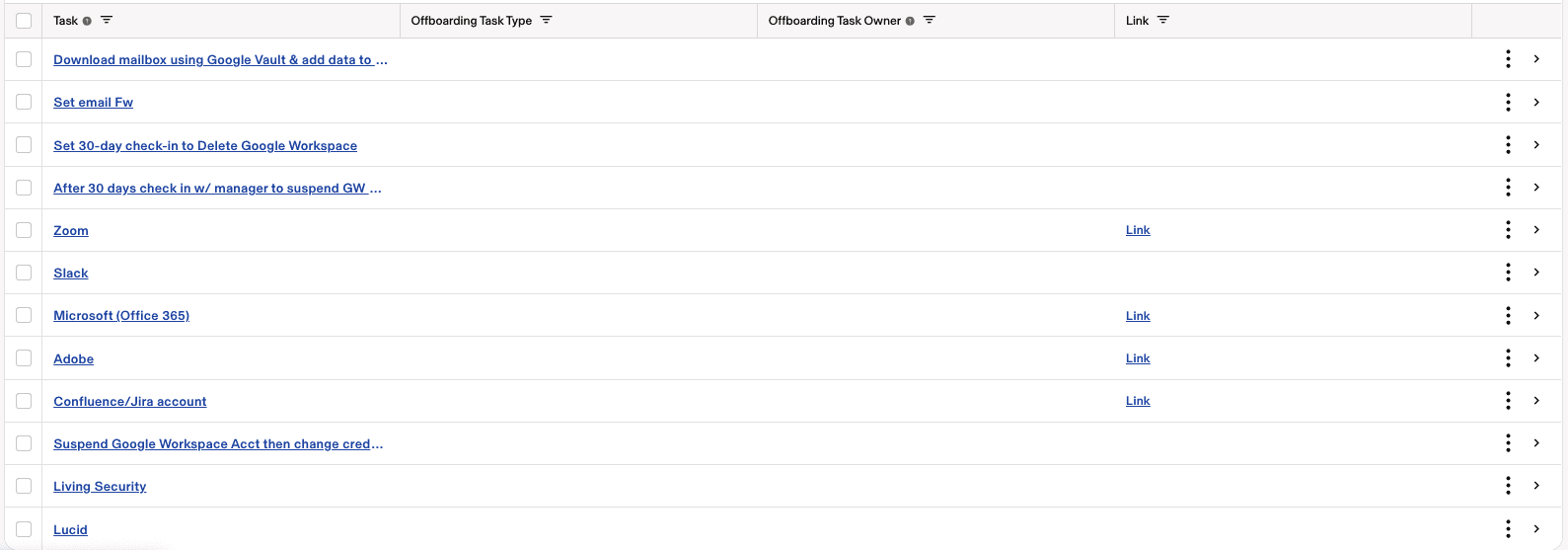
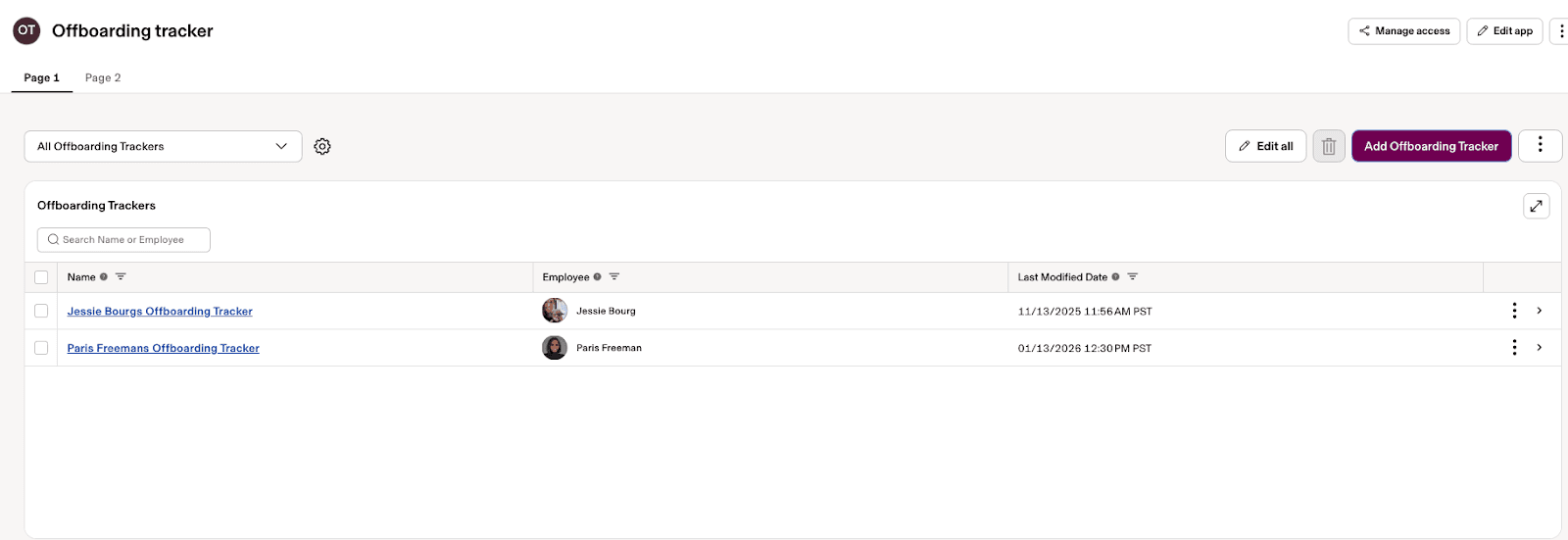
We built a custom app that automatically assigns tasks and captures audit trails.
Here's how it works: Whenever someone leaves — whether they resign or we make the decision — the workflow gets triggered. When we submit the termination in Rippling, it sends out a task list to all the stakeholders who are involved in offboarding: the people team, IT, and, depending on the department, the different systems they're using.
Step 3: Track everything for compliance
Each stakeholder completes the deprovisioning of the systems they're responsible for, and the app captures a timestamp. That creates an audit trail for SOC 2 compliance. There's visibility for all of those people to be able to go in and see the trail of evidence of when that person's been offboarded.
All of that now happens with the click of a button — submitting the termination. In the past, it was all very manual.
The impact
The difference between our old process and our new Rippling-powered one? Night and day.
Time back for a lean team
We're a team of three, and we have a lot on our plates. A lot of our focus is on automation and how we can make our lives a little bit easier.
I'm so excited to show our people operations specialist, who really is the owner of offboarding, and who's been trying to think of ways to alleviate this process for us. I want to say, "Look what I was able to build. Look what it can do."
SOC 2 compliance made easy
The audit trail is now automatic. Instead of manually tracking timestamps in a spreadsheet, we have a clean record of when each system was deprovisioned and by whom. Everything we need for compliance is built right into the app.
A foundation for more automation
I now have a foundational knowledge of what a custom app is and what's involved. Now I'm thinking about all the other processes we could automate.
We use a lot of spreadsheets and forms for things that live outside of Rippling right now. Role requests are one. Any new role, backfill, or promotion that comes in initiates a process with finance and involves a lot of approval chains. We're also using a Google Form for vendor tracking. Any new vendor goes through a thorough approval process with legal and our security team.
I can see custom apps bringing a lot of automation to those workflows — using the app itself and workflows to trigger specific events, who's supposed to approve, and then what happens once that's approved.
Working with a team that gets it
What stood out about working with Rippling's team was that they're truly interested in what you're trying to solve. They want to understand your company and your problem, then help you find the best solution.
The other thing is that engineering has this reputation for being very technical, but they were able to translate everything to someone like me, who's in HR and not technical. We were all kind of learning together, which was really cool.
Automate the work slowing your business down
Disclaimer

Author
Jessie Bourg
Senior HR Manager
Hubs
See Rippling in action
Increase savings, automate busy work, and make better decisions by managing HR, IT, and Finance in one place.