














By clicking "Rippling bekijken," you agree to the use of your data in accordance with Rippling's Privacy Notice, including for marketing purposes.
Deze content is nog niet beschikbaar in the Nederland.Terug naar startpagina van NL
- Producten
- Platform
Kernmogelijkheden

Workflow Studio
Geavanceerde workflows activeren met ongeacht welke gegevens

Analyse
Rapporteren over alles wat er in uw apps gebeurt

Beleidsregels
Bedrijfsregels automatisch toepassen

Machtigingen
Iedereen de juiste toegang geven

Integraties
De prestaties van externe apps optimaliseren

App Studio
Aangepaste apps maken zonder code
Rippling AI
Ontgrendel bedrijfskritische inzichten en delegeer vervelende taken aan AI die is ontwikkeld voor HR, salarisadministratie, IT en finance.
Meer informatie
Rippling Solutions
Krijg door engineers gebouwde maatwerkapps in Rippling om elk bedrijfsproces dat je hebt te automatiseren.
Meer informatie
- Oplossingen
- Wereldwijd

Officiële werkgever
Wereldwijd werven zonder entiteit

Internationale salarisadministratie
Medewerkers waar ook ter wereld betalen

Internationale contractanten
Contractanten waar ook ter wereld betalen

Officiële contractant
Contractantrisico beperken

Internationaal HRIS (HR-informatiesysteem)
Internationale HR centraal uitvoeren

Wereldwijde secundaire arbeidsvoorwaarden
Secundaire arbeidsvoorwaarden waar ook ter wereld beheren

Wereldwijde uitgaven
Bespaar overal waar uw bedrijf actief is
- Resources
Blog

Resources

Klantervaringen

Klantervaringen


Barry’s biedt zijn personeel meer mogelijkheden dankzij een schaalbare HR-oplossing

Forterra automatiseert tijdrovende taken om meer impact te hebben

Chess.com ontwikkelt soepele personeelsprocessen

Clay werd vijf keer zo groot door 80% van de onboardingtaken te automatiseren

Blank Street Coffee bespaart 40 uur door open inschrijvingen te automatiseren

Dankzij Rippling heeft Andros een optimale automatisering
Webinars

Verklarende woordenlijst

Gebeurtenissen

Rippling University

Helpcentrum

Vergelijken


NL
Select language

Australië (EN)

Canada (EN)
Canada (FR)

Frankrijk (FR)

Duitsland (DE)

Ierland (EN)

Verenigd Koninkrijk (EN)

Verenigde Staten (EN)
NL
Australië (EN)
Canada (EN)
Canada (FR)
Frankrijk (FR)
Duitsland (DE)
Ierland (EN)
Verenigd Koninkrijk (EN)
Verenigde Staten (EN)
NL
Australië (EN)
Canada (EN)
Canada (FR)
Frankrijk (FR)
Duitsland (DE)
Ierland (EN)
Verenigd Koninkrijk (EN)
Verenigde Staten (EN)
Permissions
Automate what employees can see and do. Securely.
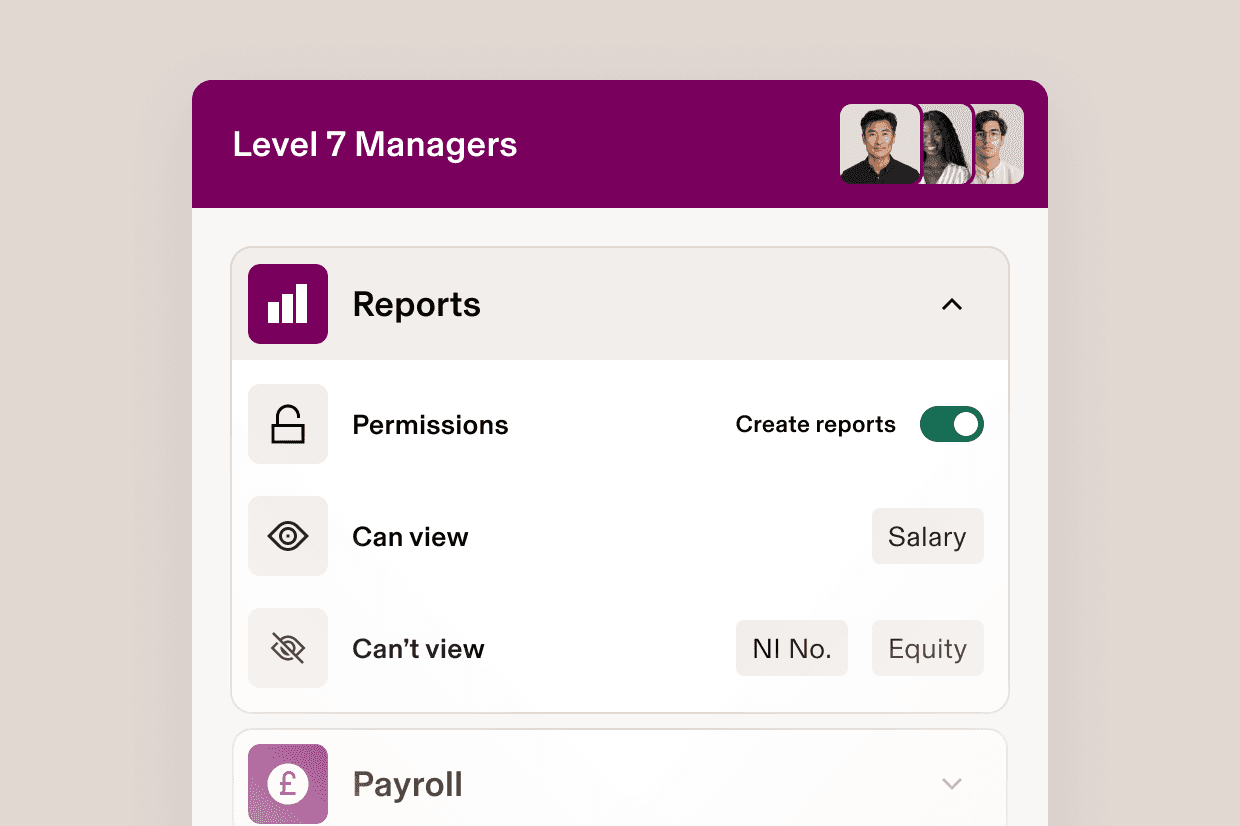
Permissions profiles
Build permission profiles that give people the right power
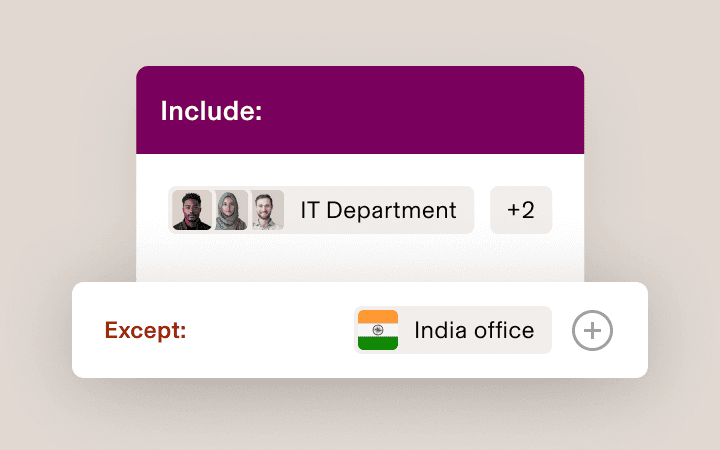
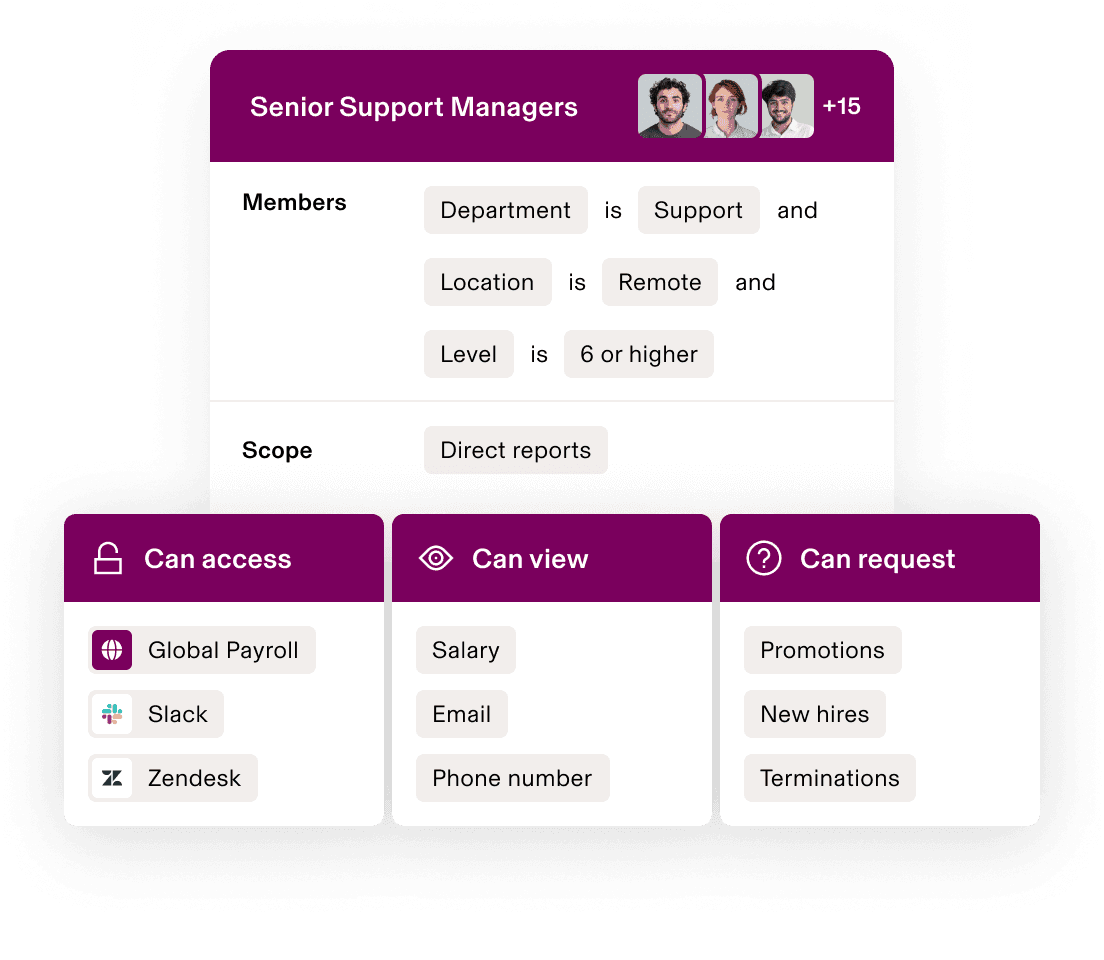
Define scope
Scope is the people whose data a permissions profile has some access to. It could be a reporting line or an entire department.
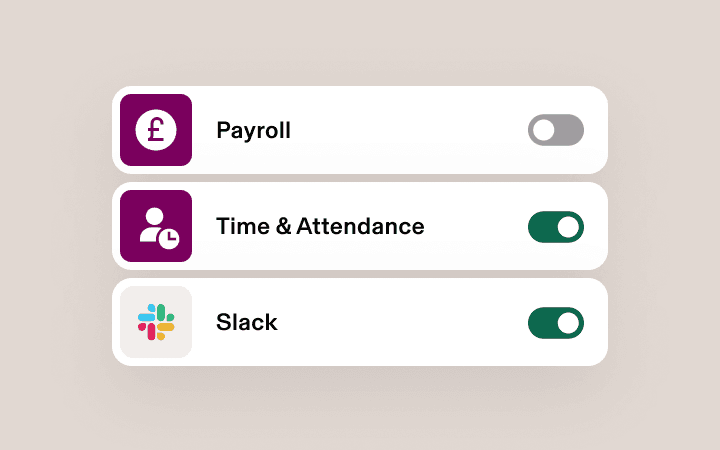
Control access
Access governs the different types of data that a permissions profile has about the people in its scope, usually tied to a specific app, such as Payroll.
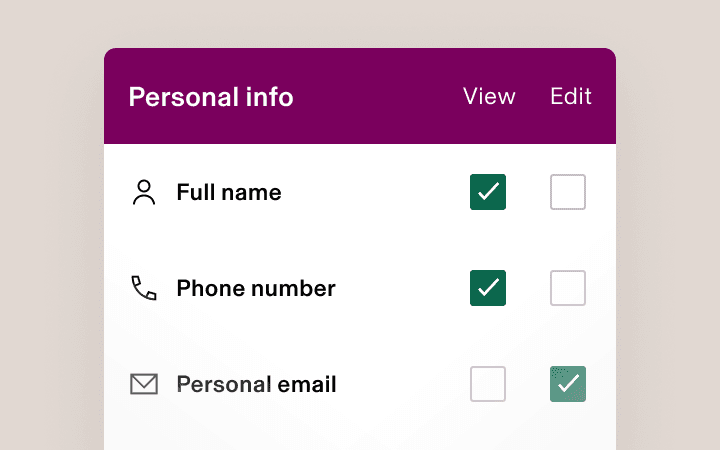
Select actions
Actions describe what a permissions profile can do with the data in its scope – such as view, edit and approve – in the apps it has access to.
Supergroups
A more secure, flexible way to permission
Automatically assign permissions profiles with Supergroups. Supergroups are dynamic membership lists built using attributes like level or location. As an employee’s attributes change, their permissions update – sharing data securely and efficiently.
Permission actions
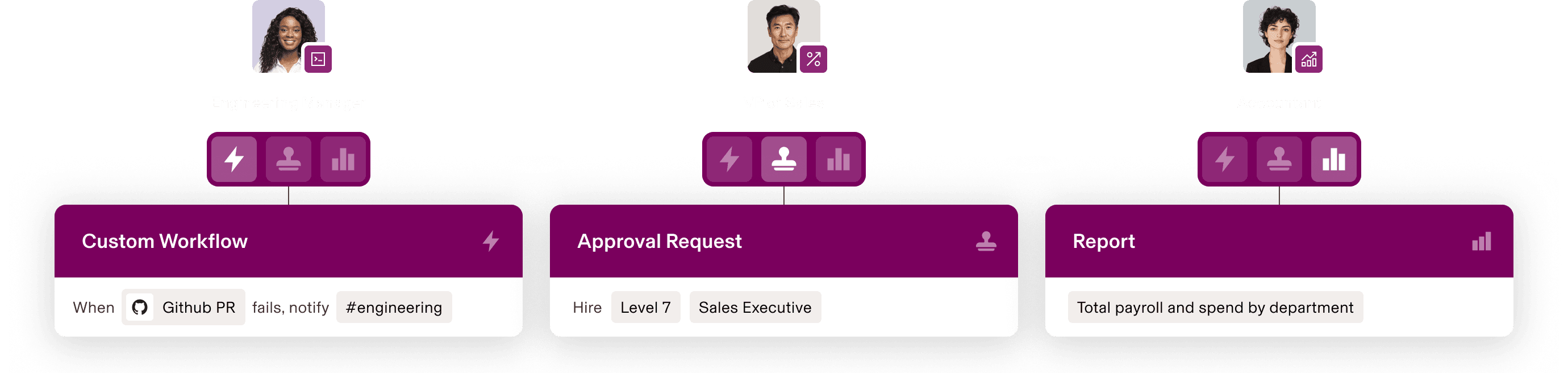
Empower people to do more than “view”
Rippling grants access to data, not views. As a result, managers, HR business partners and leaders can take action with data in their scope, building custom workflows, running their own reports and more.
Approval management
Escalate only the most important approvals
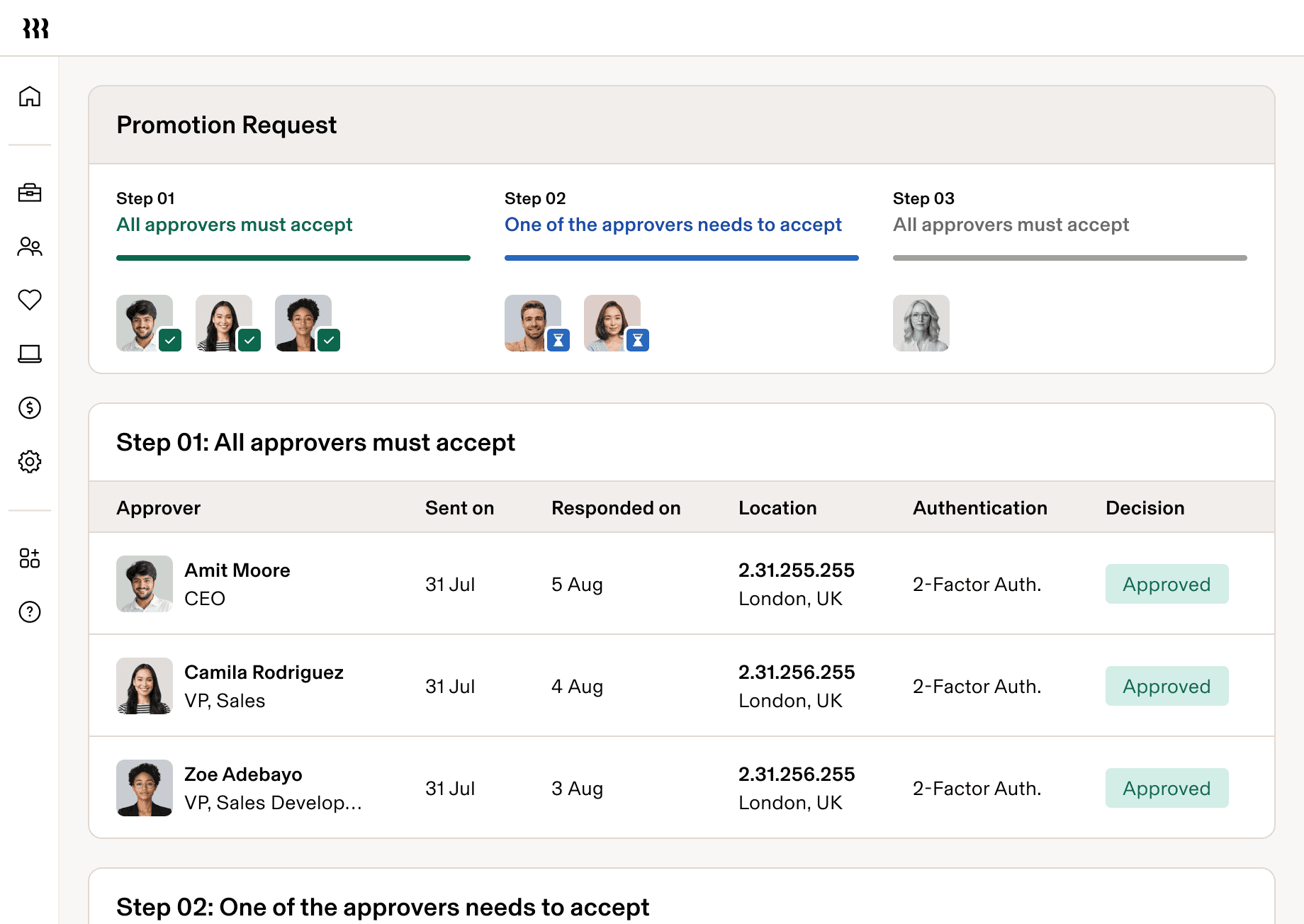
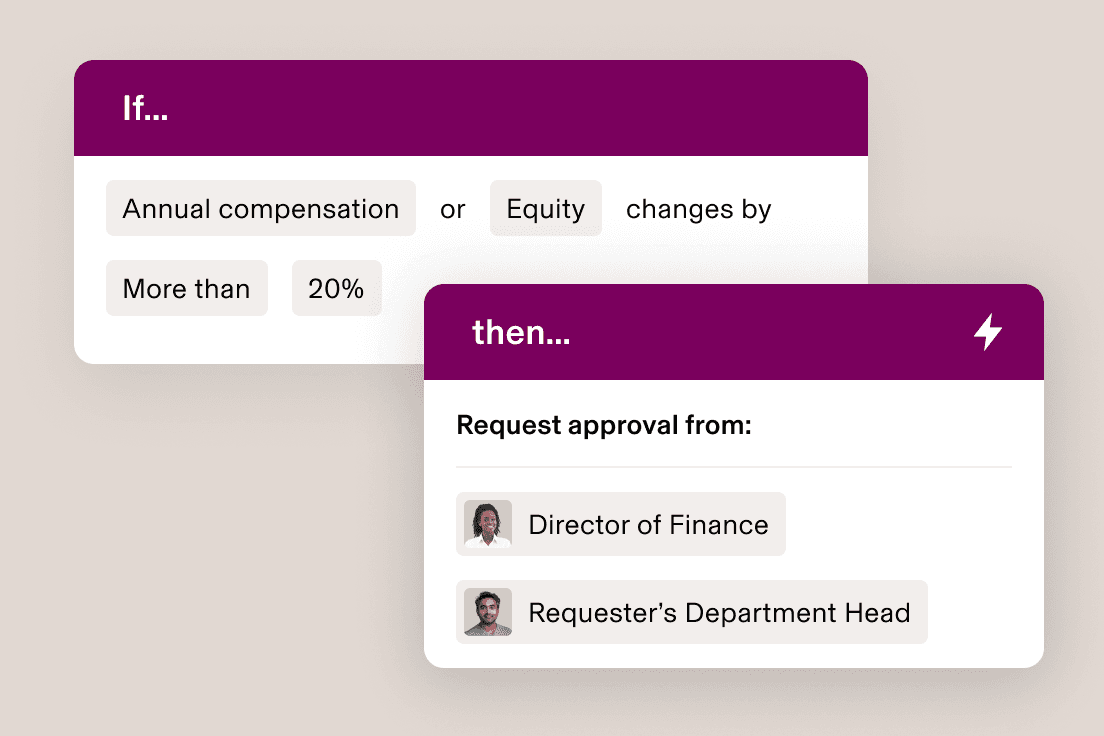
Hire. Provision apps. Approve expenses. You set the rules for who can make and approve requests, under what circumstances, so that small changes sail through while big-ticket items are flagged for review.
Role-based approvals
Automatically route requests to the right approvers
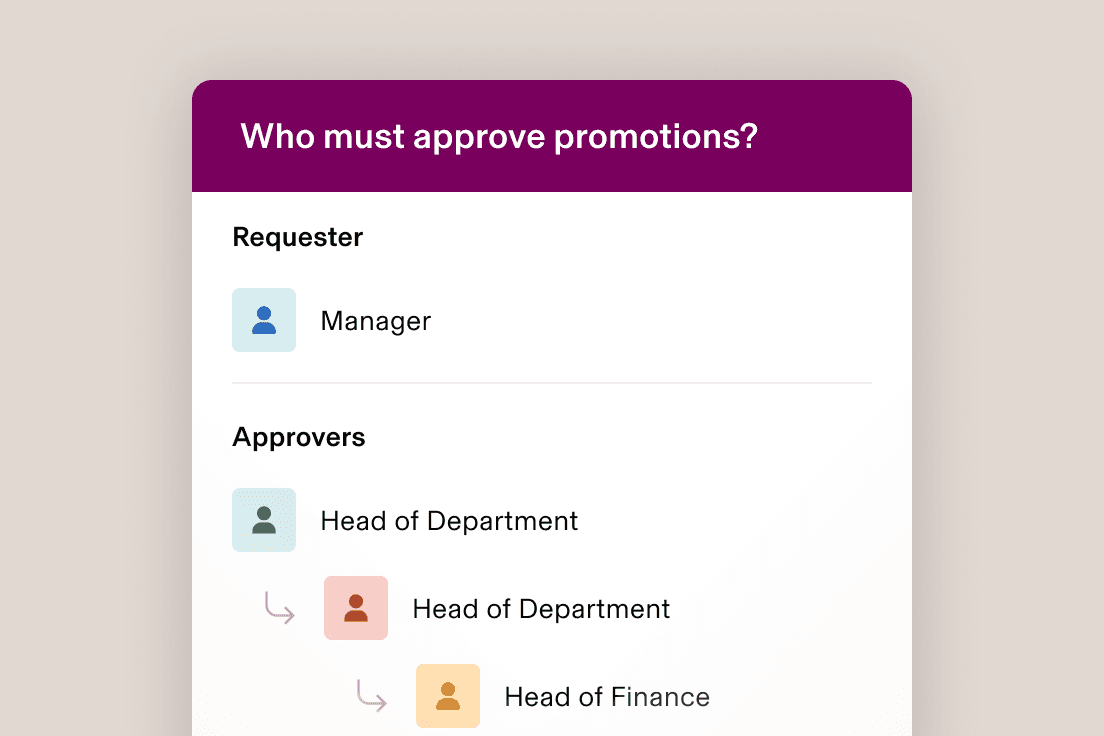
Rippling routes approvals based on employee attributes, like length of service and department. That means requests will continue to reach the right person – even as your org evolves.
Custom approval chains
Design any approval chain, no matter how complex
Build approval chains that respond to the dynamics of your business. Rippling supports multi-approver logic and can handle complex situations, like rerouting a request if its primary approver is on holiday.
Role-based permissions
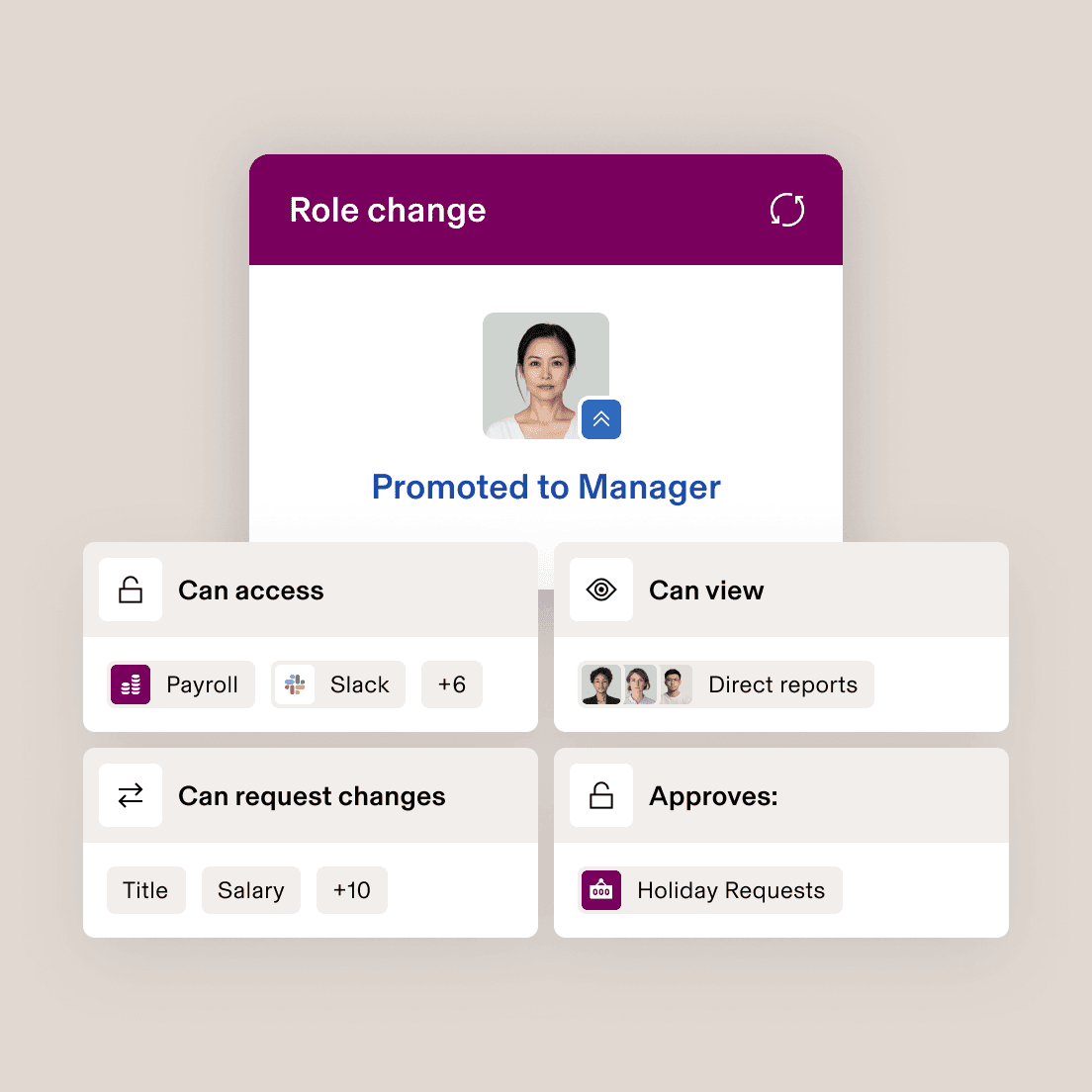
Changing people’s role changes their permissions automatically
Permissions profiles are attached to attributes, not people. When someone’s permissions are about to change, you’ll see what they’re gaining – and losing – access to.











Met een andere opbouw
Alles kan worden geanalyseerd, geautomatiseerd en georganiseerd
De meeste 'alles-in-één'-software bestaat uit verworven systemen. Dergelijke modules, en dus ook uw bedrijfsgegevens, zijn niet met elkaar verbonden. Rippling hanteert een platformbenadering en bouwt producten waarvoor alle medewerkersgegevens afkomstig zijn van één enkele bron. Zo'n rijke, flexibele gegevensbron biedt krachtige mogelijkheden.


“Rippling is A+ for companies scaling fast.”
Matthew Reinhold
COO bij Soundtrace
“Rippling makes it easy to manage my global team.”
Emily Armando
Operations Manager bij Resquared, Inc
“Rippling is a great choice for remote teams.”
Samantha Stevens
Director of Operations bij Interrupt Media
“Amazing product for our small business.”
Dan Andrews
Lead Software Engineer bij Initialized Capital
Get a demo—live or on demand
See how Rippling can help you manage all your employee data and operations in one place, and easily grow your business from 2 to 2,000+ employees.
FAQs
What are permissions?
Permissions are a way of controlling what individual users can see and do within a software system
What are permissions profiles?
Permissions profiles allow you to build a configuration of permissions that can be attached to different users. In most systems, permissions profiles have to be individually assigned to users, saving you only from the manual work of rebuilding a profile. In Rippling, permissions profiles are attached to specific employee attributes, like level or department. As employees get promoted, move teams or experience other changes, their permissions will be dynamically updated, so you don’t have to perform any manual work.
What is approval management?
Approval management is the process by which a business’s change requests – like new recruits or time-off requests – are routed for approval.
What is an approval workflow?
An approval workflow is an automation that uses custom logic to decide whether to automatically approve a change request or flag it for additional approval. In some systems, you can customise approval workflows to include multiple approvers and even define whether the workflow needs multiple approvers or just one.
How do you create an approval process?
In Rippling, most approval processes can be managed in the Approvals app, although some approval logic can also be built in Workflow Studio.