



















Newsletter
We value your privacy. Learn more.
Unlock business-critical insights and delegate tedious tasks to AI built for HR, Payroll, IT, and Finance.
Learn more
Get engineer-built custom apps in Rippling to automate any business process you have.
Learn more

Employer of Record
Hire globally without entities

Global Payroll
Pay employees anywhere

Global Contractors
Pay contractors anywhere

Contractor of Record
Mitigate contractor risk

Global HRIS
Run global HR in one place

Global HR Advisor
Get localized HR expertise

Global Benefits
Manage benefits anywhere

Global Spend
Save everywhere you operate

Customer Stories


Barry’s empowers their workforce with a scalable HR solution

Forterra automates busywork to drive impact

Chess.com creates a frictionless people process

Clay grew 5x by automating 80% of its onboarding tasks

Blank Street Coffee saves 40 hours by automating open enrollment

Rippling gave Andros automation superpowers


EN
United States (EN)


Australia (EN)

Canada (EN)
Canada (FR)

France (FR)

Germany (DE)

Ireland (EN)

United Kingdom (EN)
EN
United States (EN)
Australia (EN)
Canada (EN)
Canada (FR)
France (FR)
Germany (DE)
Ireland (EN)
United Kingdom (EN)
EN
United States (EN)
Australia (EN)
Canada (EN)
Canada (FR)
France (FR)
Germany (DE)
Ireland (EN)
United Kingdom (EN)
3 ways to automate hiring in under 10 minutes. No technical expertise required.

Helpful. Love that for us.
No one’s telling us how you do that — especially on a Monday at 9:12am when you’ve already got 14 open reqs, 6 hiring managers, and Slack on fire.

Today, we’ll break it down…
3 workflows you can build in under 10 minutes — that will actually make your life easier.
Key takeaways:
No code required: 3 automations to calm hiring chaos in under 10 minutes
Action audit: Unsure of your automation target? Count your pings.
Community perk: Members-only coffee chat with VP & Head of Talent at Kraft Heinz
Hot link: 27% of Claude-assisted work consists of tasks that wouldn't have been done otherwise
You don’t need to be a technical wizard to automate your hiring process.
In fact, some of the simplest workflows can make a big difference — eliminating the back-and-forth, reducing delays, and keeping the right people informed.
We’ll start with three ways to automate one main problem in hiring: movement of information.
These are the three highest-leverage moments.
💡 Why it matters: If your HRBP, talent leads, or hiring managers don’t know a job opened, approvals drag, priorities get fuzzy, and you lose days before sourcing even starts.
🏗️ Build a workflow like this:
Trigger: Job status → Open
Action: Post a formatted Slack message to the right channel that notifies key stakeholders
Include: Role, dept, location, hiring manager, link to the posting
Here’s an example Slack message to get you started:
New Job Posted
Role: Senior Product Designer
Department: Product
Hiring Manager: Alicia Chen
Location: US – Remote
🔗 Job Posting: [link]
(Tagging PBP: @pbp-northamerica)
🏆 Result: No sweating over all the “FYI” messages you need to send. Faster alignment, fewer surprises.
💡 Why it matters: Internal mobility fails when it becomes invisible. If hiring managers don’t see internal applicants quickly, you create frustration — and attrition risk.
🏗️ Build it like this:
Trigger: Candidate applies AND marked Internal
Action: Slack DM to hiring manager
Include: Candidate details + profile link
Bonis: Reminder if not reviewed in 48–72 hours
🏆 Result: Internal candidates get the review and priority they need. Managers don’t miss them.
💡 Why it matters: “Offer accepted” is the moment where hiring turns into onboarding. If the hiring manager, IT, or regional leads are waiting on a recruiter update, you’re already behind on setting up that new hire for success.
🏗️ Build it like this:
Trigger: Offer status → Accepted
Action: Notify hiring manager + recruiter + HRBP + IT + regional lead + role’s team
Include: Name, role, location, start date
Bonus: routing based on candidate details (If hire is in Region X → notify Regional Lead Y)
🏆 Result: Everyone prepares for the new hire as early as possible. Fewer dropped balls, faster provisioning, cleaner starts.

Open your messages or emails and search: hiring, candidate, offer, approved?, status?
Seeing the same question 3+ times a week? That’s where you start to automate.
Consider: how do you get the information for those questions? Where do those updates live? Is it your ATS? A spreadsheet? Someone’s brain?
Pick the one place that creates the most delay.
Don’t try to tackle everything all at once. Pick one part of the process to start with, such as:
Req opened
Internal candidate applied
Candidate moved to next round
Offer sent out
Offer accepted
Focus on the main details your team needs to know. If you’re sharing a job posting, they’ll need a link to the description. If you’re sharing that a candidate has applied, share their name, the role they applied for, and a link to their resume.
These fields become your workflow output.
Pick one conditional that removes future chaos:
If location = X → notify regional lead
If role level = exec → notify talent leader
If start date < 10 days → escalate to IT
Done. You now have an automation spec you could hand to anyone and build in minutes.

Ready to get these workflows up and running? Download our guide to 3 quick hiring automations. You’ll get a step-by-step guide for implementing them, including sample Slack messages, optional enhancements, and real live examples on how the Chess.com team uses them every single week.
Employees are more informed, but less satisfied with benefits
Nearly 40% say they will job hunt in early 2026, but competition is tight
We don’t have to tell you that HR teams are carrying more responsibility than ever.
In fact, 62% of HR professionals say that their teams are stretched beyond their capacity.
The end of the year should be a time for rest. Calm. But with ever-changing regulations and to-dos, keeping HR afloat feels less than chill.
That’s why we created an EOY compliance checklist: a structured list that breaks down the critical HR compliance tasks to tackle now, so your team can minimize risk and prepare for 2026.
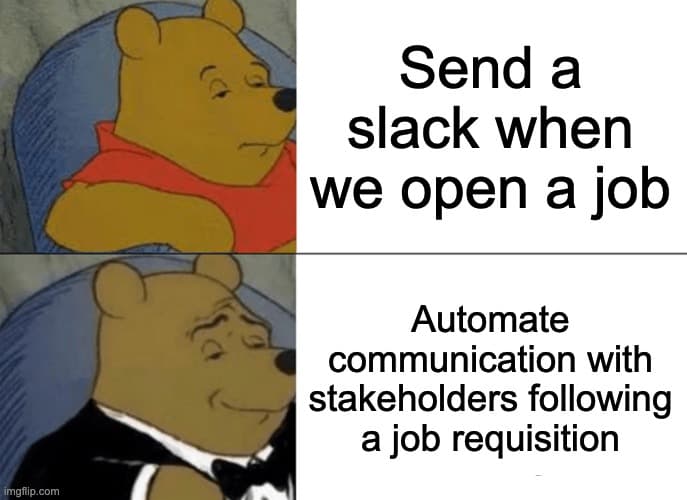
Introducing The Glue: the community to help you through all the sticky problems facing HR.
If accepted,* your membership will unlock access to peer led forums, exclusive events, and premium content.
*Applications are reviewed weekly and invitations are limited.
We value your privacy. Learn more.