

















Get real-time insight on your security posture with device and user data at your fingertips.
- Products
- Platform
Rippling AI
Unlock business-critical insights and delegate tedious tasks to AI built for HR, Payroll, IT, and Finance.
Learn more
Rippling Solutions
Get engineer-built custom apps in Rippling to automate any business process you have.
Learn more
- Solutions
- Global

Employer of Record
Hire globally without entities

Global Payroll
Pay employees anywhere

Global Contractors
Pay contractors anywhere

Contractor of Record
Mitigate contractor risk

Global HRIS
Run global HR in one place

Global HR Adviser
Get localised HR expertise

Global Benefits
Manage benefits anywhere

Global Spend
Save everywhere you operate
- Resources
Resources

Blog
Customer Stories
Customer Stories


Barry’s empowers their workforce with a scalable HR solution

Forterra automates busywork to drive impact

Chess.com creates a frictionless people process

Clay grew 5x by automating 80% of its onboarding tasks

Blank Street Coffee saves 40 hours by automating open enrolment

Rippling gave Andros automation superpowers
Webinars
Glossary

Events

Rippling University

Help Centre

Compare


EN
Select language
Australia (EN)


Canada (EN)
Canada (FR)

France (FR)

Germany (DE)

Ireland (EN)

United Kingdom (EN)

United States (EN)
EN
Australia (EN)
Canada (EN)
Canada (FR)
France (FR)
Germany (DE)
Ireland (EN)
United Kingdom (EN)
United States (EN)
EN
Australia (EN)
Canada (EN)
Canada (FR)
France (FR)
Germany (DE)
Ireland (EN)
United Kingdom (EN)
United States (EN)
Device management software
One solution to secure your entire fleet
Strengthen security and streamline device management with the only MDM software to provide real-time access to native user and device data.
Today’s top businesses run on Rippling

Manage identity, devices, and inventory from a single platform.
Employee graph
Single source of truth for all your devices
With native user and device data made available out-of-the-box, you can build hyper-granular policies for total control over device security—no SCIM integrations or manual data pulls required.
Total visibility
Automated lifecycle management
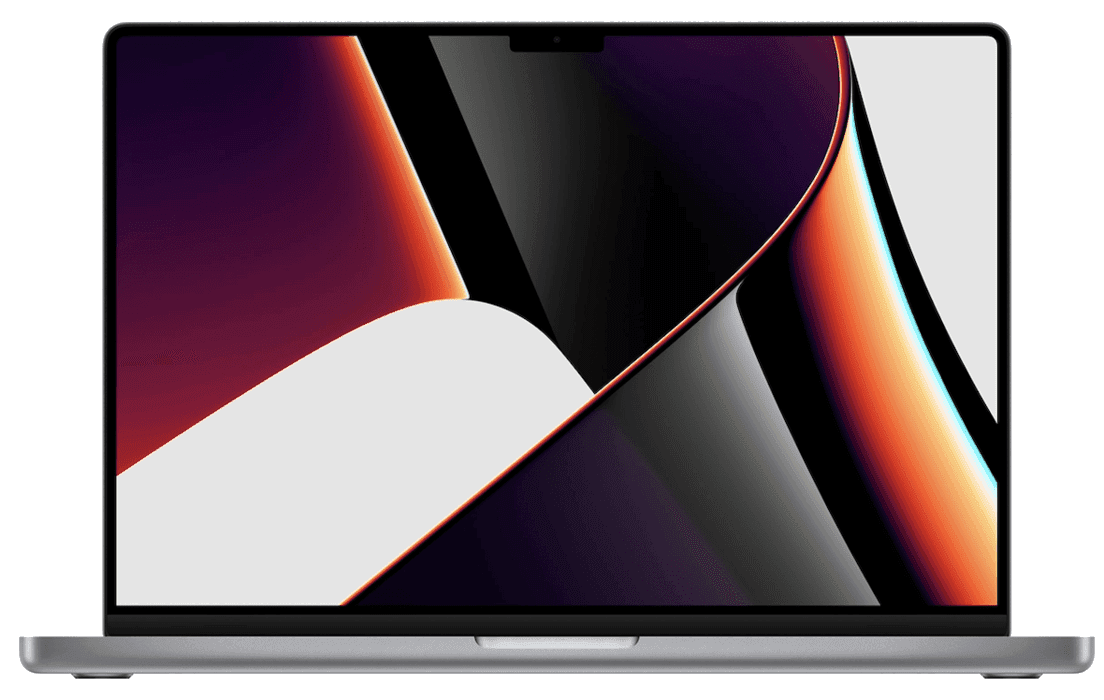
Streamline device management with automations for the entire lifecycle of Apple and Windows devices.
User-driven security policies
Build and enforce custom security policies based on hundreds of user and device attributes.
Security
Friction-free security
Rippling gives you granular security controls across your entire fleet and user lifecycle—from custom policies and device monitoring, to rich reports and threat management.
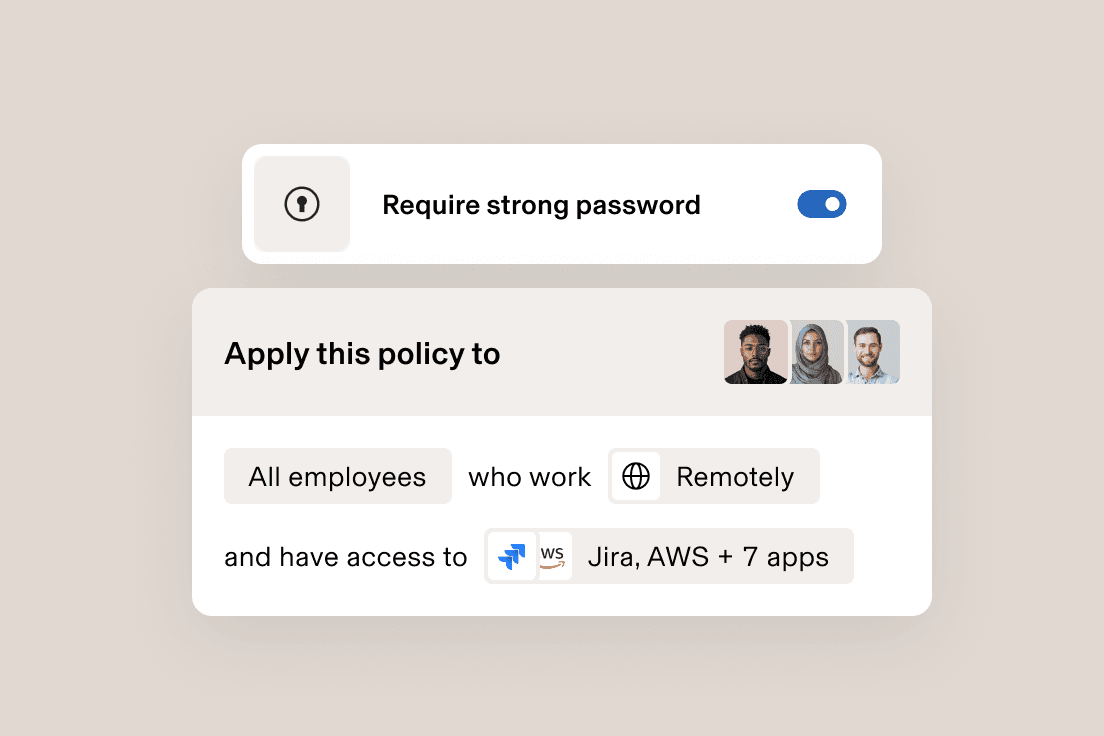
Dynamic security policies
Custom security policies based on user and device attributes automatically update for a stronger security posture across your org.

Automated device monitoring
Stay on top of security. Custom workflows will automatically notify you of any security threats — no manual device checks or data pulls required.

Full visibility and reporting
Point-and-click custom reports based on rich user and device data makes it easy to understand your security status and pull audit data.

Zero-touch deployment
SentinelOne is deeply integrated with Rippling to ensure all devices are secured with best-in-class endpoint protection, automatically.

Onboarding
Devices done right on day one
Custom approval polices and workflows based on real-time data keep you in control and in sync with HR—letting you onboard new employees as hands-on or hands-off as you want.
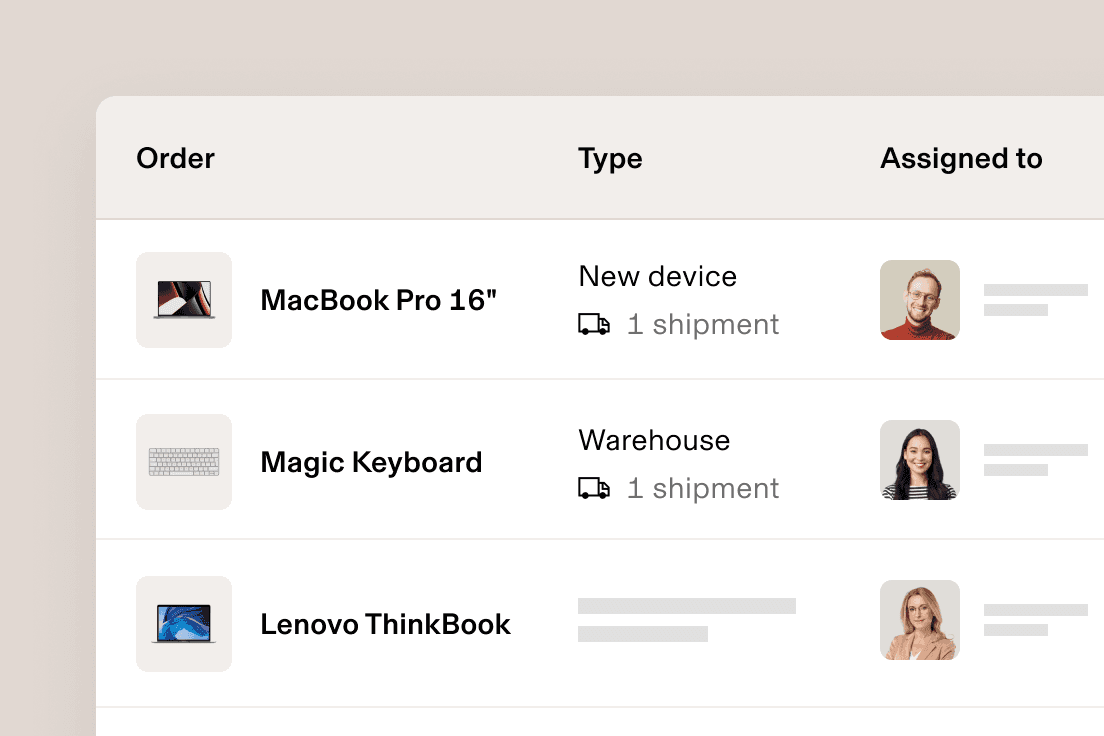
Order or reassign devices
Point, click, send. With Rippling, you can order, reassign and deliver devices directly to a new hire’s door — all from a single location.

Automate device configuration
Hassle-free device enrolment. Automatically configure laptops, iPhones and iPads with the right software, access and security settings based on attributes like location, department and role.
Offboarding
Offboarding made secure
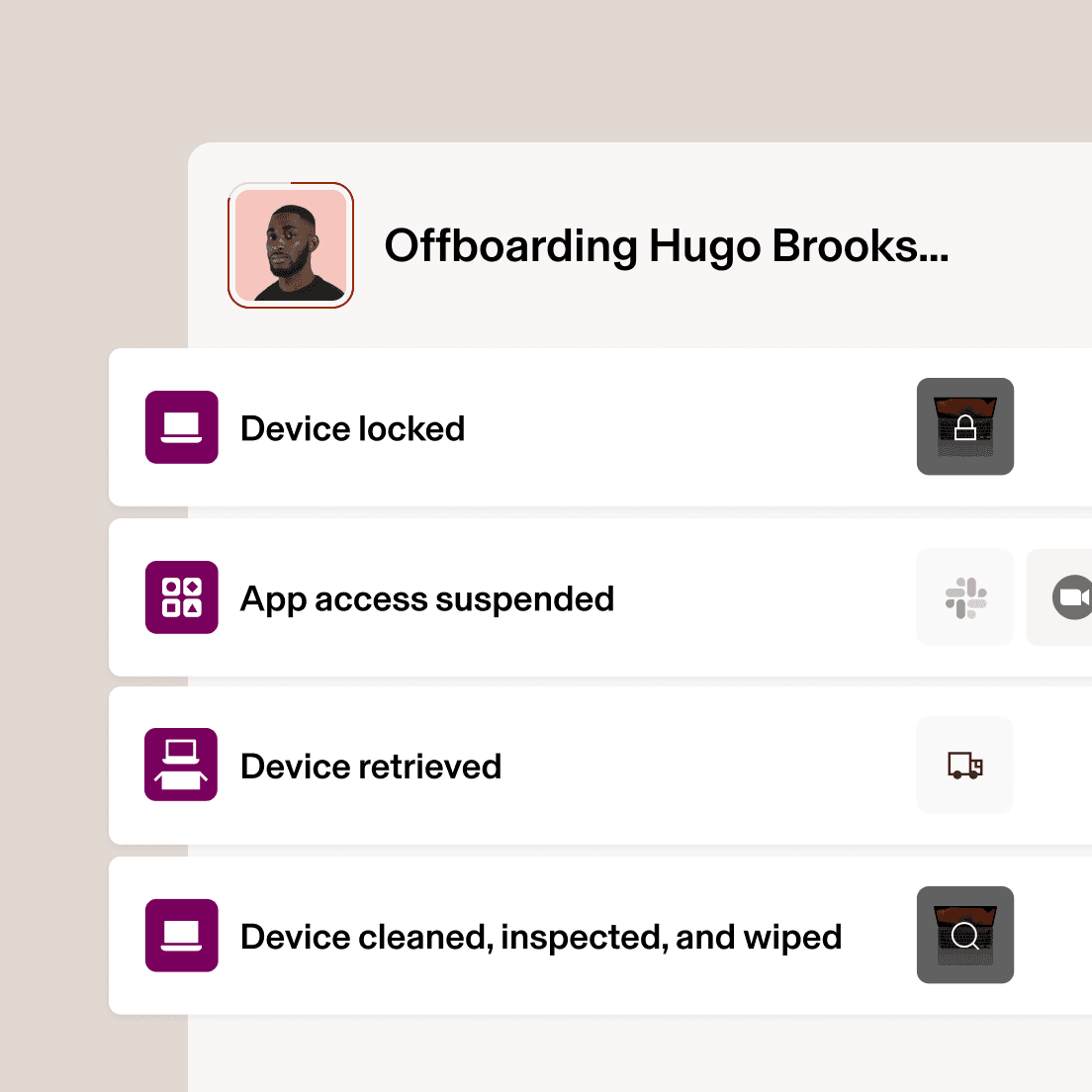
Retrieving employees' devices can quickly turn into a security risk — especially if they're working remotely. Rippling makes it easier by automating device offboarding, end to end.
- Wipe and lock devices instantly
Because you’re automatically in sync with HR’s offboarding flow, you can schedule the exact time you want to lock and wipe a device.
- Automate device retrievals
No more trips to the post office, messy shipping logistics or missing devices. Rippling automatically handles retrievals.
- Securely store unused devices
Warehouse your devices in Rippling’s secure facilities around the world instead of messy IT closets.
Inventory management
We’ll handle the logistics
Our MDM is more than software. Rippling does the heavy lifting of fleet management too.
Automatically send departing employees a device return box
Store your inactive devices in a secure warehouse
Easily monitor and restock your off-site inventory
Reassign and dispatch unused devices to new employees







Built different
Learn more about the Rippling PlatformThe most efficient way to run IT
Take the effort out of IT with custom workflows, dynamic permissions and policies, and rich reports for users and devices.


Companies that run on Rippling perform better




End to end security
All the security tools you need — and a few extras
Cross-OS MDM
Built-in endpoint protection
Zero-touch deployment
Custom script deployment
Device encryption enforcement
Audit logs
OS updates
Remove locking & wiping
Identity and Access Management
App integrations
Rippling has over 600 integrations with other SaaS products for user provisioning and deprovisioning, Single Sign On, attribute syncing, and more.
Custom app integrations
Build custom integrations to provide SSO with SAML, provisioning with JIT or SCIM, or create and scope URL links that employees can access from the Single Sign on bar in Rippling.
Data attribute mapping
Extend Rippling's user directory (object graph) downstream to all your 3rd party applications, keeping your employee data up to date across all systems, in real time.
MFA enforcement
Create bespoke authentication policies for groups of employees or even individual employees based on their role. For example, you can require YubiKeys for Admins and TOTP for everyone else. It's fully customisable and it's entirely your choice.
Google licence management
Rippling is a reseller for Google, allowing you to manage and purchase licences directly in Rippling for those applications. Never hit a roadblock because you’re out of licences when creating a new user.
Google offboarding actions
Advanced functionality that automates the painful parts of offboarding an employee, deprovisioning their Google Account and transferring ownership. Reassign Google Drive files, transfer ownership of Calendar events, provide access to the Gmail of offboarded employees, remove app specific passwords and recovery info, and much more.
Password Management
RPass is Rippling's natively built password manager. RPass makes it easy to securely store and share passwords among your team thanks to Supergroups, which means you can build groups of employees based on any attribute. Prefer to use a different password manager? No problem — Rippling integrates with the tool that works best for you.
Role-based access controls
Everything in Rippling from app access to admin access is based on the employee's role. Give everyone everything they need, and nothing they don't.
SSH key manager
Manage and organise key access for individuals and groups based on any employee attribute. Automatically revoke access during key moments in the employee lifecycle, such as a role change or termination.
SSO
One-click sign-in and authentication to all connected third party applications once signed in to Rippling.
User Provisioning
Automatically create or suspend users' access to applications and licences based on predefined rules you create. Provisioning can be done instantly or be pre-scheduled to occur at a future date and time.
Virtual LDAP
Seamlessly pull user data from Rippling into your legacy third party applications and network hardware, such as firewall, NAS, and more.
Group management
Ensure employees have access to the right groups and resources within other applications and systems. From Google Groups to Slack Channels to Microsoft licences, Rippling automates the assignment of your team members into all of the relevant groups in your systems and tools. Powered by Supergroups, any employee attribute can be used to provision (and deprovision) access. When an employee transitions roles or leaves the company, their group membership is instantly updated to ensure you stay compliant.
Device Management
Assign and unassign devices to users
Quickly assign and unassign devices to any team member. Pick devices for a new employee during onboarding or manually make assignment changes at any time, directly in Rippling.
Device configuration profiles
Easily apply custom settings, such as WiFi profiles, firewall settings, printer mapping, custom login screens, backgrounds and more. And because all these custom settings are built on the Rippling Platform, they can be dynamically applied to individuals or groups based on any employee attribute (e.g. department, level, location and more)
Order new computers and accessories
Streamline ordering everything you need for a new worker directly into the onboarding process. Rippling is an authorised device reseller for Macs and PCs, meaning you can order and ship devices with just a few clicks. No more last minute trips to the local computer store and then FedEx.
Custom script deployment
Use Bash (macOS) and Powershell (Windows) scripting, to further customise your devices. Execute scripts on a one-time or recurring schedule and view or export script output.
Cloud RADIUS
Use Rippling's hosted RADIUS server to allow employees to log into the office WiFi or VPN with their Rippling credentials, further consolidating your authentication requirements.
Device encryption enforcement
Encrypt devices with Filevault (macOS) and Bitlocker (Windows 10/11 Pro). Access escrowed recovery keys directly in Rippling from the device's profile.
Device management dashboards and reports
Build custom reports and turn them into dashboards to easily gain insights into your fleet of devices, their status and any other specs you like. No code needed.
Endpoint protection
Automatically install SentinelOne with just a few clicks and manage potential threats in the same system where you're already managing your devices.
OS updates
Track and enforce operating system updates for both Mac OS and Windows.
Password policies
Enforce custom password policies specifying minimum length, required character types, complexity, and frequency of password rotation.
Reassign devices
Reassign previously assigned devices, if needed. For example, reassign seasonal employees the same computer they used previously.
Remote device locking and wiping
Instantly lock or wipe computers at any time — from anywhere in the world — or pre-schedule it as part of routine employee offboarding.
Rippling Agent for Mac (MacOS)
Manage and secure your Apple computers remotely with our homegrown MDM software, right alongside your PCs. All your computers in one place.
Rippling Agent for PC (Windows)
Manage and secure your Windows computers remotely with our homegrown MDM software, right alongside your Macs. All your computers in one place.
Role-based software installation
Automatically install the software your employees need based on their job — like department, level or location — so they have everything they need on day one.
Silent agent install and zero touch deployment
Hands-free MDM deployment lets you enrol your company devices in Rippling's MDM without any user interaction.
Inventory Management
Device shipping
Ship new devices, fully configured to your employees, in just a click, whether it's for a newly hired worker or a team member who has lost or damaged a device. As an authorised reseller, you can buy new devices directly in Rippling. And since it's built on the same shared source of truth, Rippling can automatically pull the employee's delivery address information while keeping their personal details hidden from anyone who shouldn't have access to it.
Device storage
Rippling can securely store unused devices in its warehouses. All devices are put through a 10-point inspection, wiped and physically cleaned. Secure device storage is available in our warehouses in the US and 26+ other countries, it's the safer and more secure alternative to the IT closet down the hall.
Device retrieval
Automatically ship a padded box and prepaid label for outgoing employees to return their devices, saving you a trip to the UPS Store.

SOC 2 Type II, ISO 27001, CSA STAR Level 2
Learn more about securityRippling combines enterprise-grade security features with regular audits to ensure that your data is always protected
Manage your devices with Rippling
FAQs
What is mobile device management software?
Mobile device management (MDM) software is a solution that allows IT administrators and providers to securely manage and monitor mobile devices, such as smartphones, tablets and laptops across an organisation. MDM software helps companies enforce security policies, track device usage, deploy apps and software updates, and remotely lock or wipe devices if they are lost or stolen. It ensures that corporate data is protected and that devices are compliant with company regulations.
What is MDM used for?
MDM is used to securely manage and control mobile devices within an organisation. Mobile device management solutions are primarily used for:
- Enforcing security policies like encryption, passcode requirements and app restrictions.
- Managing device configurations, software updates and settings with easy remote control.
- Tracking and monitoring devices for lost or stolen devices and protecting company data.
- Streamlining device provisioning and deprovisioning as part of the employee lifecycle (onboarding and offboarding).
- Ensuring compliance with company policies and regulatory standards related to mobile devices and data security.
How do I choose the right MDM solution?
Choosing the right MDM solution depends on a variety of factors unique to your organisation's needs:
- Device compatibility: Make sure the MDM solution supports all the device types your organisation uses, such as iOS, Android, Windows and macOS devices.
- Security features: Look for robust security features such as data encryption, remote wipe, password enforcement and the ability to track and locate devices in case of loss or theft.
- Scalability: Choose an MDM solution that can scale with your business as it grows. Make sure it can handle the number of devices your organisation currently has and can easily expand as you onboard new devices and employees.
- Integration with existing systems: Select an MDM solution that integrates smoothly with your current IT infrastructure, such as HR, software management and other endpoint management tools. Rippling, for example, integrates MDM alongside HR and IT management to streamline onboarding, offboarding and device management in one place.
- Ease of use: Consider how user-friendly the solution is for both administrators and end-users. A solution with an intuitive user experience and centralised management console will make it easier for your IT team to deploy, monitor and manage devices.
- Cost: Determine your budget for MDM software and evaluate the pricing model. Some MDM solutions charge based on the number of devices or users, while others offer tiered pricing based on features. Ensure that the pricing aligns with the features you require.
How does MDM software enhance security for corporate mobile devices?
MDM software enhances security for corporate mobile devices by offering a range of features that protect sensitive data, ensure compliance and prevent unauthorised access, like:
- Device encryption: MDM software can enforce encryption on devices, ensuring that all data stored on mobile devices is securely encrypted, even if the device is lost or stolen.
- Access control: MDM gives organisations application management control to determine which apps and services can be accessed on mobile devices.
- Security policy enforcement: MDM helps enforce a variety of security policies, such as requiring complex passwords, setting up two-factor authentication, or ensuring devices have the latest security patches installed.
- App management and monitoring: With MDM, IT teams can deploy, update and remove applications on mobile devices. They can also monitor app usage to ensure only approved apps are used, and malicious apps can be detected and blocked.
- Geofencing and location tracking: MDM allows companies to track the location of mobile devices and set up geofencing so if a device moves outside authorised areas it can be automatically locked or wiped.
- Compliance and reporting: MDM software offers detailed reporting and auditing features, ensuring that devices are in compliance with corporate security policies and regulatory requirements.
By centralising management, enforcing security policies and providing real-time monitoring and remote capabilities, MDM ensures that mobile devices stay secure, even in a highly distributed and mobile workforce.
What is Bring Your Own Device (BYOD) support?
Bring Your Own Device (BYOD) support refers to the practice of allowing employees to use their personal devices — such as smartphones, tablets and laptops — for work-related tasks. BYOD enables employees to access corporate resources, such as email, apps and files on their own devices rather than relying on company-issued hardware. This approach offers several benefits, such as increased flexibility, cost savings and improved productivity, as employees can work from anywhere and use the devices they're most comfortable with.