














By clicking "Scopri Rippling," you agree to the use of your data in accordance with Rippling's Privacy Notice, including for marketing purposes.
Questo contenuto non è ancora disponibile in Italia.Torna alla home di IT
- Prodotti
- Piattaforma
Capacità core

Workflow Studio
Attiva workflow avanzati con qualsiasi tipo di dati

Analytics
Genera report su qualsiasi cosa attraverso tutte le tue app

Policy
Applica le regole aziendali automaticamente

Autorizzazioni
Concedi a ognuno l'accesso più adatto

Integrazioni
Inserisci app di terze parti per migliorare le prestazioni

App Studio
Crea app personalizzate senza scrivere codice
Rippling AI
Ottieni informazioni fondamentali per il business e delega le attività più noiose a un'IA progettata per HR, payroll, IT e finance.
Scopri di più
Rippling Solutions
Ottieni app personalizzate sviluppate da ingegneri in Rippling per automatizzare qualsiasi processo aziendale.
Scopri di più
- Soluzioni
- Global

Employer of Record
Assumi a livello globale senza entità

Gestione paghe globale
Paga i dipendenti ovunque

Collaboratori esterni globali
Paga i collaboratori esterni ovunque

Contractor of Record
Attenua i rischi per i collaboratori esterni

HRIS globale
Gestisci le risorse umane in modo centralizzato

Global Benefits
Gestisci i benefit ovunque ti trovi

Global Spend
Risparmia ovunque si svolgono le tue attività
assumi a livello globale
- Risorse
Blog

Risorse

Storie dei clienti

Storie dei clienti


Barry's dà più potere alla forza lavoro con una soluzione HR scalabile

Forterra automatizza le attività ripetitive di scarso valore per un maggiore impatto

Chess.com crea un processo fluido per la gestione delle persone

Clay cresce di 5 volte automatizzando l'80% delle attività di onboarding

Blank Street Coffee risparmia 40 ore con l'automazione dell'apertura dell'iscrizione

Andros acquista superpoteri grazie a Rippling
Webinar

Glossario

Eventi

Rippling U

Centro assistenza

Confronta


IT
Select language

Australia (Inglese)

Canada (Inglese)
Canada (Francese)

Francia (Francese)

Germania (Tedesco)

Irlanda (Inglese)

Regno Unito (Inglese)

Stati Uniti (Inglese)
IT
Australia (Inglese)
Canada (Inglese)
Canada (Francese)
Francia (Francese)
Germania (Tedesco)
Irlanda (Inglese)
Regno Unito (Inglese)
Stati Uniti (Inglese)
IT
Australia (Inglese)
Canada (Inglese)
Canada (Francese)
Francia (Francese)
Germania (Tedesco)
Irlanda (Inglese)
Regno Unito (Inglese)
Stati Uniti (Inglese)
Bill pay software
Process 100 invoices per minute with bill pay AI
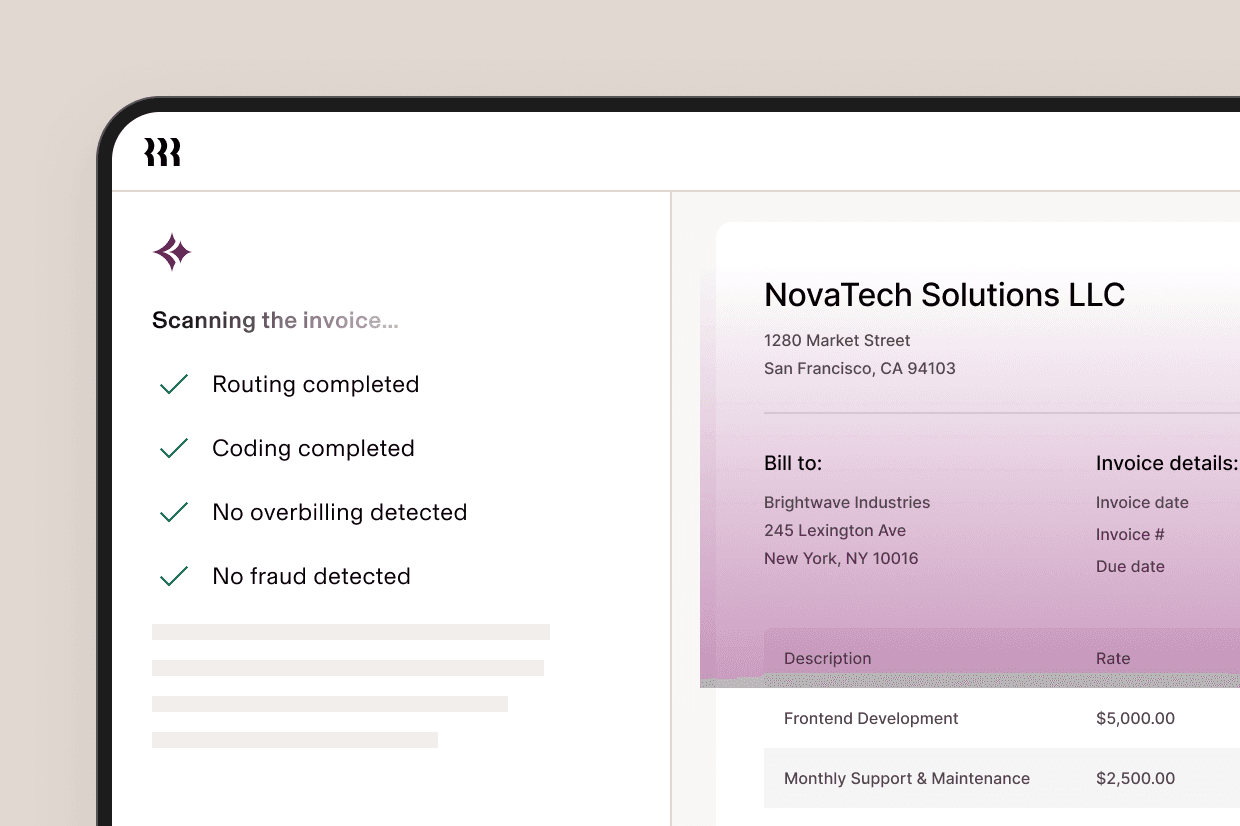
Rippling automatically scans invoices, codes bills, and catches fraud and overbilling. AP will never be the same.
Reports
Get answers at a glance
From GetApp to G2, our customers routinely rank Rippling at the top of Spend and Expense Management software.
Analyse trends to forecast future outflows.
Drill into which accounts are most overdue.
Prioritise payables by sorting invoices by due date.
Approval management
The fastest way to route, review and approve invoices
Workflows
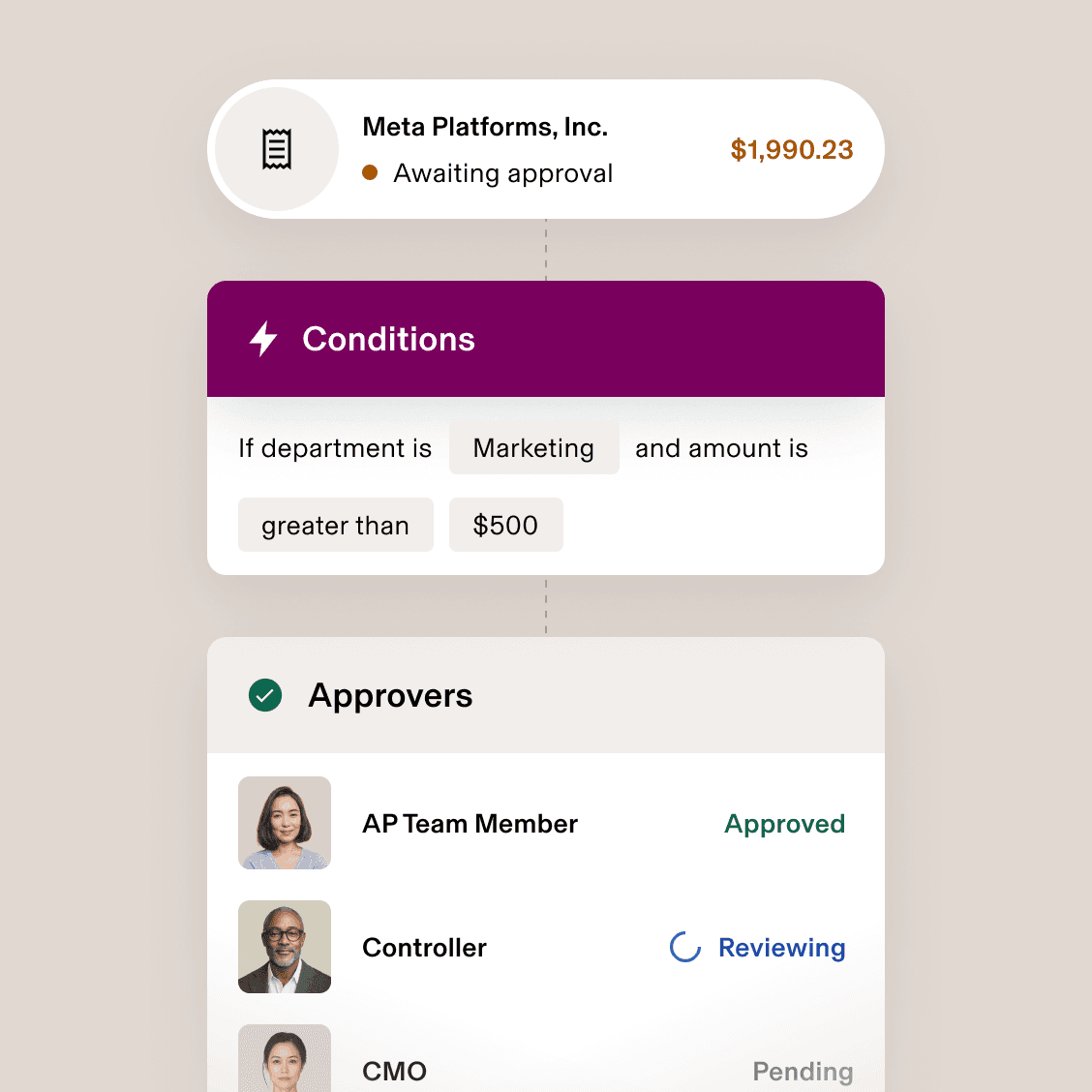
Automate the way you approve invoices
Only Rippling lets you create hyper-custom approval workflows that automatically route invoices to the right approvers at the right time, based on employee attributes, vendors, invoice amount and more.

Permissions
Control who can see and approve invoices
Grant access to invoices based on employee attributes, such as department and level, as well as invoice data. That means everyone can only view and approve invoices relevant to their role – and no more.
Discussions
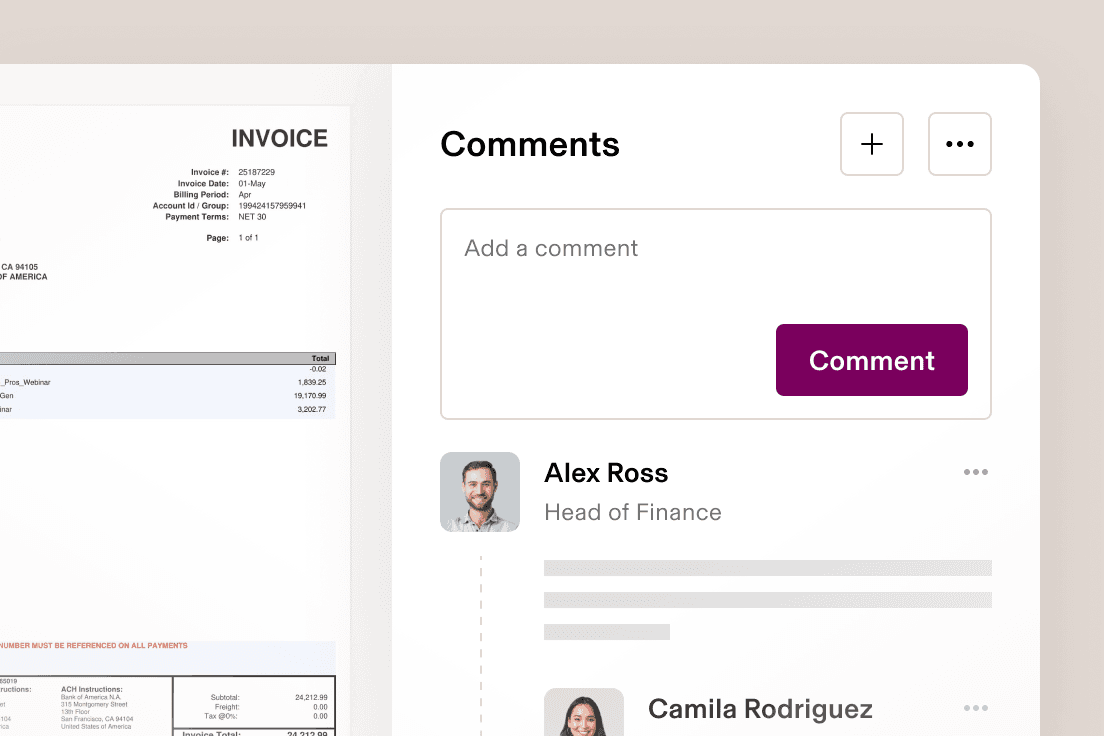
Align quickly with comment threads
Comment directly on an invoice to ask your colleagues for additional context about a vendor.
Pay vendors from Boston to Berlin
Pay vendors and contractors internationally in their local currency, using various payment methods such as BACS, paper cheques and virtual cards. Simultaneously pay and record invoices, so you never have to reconcile foreign currency.

Give vendors a secure way to share invoices and more
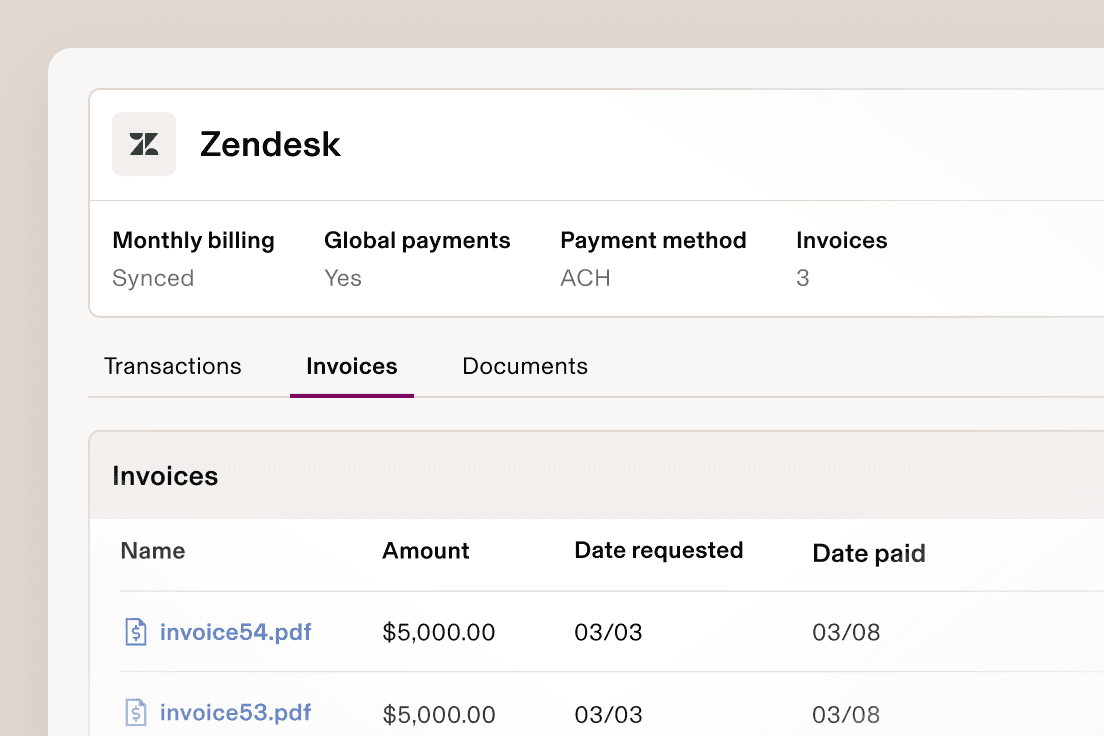
Update billing information, upload invoices and more. Rippling makes it simple for your vendors to manage their payment details.
End-to-end spend management
Every tool your team needs to…

Dedupe invoices automatically
Rippling instantly catches duplicate invoices, warns the submitter and then flags them for review if they still choose to submit.

Amortise your invoice payments
Create straight-line amortisation schedules for your invoice payments, which sync to your GL automatically.

Sync invoices to your GL
Sync invoices to your general ledger and auto-categorise each one’s fields, saving your team hours of busy-work every month.

Pay vendors any way you want
Cheque, BACS or bank transfer – Rippling makes it easy to pay invoices your way, globally.







Diverso dalle fondamenta
Analizza, automatizza e orchestra tutto quello che vuoi
La maggior parte del software "all-in-one" è costituito da sistemi acquisiti. Questi moduli sono scollegati tra loro, quindi lo sono anche i tuoi dati. Rippling applica il concetto di piattaforma, creando prodotti basati su un'unica fonte di informazioni per tutti i dati aziendali correlati ai dipendenti, una fonte di dati ricca e flessibile che rende disponibile una serie di funzionalità avanzate.


Get started today with Rippling Spend
Rippling is a single platform that can help your business manage all its employee data and operations, no matter the size.
FAQs
What is bill pay software?
Bill pay software automates and streamlines the process of managing, scheduling and making payments to vendors, contractors and service providers. Instead of relying on manual data entry, paper cheques and scattered payment methods, businesses can use a centralised platform to track invoices, prevent late fees and improve cash flow.
What features should I look for in bill pay software?
When choosing bill pay software, look for features that simplify invoice management and enhance efficiency. Key capabilities include:
- Automated approvals: customisable workflows to streamline approvals
- Multiple payment options: support for BACS, bank transfers, virtual cards and paper cheques
- Integration with accounting software: seamless integration with QuickBooks Online, NetSuite and other platforms.
- Duplicate detection: automatically flag duplicate invoices to avoid overpayments.
- International payments: pay vendors globally in their local currency.
- Security & permissions: role-based access and authentication controls.
- Mobile app: approve and track payments from anywhere.
Who is Rippling’s bill pay software for?
Rippling’s bill pay software is designed for businesses of all sizes, from startups to small businesses and larger enterprises. It’s ideal for finance teams that want to automate invoice management, reduce manual effort and gain better visibility into cash flow. Whether you’re managing vendor payments or syncing invoices to your bank account, Rippling provides a user-friendly, all-in-one solution to simplify financial operations.