


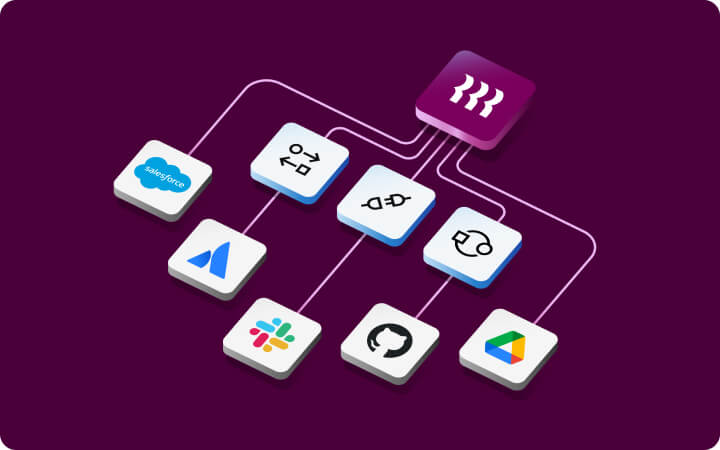











One question can pull from HR, your CRM, your helpdesk, and your ERP simultaneously.
Deze content is nog niet beschikbaar in the Nederland.Terug naar startpagina van NL
- Producten
- Platform
Kernmogelijkheden

Workflow Studio
Geavanceerde workflows activeren met ongeacht welke gegevens

Analyse
Rapporteren over alles wat er in uw apps gebeurt

Beleidsregels
Bedrijfsregels automatisch toepassen

Machtigingen
Iedereen de juiste toegang geven

Integraties
De prestaties van externe apps optimaliseren

App Studio
Aangepaste apps maken zonder code
Rippling AI
Ontgrendel bedrijfskritische inzichten en delegeer vervelende taken aan AI die is ontwikkeld voor HR, salarisadministratie, IT en finance.
Meer informatie
Rippling Solutions
Krijg door engineers gebouwde maatwerkapps in Rippling om elk bedrijfsproces dat je hebt te automatiseren.
Meer informatie
- Oplossingen
- Wereldwijd

Officiële werkgever
Wereldwijd werven zonder entiteit

Internationale salarisadministratie
Medewerkers waar ook ter wereld betalen

Internationale contractanten
Contractanten waar ook ter wereld betalen

Officiële contractant
Contractantrisico beperken

Internationaal HRIS (HR-informatiesysteem)
Internationale HR centraal uitvoeren

Wereldwijde secundaire arbeidsvoorwaarden
Secundaire arbeidsvoorwaarden waar ook ter wereld beheren

Wereldwijde uitgaven
Bespaar overal waar uw bedrijf actief is
- Resources
Blog

Resources

Klantervaringen

Klantervaringen


Barry’s biedt zijn personeel meer mogelijkheden dankzij een schaalbare HR-oplossing

Forterra automatiseert tijdrovende taken om meer impact te hebben

Chess.com ontwikkelt soepele personeelsprocessen

Clay werd vijf keer zo groot door 80% van de onboardingtaken te automatiseren

Blank Street Coffee bespaart 40 uur door open inschrijvingen te automatiseren

Dankzij Rippling heeft Andros een optimale automatisering
Webinars

Verklarende woordenlijst

Gebeurtenissen

Rippling University

Helpcentrum

Vergelijken


NL
Select language

Australië (EN)

Canada (EN)
Canada (FR)

Frankrijk (FR)

Duitsland (DE)

Ierland (EN)

Verenigd Koninkrijk (EN)

Verenigde Staten (EN)
NL
Australië (EN)
Canada (EN)
Canada (FR)
Frankrijk (FR)
Duitsland (DE)
Ierland (EN)
Verenigd Koninkrijk (EN)
Verenigde Staten (EN)
NL
Australië (EN)
Canada (EN)
Canada (FR)
Frankrijk (FR)
Duitsland (DE)
Ierland (EN)
Verenigd Koninkrijk (EN)
Verenigde Staten (EN)
Rippling Data Cloud
AI-powered insights across your people and business data.
Ask Rippling AI anything about your business. It connects data across every system, automates work, and lets you build apps on current, permissioned data.
Why Data Cloud
Your HCM has half the answer. Other systems have the other half.
Sales numbers live in your CRM. Tickets live in your helpdesk. People data lives in Rippling. Rippling AI brings it all together, so every answer has the full picture.
Business intelligence
Ask AI anything about your business, and get a real answer
The hardest questions span people data and everything else. Rippling AI pulls from every connected system.
- Ask AI across all your systems at once
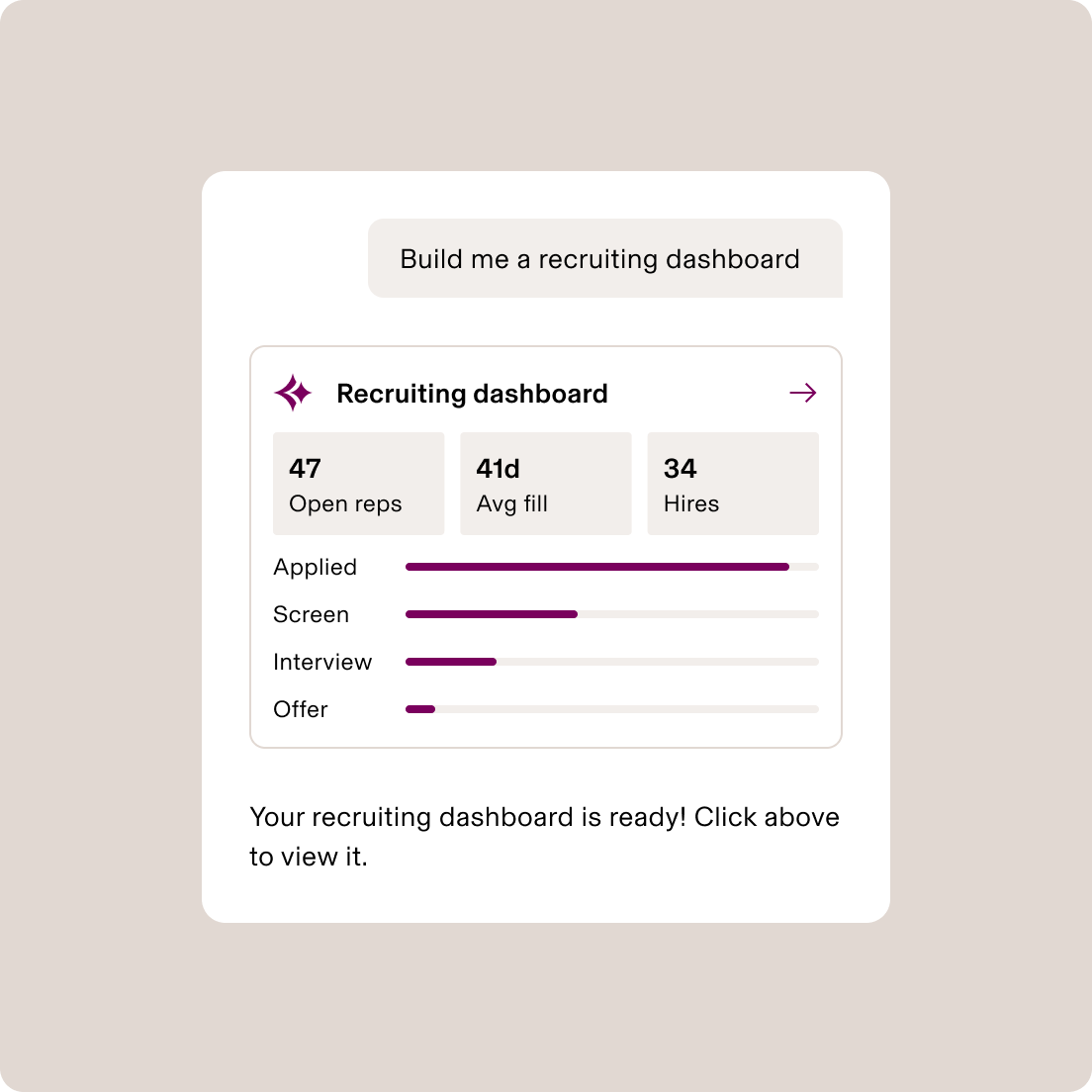
- AI-built dashboards, created in seconds
Always live, always permissioned. No analyst needed.
- AI that handles employee questions
Rippling AI answers questions, resets passwords, and completes common tasks.
Automated workflows
AI that automates entire workflows across your whole business
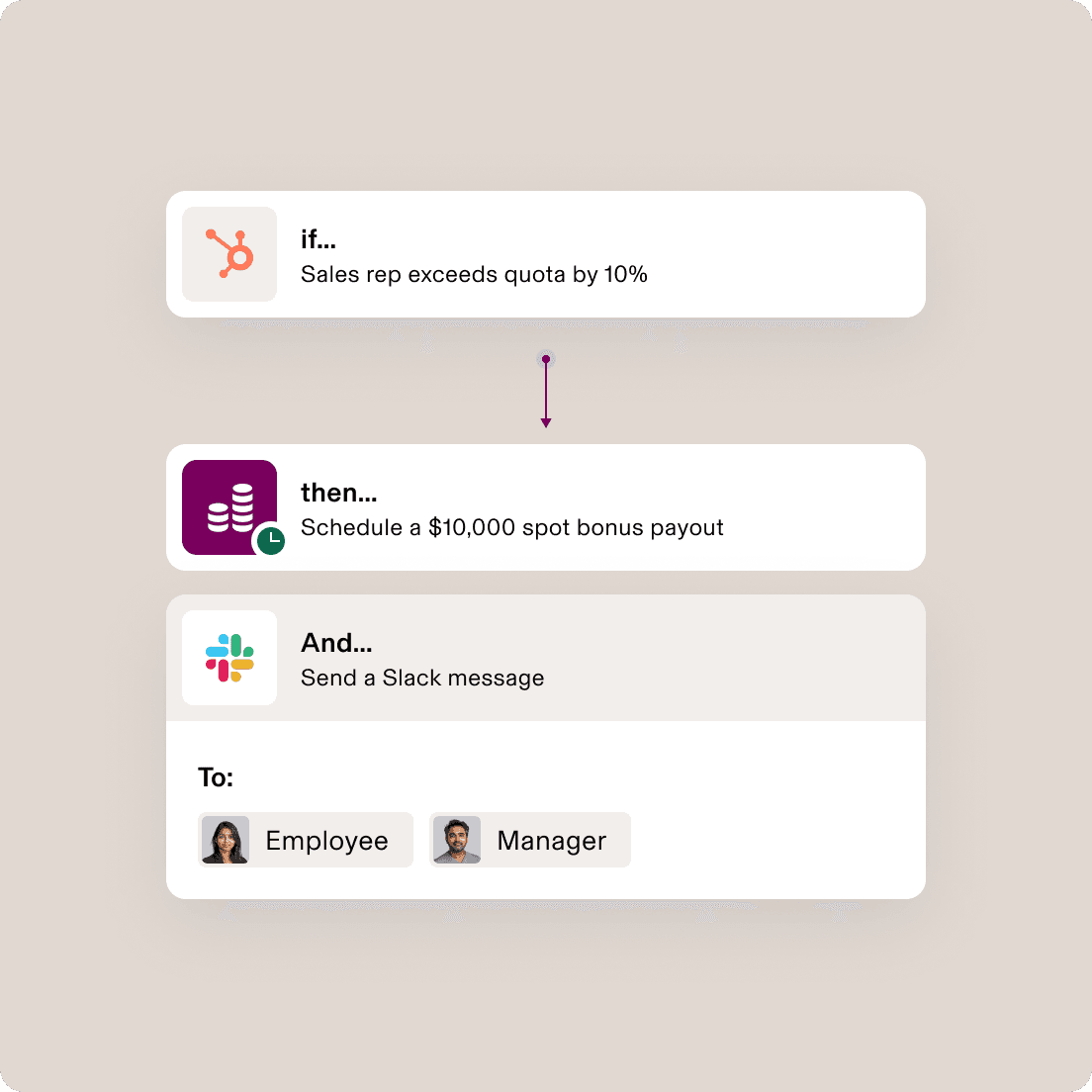
Something changes in a connected system and Rippling acts on it. No copying between tools. No manual steps.
- Any system can be a trigger
Deal closes in your CRM, backlog spikes in your ticketing system. AI workflow kicks off.
- Complex workflows built with simple prompts
Just tell Rippling AI what you need done. It completes the task and asks for final approval.
Custom apps
Build custom apps on top of your connected data
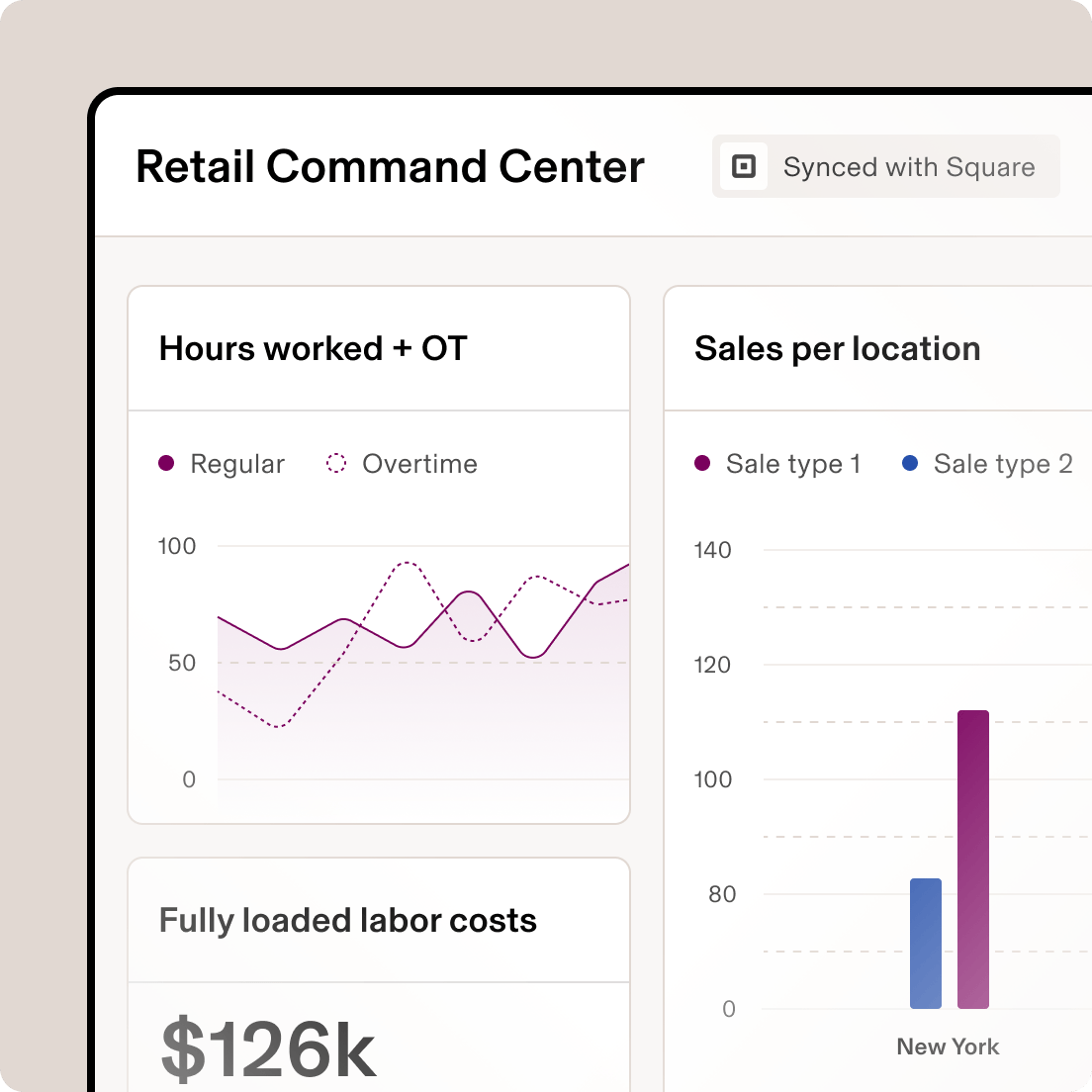
Turn connected business data into real apps that solve your messiest workflows.
- Users and permissions, out of the box
Every custom app respects your org's access rules from day one.
- Always current, never stale
Apps pull from live Rippling and connected data. No nightly syncs or manual refreshes.
- Build it yourself or let us help
Use no-code tools to ship it fast, or work with Rippling's engineers to build it for you.
Trust and governance
Your data governance extends to every source you connect. Automatically.
Rippling already knows your org structure, reporting lines, and who's allowed to see what. Now those rules get automatically applied to any data you connect and query you run.
See Data Cloud work in real time
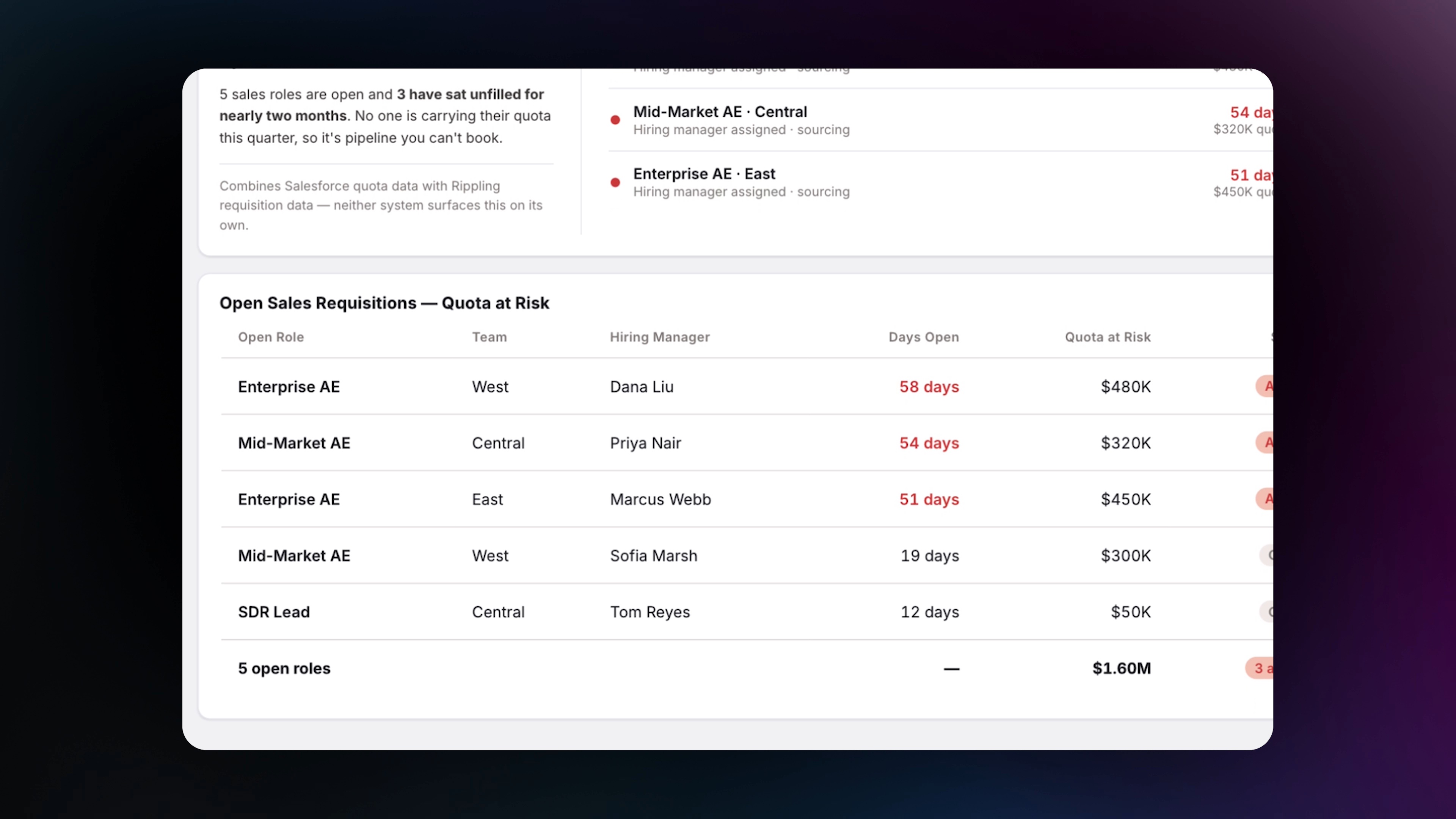

Ask Rippling AI the questions you never thought you could answer
Ticketing x HR data
Zendesk
Show support agent performance (CSAT, first response, handle time) by tenure and level to see if tenure drives quality.
Engineering x HR data
GitHub
Compare PR cycle time and merge frequency by engineering teams to surface which teams have the best ship process.
Ops x HR data
Shopify
Show labor cost as a percent of sales by store and flag stores that look understaffed or overstaffed.
Sales x HR data
Gong
See whether managers who listen to more calls in Gong get better upward feedback in Rippling.
CRM x HR data
HubSpot
Compare quota attainment over the last 12 months for remote vs. in-office AEs by segment.
Token Usage x HR data
Claude
Help me understand Claude usage and adoption across the company organized by department.
Ticketing x HR data
Zendesk
Show support agent performance (CSAT, first response, handle time) by tenure and level to see if tenure drives quality.
Engineering x HR data
GitHub
Compare PR cycle time and merge frequency by engineering teams to surface which teams have the best ship process.
Ops x HR data
Shopify
Show labor cost as a percent of sales by store and flag stores that look understaffed or overstaffed.
Sales x HR data
Gong
See whether managers who listen to more calls in Gong get better upward feedback in Rippling.
CRM x HR data
HubSpot
Compare quota attainment over the last 12 months for remote vs. in-office AEs by segment.
Token Usage x HR data
Claude
Help me understand Claude usage and adoption across the company organized by department.
A full data stack, built into Rippling.
Data Cloud comes with every piece of data technology you'd get from a modern data stack. Power analytics, automations, and AI from day one.
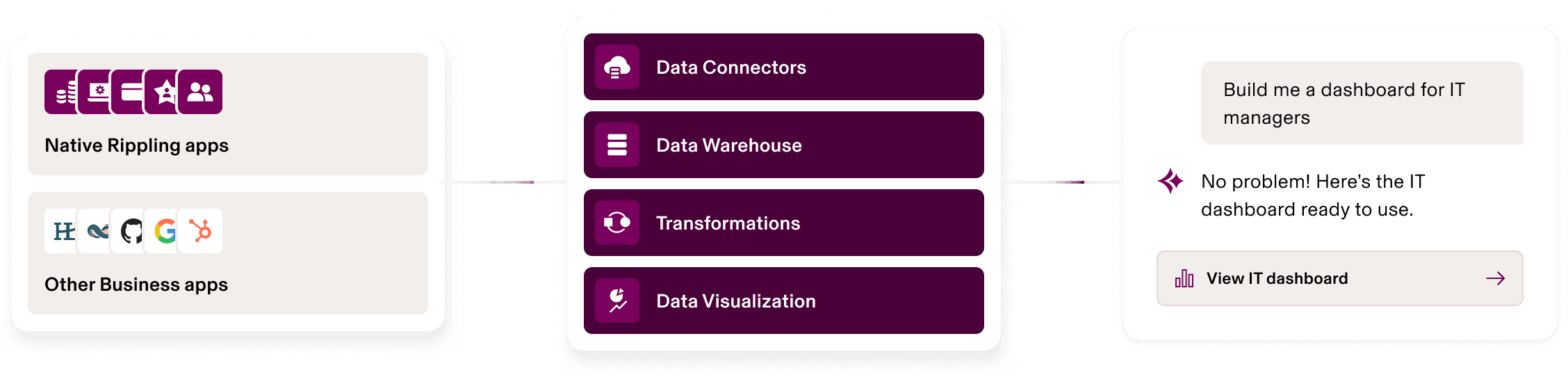
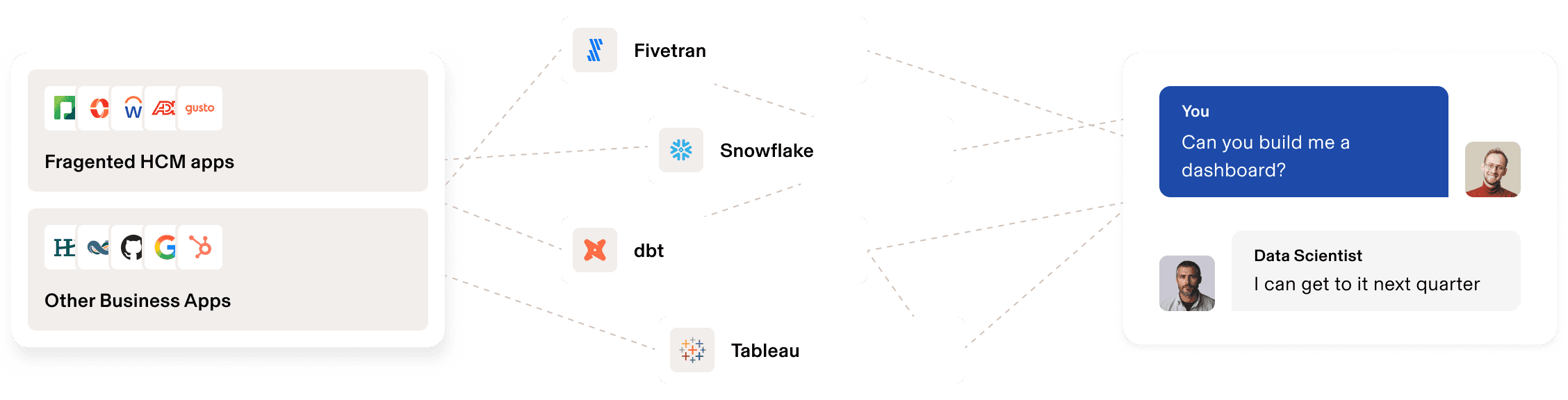
With Rippling
Without Rippling

Don't have a data team?
A full data stack, natively inside Rippling
Connectors, storage, transformations, BI, and AI — all pre-connected to your org's identity, governance, and permissions.
Already built a modern data stack?
Point Rippling AI at the warehouse you already have
Zero-copy access to Snowflake, Databricks, BigQuery, Redshift, or Azure. Your warehouse stays the system of record. We add the layer that makes it useful to everyone.
Rippling Data Cloud
Use AI to analyze and act on one complete view of your business
FAQs
What is Rippling Data Cloud?
Rippling Data Cloud is a unified data platform built into Rippling that connects your HR and business data in one place. Because it lives in the system where your work happens, teams don’t just get answers, they can act on them without switching tools.
How does Data Cloud unify business data and people data?
Data Cloud automatically matches business data to your company’s Employee Graph in Rippling, which already understands your company’s employees, org structure, and payroll. Your business data is connected to your people data, with no manual joins or pipeline maintenance required.
What can teams do with Data Cloud?
Teams can build dashboards, trigger automated workflows, and create custom applications on the same connected data. Teams can answer cross-functional questions and automate followups across systems, all without leaving Rippling.
How does Data Cloud help with analytics, automation, and AI?
Analytics run directly on live operational data with org-aware permissions and drillthrough to source records. Workflows can be triggered by any data change across connected systems. And Rippling AI generates verifiable SQL against real data, so every answer is traceable to the exact query and records behind it.
Can Data Cloud connect to our existing data warehouse?
Yes, Data Cloud supports a zero-copy connection to Snowflake, with additional platform support planned. If you already have a data stack, your data stays exactly where it is. Rippling queries it in place and surfaces it alongside your workforce data in reports, dashboards, and AI queries.
How does Data Cloud keep data secure and access controlled?
You get the same configurability of data permissions you have on any of your sensitive data in Rippling. You can configure who sees which records and configure your permission based on org hierarchy. So every employee, manager, and HRBP sees the right scope of data. After that initial set up, permissions update automatically as roles and reporting lines change, with no manual maintenance required.
How is Data Cloud different from a traditional data platform?
Unlike traditional platforms, Data Cloud comes with workforce context so it can correctly answer the nuanced 'who' questions that other BI tools either get wrong or force you to simplify. And because Data Cloud is built into the same system that runs HR, payroll, IT, and Finance, Rippling lets you act on your data. An insight in a dashboard is one click away from triggering a workflow in Rippling.
Do I need to migrate my data to use Data Cloud?
If you already have your data in a warehouse, you can use a zero copy connector. For data in other third party tools,like your CRM, POS, or ticketing system, you can add connectors that handle data ingestion into Rippling automatically.