



















By clicking "See Rippling," you agree to the use of your data in accordance with Rippling's Privacy Notice, including for marketing purposes.
- Products
- Platform
Rippling AI
Unlock business-critical insights and delegate tedious tasks to AI built for HR, Payroll, IT, and Finance.
Learn more
Rippling Solutions
Get engineer-built custom apps in Rippling to automate any business process you have.
Learn more
- Solutions
- Global

Employer of Record
Hire globally without entities

Global Payroll
Pay employees anywhere

Global Contractors
Pay contractors anywhere

Contractor of Record
Mitigate contractor risk

Global HRIS
Run global HR in one place

Global HR Advisor
Get localised HR expertise

Global Benefits
Manage benefits anywhere

Global Spend
Save everywhere you operate
- Resources
Resources

Blog
Customer Stories
Customer Stories


Barry’s empowers their workforce with a scalable HR solution

Forterra automates busywork to drive impact

Chess.com creates a frictionless people process

Clay grew 5x by automating 80% of its onboarding tasks

Blank Street Coffee saves 40 hours by automating open enrolment

Rippling gave Andros automation superpowers
Webinars
Glossary

Events

Rippling University

Help Centre

Compare


EN
Select language
United Kingdom (EN)


Australia (EN)

Canada (EN)
Canada (FR)

France (FR)

Germany (DE)

Ireland (EN)

United States (EN)
EN
United Kingdom (EN)
Australia (EN)
Canada (EN)
Canada (FR)
France (FR)
Germany (DE)
Ireland (EN)
United States (EN)
EN
United Kingdom (EN)
Australia (EN)
Canada (EN)
Canada (FR)
France (FR)
Germany (DE)
Ireland (EN)
United States (EN)
Permissions
Automate what employees can see and do. Securely.
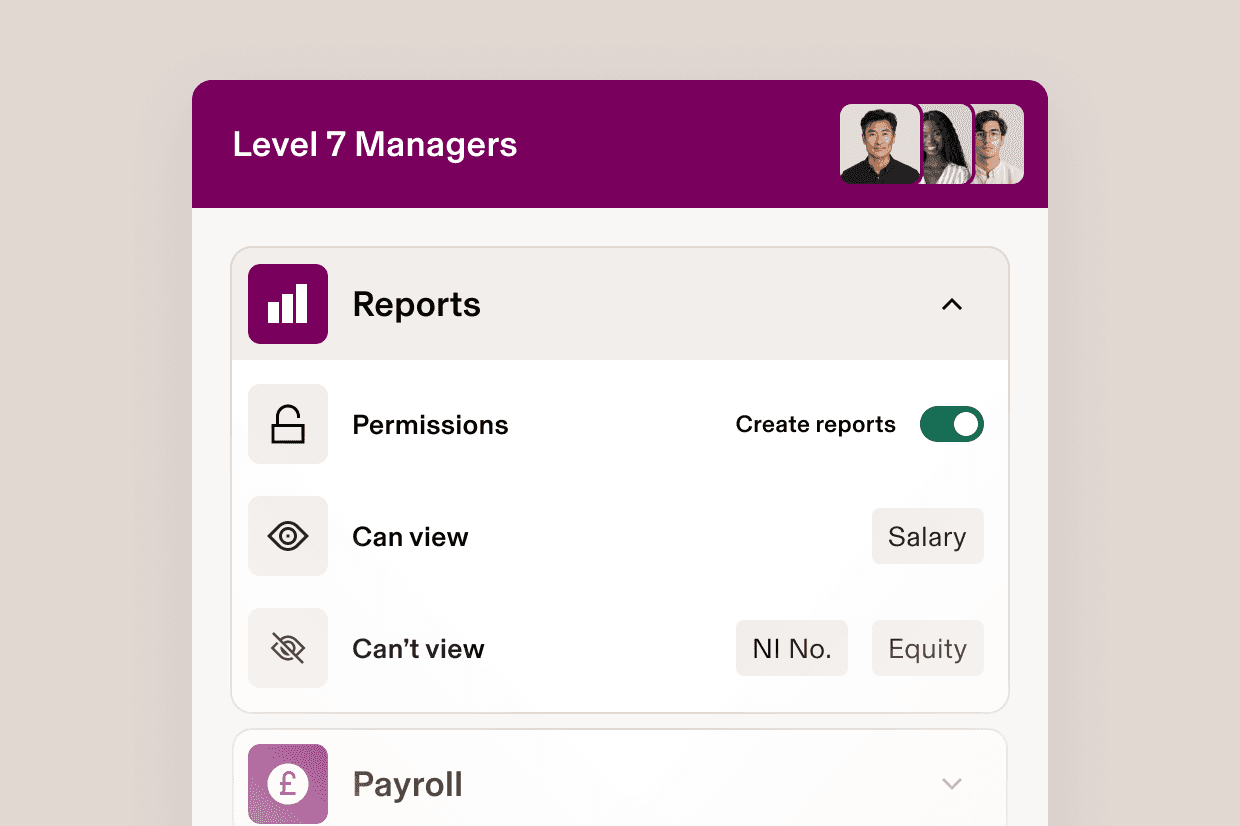
Permissions profiles
Build permission profiles that give people the right power
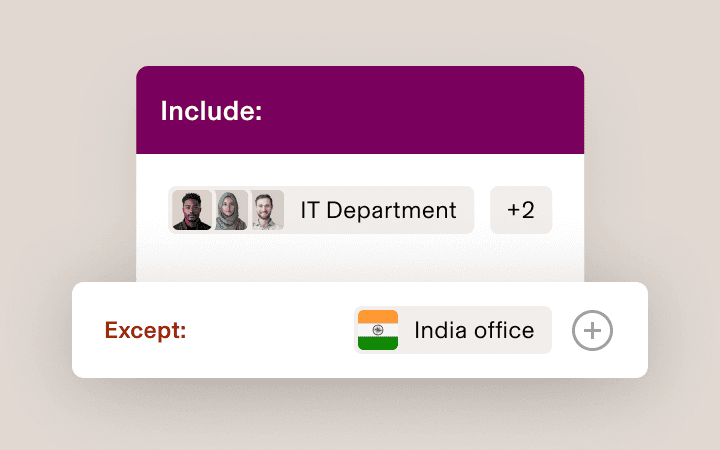
Define scope
Scope is the people whose data a permissions profile has some access to. It could be a reporting line or an entire department.
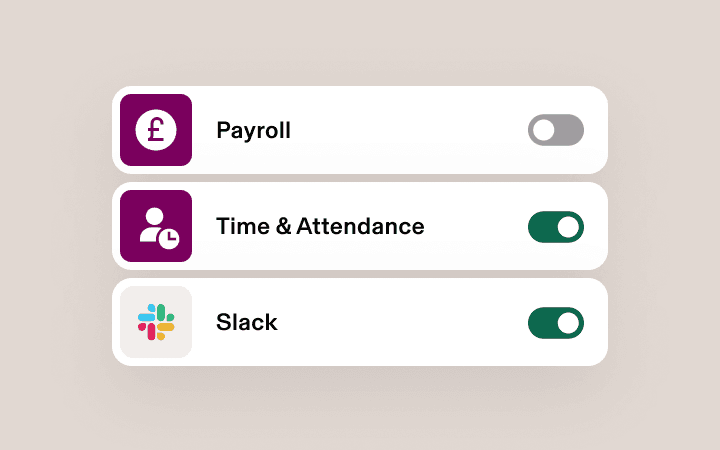
Control access
Access governs the different types of data that a permissions profile has about the people in its scope, usually tied to a specific app, such as Payroll.
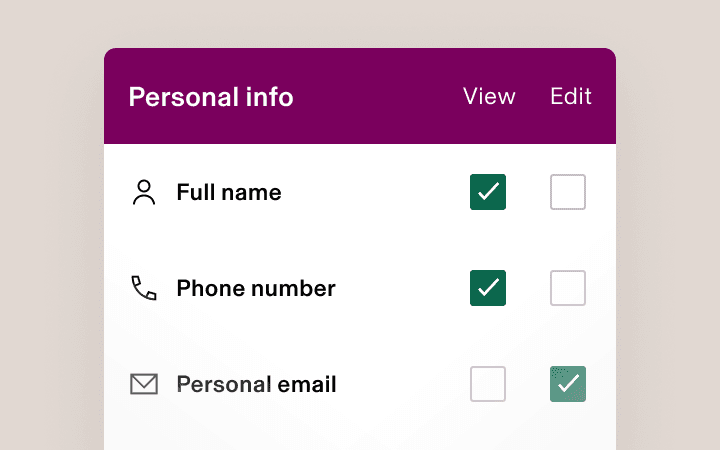
Select actions
Actions describe what a permissions profile can do with the data in its scope – such as view, edit and approve – in the apps it has access to.
Supergroups
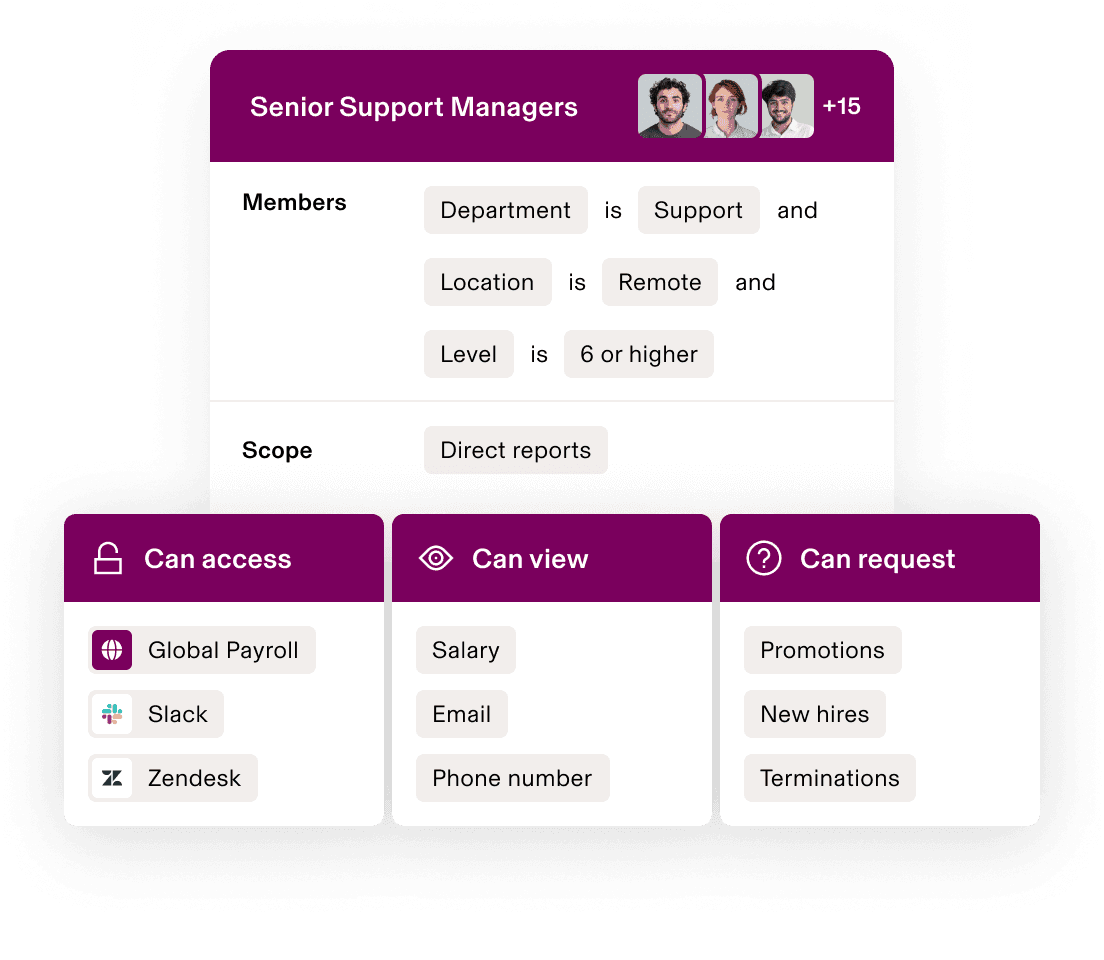
A more secure, flexible way to permission
Automatically assign permissions profiles with Supergroups. Supergroups are dynamic membership lists built using attributes like level or location. As an employee’s attributes change, their permissions update – sharing data securely and efficiently.
Permission actions
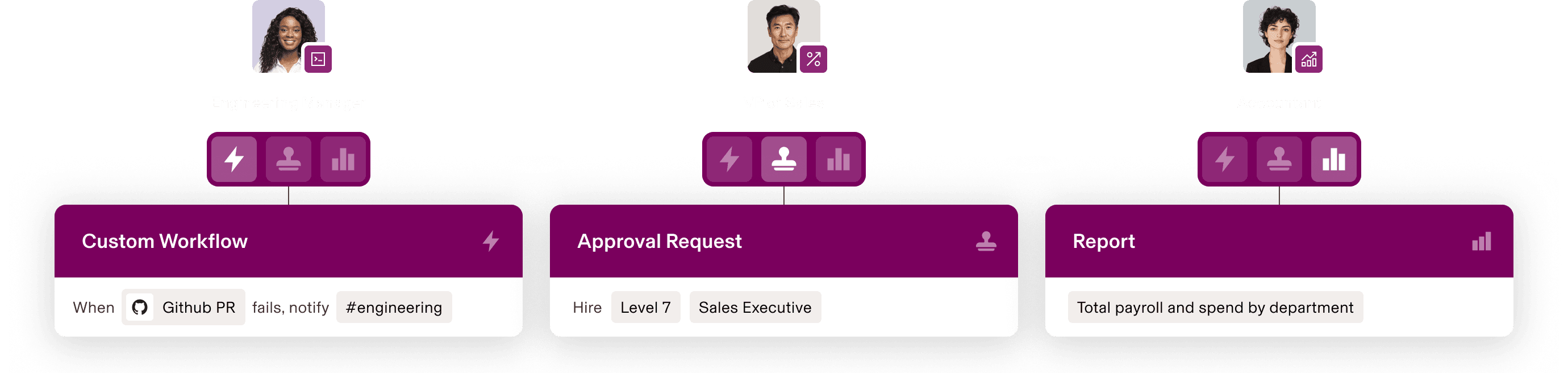
Empower people to do more than “view”
Rippling grants access to data, not views. As a result, managers, HR business partners and leaders can take action with data in their scope, building custom workflows, running their own reports and more.
Approval management
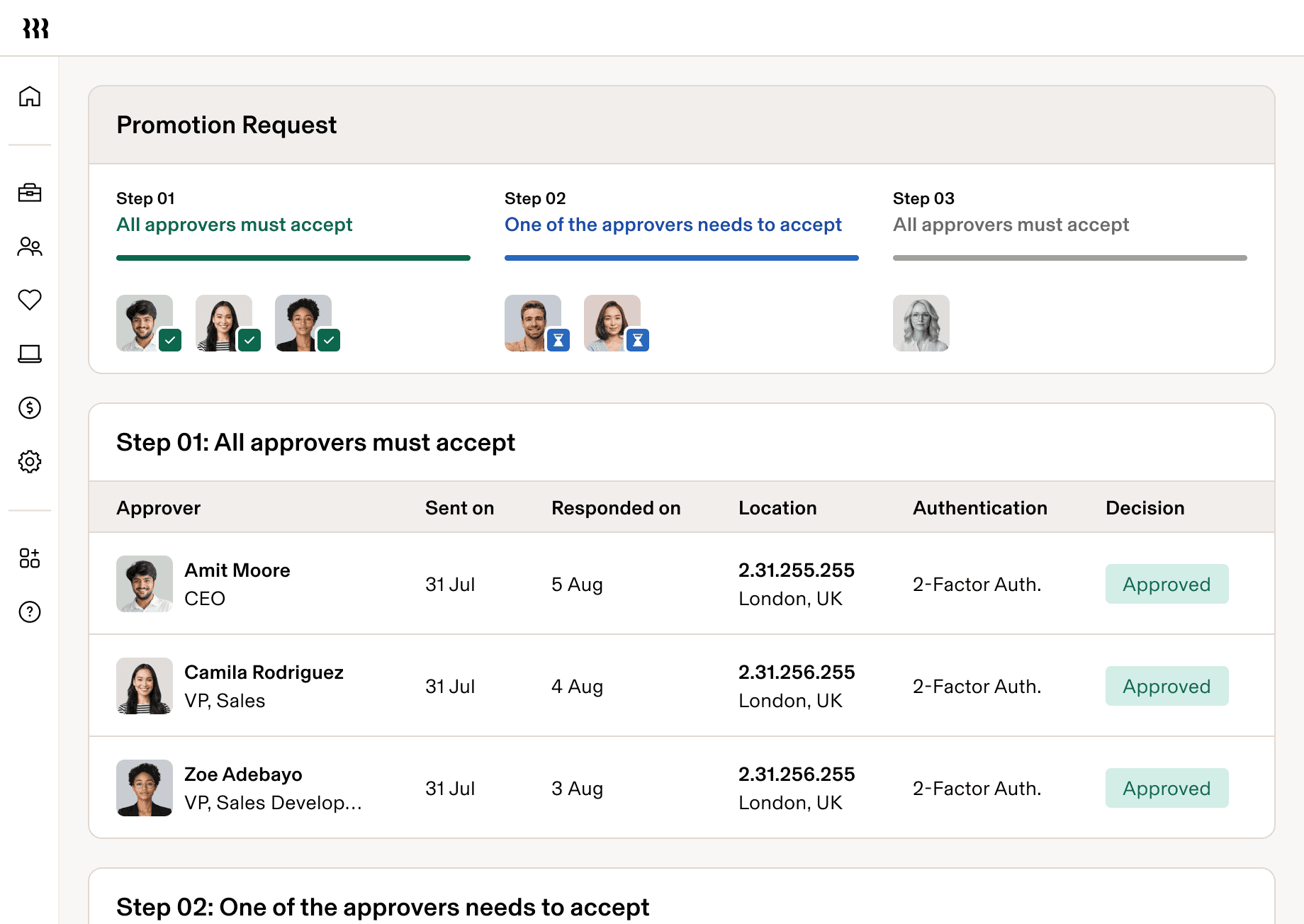
Escalate only the most important approvals
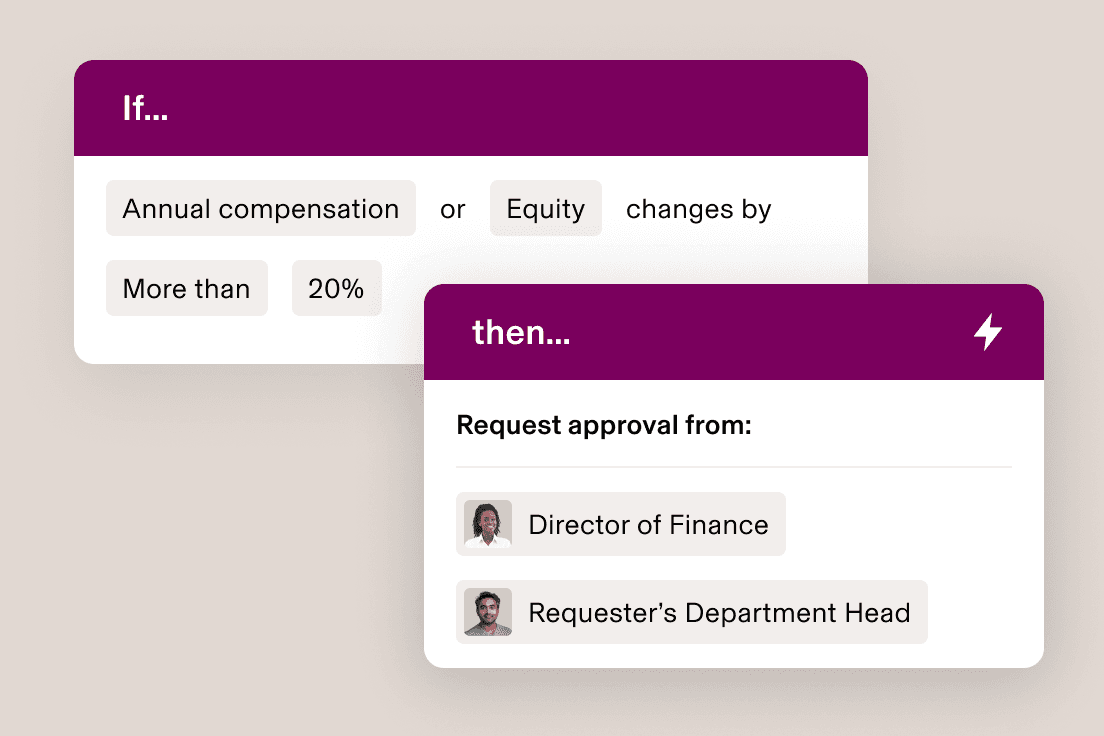
Hire. Provision apps. Approve expenses. You set the rules for who can make and approve requests, under what circumstances, so that small changes sail through while big-ticket items are flagged for review.
Role-based approvals
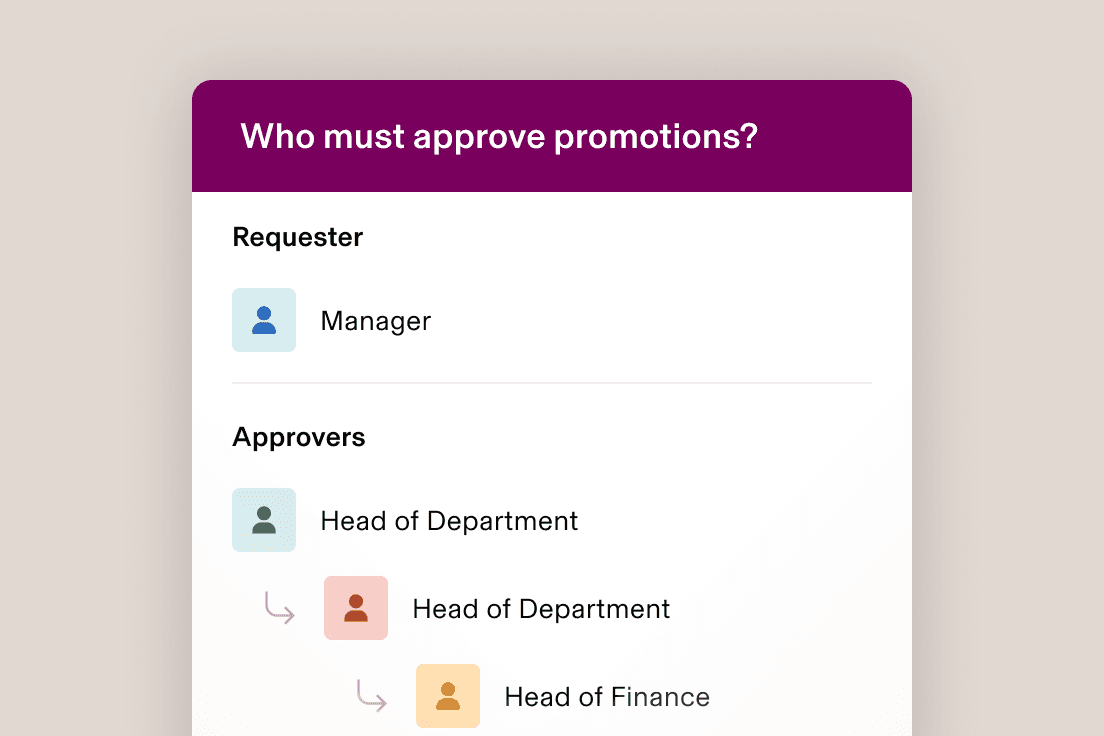
Automatically route requests to the right approvers
Rippling routes approvals based on employee attributes, like length of service and department. That means requests will continue to reach the right person – even as your org evolves.
Custom approval chains
Design any approval chain, no matter how complex
Build approval chains that respond to the dynamics of your business. Rippling supports multi-approver logic and can handle complex situations, like rerouting a request if its primary approver is on holiday.
Role-based permissions
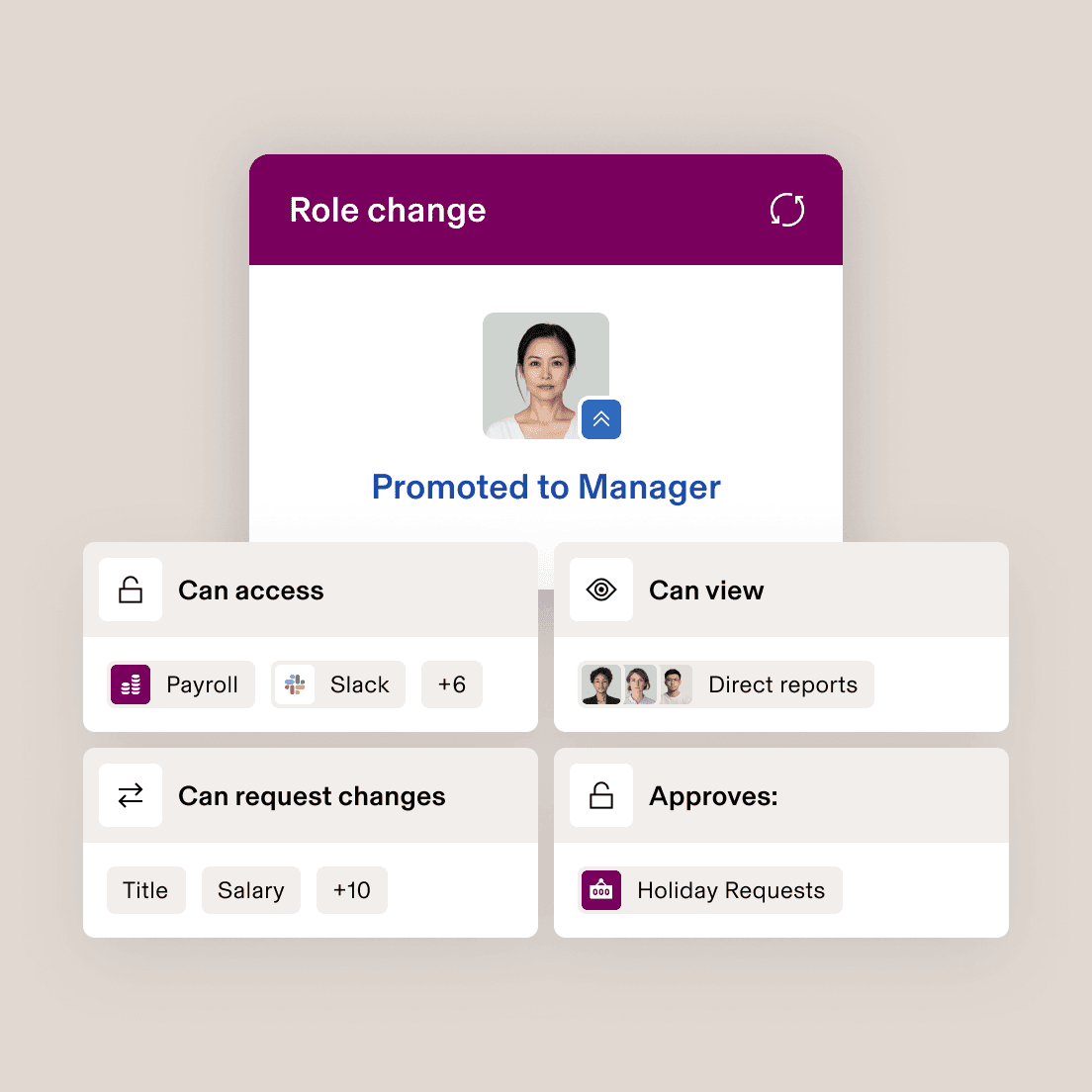
Changing people’s role changes their permissions automatically
Permissions profiles are attached to attributes, not people. When someone’s permissions are about to change, you’ll see what they’re gaining – and losing – access to.











Built different
Analyse, automate and orchestrate anything
Most “all-in-one” software consists of acquired systems. These modules are disconnected, so your business data is too. Rippling takes a platform approach, building products on a single source of truth for all business data related to employees. This rich, flexible data source unlocks a powerful set of capabilities.


“Rippling is A+ for companies scaling fast.”
Matthew Reinhold
COO at Soundtrace
“Rippling makes it easy to manage my global team.”
Emily Armando
Operations Manager at Resquared, Inc
“Rippling is a great choice for remote teams.”
Samantha Stevens
Director of Operations at Interrupt Media
“Amazing product for our small business.”
Dan Andrews
Lead Software Engineer at Initialised Capital
Get a demo—live or on demand
See how Rippling can help you manage all your employee data and operations in one place, and easily grow your business from 2 to 2,000+ employees.
FAQs
What are permissions?
Permissions are a way of controlling what individual users can see and do within a software system
What are permissions profiles?
Permissions profiles allow you to build a configuration of permissions that can be attached to different users. In most systems, permissions profiles have to be individually assigned to users, saving you only from the manual work of rebuilding a profile. In Rippling, permissions profiles are attached to specific employee attributes, like level or department. As employees get promoted, move teams or experience other changes, their permissions will be dynamically updated, so you don’t have to perform any manual work.
What is approval management?
Approval management is the process by which a business’s change requests – like new recruits or time-off requests – are routed for approval.
What is an approval workflow?
An approval workflow is an automation that uses custom logic to decide whether to automatically approve a change request or flag it for additional approval. In some systems, you can customise approval workflows to include multiple approvers and even define whether the workflow needs multiple approvers or just one.
How do you create an approval process?
In Rippling, most approval processes can be managed in the Approvals app, although some approval logic can also be built in Workflow Studio.