



















By clicking "See Rippling," you agree to the use of your data in accordance with Rippling's Privacy Notice, including for marketing purposes.
- Products
- Platform
Rippling AI
Unlock business-critical insights and delegate tedious tasks to AI built for HR, Payroll, IT, and Finance.
Learn more
Rippling Solutions
Get engineer-built custom apps in Rippling to automate any business process you have.
Learn more
- Solutions
- Global

Employer of Record
Hire globally without entities

Global Payroll
Pay employees anywhere

Global Contractors
Pay contractors anywhere

Contractor of Record
Mitigate contractor risk

Global HRIS
Run global HR in one place

Global HR Advisor
Get localised HR expertise

Global Benefits
Manage benefits anywhere

Global Spend
Save everywhere you operate
- Resources
Resources

Blog
Customer Stories
Customer Stories


Barry’s empowers their workforce with a scalable HR solution

Forterra automates busywork to drive impact

Chess.com creates a frictionless people process

Clay grew 5x by automating 80% of its onboarding tasks

Blank Street Coffee saves 40 hours by automating open enrolment

Rippling gave Andros automation superpowers
Webinars
Glossary

Events

Rippling University

Help Centre

Compare


EN
Select language
United Kingdom (EN)


Australia (EN)

Canada (EN)
Canada (FR)

France (FR)

Germany (DE)

Ireland (EN)

United States (EN)
EN
United Kingdom (EN)
Australia (EN)
Canada (EN)
Canada (FR)
France (FR)
Germany (DE)
Ireland (EN)
United States (EN)
EN
United Kingdom (EN)
Australia (EN)
Canada (EN)
Canada (FR)
France (FR)
Germany (DE)
Ireland (EN)
United States (EN)
Integrations
Push your apps to perform at their best
Rippling integrations keep your teams productive and your systems in sync – helping you get more from the tools you use most.
Single source of truth
Create a unified app experience
Native integrations don’t just keep your systems in sync. They unlock rich platform capabilities for greater control over your entire tech stack.

Automate app management
Supergroup rules for app access let you group, manage and automate user permissions to your integrated apps as roles change across the employee lifecycle.
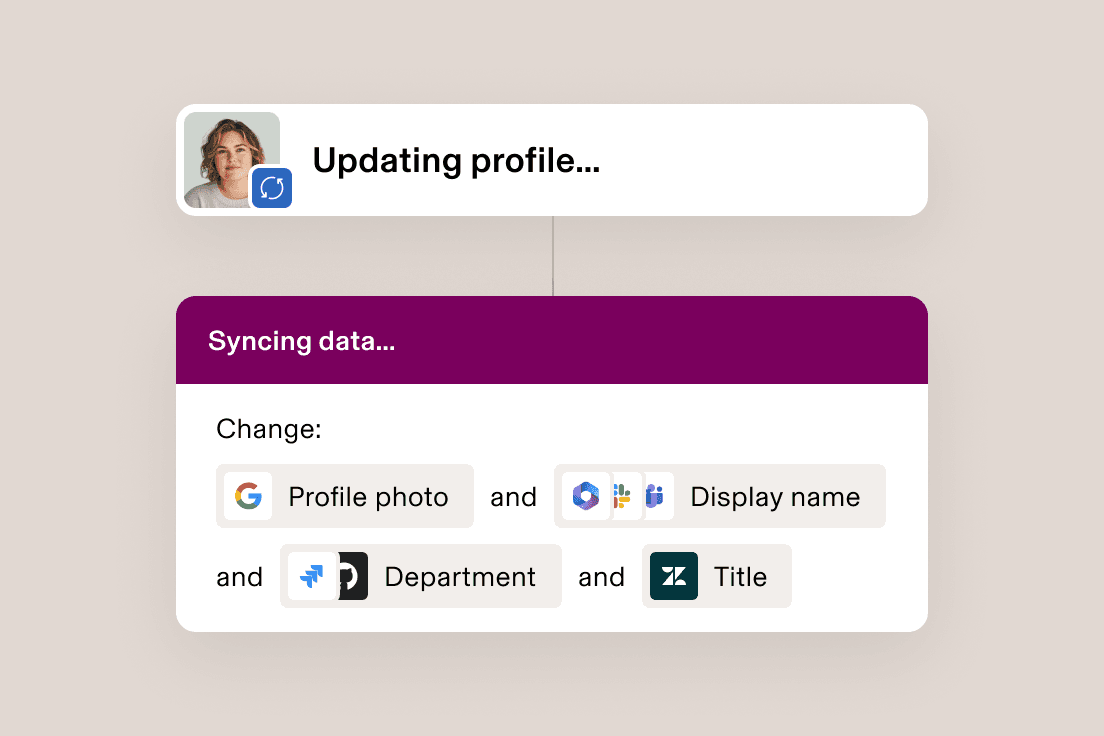
Cascade changes across apps
Attribute mapping allows updates made to user fields in Rippling – like photo, department or preferred name – to automatically apply to your third-party apps.

Keep the work flowing
Use Rippling’s platform capabilities to run reports across your third-party app data or trigger workflows – like automating a Slack alert based on a Zendesk ticket.

Get your apps talking
Eliminate busy-work on both ends by keeping everything in sync, like sending contribution choices to your workplace pension provider and then pulling that data into Payroll.
Identity & Access Management
Get access right, every time
Automatically grant the right people the right level of access to third-party applications – right when they need them.
Efficient
Automatically provision and deprovision accounts from onboarding to offboarding.
Secure
Deploy SSO and RPass so your people don’t need to remember complicated passwords.
Dynamic
Leverage hundreds of user attributes to automatically manage user groups within your apps.

“Rippling’s pre-built integrations made it painless to integrate third-party apps and set up SSO for our SOC 2 report. Instead of getting bogged down in busywork, our engineers are able to focus on projects for the core business.”
Nick Stanish
Founding Engineer at Reserv
“Each time we roll out new software, I am impressed by how easy Rippling makes the integration process. Rippling is constantly improving and releasing new features each month, and I’m always looking forward to the next innovation.”
Brian Cahill
Head of IT at Frogslayer
“I used to have to bother IT each time an employee became a manager or moved teams to get them added to the right groups in apps. Now, Rippling automatically updates their permission level without us ever having to think about it. It saves us a ton of time and headache.”
Cassandra Margolin
Head of People at Jasper
“It’s great that Rippling integrates with so many of our existing systems, including Cylance, a security suite that helps prevent malware and viruses.”
Scott Kaufmann
Managing Partner at Highnoon
Custom integrations
Build it in Rippling
Don’t see the integration you’re looking for? Leverage developer kits to create and publish your own in the Rippling App Shop.
Browse our full integrations library
Explore hundreds of integrations to business systems your teams use everyday.
FAQs
What unique features do Rippling integrations offer?
Rippling offers a robust, secure and streamlined integration experience, empowering users to efficiently manage their HR, IT and Finance operations. Our integrations feature data import and remuneration data models, security and authorisation features, integration setup and growth, along with analytics, invoicing and best practices.
What integrations are available with Rippling?
Rippling makes various integrations available on day one. Some of our key integrations include:
- Third-party Apps Integration: Rippling supports over 650 app integrations, and is aiming to increase this number significantly.
- Accounting Integrations: Popular accounting software integrations include QuickBooks Online, Xero, NetSuite and Sage Intacct.
- Workplace Pension Integrations: These integrations sync data between Rippling’s payroll product and pension providers.
- Single Sign-on (SSO): Allows seamless access to applications from the Rippling dashboard.
- User & Role Provisioning: Enables user management within applications.
- Licence Provisioning: Rippling can provision new seat licences in systems via an API.
- API Access Package: Provides customers with API access for building internal integrations.
How do Rippling integrations enhance your business operations?
Integrations play a crucial role in enhancing business operations by streamlining processes and improving efficiency.
- Reduced Errors: Integrations reduce errors from manual entry, ensuring accurate data across systems.
- Efficiency: Automatic updates via integrations save time and effort by eliminating the need for manual data entry.
- Financial Accuracy: Integrations allow accounting and payroll information to be included in financial statements, ensuring financial accuracy.
- Compliance: Integrations help in generating accurate tax forms for both payroll and business taxes, ensuring compliance.
- Matching Ledgers: Integrations help in aligning books and payroll ledgers, ensuring consistency and accuracy in financial records.
How do Rippling integrations seamlessly connect with other systems in Rippling?
Rippling integrations connect with other systems through various mechanisms and features: Integration Mechanisms:
- Single Sign-on (SSO): Allows seamless access to applications from the Rippling dashboard, enhancing customer access management and security.
- User & Role Provisioning: Enables user creation and management within applications, automating employee lifecycle management.
- Licence Provisioning: Rippling can provision new seat licences in systems via an API on behalf of customers.
- Account Provisioning: API-based provisioning of new accounts (organisations) in applications.
- Resale, Billing and Co-marketing: Rippling sells products, invoices customers and engages in co-marketing activities with partners.
- Immediate Exposure: Supported applications gain exposure to Rippling’s customer base, facilitating product showcasing and customer acquisition.
How can I get started with installing an integration on my Rippling account?
To install an integration, such as the Nest integration, follow these steps:
- Install the app from the Rippling App Shop or initiate it from payroll.
- Confirm that you are the appropriate admin for the integration.
- Provide your Nest username and password for Rippling to access your account.
- Provide your Nest employer reference number.
- Select the Pension scheme(s) to sync to the third party.
- Review or import your existing Nest pension setup into Rippling payroll.
- Manage employee account matching for API connections.
- Set up attribute mapping with smart defaults.
- Manage sync timing for contributions and enrolments.