



















By clicking "See Rippling," you agree to the use of your data in accordance with Rippling's Privacy Notice, including for marketing purposes.
- Products
- Platform
Rippling AI
Unlock business-critical insights and delegate tedious tasks to AI built for HR, Payroll, IT, and Finance.
Learn more
Rippling Solutions
Get engineer-built custom apps in Rippling to automate any business process you have.
Learn more
- Solutions
- Global

Employer of Record
Hire globally without entities

Global Payroll
Pay employees anywhere

Global Contractors
Pay contractors anywhere

Contractor of Record
Mitigate contractor risk

Global HRIS
Run global HR in one place

Global HR Advisor
Get localised HR expertise

Global Benefits
Manage benefits anywhere

Global Spend
Save everywhere you operate
- Resources
Resources

Blog
Customer Stories
Customer Stories


Barry’s empowers their workforce with a scalable HR solution

Forterra automates busywork to drive impact

Chess.com creates a frictionless people process

Clay grew 5x by automating 80% of its onboarding tasks

Blank Street Coffee saves 40 hours by automating open enrolment

Rippling gave Andros automation superpowers
Webinars
Glossary

Events

Rippling University

Help Centre

Compare


EN
Select language
United Kingdom (EN)


Australia (EN)

Canada (EN)
Canada (FR)

France (FR)

Germany (DE)

Ireland (EN)

United States (EN)
EN
United Kingdom (EN)
Australia (EN)
Canada (EN)
Canada (FR)
France (FR)
Germany (DE)
Ireland (EN)
United States (EN)
EN
United Kingdom (EN)
Australia (EN)
Canada (EN)
Canada (FR)
France (FR)
Germany (DE)
Ireland (EN)
United States (EN)
Rippling expense management
Automate expenses with complete control
Hyper-custom policies
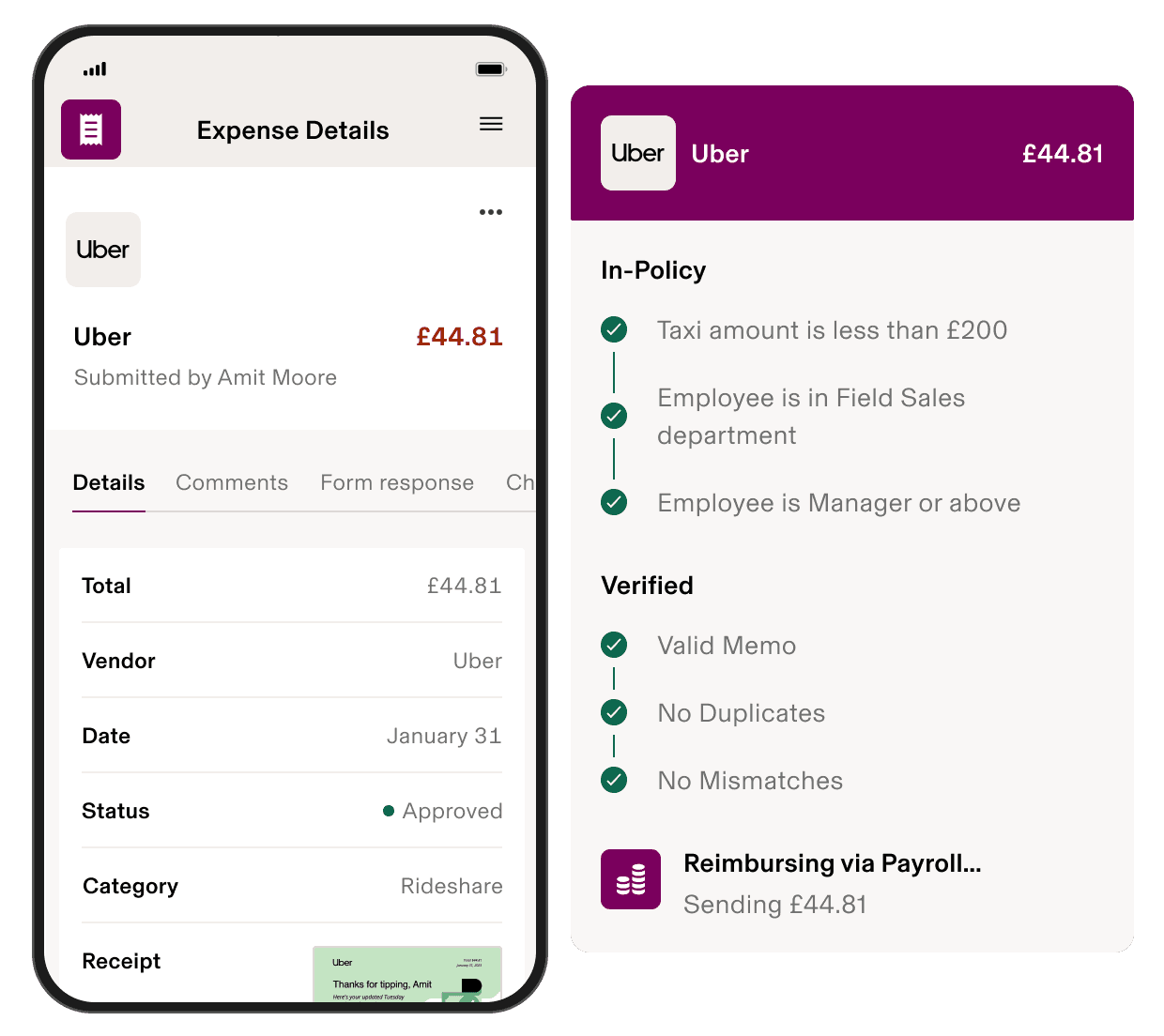
Effortlessly block out-of-policy expenses
The world’s most advanced spend policy engine
Only Rippling’s expense management software can support expense policies based on all your employee data. Build hyper-custom policies in minutes and spend less time manually reviewing expenses.
Automate the most tedious parts of expense management
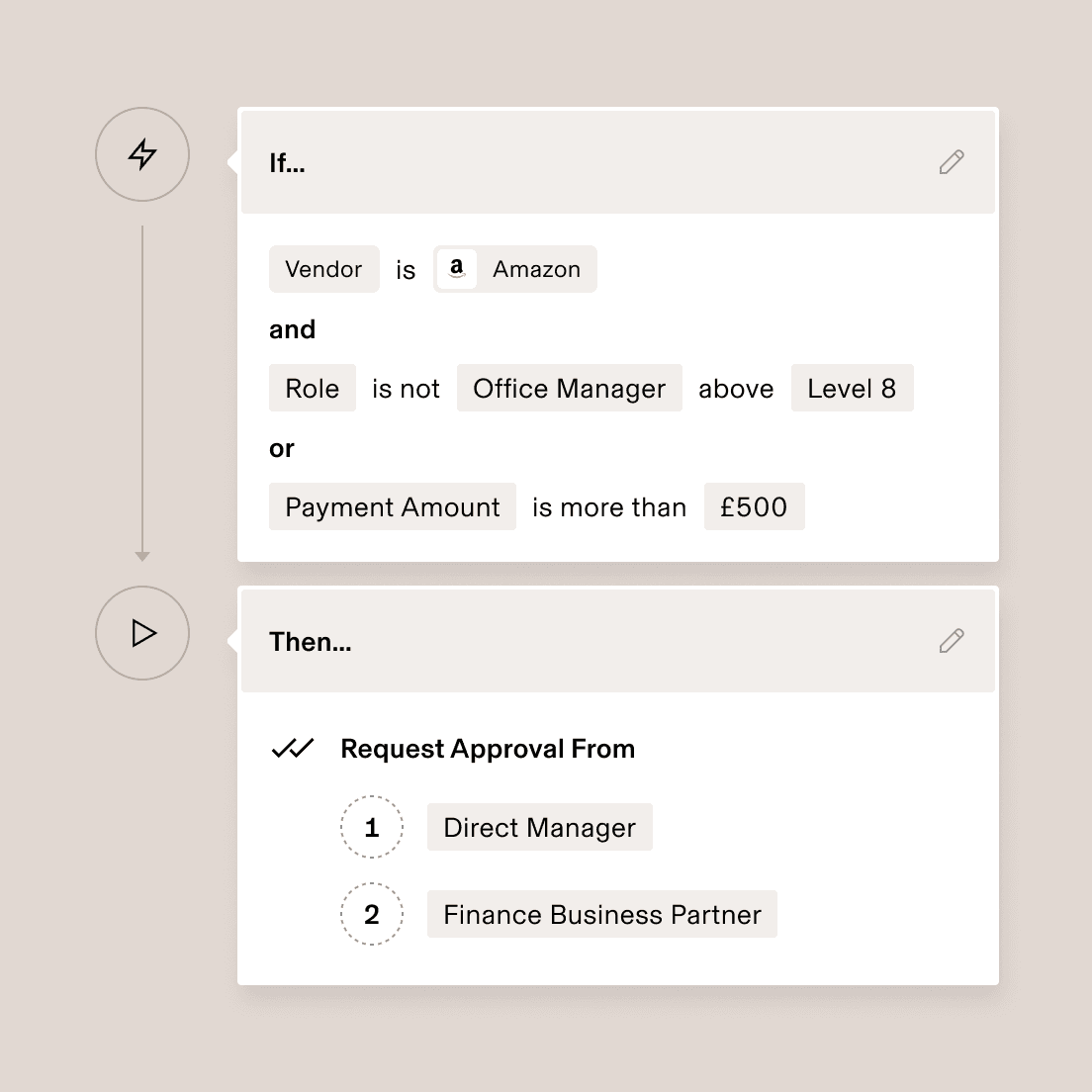
Simplify approval chains with role-based rules
Automate your approvals with granular rules using employee data like role, department and level, or transaction data like specific vendor, transaction category and amount.
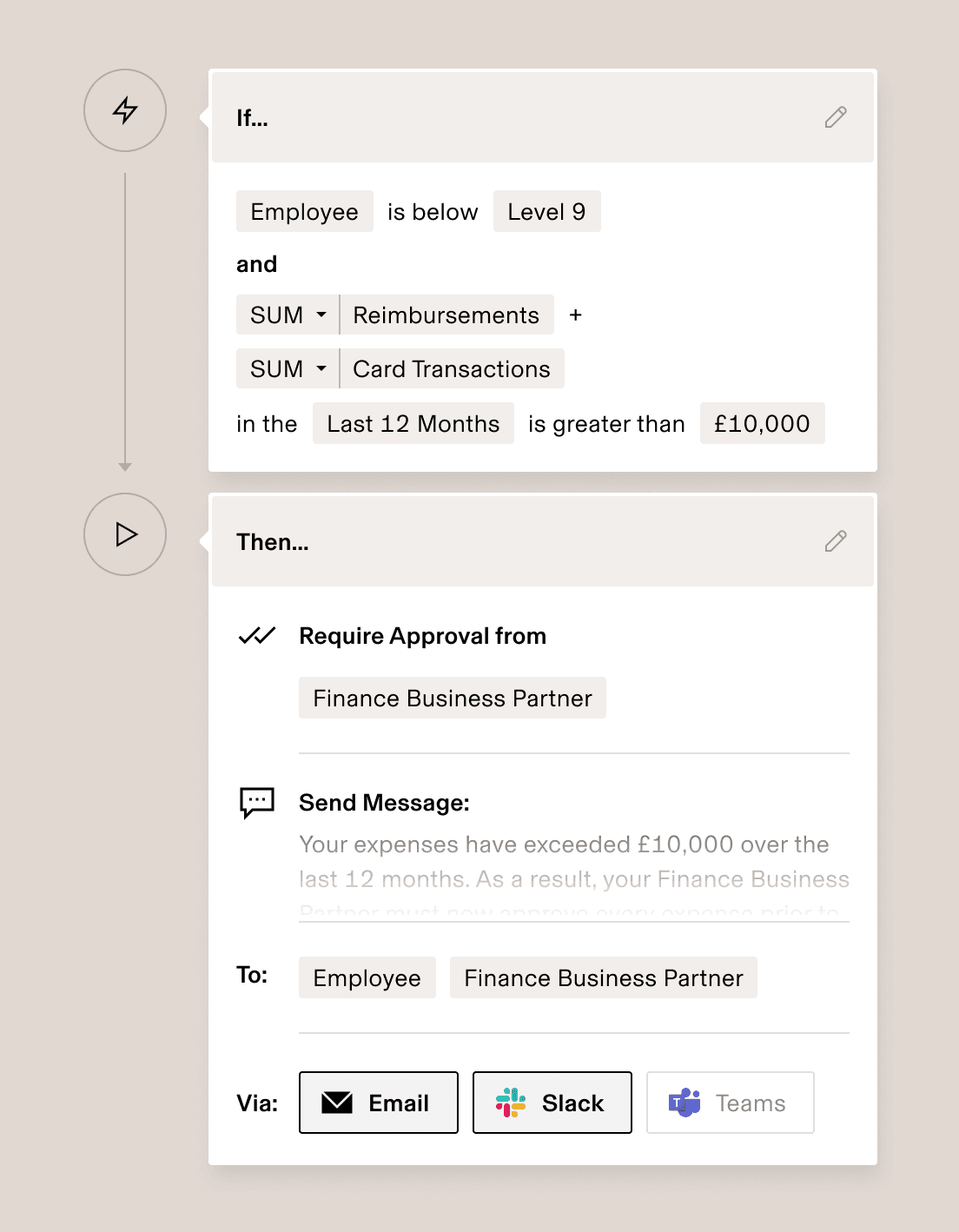
Keep costs in check with automated workflows
Instead of reviewing weeks-old charges at month end, build automated workflows that monitor company spend in real time and trigger actions, like sending alerts when team spending suddenly increases.
Give every team instant visibility into their spend
Rippling lets you control who can see which data based on their role. That means everyone automatically has the power to run in-depth reports on their own slice of spend – and no one else’s.
What your CMO sees
What your Controller sees
Global expense management
Reimburse employees globally in their local currency – in minutes
- Reimburse people in 100+ countries
Rippling offers the fastest way to handle expense reimbursement for employees and contractors, wherever they are in the world.
- Issue payments in any currency
When you reimburse employees via Rippling Payroll, you can pay them in their local currency, and report on it in yours.
- Collect receipts in any language
When an employee submits a receipt, Rippling translates its line items and convert its currencies for the reviewer.

Cross-currency reconciliation
Review expenses in your currency. Reimburse employees in theirs.
It’s painful to reconcile foreign expenses, especially with business travel. Rippling converts expenses into each user’s local currency.

Integrated payroll
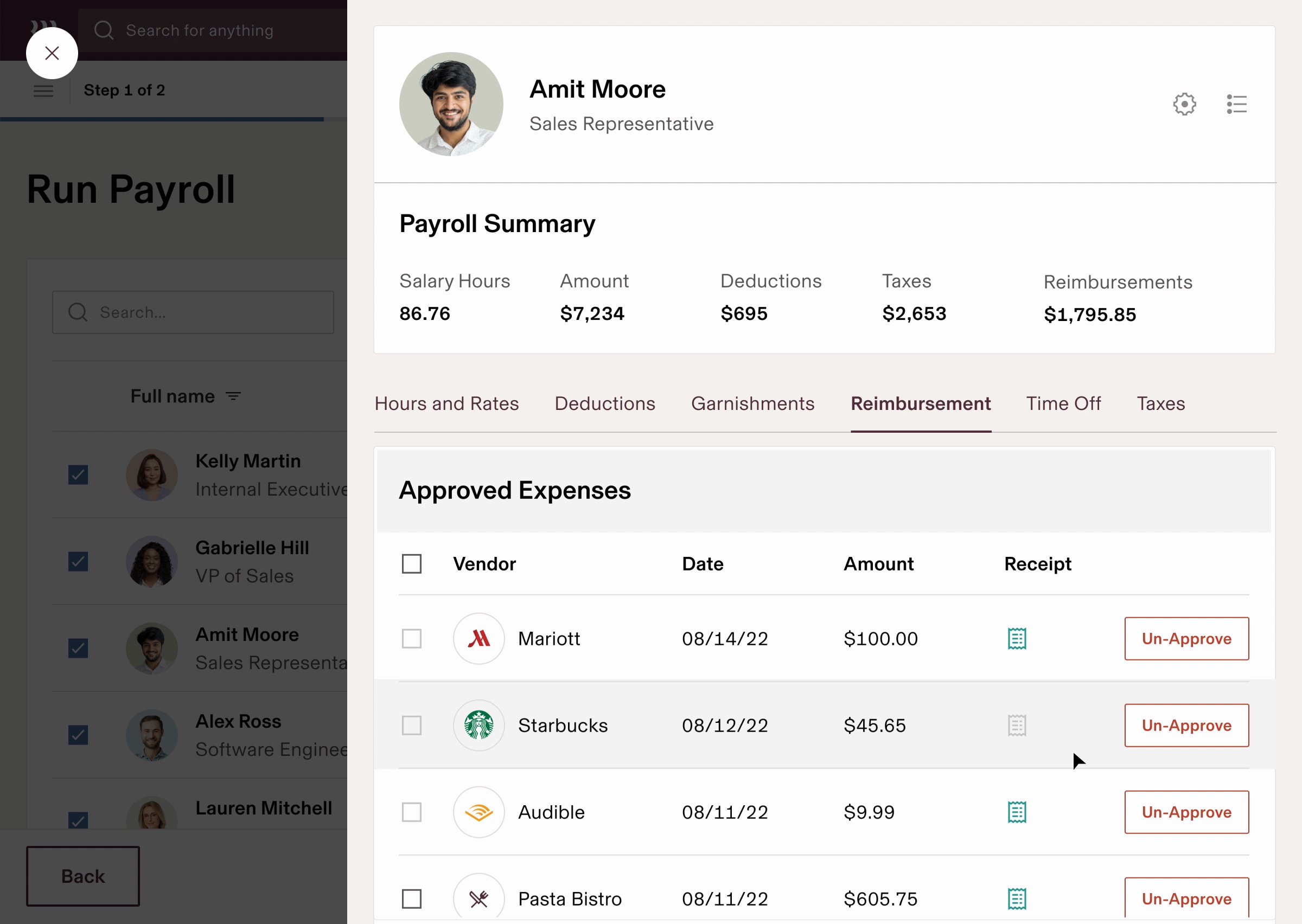
Answer reimbursement questions directly inside payroll
With Rippling, you don’t need to switch between siloed payroll and third-party systems to answer questions like, “Why are we reimbursing this person £500?”
Admin experience
Let Rippling take care of the reconciliation work
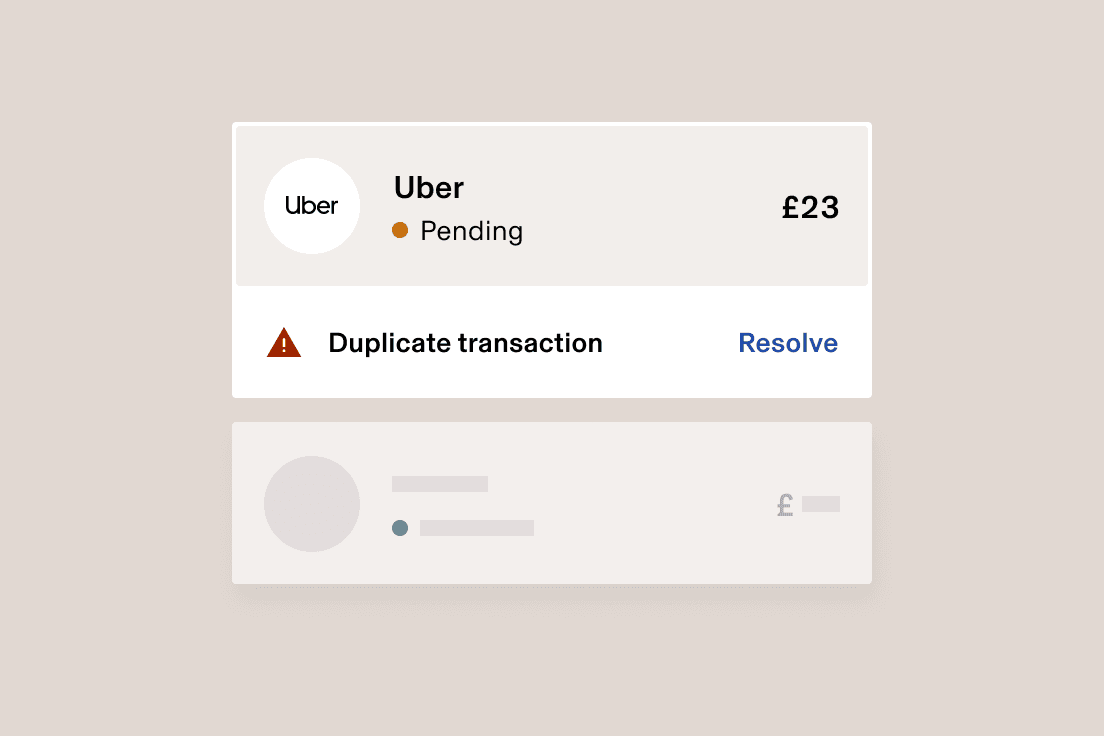
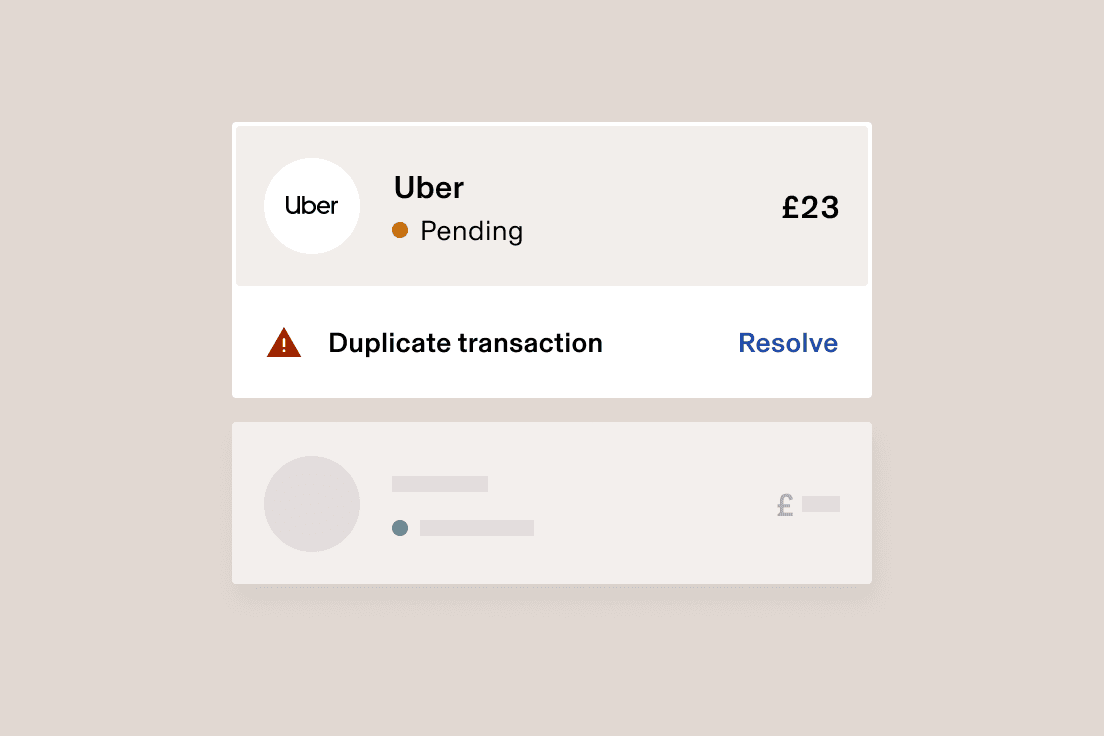
Dedupe expenses automatically
Rippling instantly catches duplicate expenses, warns the submitter, and then flags it for review if they still choose to submit.
Catch receipt discrepancies instantly
Rippling flags mismatches between the transactions employees enter and the receipts they upload – even in different currencies.

Employee Experience
Make it easy for employees to manage their expenses

Forward receipts via email
Employees can match digital email receipts with their expenses simply by forwarding them to Rippling.

One app for payslips and expenses
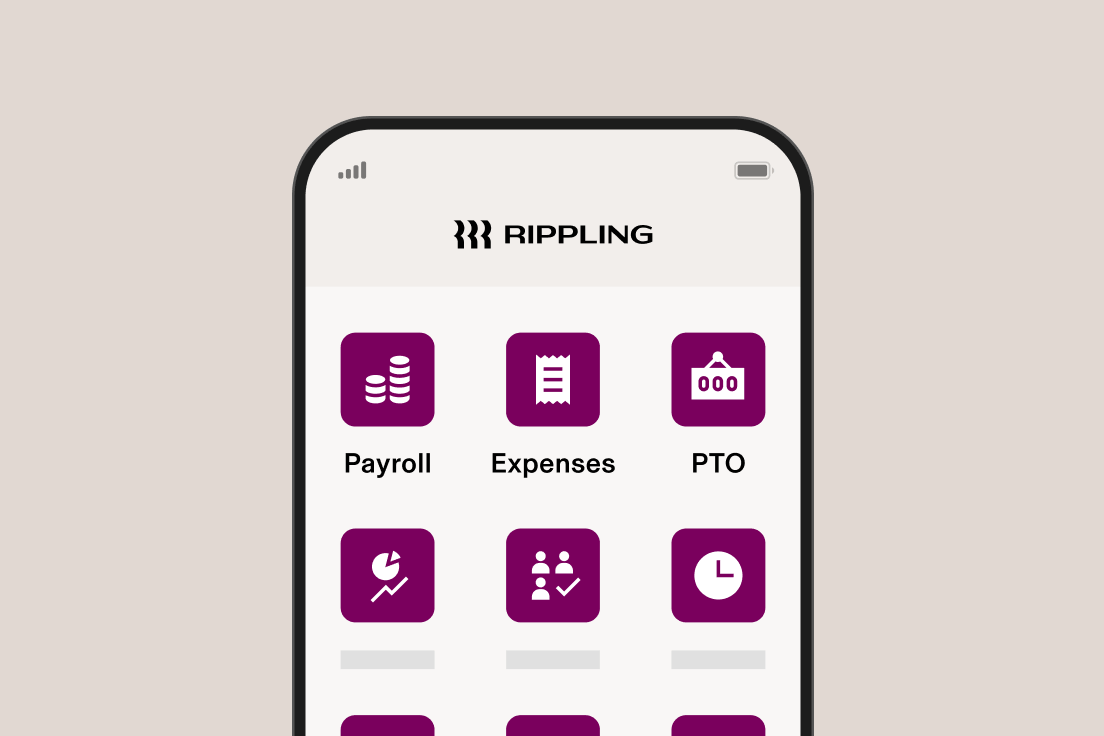
Rippling has the only mobile app where employees can view their payslips and expenses in one place.
Modern expense management software
Close the books in days, not weeks

General ledger sync
Sync expenses to your general ledger and automatically categorise each expense’s fields, saving your finance team painstaking hours of work.

Easily audit expenses
All spending in Rippling has an audit trail, making it easy to quickly view who changed which expenses.
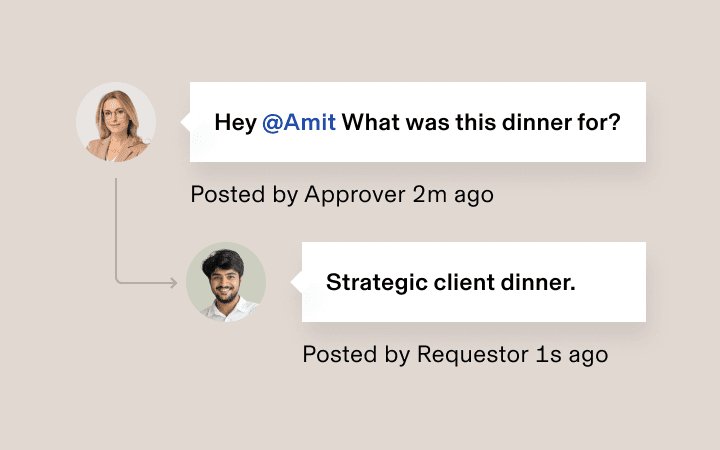
Start threads on expenses
Every expense can be commented on directly, so approvers and admins can quickly resolve ambiguous spending.
Manage expenses on the go
With Rippling’s mobile app, it’s easy to manage employee expenses, even when you’re away from your computer.







Built different
Analyse, automate and orchestrate anything
Most “all-in-one” software consists of acquired systems. These modules are disconnected, so your business data is too. Rippling takes a platform approach, building products on a single source of truth for all business data related to employees. This rich, flexible data source unlocks a powerful set of capabilities.


Get started today with Rippling Spend
Rippling is a single platform that can help your business manage all its employee data and operations, no matter the size.
FAQs
How does expense management software work?
Expense management software streamlines the entire process of handling business expenses. Typically, employees submit expense reports digitally, and the software facilitates expense tracking by organising and categorising expenses. Expenses are then routed for approval based on pre-defined company policies and workflows, which can be configured with rules based on various factors such as department, expense type or amount. Many systems also include company card transactions. Finally, the software facilitates the employee reimbursement process by sending payments to the employee.
The goal of this software is to make the expense process more efficient, reduce errors and the hassle associated with manual data entry, improve spend controls, and provide better real-time visibility into expense data for the finance team.
What features should I look for in expense management software?
When deciding what expense management system to use, look for features that address your specific business needs – whether that’s seamless receipt capture, customisable workflows to approve expenses, or the ability to set and enforce expense policies. Integration with your existing systems, such as accounting software like QuickBooks or NetSuite, is crucial for efficient reconciliation. Strong reporting features that provide insights into employee spending are also essential. Finally, consider an expense management solution with a user-friendly interface that makes it easy for both employees and administrators to manage expense reports and the overall process.
Can I manage company cards within expense management software?
Yes – many expense management solutions, including Rippling, offer the ability to manage company credit cards. This feature can give administrators enhanced spend controls via spending limits that monitor card transactions in real time. Integrating company cards within the expense management system can also simplify reconciliation and provide a comprehensive view of business expenses in one place. You can often set company policies that specifically apply to company card usage, ensuring better policy compliance.
Who is Rippling’s expense management software for?
Rippling’s expense management platform is designed for businesses of all sizes, from small businesses to larger enterprises. Rippling enables any company that wants to streamline its expense management process, enforce company policies effectively and gain better visibility into their expense data. Whether you’re a startup looking to implement initial spend controls or an established organisation seeking to optimise your existing approval process, Rippling provides a comprehensive and intuitive solution.
How does Rippling’s expense management software differ from competitors?
Unlike traditional expense management tools, Rippling’s solution is built on a unified platform that connects expense data with HR, IT and Finance systems. This integration enables unique capabilities such as role-based permissions that automatically update as employees join, move within or leave your organisation. Additionally, Rippling’s policy engine can leverage any employee attribute to create highly specific expense rules that would be impossible in standalone systems.