




















Rippling en zijn gelieerde ondernemingen bieden geen belasting-, boekhoudkundig of juridisch advies. Dit materiaal is uitsluitend voor informatieve doeleinden samengesteld en is niet bedoeld om belasting-, boekhoudkundig of juridisch advies te verstrekken en dient niet als zodanig te worden gebruikt. U dient uw eigen belasting-, boekhoudkundige en juridische adviseurs te raadplegen voordat u zich bezighoudt met gerelateerde activiteiten of transacties.
7 essential automations for lean IT teams
In dit artikel
What if you could automate every key step of the user and device lifecycle? With Rippling IT’s natively built platform, lean IT teams can multiply their powers and get more done securely. Our suite of IT solutions offer multiple custom workflows and automations, and when paired with our HRIS, you can unlock even more time-saving triggers across identities, access, devices, and physical inventory.
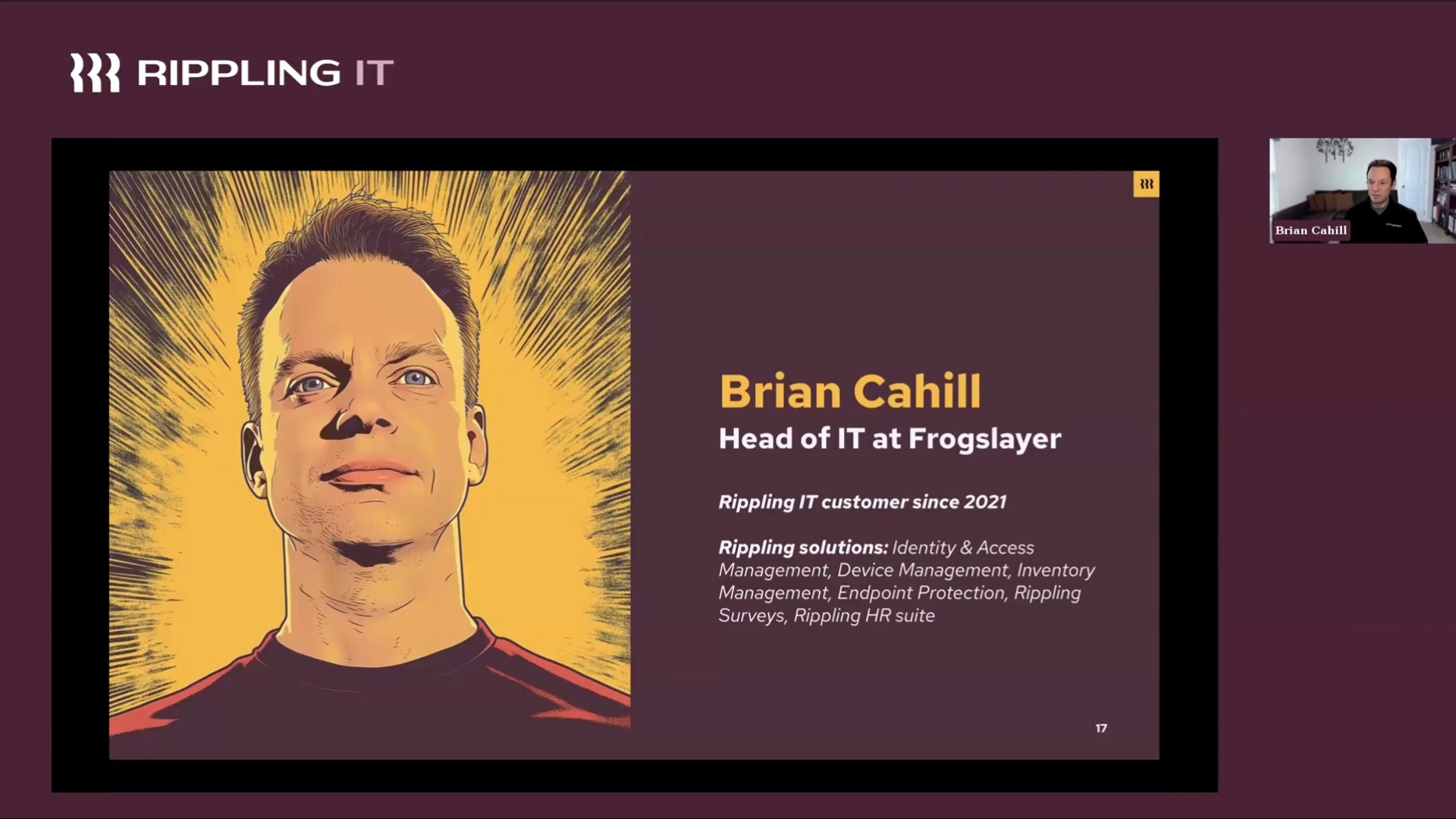
Don’t take my word for it. Rippling IT admin and IT product lead, Zaafir Kherani, sat down with Frogslayer’s Head of IT, Brian Cahill, to talk through our major IT releases of the year, what we have on the 2025 roadmap, and all the ways Rippling IT supports Brian as an IT team of one.
Real-world example: Frogslayer
Frogslayer is a business consulting and software development firm that manages sensitive client data. Brian is responsible for managing all of the hardware, software, and systems Frogslayer depends on to best serve their clients — and maintaining security both with their internal and cloud systems is a big part of the job.
Frogslayer used to manage IT authentication and provisioning with Entra ID (Azure), but it only worked with a subset of their systems and required heavy manual work and constant communication with HR. Brian made the switch from Entra ID to Rippling IT.
That’s because while Rippling IT can be a powerful standalone product, it can also integrate seamlessly with Rippling’s all-in-one solution. This means that Rippling uniquely acts as both an HRIS and IdP for customers of both products, creating a single source of truth when it comes to employee data.
Brian no longer has to navigate multiple disconnected systems. Instead, he uses Rippling IT’s solutions for Mobile Device Management (MDM), Identity & Access Management (IAM), Inventory Management, and integrated endpoint security with SentinelOne to manage all of his IT needs from one place. He found a way to automate the entire onboarding and offboarding process, obtain SOC 2 certification, layer advanced security features, and more.
Let’s jump into 7 essential automations loved by Brian and the Rippling product team alike.
7 Rippling IT automations built for lean IT teams
1. Automated onboarding and offboarding
The Frogslayer team used to have a massive checklist for onboarding and offboarding employees, which they’ve automated with Rippling IT. Brian gets an alert every time an offer letter is signed, without having to rely on HR. Then he can check and see what inventory they have in stock for that new hire.
Every IT and HR process is deeply integrated within Rippling IT, and both teams have access to key workflows, which means they are free to go on vacation without worrying about tasks slipping through the cracks. No more manual errors or overlooked security risks — just smooth transitions.
Spoiler alert: it’s all about automations.
2. Inventory tracking and logistics
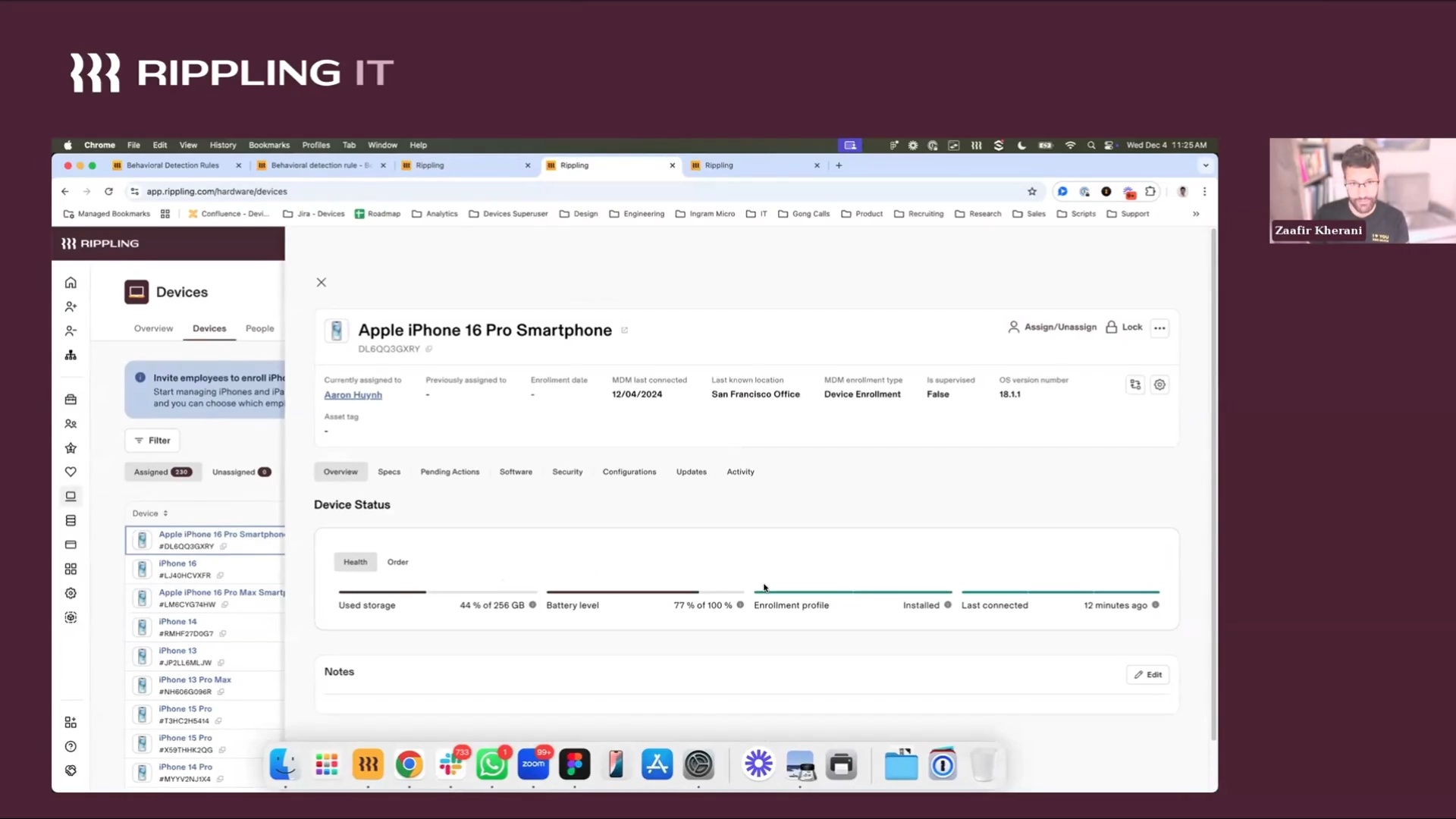
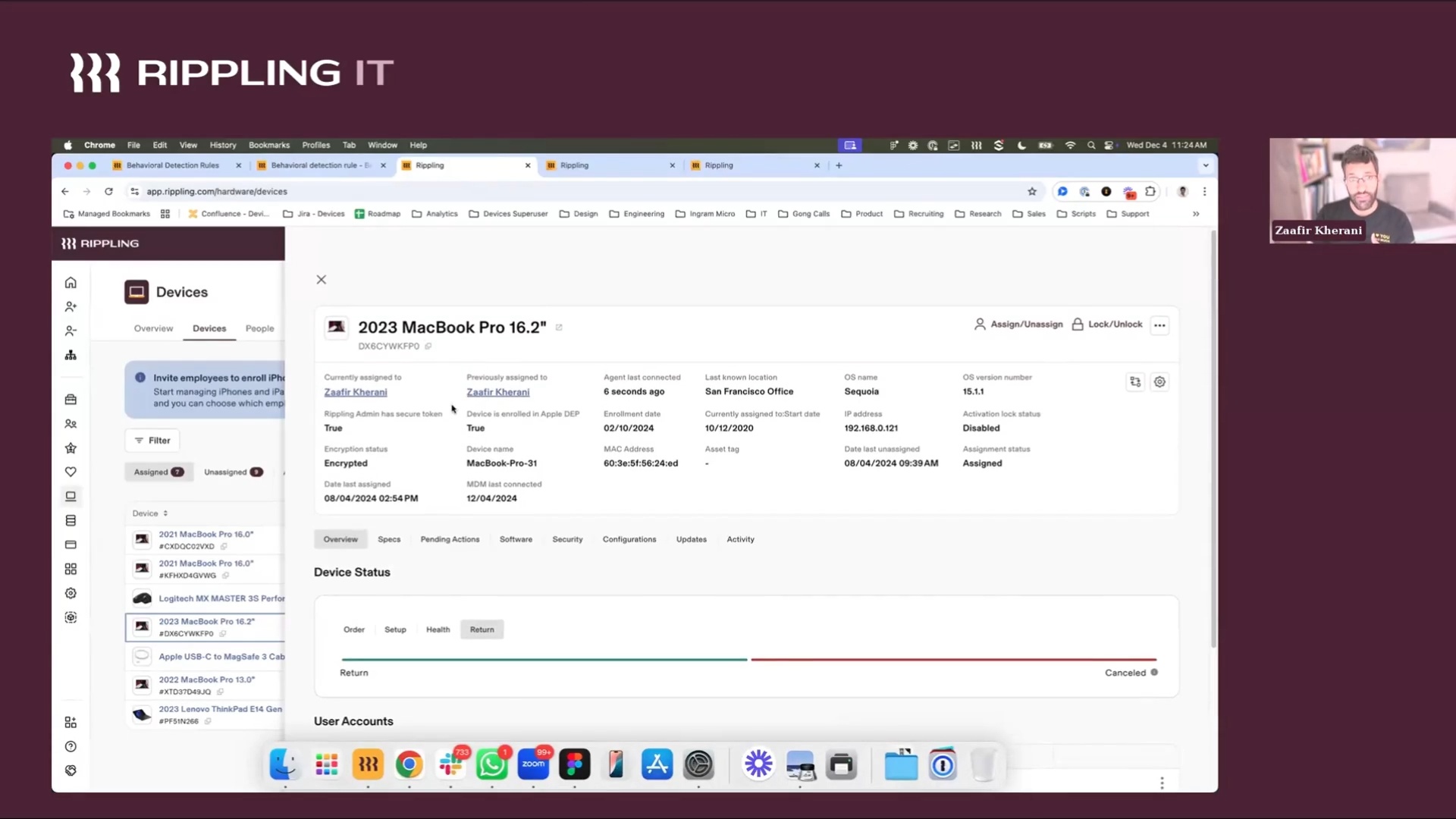
Brian never has to worry about a messy supply closet again. Frogslayer stores its devices in secure Rippling IT warehouses, and Brian has total visibility into every device and its status. He has even added custom fields for things like CPU benchmark and quality. He automates the entire device shipping, storage, and retrieval process within Rippling. This greatly reduces the burden of hardware logistics, even for a global or remote workforce.
3. Custom approval workflows
The option for custom workflows and approvals in Rippling IT is a game-changer for efficiency, without compromising control.
For example, you can set up an alert if a device is ordered that is above the approved budget. You can also set up alerts if a battery needs replacing, a device has a threat detected, or security training hasn’t been completed.
Brian has set up an alert to better manage Zoom licenses at Frogslayer. He gets alerted when someone with a free Zoom license is set to host a meeting, so he knows he needs to upgrade their account.
He has also set up an alert to notify him if a new hire hasn’t completed their background check, denying them access until they do so.
4. Device Trust
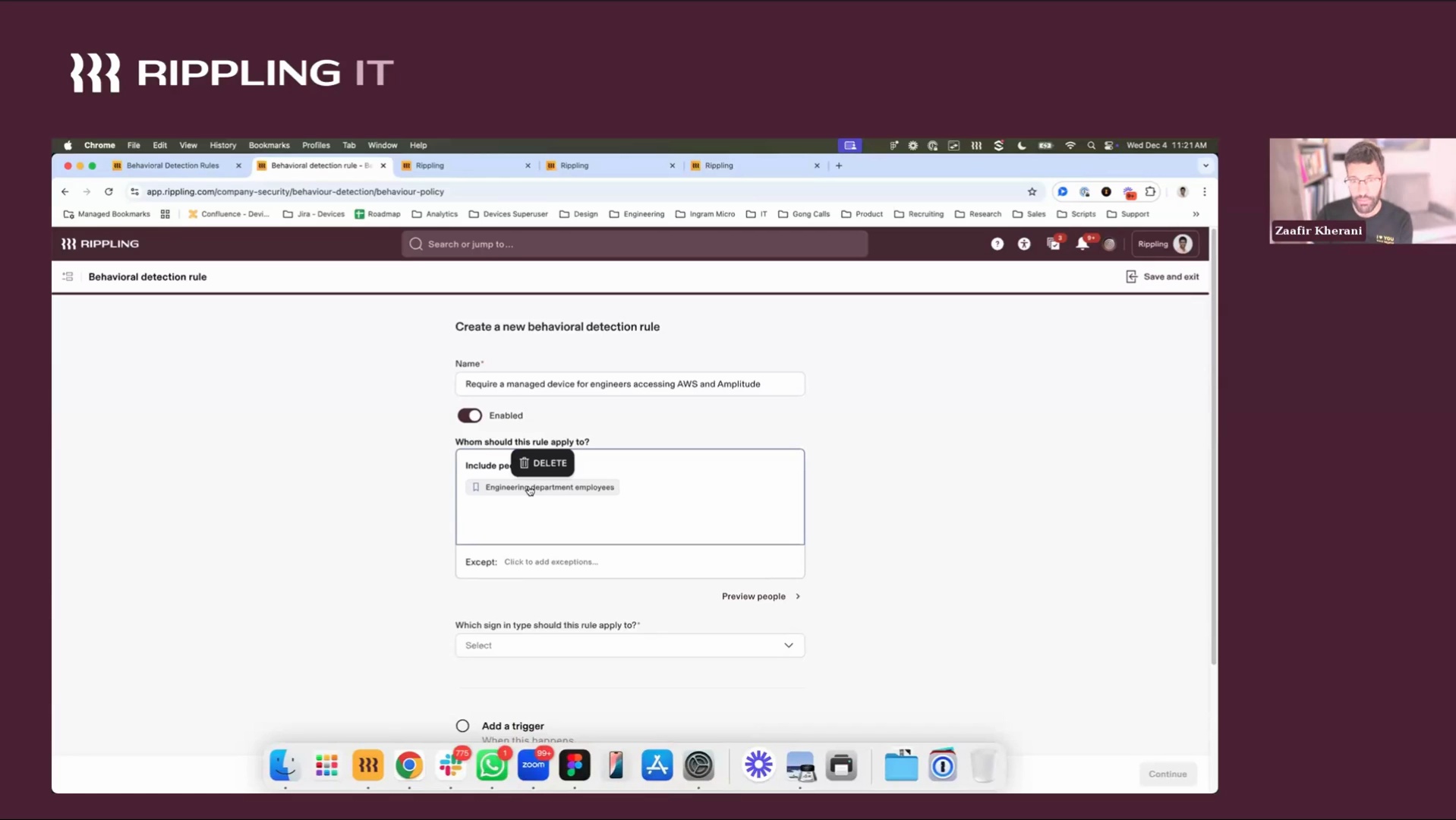
Device trust for both Mac and Windows devices is a zero-trust security feature that ensures employees are only accessing critical applications from managed devices. This is critical for both security and compliance, and can take weeks or months to implement with other tools. In Rippling, you can set up device trust in a few clicks.
Rippling IT acts as the certificate distributor, so you don’t have to worry about configuring your own infrastructure to distribute certificates. You can set up a rule to require a trusted device for access to any app and any group of users.
5. Zero-touch device provisioning
Brian ships new hires laptops that are preconfigured and provisioned automatically with zero-touch enrollment. Every device is set up with SentinelOne, which is built right into the MDM. Because these devices are preloaded with all necessary software and security policies, Brian saves countless hours of manual work, ensuring new hires are ready on day one.
He uses this information, along with other metrics, to maintain SOC 2 compliance. He even has a report sent to his inbox with IT-critical data every week.
6. Employee contact sync
Rippling IT’s MDM supports iOS and iPad devices. When it comes to iPhone management, you can push contacts to employee phones automatically.
You can sync the entire company’s contact info to someone’s phone, or you can get more granular and select managers, direct reports, team members, work location, etc. Making contacts readily available helps remove any friction when it comes to simple and easy communication.
7. Password Federation (Coming soon)
With Rippling IT's Password Federation, you can reduce password fatigue by enabling employees to have the same credentials for their device and Rippling IT’s IdP.
You can easily deploy Rippling IT Password Federation with our unified IAM and MDM using a pre-built configuration template in one click. All the heavy lifting is done for you.
Automatically sync employee avatars, preferred names, and more between the Rippling IT's IdP and the device account. Employees can also self-serve reset passwords. This reduces the burden of user account management as your company scales, limits password reset requests, enhances the employee experience, and strengthens security.
Automate the full user and device lifecycle with Rippling IT
Automation capabilities within Rippling IT are nearly endless. Watch the webinar recording here to see the full demo of Rippling IT and hear more from Brian Cahill at Frogslayer.
If you’d like to see which automations will help you eliminate manual work and boost security, schedule a time to see Rippling IT in action or sign up for a free trial.
Schedule a demo with Rippling IT today
Disclaimer

Author

Michael Hendricks
Head of IT Content
Michael Hendricks is an award-winning writer and editor with over a decade of experience shaping compelling narratives across newsrooms, non-profits and digital media organisations. With a background that bridges journalism and strategic communications, he brings a keen editorial eye and a sharp understanding of how to translate complex information into stories that connect. Michael currently leads content for Rippling IT, where he manages editorial strategy and content. Previously, he’s worked with outlets such as CNN and Search Party, where he produced and edited stories ranging from geopolitics and public policy to global markets and the business of sports with nuance and care.
Zie Rippling in actie
Meer kosten besparen, routinetaken automatiseren en betere beslissingen nemen door HR, IT en Financiën centraal te beheren.