
























Rippling AI handles routine payroll questions and admin tasks across the platform
The 25 best payroll software options in 2026 for Australian businesses
In this article
Payroll is one area where small mistakes can have big consequences. In Australia, you need to pay people correctly, as well as meet strict rules around STP Phase 2 reporting, superannuation, PAYG withholding, and award interpretation.
If compliance slips, you’re looking at ATO penalties and damaged trust with your team. And as AI starts showing up across the payroll category, the gap between basic STP-compliant tools and platforms doing the heavy lifting for you is widening.
To compare the best options on the market, I reviewed and scored 25 of the leading platforms against six factors: Australian payroll compliance, features, support, pricing, scalability, and user satisfaction. Each tool got a weighted score, with Rippling rated the best payroll software in Australia.
Here’s an overview of my findings. If you’d like to see the complete list and how I calculated the scores, you can view the full breakdown of my research in this spreadsheet here.
Platform | Score (out of 5) | Best for | Choose this if you need… | Starting price* |
|---|---|---|---|---|
1. Rippling | 4.40 | All-in-one global payroll and Australian compliance | HR, IT, and Payroll in one platform | $12 AUD employee/month |
4.20 | Australian HR and payroll | Award interpretation and mobile HR tools | $20 AUD employee/month (min. spend applies) | |
3. ClockOn | 4.10 | Small businesses needing rostering and payroll | Time and attendance, with STP compliance | Free starter plan (limits apply) |
4. Roubler | 4.05 | Shift-based businesses | Rostering, time and attendance, and payroll | Pricing on request |
5. Xero Payroll | 4.05 | Small businesses on Xero accounting | Native accounting integration | $35 AUD per month |
6. MYOB Payroll | 4.05 | MYOB users | Payroll tied to MYOB accounting | $12 AUD per month |
4.05 | QuickBooks users | STP-compliant payroll with QuickBooks Online | $6 AUD employee/month | |
8. Microkeeper | 3.85 | Small to mid-sized businesses | Low-cost payroll and biometric attendance | $2.25 AUD employee/month |
9. Humanforce | 3.85 | Mid-market and enterprise businesses | Workforce management and payroll for shift teams | Pricing on request |
10. ReadyTech | 3.85 | Complex organisations | HR and payroll tailored for AU compliance | Pricing on request |
11. ELMO | 3.75 | Australian and New Zealand mid-sized organisations | HR and payroll in one platform | Pricing on request |
12. foundU | 3.70 | Small businesses | Award engine and mobile employee portal | $12-15 AUD employee/month (with minimum charge) |
13. Reckon | 3.65 | Micro-businesses | Budget-friendly Australian payroll option | $16 AUD per month |
3.65 | Large enterprises | Global ERP and payroll integration | Pricing on request | |
15. Oracle Cloud HCM | 3.55 | Enterprise payroll | Configurable global payroll and analytics | Pricing on request |
16. Dayforce | 3.55 | Enterprises with complex pay | Real-time payroll and analytics | Pricing on request |
17. Payroller | 3.55 | Micro-businesses | STP-compliant payroll with mobile app | $2.99 AUD employee/month |
18. CloudPayroll | 3.45 | Australian and New Zealand small to mid-sized firms | Specialist payroll provider with an Australian helpdesk | $9.95 AUD per pay run |
3.45 | Mid to large enterprises | Enterprise-grade HR and payroll | Pricing on request | |
3.45 | Mid to large enterprises | Configurable HRIS and payroll for compliance | Pricing on request | |
21. UKG Pro | 3.30 | Enterprise HR and payroll | HR, talent, and payroll with analytics | Pricing on request |
3.10 | Global enterprises | AI-driven payroll automation | Pricing on request | |
23. Ascender | 3.05 | Large Australian enterprises | Legacy Australian payroll with Dayforce integration | Pricing on request |
24. Deel | 2.85 | Distributed global teams | Global payroll and EOR in 100+ countries | $29 USD employee/month |
25. Papaya Global | 2.85 | Global enterprises | Payroll aggregation across 160 countries | Pricing varies by service |
The 11 best payroll software options in Australia
Now that we’ve looked at all 25 options, it’s time to zoom in on the 11 payroll platforms worth your attention. In this deeper dive, I’ll outline what makes each one stand out, where they may fall short, and how to decide if they’re the right fit for your business.
1. Rippling
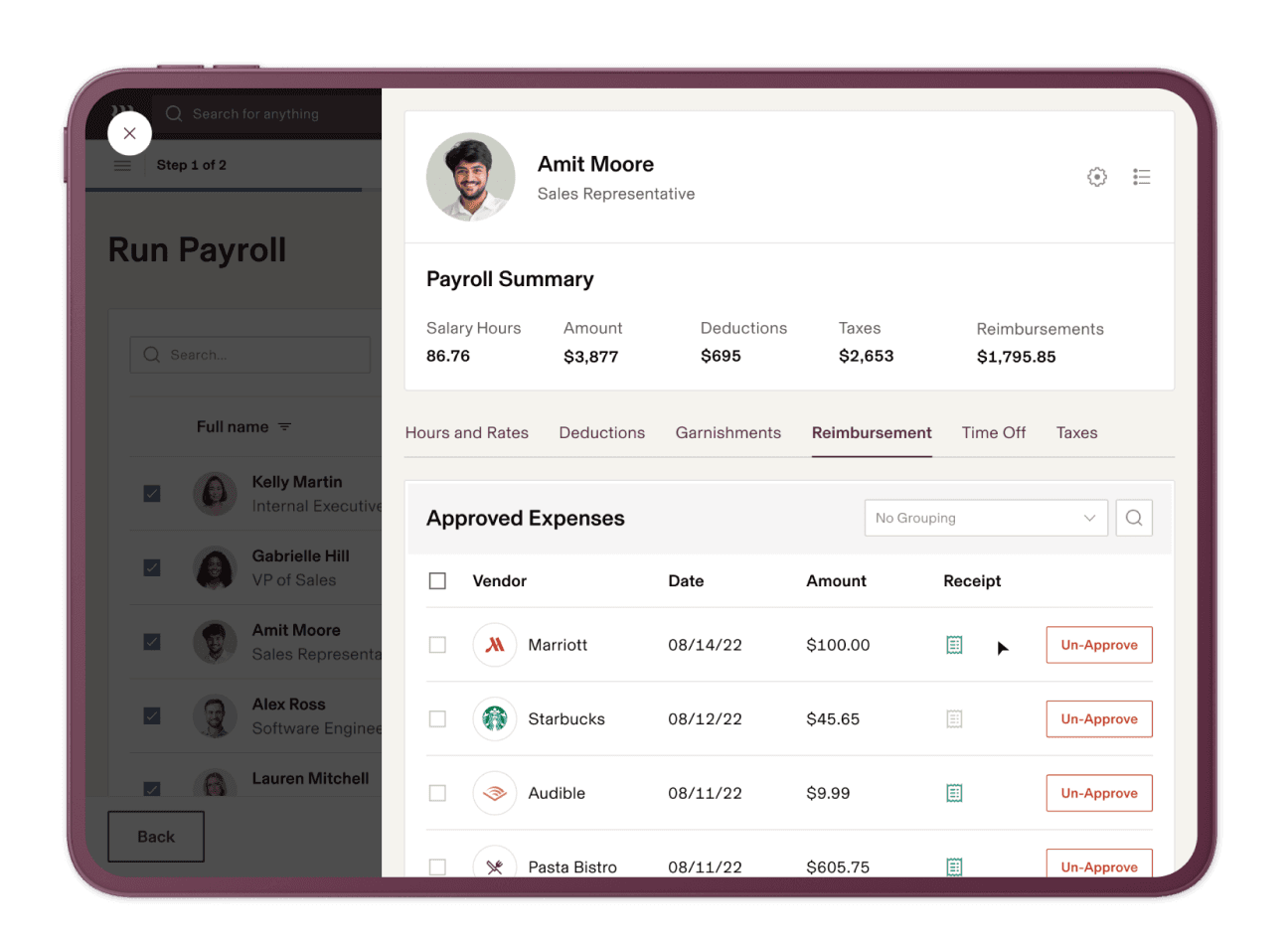
Rippling combines HR, IT, compliance, and global payroll in one platform, making it one of the most versatile options on the market.
What puts Rippling at the top of this list is its ability to replace multiple systems without adding complexity. Unlike many competitors, it balances strong Australian compliance with global scalability, making it a genuine all-in-one solution for both local and growing businesses. Rippling AI sits across the platform too, so you can do things like spot overtime trends, add one-off bonuses to a pay run, or surface approval bottlenecks before they delay payroll, without leaving the system.
Starting price: $12 AUD per employee, per month.
Source: Rippling
Why do companies choose Rippling?
- Combines payroll, HR, and IT in one system with more than 600 integrations
- Global payroll capabilities with local Australian compliance built in
- Automated compliance reduces the risk of costly errors
- Helpful support with fast online response times
"Rippling makes it simple to manage everything HR and payroll-related in one place. The platform is very intuitive, onboarding is smooth, and the automation saves a lot of time compared to handling tasks manually.” - Rippling Capterra review.
User-flagged challenges
Modular pricing can make total costs hard to predict upfront
No live phone support during Australian business hours
The learning curve can be steep for teams migrating from simpler systems
Is Rippling right for your business?
Rippling is a great option if you want an easy-to-navigate, modern platform that handles both Australian compliance and global payroll without bouncing between tools. It’s best for businesses that are growing fast, hiring across borders, or wanting AI to take admin off the team’s plate.

Automate your pay runs, stay compliant and pay employees globally in as little as 90 seconds.
2. Employment Hero
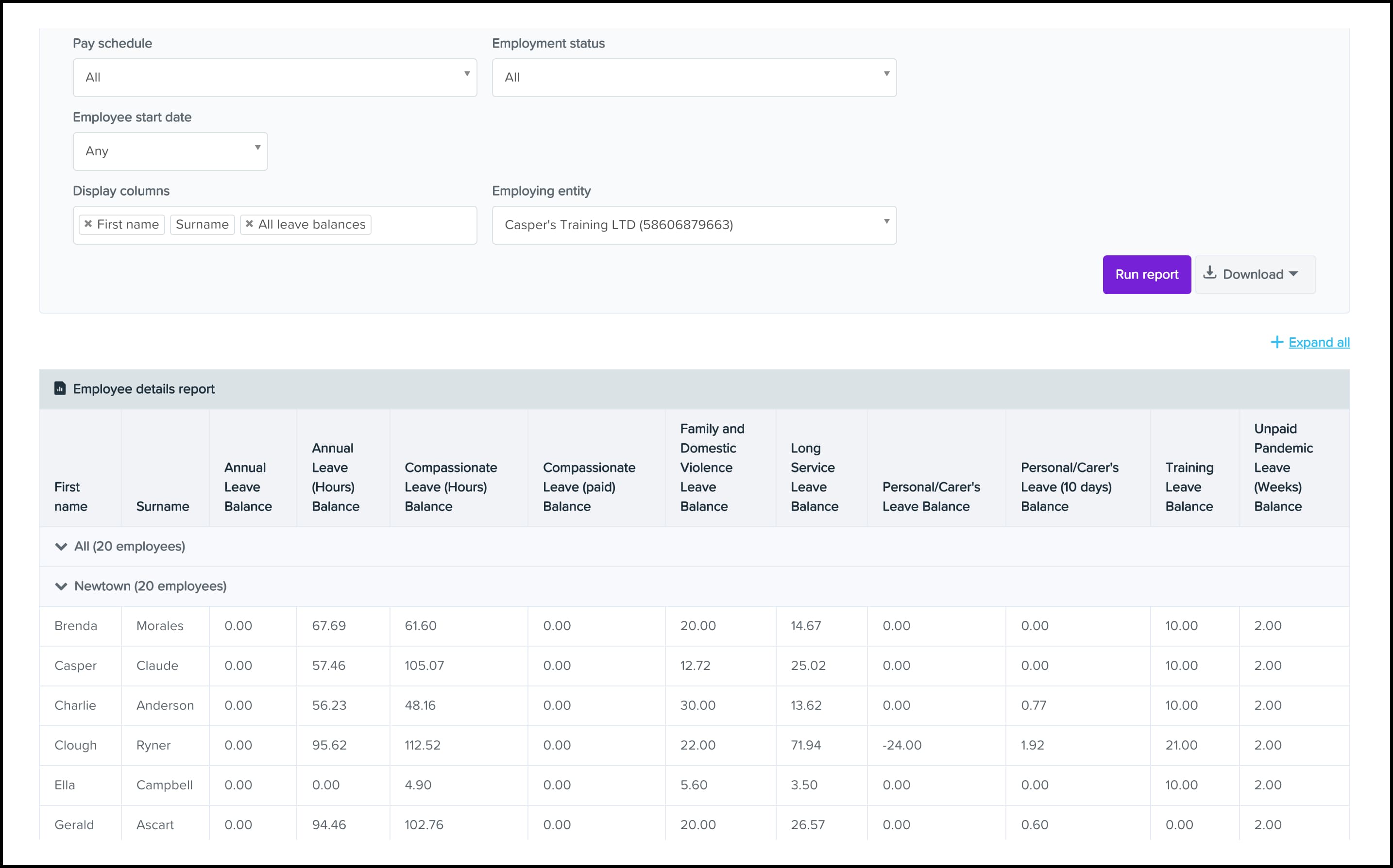
Employment Hero is a locally built HR and payroll platform designed specifically for Australian businesses. It’s part of their broader HR suite, which also covers onboarding, engagement, and benefits, making it more than just payroll software.
Employment Hero balances compliance and usability nicely. By automating award interpretation and integrating directly with Xero and QuickBooks, it can help businesses stay compliant while simplifying day-to-day HR tasks.
Starting price: $20 AUD per employee, per month, with a $200/month minimum spend on the Lite plan.
Source: Employment Hero
Why do companies choose Employment Hero?
- Built-in awards save time on compliance
- Integrates with Xero and QuickBooks for smoother payroll runs
- Offers employee self-service through both web and mobile apps
“The platform is user-friendly and makes managing HR tasks much more efficient, from payroll to employee management. I especially appreciate the self-service features, which empower employees to manage their own information and requests.” - Employment Hero Capterra review.
User-flagged challenges
Initial setup can be time-consuming, especially when migrating from multiple systems
Some features are less intuitive to navigate
Customer support response times can be slow during busy periods
Is Employment Hero right for your business?
Employment Hero is a good fit if you want an all-in-one HR and payroll system that simplifies everyday admin and gives employees more control through self-service tools. However, if you need fast, hands-on support or you’re migrating from multiple older systems, be prepared for setup to take longer.
3. ClockOn
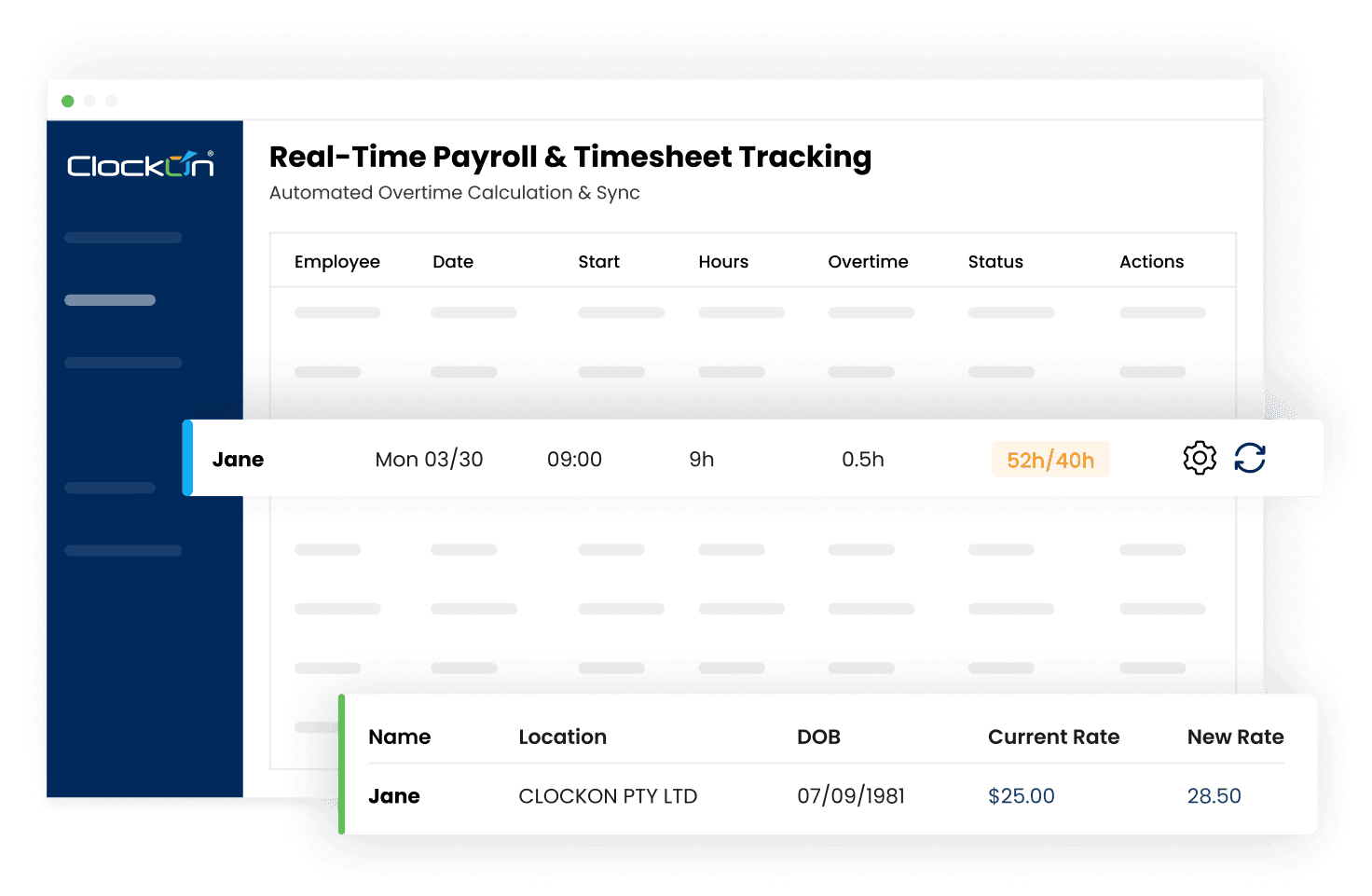
ClockOn is an Australian payroll system that brings rostering, time and attendance, and payroll together in one platform. It includes built-in award interpretation and STP Phase 2 compliance, and gives staff access via a mobile app. Businesses can also choose between cloud and on-premise deployment.
What makes ClockOn stand out is its workforce management focus. Features like shift costing and rostering visibility make it a strong fit for hospitality, healthcare, and retail.
Starting price: Free for the first 12 months or 27 STP submissions (whichever comes first), for businesses with up to 20 employees. Paid plans apply after that.
Source: ClockOn
Why do companies choose ClockOn?
- All-in-one payroll, rostering, and time tracking in a single system
- Award interpretation and STP Phase 2 reporting built in
- Support is often described as personal and responsive, with real people answering queries
“The initial set up and follow up was very good and I can not give the staff concerned enough praise. I like the ease of reporting wage information to the Government.” - ClockOn Capterra review.
User-flagged challenges
Some users report slow loading times and issues with the mobile app
Limited reporting options, especially for verifying STP submissions with the ATO
The interface can feel dated, and customisation options are limited
4. Roubler
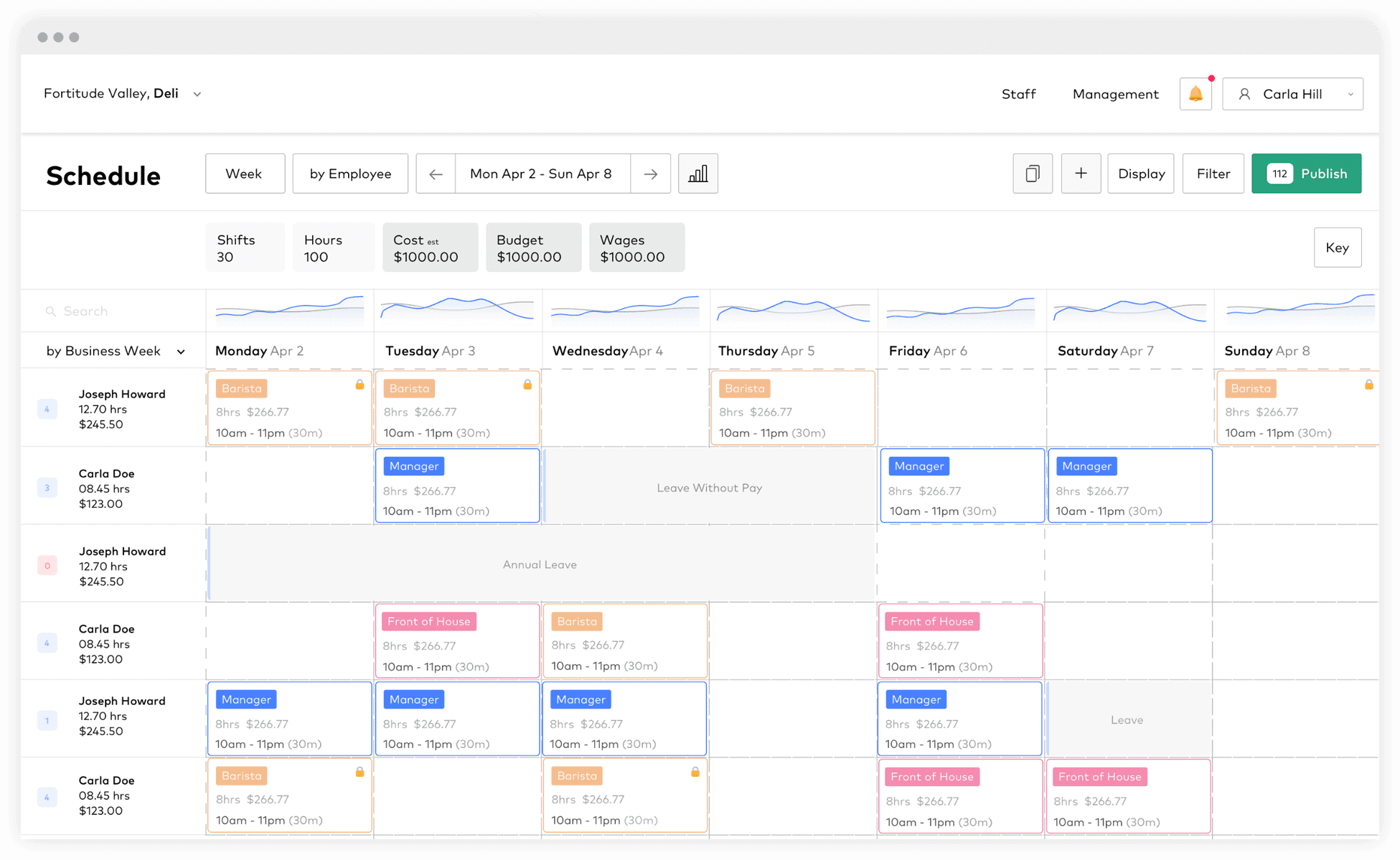
Like ClockOn, Roubler is an Australian workforce management platform built for shift-based industries like retail, hospitality, and healthcare.
It combines onboarding, rostering, time and attendance, and payroll in one platform, with built-in STP Phase 2 compliance and award interpretation. Employees can also clock in, view rosters, and access payslips through a mobile app.
Starting price: Pricing on request.
Source: Roubler
Why do companies choose Roubler?
- Streamlines rostering, time tracking, and payroll in one system
- End-to-end design means fewer separate tools to manage
- Mobile app makes it simple for staff to access shifts and payslips
“Overall really good, saved heaps of money by replacing a few different systems to using just one. I no longer need to do payroll as they manage that all for me.” - Roubler Capterra review.
User-flagged challenges
The employee app can be buggy or laggy at times
Holiday management features cause issues for some teams
Support responses can be inconsistent depending on the problem
5. Xero
Xero is one of Australia’s most popular accounting platforms, and its payroll add-on makes it especially appealing for small businesses that want everything in one place.
What makes Xero stand out is its simplicity. Business owners, bookkeepers, and accountants can all collaborate in real time, and payroll data flows straight into financial reports. For sole traders, micro-businesses, and growing SMBs, it’s a good way to manage simple payroll.
Starting price: $35 AUD per month.
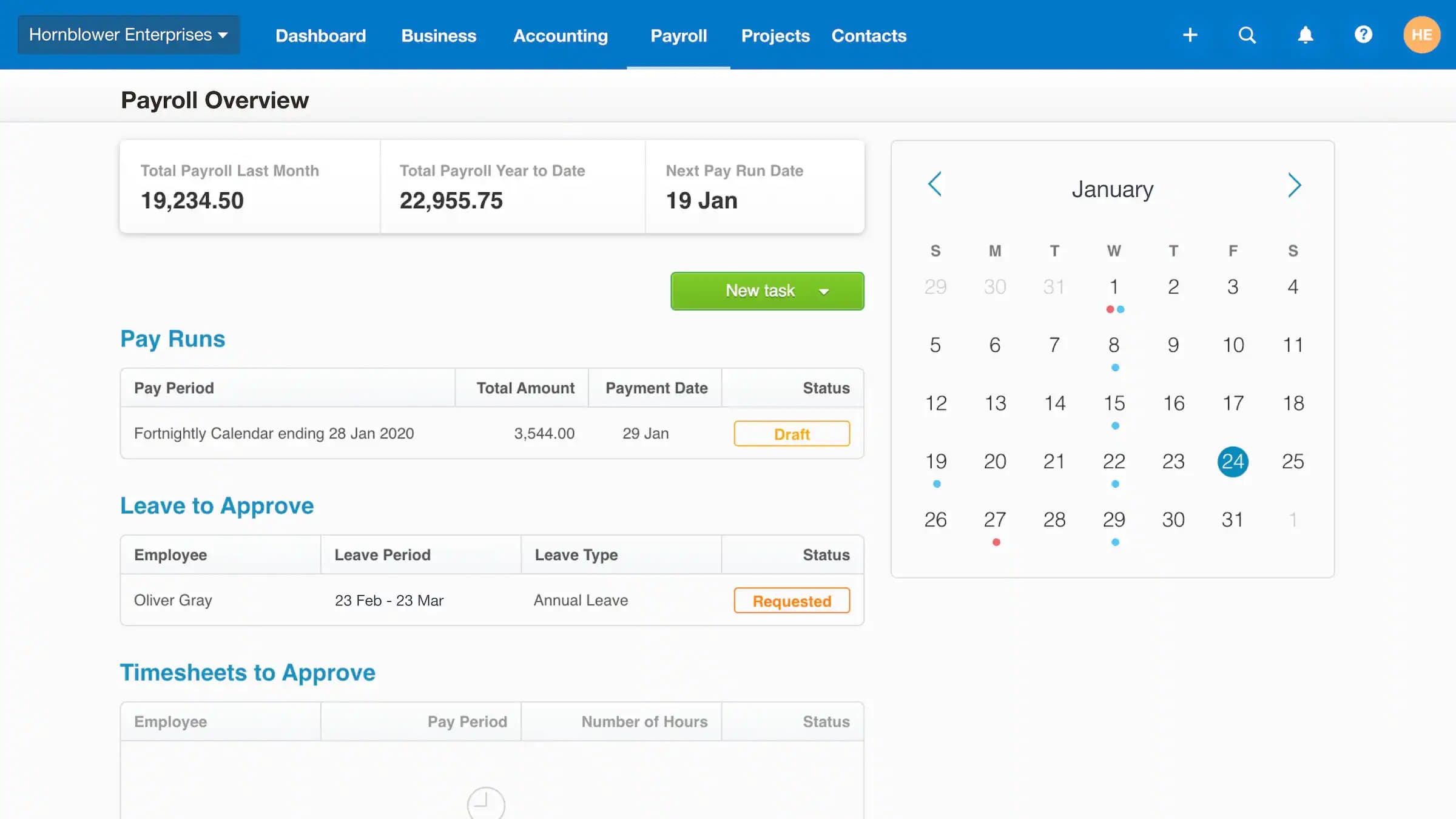
Source: Xero Payroll
Why do companies choose Xero?
- Fully integrated with Xero accounting for seamless reporting
- STP Phase 2 compliant with automated superannuation
- Simple to use, cloud-based platform with mobile access
“We are very happy with Xero, it offers us everything that we need for a small business. It is very visual and intuitive and constantly being updated with new and better features.” - Xero Capterra review.
User-flagged challenges
Lower-tier plans cap the number of employees, so growing teams hit overage fees fast
Payroll setup can be tricky, particularly for AU and NZ compliance
Limited reporting depth compared to specialist payroll tools
6. MYOB Payroll
MYOB is a long-standing name in Australian accounting, and its payroll solution is built directly into the same platform. For small businesses already using MYOB for bookkeeping, the integration makes it simple to run payroll, stay compliant, and manage employee records in one place.
Starting price: $12 AUD per month for up to four employees. New customers may be eligible for a $9/month promotional rate for 24 months.
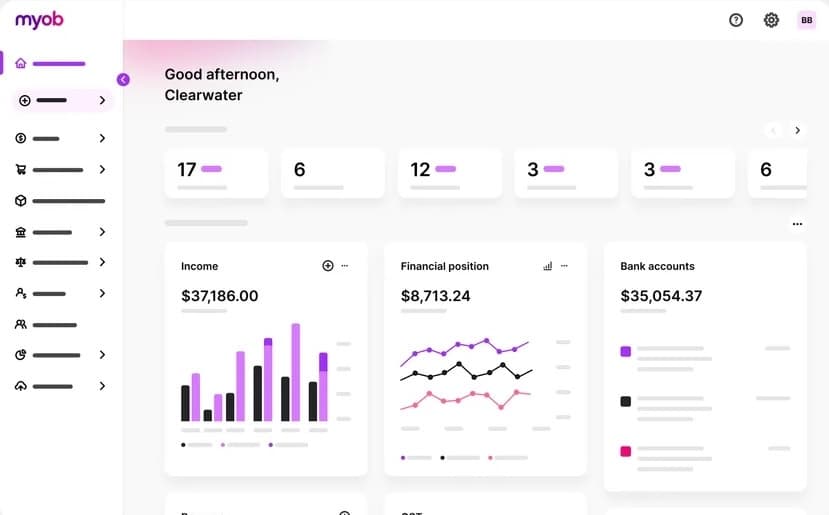
Source: MYOB
Why do companies choose MYOB?
- Native payroll integrated with MYOB accounting
- STP Phase 2 compliant with automatic super guarantee updates
- Employee self-service app for timesheets, rostering, and payslips
“The financial reporting abilities of MYOB Business are very good and very well developed. They present accurate and real time reports that allow for a large volume of information to be automatically reported from a business management point of view.” - MYOB Capterra review.
User-flagged challenges
The interface can feel dated compared to newer cloud-native tools
Customer support can involve long wait times during busy periods
Advanced features may require additional setup or paid upgrades
7. QuickBooks Payroll
QuickBooks Payroll is part of their broader accounting platform, designed to give small businesses an easy way to run payroll alongside their bookkeeping. The Australian payroll engine itself is powered by Employment Hero.
QuickBooks Payroll’s appeal is its simplicity and tight integration with QuickBooks Online, making it a natural fit for businesses already on that system. It also offers flexible plans for small to mid-sized teams.
Starting price: $6 AUD per employee, per month.
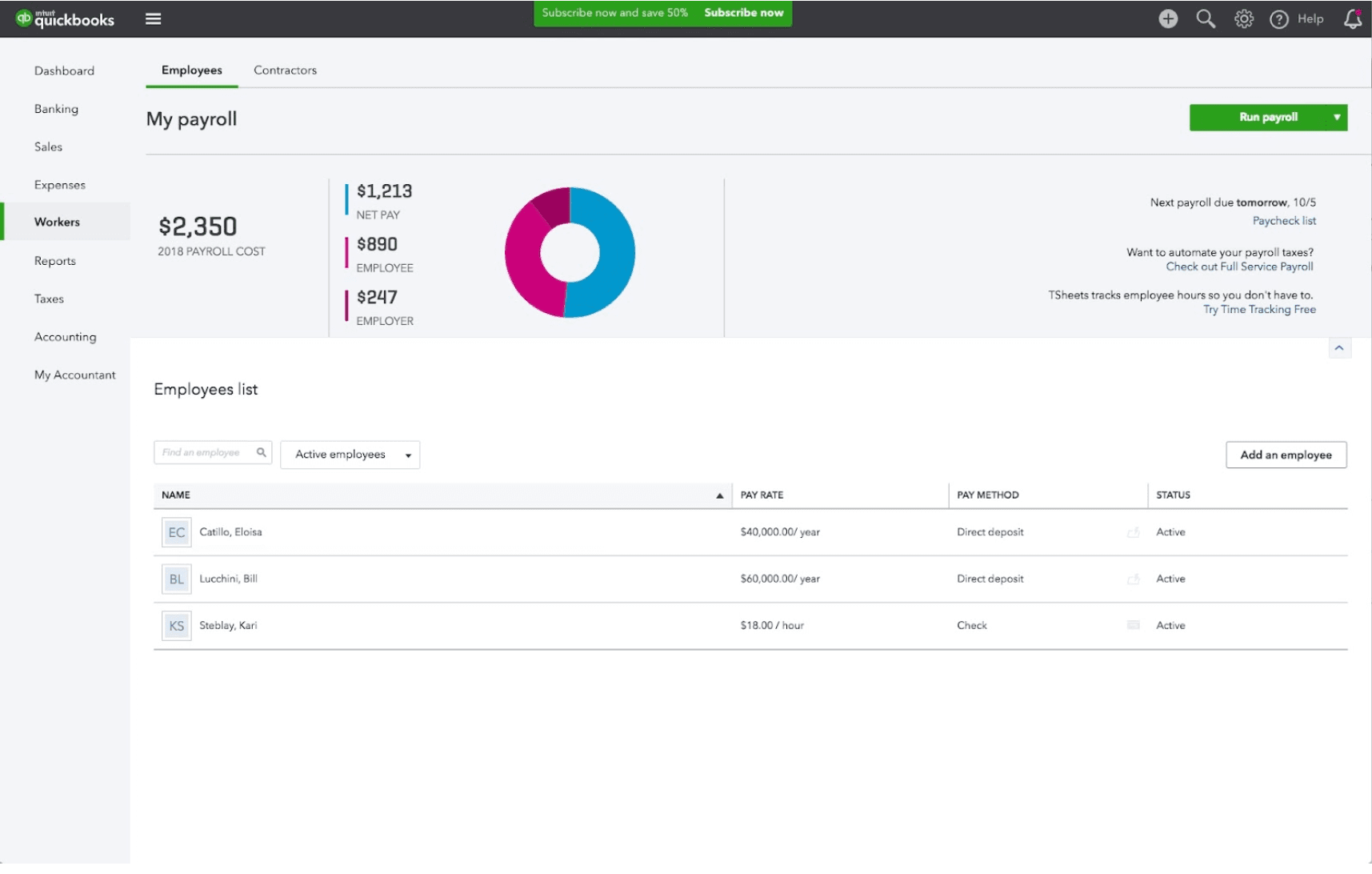
Source: QuickBooks
Why do companies choose QuickBooks Payroll?
- Built directly into QuickBooks Online for a seamless experience
- STP Phase 2 compliant with automatic super updates
- Simple interface designed for small business owners and accountants
“Easy to use after initial setup with good customer support available by phone. Initial free 1 hour training sessions provided when signing up. More affordable than other accounting software programs.” - QuickBooks Capterra review.
User-flagged challenges
Limited award interpretation compared to specialist payroll providers
Customer support can be inconsistent, especially during peak times
Pricing can get expensive as team sizes increase
8. Microkeeper
Microkeeper is an Australian payroll and workforce platform that integrates rostering, time and attendance, and payroll into one system. It’s designed to simplify award compliance and provide accurate attendance tracking through biometrics.
Starting price: $2.25 AUD per user, per month.
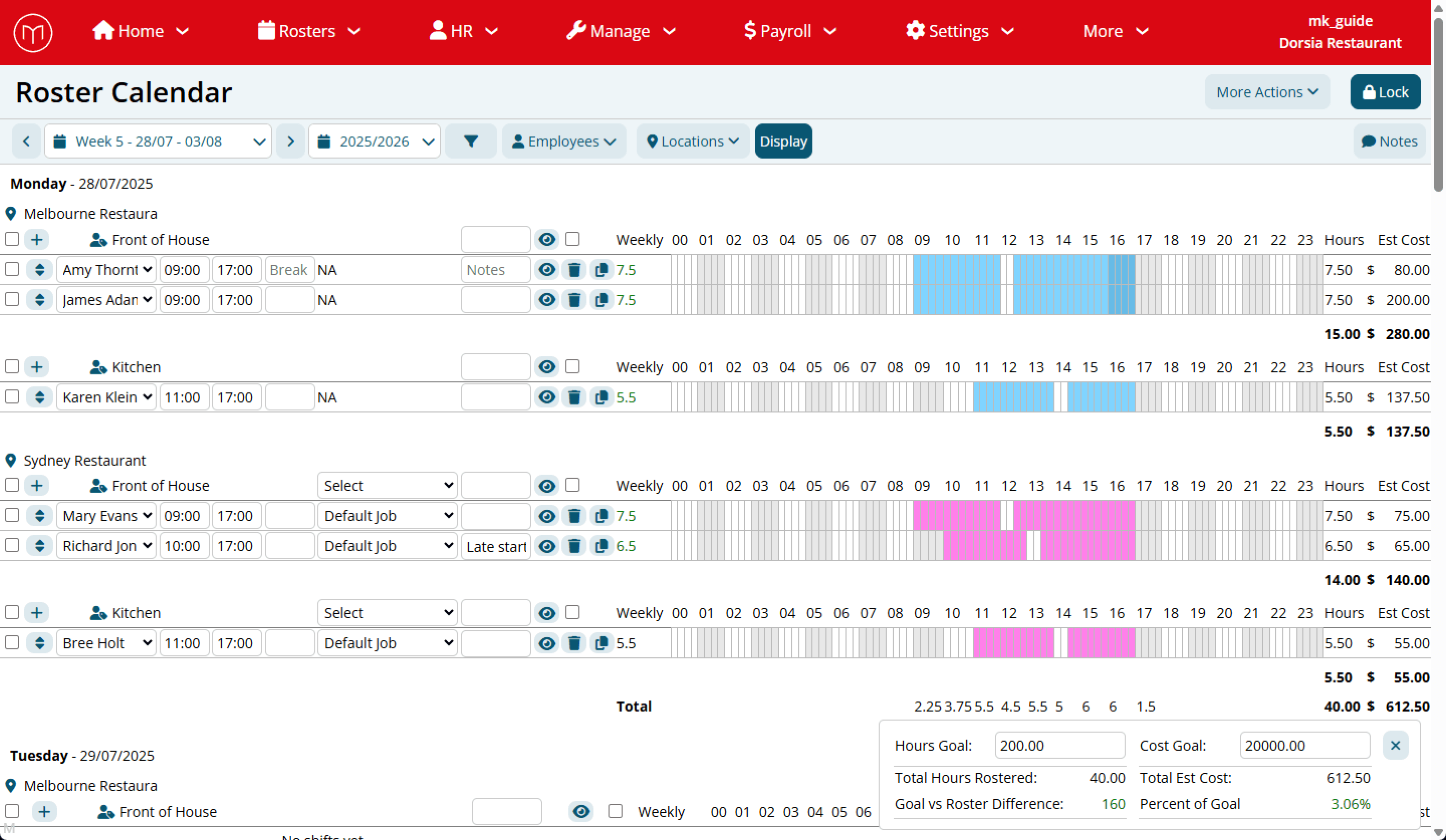
Source: Microkeeper
Why do companies choose Microkeeper?
- Combines payroll, rostering, and attendance in one system
- Biometric clocking helps reduce time fraud and errors
- Affordable pricing makes it attractive for smaller businesses
“I've been using Microkeeper for my growing not-for-profit, with numerous departments, and rather quirky pay rate rules, etc. And Microkeeper has been such a time saver. What used to take me up to an hour with 8 employees now takes me less than 20 minutes.” - Microkeeper Capterra review.
User-flagged challenges
Biometric time tracking can feel intrusive for some employees
Its tracking raises privacy concerns for employees
Interface feels less modern compared to newer competitors
9. Humanforce
Humanforce is built for mid-sized and enterprise organisations with large, shift-based workforces. Its strengths are in industries like hospitality, retail, and healthcare, where managing rosters, time and attendance, and payroll in one system saves admin time.
Starting price: Pricing on request.
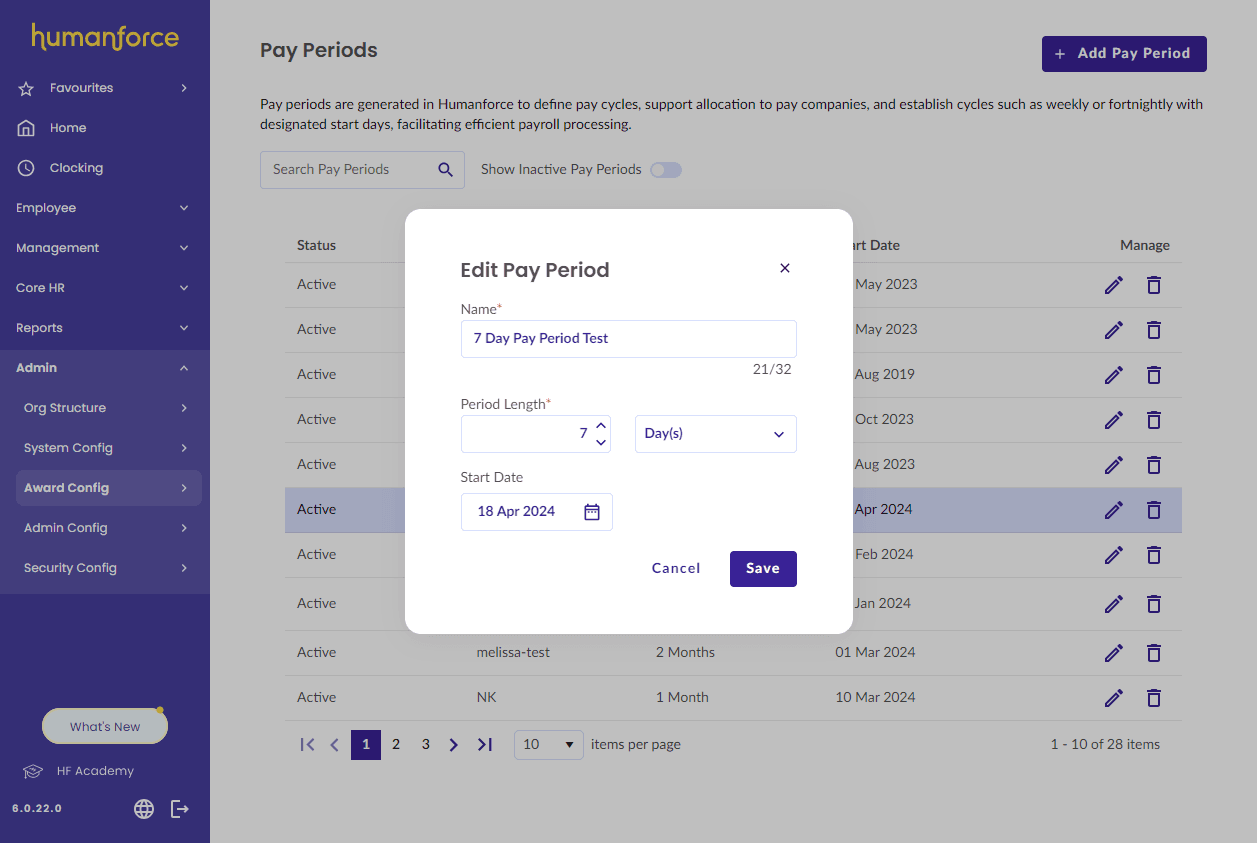
Source: Humanforce
Why do companies choose Humanforce?
- Strong rostering and time and attendance features
- Mobile self-service app for staff to view shifts and payslips
- Engagement tools designed for frontline workers
“Rostering staff looked aesthetically good and easy to follow. Building rosters was quite simple.” - Humanforce Capterra review.
User-flagged challenges
Support can be inconsistent, with tickets left unresolved for long periods
Platform performance can lag or crash when handling larger data loads
The interface feels outdated compared to newer competitors
10. ReadyTech (Ready Workforce)
ReadyTech is a payroll and workforce management platform designed for mid-to-large organisations across sectors like government, education, and corporate. It combines payroll, HR, and rostering with Australian compliance built in, making it suitable for complex workforce structures.
Starting price: Pricing on request.
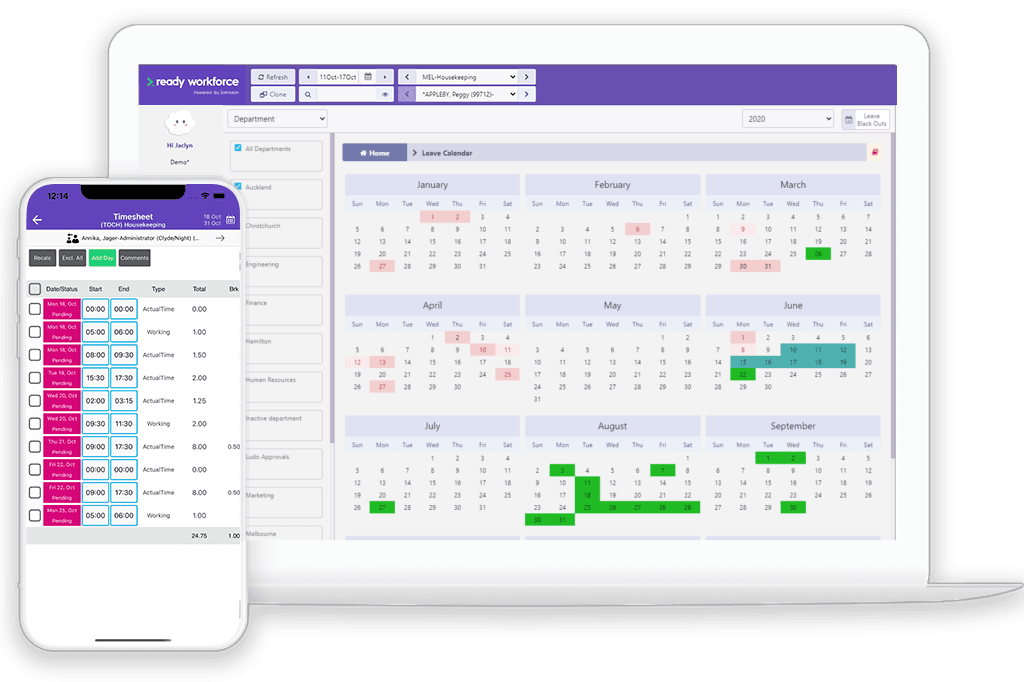
Source: ReadyTech
Why do companies choose ReadyTech?
- End-to-end payroll, HR, and workforce management in one system
- Cloud-based platform with AU-based support teams
- Employee self-service for pay, leave, and onboarding
“I have to say the best thing about RT is their approach to Customer Success. They go out of their way to help, offer solutions and ensure you have what you need.” - ReadyTech G2 review.
User-flagged challenges
Set up and award interpretation may take time and training
Limited to AU/NZ compliance with no global payroll features
Real-time monitoring tools (like geo-tracking and detailed attendance logs) can feel intrusive for staff
11. ELMO Payroll
ELMO is an Australian-owned HR and payroll platform that combines payroll, recruitment, onboarding, and performance management in one system.
It’s designed for mid-sized businesses that want an all-in-one HR platform with strong compliance for Australia and New Zealand.
Starting price: Pricing on request.
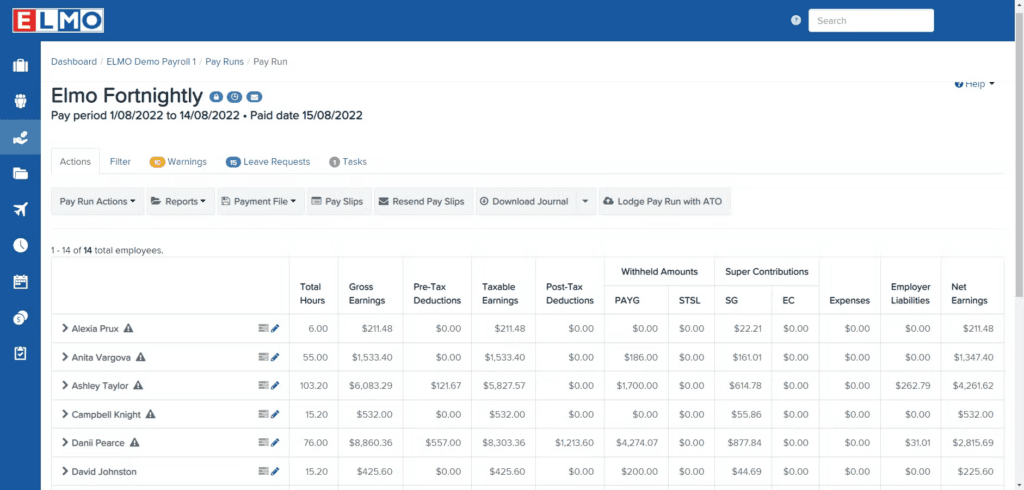
Source: ELMO
Why do companies choose ELMO?
- Designed specifically for AU and NZ compliance needs
- Allows businesses to start with payroll and add HR functions later
- Cloud-based with integrations into Microsoft and Okta
“Overall I have enjoyed using Elmo, there seems to be a big shift towards user engagement which has been very positive and they are open to feedback.” - ELMO Capterra review.
User-flagged challenges
Some features are outdated or buggy, with parts relying on legacy frameworks
Customer support and implementation can be slow or frustrating
Limited transparency around pricing before signing contracts
What should I consider when choosing payroll software?
If you’ve read through all the functions and features but still aren’t sure what your business actually needs, think about how the platform fits your wider business goals. Here are eight key factors to help you decide.
1. Compliance: STP, Fair Work, and award interpretation
For many Australian businesses, software with built-in ATO compliance is non-negotiable. Look for STP Phase 2 reporting, award interpretation, and Payday Super readiness.
Even small mistakes can lead to big fines, so compliance should be a top priority when making your choice.
2. Pricing transparency
Payroll costs can add up. Make sure to compare per-employee pricing against flat monthly fees, and check what’s included in each tier.
Many providers hide advanced features like award interpretation or onboarding behind higher-tier plans. Make sure you know exactly what you’re paying for before you sign up.
3. Ease of use for staff
Most employees want direct access to their payroll, leave balances, and benefits. Look for platforms with self-service options that let staff check things without needing to reach out to HR or the finance team.
4. Support availability
When something breaks, you’ll want quick support. Check whether vendors offer local Australian support hours and live support, or ticket systems and chatbots. Delayed support can mean late pay runs, which negatively affect your staff.
5. Integration with existing tools
Make sure the system you choose integrates with your accounting software (Xero, MYOB, QuickBooks). Clean integration prevents double data entry, saves admin time, and reduces reconciliation errors.
6. Scalability for growth
What works for a 10-person team may not suit 200 employees. Some platforms scale with multi-entity, global payroll, or advanced workforce management features, while others are designed purely for local SMBs. If you know you want to grow, choose a tool that you won’t need to replace in a couple of years.
7. Employee monitoring and privacy
Some platforms include time tracking, geolocation, or biometric logins. While these can reduce time fraud, they can also feel intrusive and chip away at trust with your team. Decide early how much monitoring you want in your system, and check how the software handles employee data.
8. AI and automation
AI is starting to show up across payroll software, but the depth varies a lot. Some platforms have bolted on a chatbot. Others, like Rippling, run AI across the whole system, so it can answer employee pay questions, flag overtime trends, or push routine admin through without manual clicks. Worth asking what each vendor's AI actually does day-to-day, not just what's on the marketing page.
Payroll compliance focus areas in 2026
A handful of changes are reshaping what Australian payroll teams need to plan for in 2026. Here are the key shifts to keep on your radar, plus the rules that have already kicked in but still need attention.
Payday Super
Payday Super requires employers to pay superannuation at the same time as wages, instead of quarterly. The change takes effect from 1 July 2026 and is designed to help workers grow their savings faster, while making it easier for the ATO to spot underpayments.
In practice, that means super firing every pay run instead of four times a year. Choosing software that's already ‘Payday Super ready’ will make the transition smoother.
Income tax cut
The tax rate on income between $18,201 and $45,000 drops from 16% to 15% from 1 July 2026. It's a small change on paper, but it means PAYG withholding tables and any custom payroll templates need updating from that date.
Paid Parental Leave expansion and super contributions
From 1 July 2026, the government-funded Paid Parental Leave scheme reaches its full 26-week length. The first super contributions on PPL (for parents of children born or adopted from 1 July 2025) will also be paid from July 2026.
Employers don't need to process the super contributions, the ATO handles them. But HR teams should update parental leave policies so staff understand how the new entitlements work.
The right to disconnect
The Right to Disconnect is a workplace law that gives employees the ability to ignore unreasonable work contact outside their normal hours. This can be calls, emails, or instant messages. It doesn’t ban all after-hours communication, but it does mean staff can say no if the request is unreasonable.
As of August 2025, the rule applies to all Australian businesses. For payroll and HR teams, it’s important to update rosters, on-call arrangements, and policies so staff know when they’re expected to respond and when they’re not.
Criminalisation of wage theft
Since 1 January 2025, deliberate wage theft has been a criminal offence under the Fair Work Act. It was introduced after years of high-profile underpayment cases in industries like hospitality and retail, where staff were missing out on entitlements due to deliberate or repeated non-compliance.
For employers, this raises the stakes on payroll accuracy. Software that applies the right award rates and entitlements helps reduce the risk of mistakes.
Payroll software that grows with your business
A great payroll system does more than just processing payslips on time. It cuts compliance risk, saves hours of unnecessary admin, and builds trust by always paying your employees the correct amount, on time. Once you have a good system in place, your finance team can spend more time on strategic growth instead of chasing errors.
There’s a platform to suit every type of business, from simple tools for small teams to specialist software for award-heavy industries.
If you’re still looking for one system that combines payroll, HR, IT, and compliance, and supports you as you expand into new markets, Rippling is the platform that brings it all together.
Want to see it in action? Book your free demo today.
FAQs
What is payroll processing?
Payroll processing is the full workflow of how a business calculates pay, applies tax and super, and records the payments for employees and contractors. This can also include handling STP reporting to the Australian Taxation Office.
What should you look for in payroll software in Australia?
When choosing payroll software in Australia, look for features that reduce errors: automated payroll, STP-enabled software, and tools that handle payroll taxes, leave requests, and employee self-service.
How does Single Touch Payroll (STP) work?
Single Touch Payroll (STP) is the ATO system that reports wages, tax and super every pay run. To stay compliant, it’s helpful to have STP-compliant software that handles STP Phase 2 and keeps an accurate audit trail. You can learn more about STP on the ATO's website.
Can payroll software also manage employee benefits and leave?
Yes, most platforms also include employee benefits, leave management, and self-service portals where staff can submit leave requests or check their payslips. This frees up some time for HR and payroll managers.
What’s the difference between standalone payroll and accounting-integrated payroll?
Standalone payroll software handles wages, tax, and super but needs to connect with separate accounting tools to keep your books in sync. Accounting-integrated payroll, like Xero or MYOB, builds payroll into the same platform so transactions flow directly into your financial records, useful for small businesses, but sometimes limited if you outgrow the accounting tier.
What's the best payroll software for small business in Australia?
For most Australian small businesses, the best payroll software is STP Phase 2 compliant, easy to use, and grows with you as your team gets bigger. Rippling is the strongest all-rounder because it combines payroll, HR, and IT in one platform with Australian compliance built in, so you won't outgrow it as you scale.
Is my payroll software ready for Payday Super?
Payday Super requires employers to pay superannuation at the same time as wages instead of quarterly. Rippling is Payday Super ready, so you can keep running payroll without changing how you work. If you're using another provider, check their product roadmap or ask their support team to confirm where they're up to.
Run payroll accurately. On time. Every time.
Disclaimer
Rippling and its affiliates do not provide tax, accounting, or legal advice. This material has been prepared for informational purposes only, and is not intended to provide or be relied on for tax, accounting, or legal advice. You should consult your own tax, accounting and legal advisers before engaging in any related activities or transactions.
Rippling editorial policy: Rippling puts our customers (and prospective customers!) first. The Rippling team is committed to providing information supported by product data, expert insights, and real customer feedback to inform all of our content. All of our content is reviewed by product experts for accuracy and freshness.

Author

Maaike van Dijk
Manager, Solutions Consulting
Maaike van Dijk is the Manager of Solutions Consulting for APAC at Rippling. Based in Sydney, she leads the regional team and has extensive experience in HR technology across Australia, New Zealand, and internationally. She works with businesses to simplify and automate global hiring, onboarding, and compliance, helping them modernise their workforce systems. Prior to Rippling, Maaike held senior consulting roles at LiveHire.
Hubs
See Rippling in action
Increase savings, automate busy work, and make better decisions by managing HR, IT and Finance in one place.