
























An intuitive interface means faster onboarding and fewer mistakes. Your team should be able to use the software without constant training.
The 11 best employee scheduling apps in Australia (2026)
In this article
When you manage rosters manually, one wrong move can throw off your whole month. One person calls in sick, someone else swaps a shift, and suddenly you’re short-staffed or paying unexpected overtime. Eventually, that kind of chaos leaves your team frustrated and makes them lose trust in leadership.
Scheduling software helps solve these problems. When everyone’s working from the same cloud-based system, updates happen automatically and no one’s left guessing who’s working when. In addition, with all of your data in one place, it’s easier to track costs, stay compliant, and make informed staffing decisions.
To find the best options for Australian businesses, we analysed and trialled 42 scheduling tools, rating them by their ease of use, automation, compliance, pricing, and local support. Each platform was rated using a weighted system, and Rippling ranked as the best scheduling app in Australia.
A note on transparency: Our product is included in this list. To remain neutral, we used the same scoring criteria for every software, which is based on public information. You can view the results from all 42 employee scheduling software on my research spreadsheet.
Platform | Best for | Choose this if | Starting price |
|---|---|---|---|
1. Rippling | Growing teams that need everything in one place | You want HR, IT, payroll, and scheduling with full Australian compliance | $12 AUD/employee/month |
2. Tanda | Businesses managing complex awards and shift rosters | You handle Fair Work awards or hospitality rosters and need local support | $6 AUD/employee/month |
3. UKG | Large organisations needing enterprise-level scheduling | You manage multiple locations and need compliance and reporting tools | Not public |
4. WorkForce | Enterprises with 500+ staff and strict compliance needs | You need labour forecasting, automated scheduling, and real-time cost control | Not public |
5. ShiftCare | Community care and NDIS providers | You manage support workers under SCHADS and need rostering linked to compliance | $8 AUD/employee/month |
6. Connecteam | Mobile teams | You want a free, easy app for time tracking, shift swaps, and team communication | Free for up to 10 users |
7. Microkeeper | Australian SMBs needing payroll and rostering in one | You want a locally built platform with full Modern Award interpretation | $6 AUD/employee/month |
8. RosterELF | Small to mid-sized teams | You need quick roster creation, time tracking, and simple payroll exports | $7 AUD/employee/month |
9. When I Work | Hourly shift teams across multiple sites | You want simple shift swaps, mobile alerts, and affordable pricing | $2.50 USD/employee/month |
10. AroFlo | Trade and field service businesses | You need scheduling tied to job tracking, quotes, and field mobility | $335 AUD/month (3 users) |
11. Ascora | Growing field teams | You want an Australian job scheduler with mobile access and accounting links | $45 AUD/employee/month |
*Pricing based on publicly available data as of November 2025. Always confirm with providers for the latest details.
1. Rippling
Rippling brings HR, IT, payroll, time tracking, and scheduling together in one platform. It’s designed for growing teams that want to manage all things related to their employees in one place.
What makes Rippling stand out is how seamlessly its scheduling connects with payroll and compliance. This means that managers can build rosters, track attendance, and process timesheets from the same dashboard used for HR and IT. On top of this, it also supports full Australian Modern Award interpretation, giving businesses confidence that their rosters and pay runs are ATO-compliant.
Starting price: $12 AUD per employee, per month (rostering module sold separately).
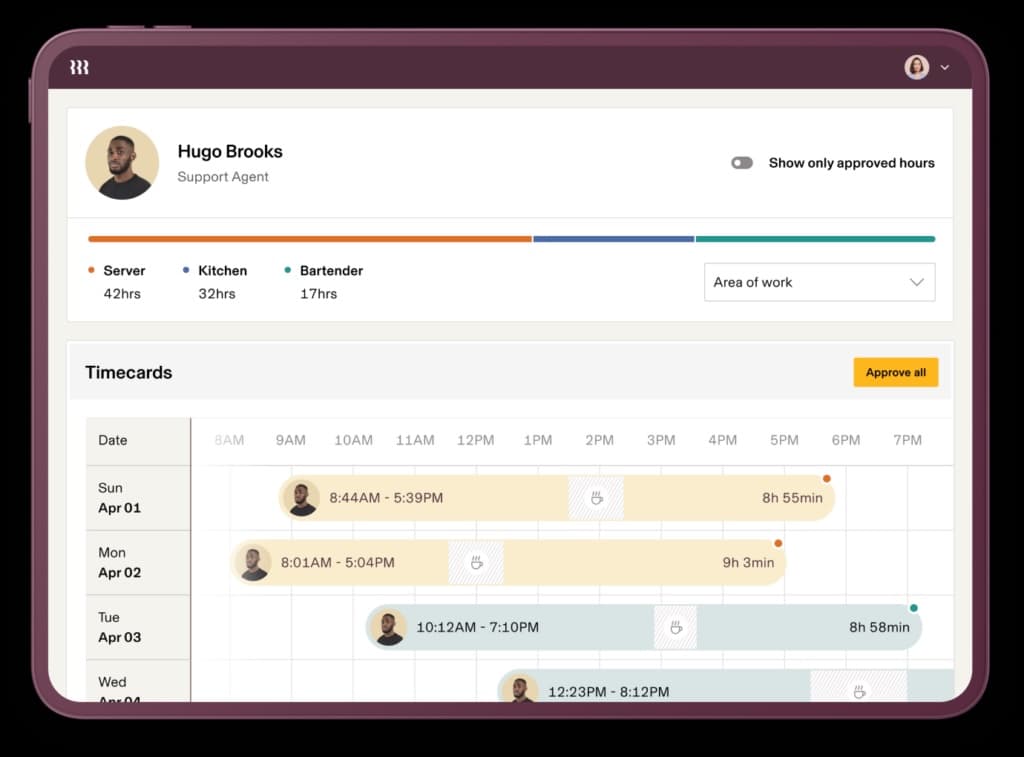
Source: People Managing People
Why do companies choose Rippling?
- Automates timesheets and overtime calculations
- Integrates with Xero, MYOB, QuickBooks, and 600+ other tools
- Built-in Australian award interpretation for compliance
- Managers get real-time visibility into labour costs as schedules are created
“We used ADP before Rippling, and it’s a huge upgrade from ADP! We are able to utilise Rippling for our schedule needs, time and attendance, HR, payroll, and spend management!” - Rippling Capterra review
User-flagged challenges
Award interpretation and rostering tools are paid add-ons
No live phone support during Australian business hours
The platform’s depth might be overkill for teams with fewer than five people
Is Rippling right for your business?
Rippling suits businesses that want a highly rated (4.9 stars from 4,184 reviews) modern system to handle scheduling, payroll, and HR together. It’s best for teams planning to grow and wanting Australian compliance. Users often praise how much time it saves, with rosters, costs, and employee data all in one place.
2. Tanda
Tanda is a locally built workforce management platform designed for Australian businesses that rely on accurate rostering and award compliance. It’s especially useful for shift-based teams that need reliable automation when something changes.
What makes Tanda stand out is how it improves visibility and accountability across teams. Users often mention how easy it is to build rosters, see who’s clocked in, and calculate labour costs in real time. Many users also highlight how quickly staff pick it up, even when English isn’t their first language, which makes its rollout smoother for diverse teams.
Starting price: $6 AUD per user, per month.
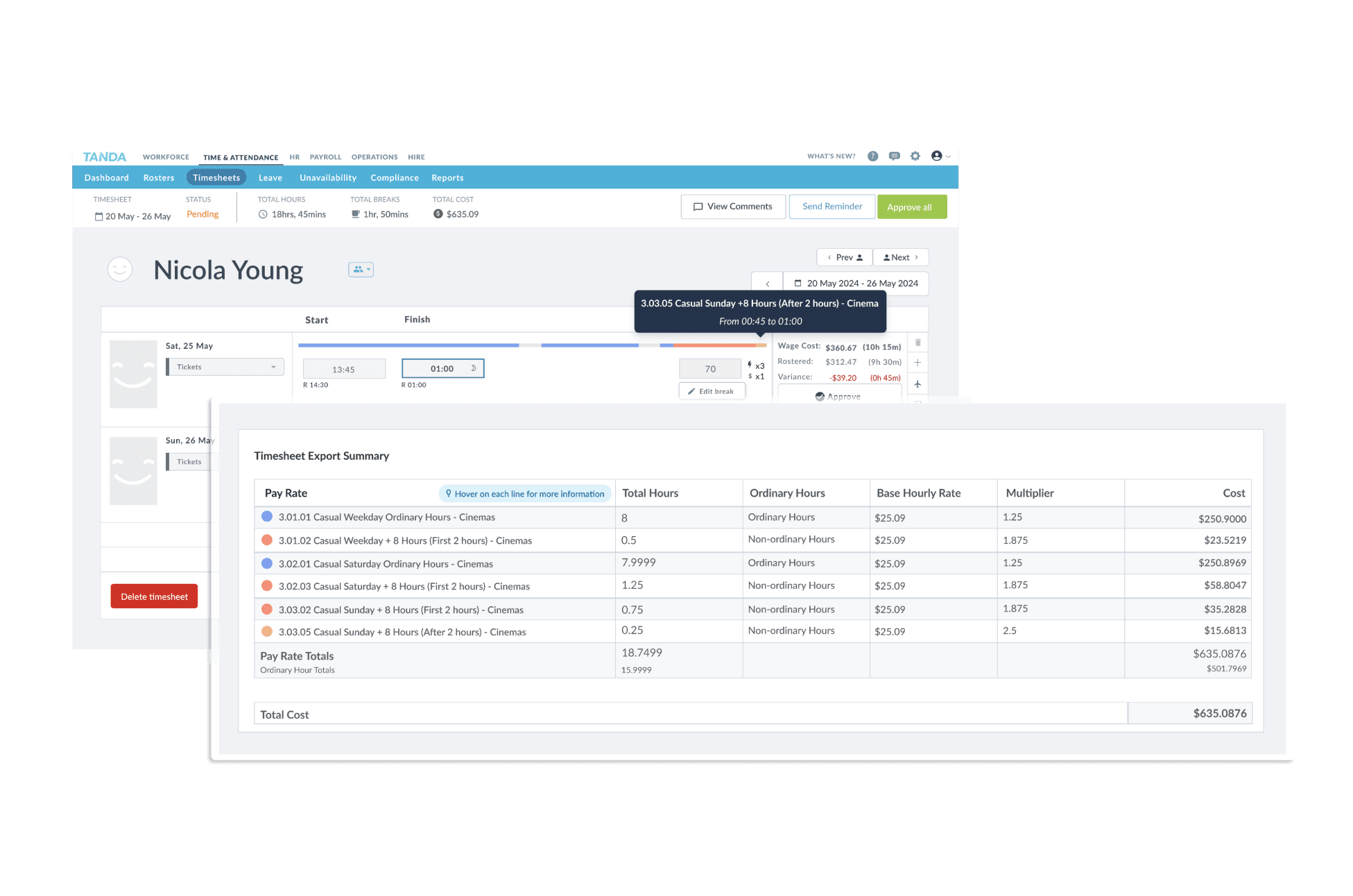
Source: Tanda
Why do companies choose Tanda?
- Built specifically for Australian awards and Fair Work compliance
- Integrates with Xero, MYOB, QuickBooks, and KeyPay-based payroll systems
- Automates roster creation, shift swaps, and attendance tracking
“The thing I like most about Tanda is that it is very easy to roster staff and reschedule due to unavailability. The time clocking helps track staff attendance.” - Tanda Capterra review
User-flagged challenges
Reporting tools are limited and not customisable
Set up can be complex for multi-award businesses
Occasional sync issues between rosters and the staff app
Is Tanda right for your business?
Tanda is best for Australian teams with hourly or rotating shifts that need reliable award interpretation. It’s a strong choice if your biggest pain points are staying compliant and keeping payroll accurate, even when rosters change.
3. UKG
UKG is an enterprise-level workforce management platform built for large organisations that need advanced scheduling, compliance, and reporting. It’s designed for teams managing multiple sites, complex rosters, and thousands of employees across departments.
What makes UKG stand out is its configurability and depth. Managers can forecast labour needs, build optimised schedules, and track attendance across locations in real time.
Starting price: Contact for pricing.
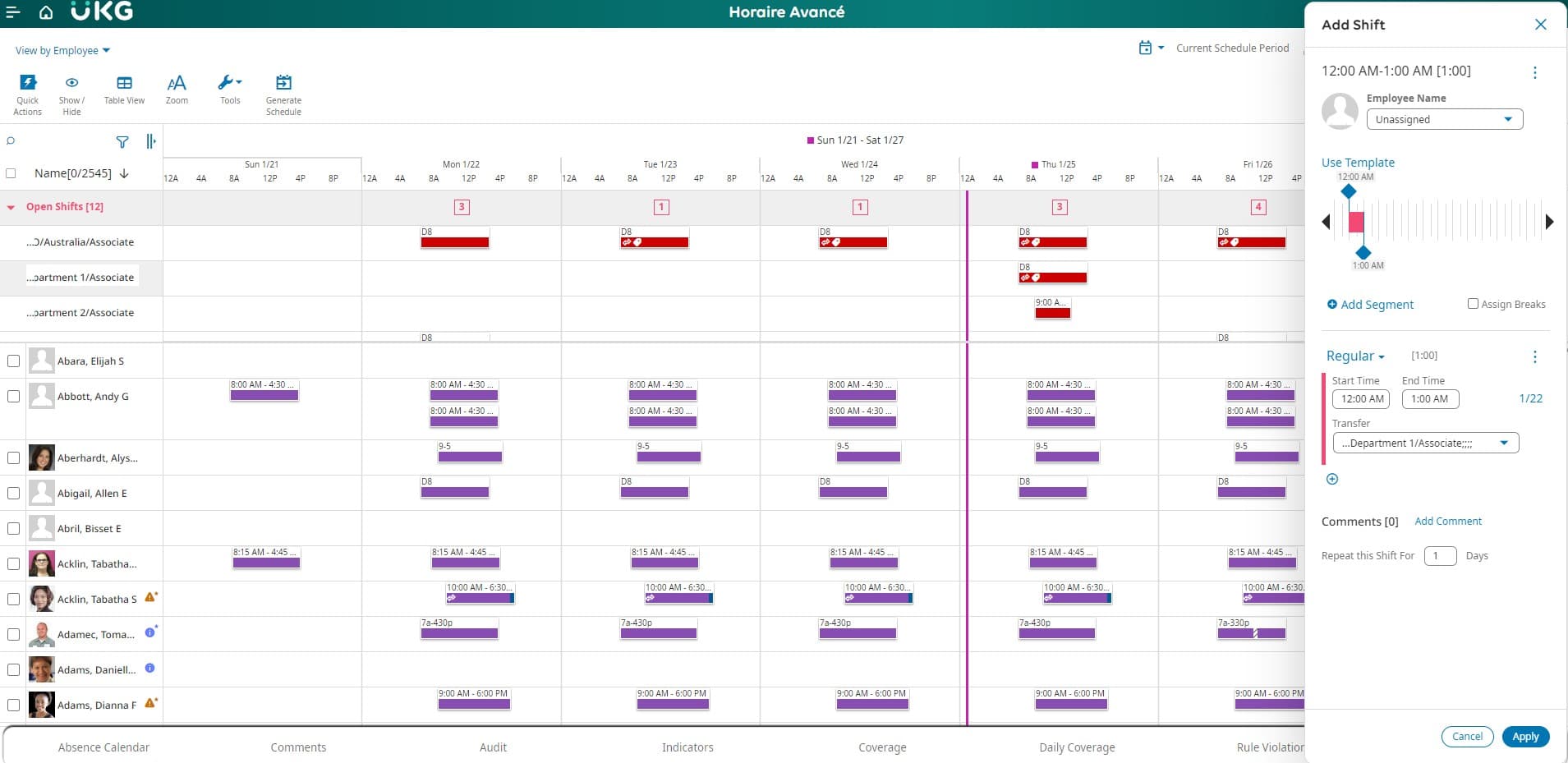
Source: UKG
Why do companies choose UKG?
- Advanced forecasting and analytics
- Handles large, multi-site scheduling and complex compliance
- Reliable uptime and strong data security for enterprise use
“It allows our managers to see all of their employees' records in one place, make edits, view their timesheets, and generate reports.” - UKG Capterra review
User-flagged challenges
Pricing and implementation can be high for smaller teams
Some modules still rely on legacy interfaces
Support responsiveness can vary depending on your account tier
Is UKG right for your business?
UKG is best suited to large organisations that need automation, forecasting, and detailed reporting across multiple locations. It’s ideal if you manage strict compliance and want enterprise-grade reliability with deep customisation.
4. WorkForce
WorkForce is built for businesses that run on shifts. It brings scheduling, time tracking, and payroll into one place, with a strong focus on visibility and control.
What makes WorkForce stand out is how fast and reliable it feels. Managers can build or adjust rosters in seconds, see labour costs update instantly, and track attendance in real time.
Users often highlight how quickly their teams picked it up, even those who aren’t used to new systems, and how much smoother payroll became once everything synced automatically.
Starting price: Contact for pricing.
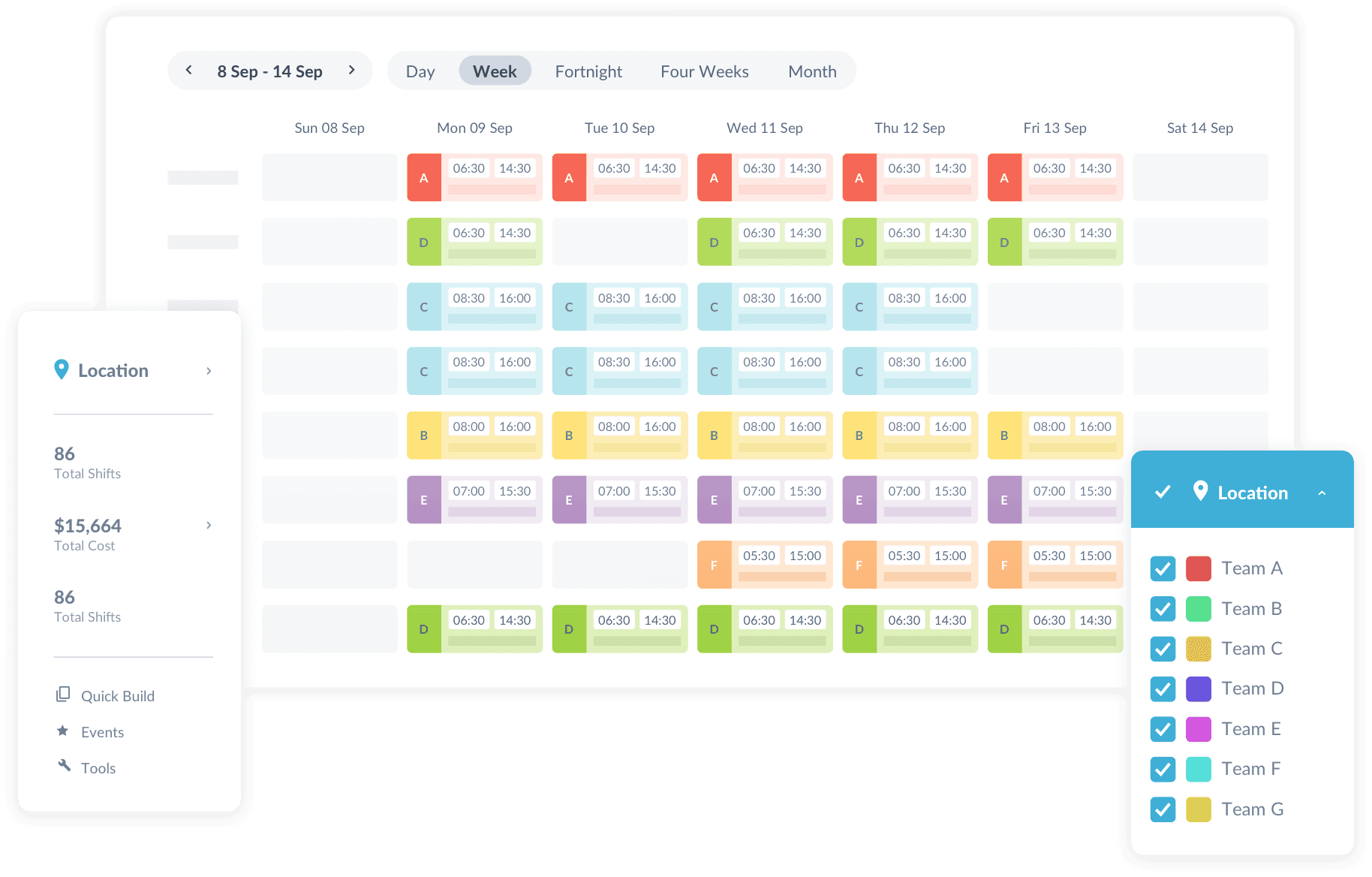
Source: Workforce
Why do companies choose WorkForce?
- Real-time updates make it easy to stay across roster changes
- Clean design and mobile access make it simple for teams to use
- Integrates directly with payroll systems like ADP
“Definite learning curve getting every department, role, etc set up, but end product worth the effort.” - WorkForce Capterra review
User-flagged challenges
Some users report punch-in and punch-out errors
Live chat support can feel automated, with no immediate access to a real person
Scheduling requires 30-minute time blocks, which limits flexibility for some teams
5. ShiftCare
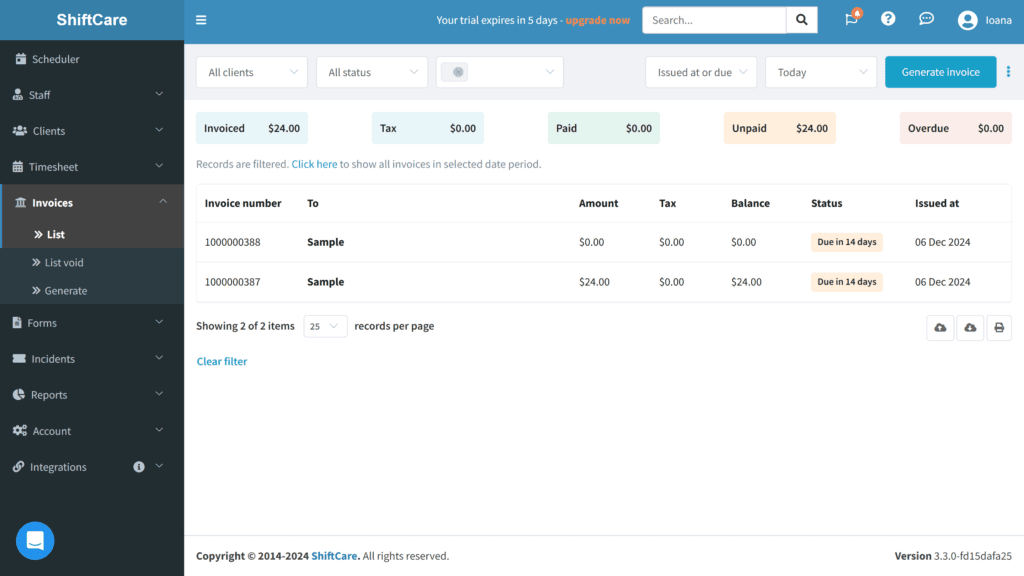
ShiftCare is an Australian-built workforce management platform designed for disability, aged care, and community providers. It brings rostering, invoicing, client management, and NDIS compliance together in one system.
Customers say it cuts admin time dramatically, thanks to its clear interface, built-in Xero integration, and tools that make client documentation and payroll easier to manage. Many teams also highlight the helpful onboarding resources, responsive live chat, and continuous updates.
Starting price: AU$8 per user, per month.
Source: ShiftCare
Why do companies choose ShiftCare?
- Reliable Xero integration that streamlines payroll and billing
- Local pricing and Australian-based customer service
- Ideal for NDIS and care providers managing documentation and client notes
“I like that it is not just a timesheet software but also a billing software and record keeping for workers and clients.” - ShiftCare Capterra review
User-flagged challenges
Minor app glitches and slow updates after new releases
Some features, like incident reporting, seem incomplete
Pricing can feel high for sole traders who need to pay for unused staff seats
6. Connecteam
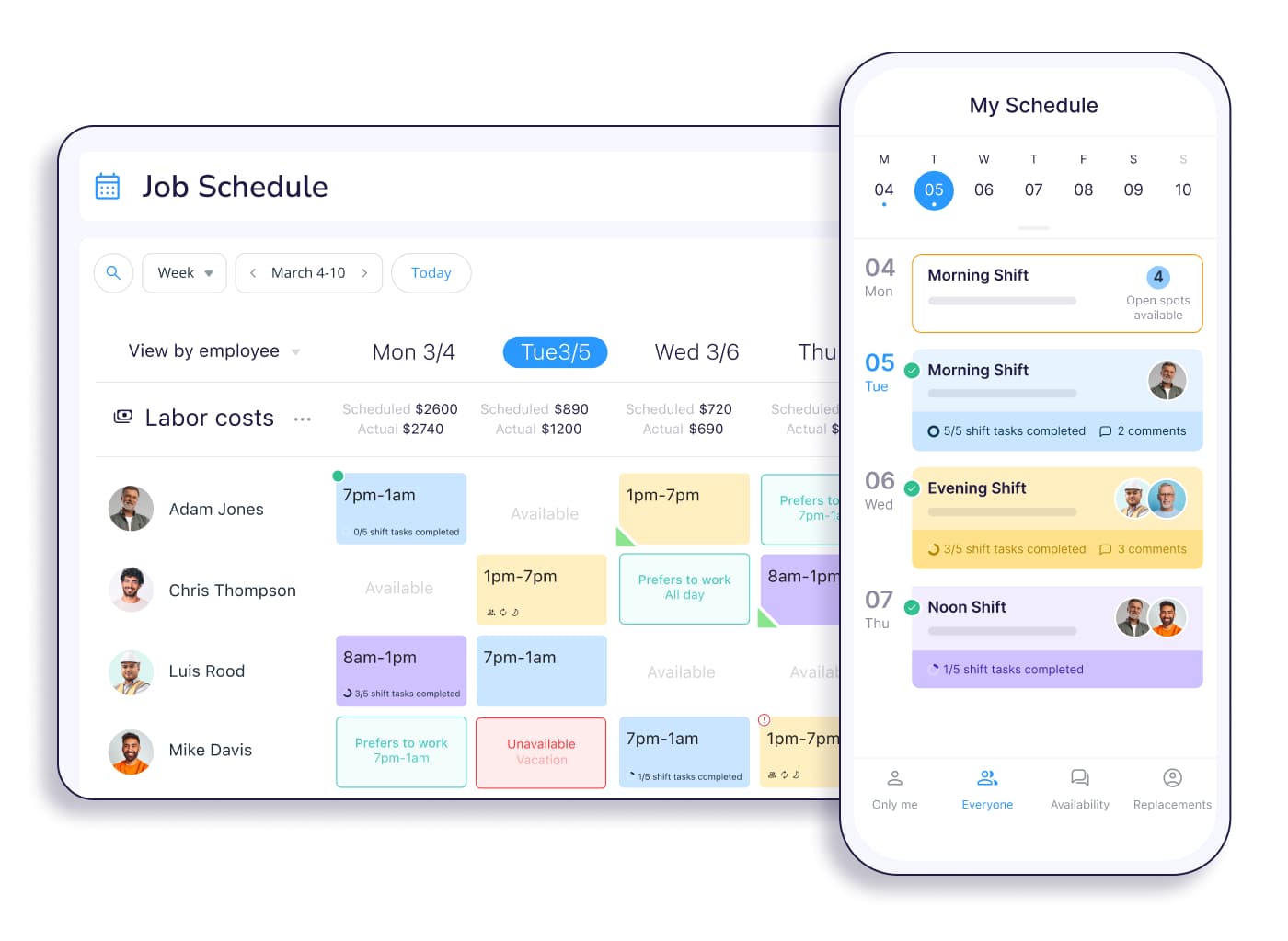
Connecteam brings scheduling, time tracking, chat, and task management together in one mobile app. It’s built for teams that need to stay connected on the go.
Australian users say it’s quick to set up and simple to navigate. Features like GPS time clocks, colour-coded rosters, and built-in chat make it easier to keep everyone on the same page.
Starting price: Free for up to 10 users.
Source: Connecteam
Why do companies choose Connecteam?
- Combines rosters, messaging, and forms in one place
- Free plan for small teams with full access to core features
- Clear interface that reduces admin time
“I like the interface, the customisability, and the overall layout of each of the sections.” - Connecteam Capterra review
User-flagged challenges
Some users experience slow loading or glitches on mobile
Integrations and offline modes are limited
Pricing switches to USD after the free plan, which can frustrate Australian users
7. Microkeeper
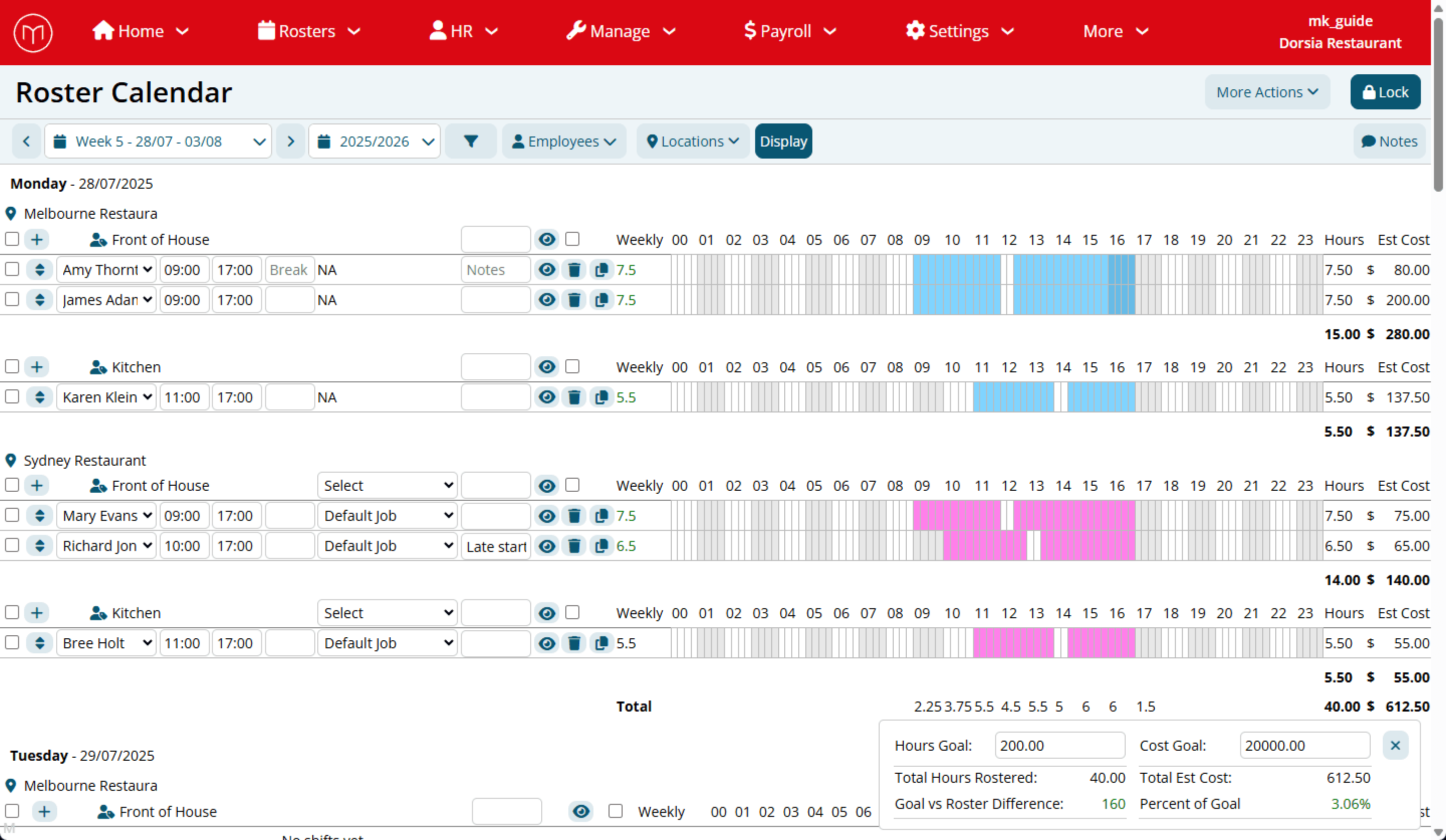
Microkeeper is an Australian-built payroll and rostering system that automates award interpretation, STP reporting, and super payments. It’s designed for local businesses that want compliance but don’t want to pay enterprise prices.
Users say it saves time on payroll and roster admin while giving them visibility into labour costs.
Starting price: AU$6 per user, per month.
Source: Microkeeper
Why do companies choose Microkeeper?
- All-in-one Australian payroll, rostering, and award compliance
- Real-time cost visibility when building rosters
- Lower price point than major competitors
“Microkeeper has been such a time saver. What used to take me up to an hour with 8 employees now takes me less than 20 minutes with up to 19 employees with various rates, rules, timesheets, and such.” - Microkeeper Capterra review
User-flagged challenges
Reporting and analytics lack depth
Interface can feel dated compared to newer tools
Integrations can be error-prone and lack safeguards
8. RosterElf
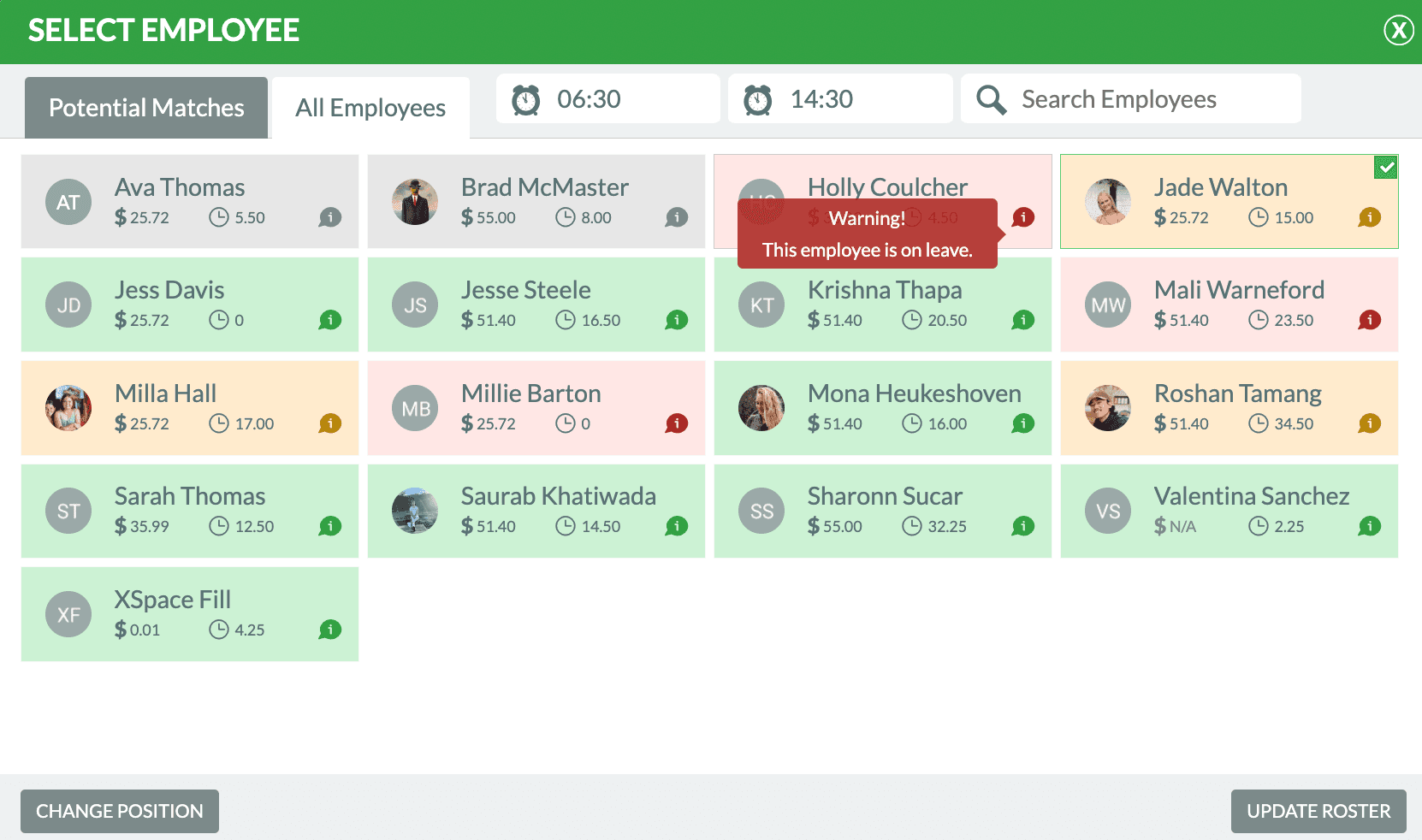
RosterElf is an Australian rostering tool built by small business owners who wanted a simpler way to manage shift work. It’s designed for hospitality, retail, and care providers who need to track staff availability, manage payroll exports, and keep rosters Fair Work compliant.
Users say it’s quick to set up and easy for staff to use, especially for shift swaps.
Starting price: $7 AUD per user, per month.
Source: RosterElf
Why do companies choose RosterElf?
- Simple rostering with built-in award coverage for hospitality and retail
- Real-time availability alerts reduce scheduling mistakes
- Local Australian support with clear onboarding resources
“It has been quite a helpful tool to manage the staff in different states. It has been easy and it is quick to make changes” - RosterElf Capterra review
User-flagged challenges
GPS clock-in can be unreliable for some staff
Slow auto-save when editing shifts
Payroll exports to Xero can be glitchy or incomplete
9. When I Work
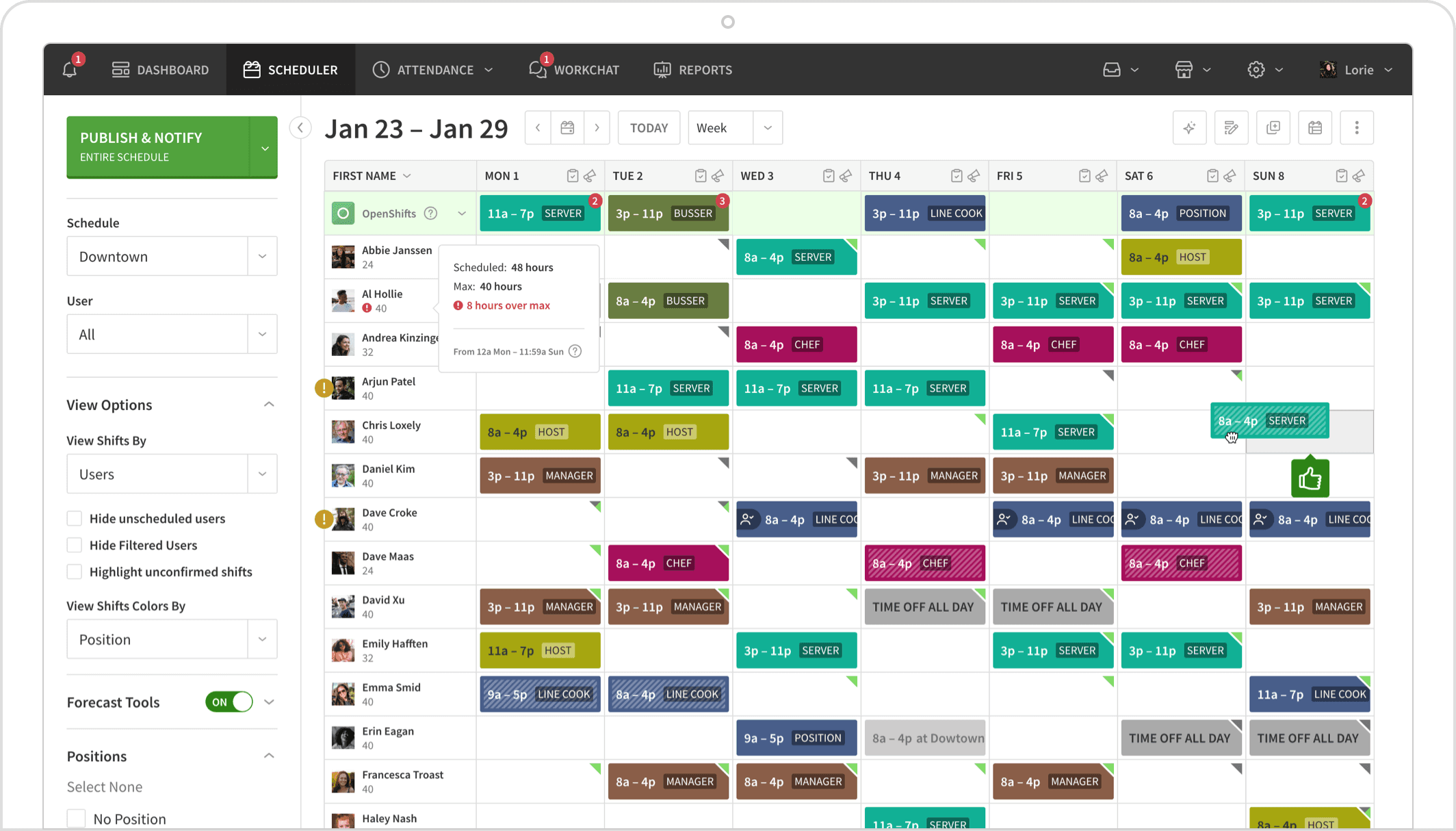
When I Work is a US-based scheduling app built for shift-based and hourly teams. It helps managers build rosters, track attendance, and communicate with staff.
Users mention how much faster scheduling becomes compared to spreadsheets, and how easy it is for staff to swap shifts or check rosters on the go.
Starting price: $2.50 USD per user, per month.
Source: When I work
Why do companies choose When I Work?
- Easy, low-cost way to move from spreadsheets to automated scheduling
- Clear mobile interface with fast shift swaps and reminders
- Integrates with ADP, Paychex, Gusto, and QuickBooks
“When I Work has a very visually appealing and user-friendly app. It's clear and easy to see what shifts are available if someone is interested in picking one up.” - When I Work Capterra review
User-flagged challenges
Communication tools feel limited for larger teams
Reporting lacks historical depth and flexibility
Some features, like time clocking, require paid add-ons
10. AroFlo
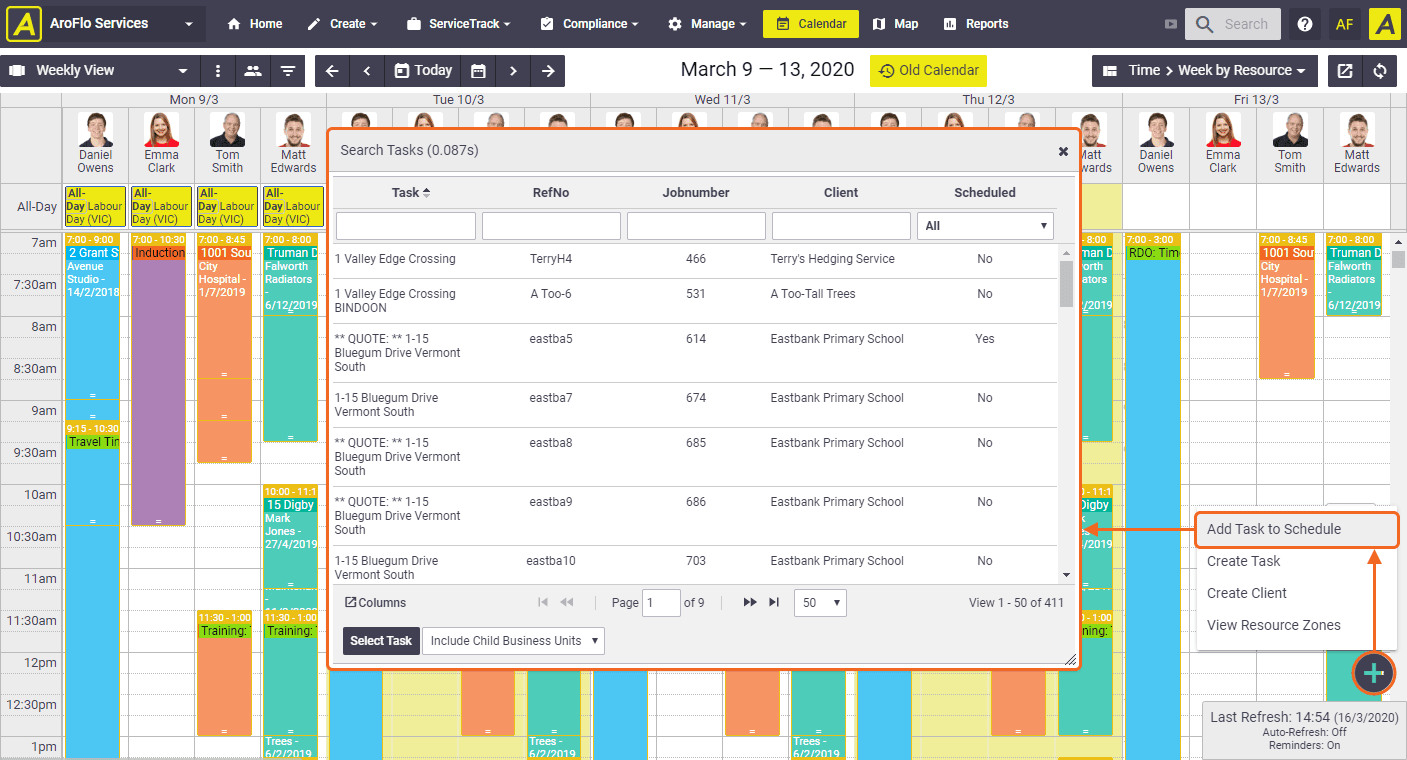
AroFlo is an Australian field service and scheduling platform built for trades and service-based businesses. It connects office and field teams on one system that covers quoting, scheduling, job costing, asset management, and invoicing.
What makes AroFlo unique is how it’s tailored for on-site work. Unlike lighter rostering tools, it tracks every detail (like materials, GPS, and compliance forms), giving managers full visibility over each technician in real time.
Starting price: AU$335 per month (minimum billing for three users).
Source: AroFlo
Why do companies choose AroFlo?
- It’s built specifically to support trades and service-based businesses
- Includes real-time GPS tracking and inventory management
- Strong local support and regular product improvements
“Great system that covers everything we need at a competitive price with excellent locally based customer support.” - AroFlo Capterra review
User-flagged challenges
Setup can be time-consuming and requires training
Reporting tools feel limited and hard to customise
Some mobile and browser functions can be slow or inconsistent
11. Ascora
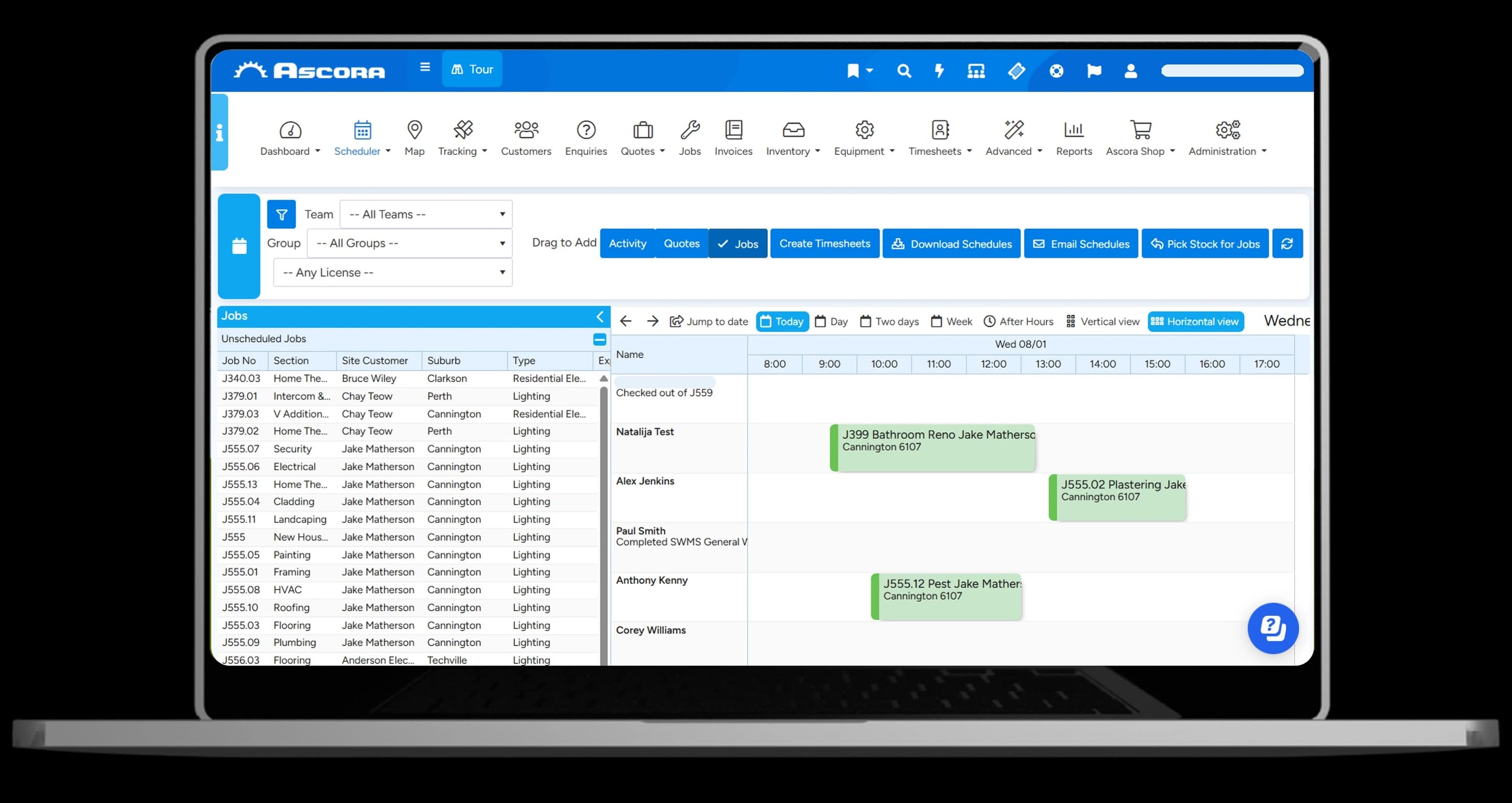
Ascora is another Australian field service and job management platform. It automates quoting, scheduling, invoicing, and compliance.
What makes Ascora unique is how much automation it offers smaller teams. From equipment tracking to custom job forms, it can help your business replace multiple apps. It’s designed for trades that want full control and local support without the overhead of a large-scale system.
Starting price: $45 AUD per user, per month.
Source: Ascora
Why do companies choose Ascora?
- Quoting, job management, and invoicing in one workflow
- Highly customisable templates and automation for trades
- Local Australian support and regular feature updates
“Ascora has completely streamlined our operations, saving us countless hours on quoting, job management, invoicing, and client follow-ups.” - Ascora Capterra review
User-flagged challenges
Setup can be time-intensive and requires training
Interface can feel dated and cluttered on first use
Mobile app speed and reporting accuracy vary
What to look for in a scheduling system
The right scheduling software for your business should make your life easier, not more complicated. Here are some important elements to consider when making your decision.
Ease of use
Automation
Look for built-in automation that can take over repetitive tasks like shift changes, timesheets, and award calculations.
Compliance
Systems that automatically apply Fair Work rules or award rates save you time, reduce payroll errors, and protect your business from costly mistakes.
Integrations
The best platforms connect with your payroll, HR, and accounting tools (like Xero or QuickBooks Online) so you don’t need to double-handle data.
Scalability
Choose software that can grow with you. You don’t want to outgrow the system the moment your team expands or adds locations.
Support
Responsive support matters. If something goes wrong, you want a real person who understands Australian payroll and compliance.
Transparency
Clear pricing and flexible plans make it easier to manage costs and compare value between different platforms.
Key employee scheduling compliance changes
Recent Fair Work updates mean employers in Australia need to be more careful about how rosters, hours, and pay are managed. Here are a few key changes to be aware of:
Criminalisation of wage theft: Underpayments can now lead to criminal charges, making accurate award interpretation a non-negotiable.
Right to disconnect: Employees have the legal right to switch off outside work hours, so after-hours messaging should be limited or logged.
New casual employment rules: Clarifies when casuals can convert to permanent status. This is important for roster planning and cost forecasting.
Psychosocial hazard management: Employers must address stress caused by poor rostering, overwork, or inconsistent hours.
Modern scheduling software can help businesses meet new Fair Work rules by automating award calculations and rostering limits. They can also flag issues like unpaid overtime or long shifts before they become a problem.
Bringing your team together
What stood out after reviewing every major scheduling tool is how much easier it is to stay compliant when everything’s connected. The strongest platforms link rosters, payroll, and time tracking so managers can see changes in real time, prevent errors, and plan costs in advance.
When your data lives in one place, you get visibility across your whole workforce and, as a result, fewer surprises at the end of the pay cycle.
If you’re comparing options, check out Rippling. Unlike most tools that only handle rosters, Rippling automates your entire workflow, including scheduling shifts, processing payroll and updating employee records.
FAQs
How does online employee scheduling software work?
Online employee scheduling apps let managers assign shifts, track employee hours, and approve time-off requests from one dashboard. Most use drag-and-drop interfaces and update schedules in real time across web and mobile.
Can employee scheduling tools integrate with payroll providers?
Yes. Rippling even has its own built-in payroll feature. On top of this, many scheduling platforms connect directly to payroll software like Xero, MYOB, or QuickBooks. Having this tight connection helps make sure you have accurate scheduling, simplifies compliance with labour laws, and reduces payroll errors.
How do scheduling apps help control labour costs?
They track labour hours automatically, flag overtime, and compare planned vs actual costs. This visibility helps businesses manage their labour budget and reduce unnecessary spending.
What should I look for in an employee scheduling platform?
Look for automation, compliance with labour laws, and payroll integration. The best employee scheduling features include drag-and-drop shift creation, scheduling templates, shift trades, and built-in time tracking software.
Build cost-effective rosters quickly
Disclaimer
Rippling and its affiliates do not provide tax, accounting, or legal advice. This material has been prepared for informational purposes only, and is not intended to provide or be relied on for tax, accounting, or legal advice. You should consult your own tax, accounting and legal advisers before engaging in any related activities or transactions.
Rippling editorial policy: Rippling puts our customers (and prospective customers!) first. The Rippling team is committed to providing information supported by product data, expert insights, and real customer feedback to inform all of our content. All of our content is reviewed by product experts for accuracy and freshness.

Author

Maaike van Dijk
Manager, Solutions Consulting
Maaike van Dijk is the Manager of Solutions Consulting for APAC at Rippling. Based in Sydney, she leads the regional team and has extensive experience in HR technology across Australia, New Zealand, and internationally. She works with businesses to simplify and automate global hiring, onboarding, and compliance, helping them modernise their workforce systems. Prior to Rippling, Maaike held senior consulting roles at LiveHire.
See Rippling in action
Increase savings, automate busy work, and make better decisions by managing HR, IT and Finance in one place.