
























Make sure the software connects smoothly with the tools you already like using. This could be your payroll and accounting tools, like Xero, MYOB, or QuickBooks or any other API connections you rely on. Integrating these tools means you won’t need to enter information into more than one place, and it reduces the potential errors that come with that workflow.
Australia’s top 27 workforce management software platforms
In this article
Managing people, rosters, and pay across different software platforms is where most payroll mistakes start. Between award interpretation, timesheets, and leave balances, it only takes one mismatch to leave you underpaying your people or facing Fair Work penalties.
Those mistakes aren’t only costly for the business, they can frustrate your team and erode trust in your leadership, especially when these mistakes affect pay.
Workforce management software keeps all your information connected, including scheduling, time tracking, and payroll.
To find the best workforce management software for Australian businesses, I reviewed 27 leading platforms and scored them across these five areas: compliance, automation, integrations, mobility, and support. Each platform was rated using a weighted scoring system, and Rippling was ranked as the best workforce management software in Australia.
A note on transparency: Our product is included in this list. To remain neutral, I used the same scoring criteria for every software, which is based on public information. You can see all 27 platforms and their scores in our full research spreadsheet.
Here’s a closer look at the top 12 platforms from our list.
Platform | Best for | Choose this if | Starting price* |
|---|---|---|---|
1. Rippling | Automation and scalability | You want one modern system that links HR, IT, payroll, and time tracking | $12 AUD/employee/month |
2. Dayforce | Enterprise compliance and analytics | You manage complex payrolls or multi-country teams | $22-31 AUD/employee/month |
3. UKG Pro | Large enterprise forecasting | You rely on demand-based rostering and would like AI forecasting | Not public |
4. Workday | Global workforce visibility | You want deep analytics | Not public |
5. Humanforce | Shift-based industries | You work in hospitality, healthcare, or retail and need real-time costing | Not public |
6. foundU | Australian SMBs | You want a locally built platform that automatically applies Fair Work awards | Not public |
7. Microkeeper | Local business value | You need an affordable platform with biometric time tracking | From $2.25 AUD/employee/month |
8. ELMO | Education and corporate sectors | You want an Australian-owned HR and payroll system | $35 AUD/per month |
Growing teams | You want to improve employee experience through self-service tools | From $8 AUD/employee/month | |
10. Roubler | All-in-one workforce suite | You want roster-to-pay automation that removes manual entry | From $8 AUD/employee/month |
Complex ERP integrations | You need payroll that connects directly with Xero, MYOB, SAP, Oracle, or Dynamics 365 | Not public | |
Global enterprise HR | You already use SAP and need enterprise-grade HR | Not public |
*Pricing based on publicly available data as of November 2025. For the most accurate and up-to-date details, check directly with each provider.
1. Rippling
Rippling is one of the only workforce management systems that connects HR, IT, payroll, and time tracking in one place.
While most tools only handle rosters and pay, Rippling goes a step further by linking those workflows with access control, device setup, and permissions. This means that when someone joins or leaves your team, their accounts, pay, and schedules all update automatically in the same system.
For Australian businesses, Rippling also supports Modern Award interpretation, STP Phase 2, and superannuation. Having this built in can help your business stay compliant without needing to enter the same information on multiple systems.
Starting price: $12 AUD per employee, per month.
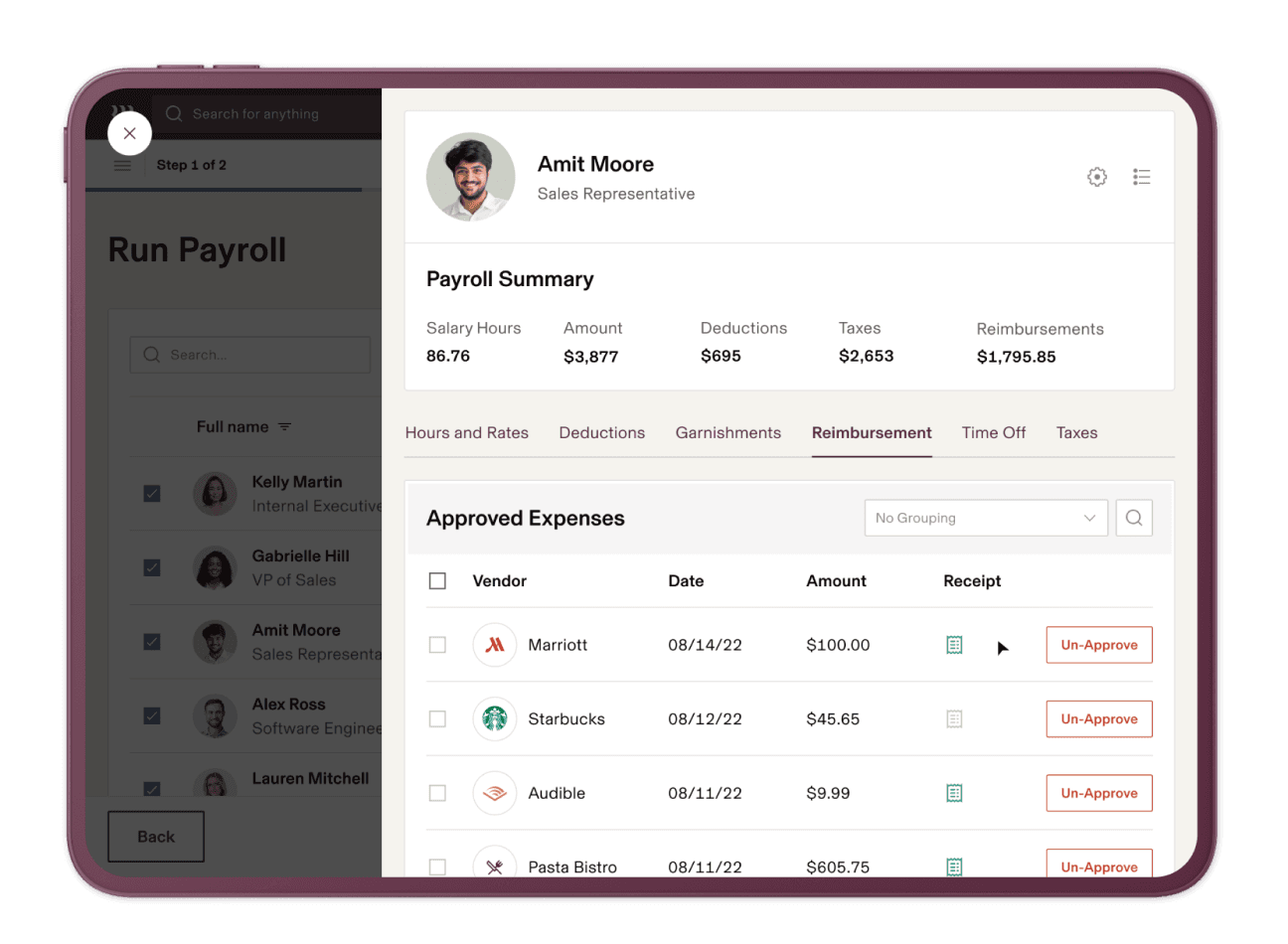
Source: Rippling
Why do companies choose Rippling?
- Connects HR, IT, and payroll in one workflow
- Integrates with Xero, MYOB, QuickBooks, and 600+ other tools
- Real-time sync between rosters, time tracking, and payroll data
- Highly rated with a 4.9-star rating from more than 4,000 verified reviews
“The onboarding staff at Rippling were great to work with. Our team onboarded to Rippling within a month and has been using it actively ever since. I would recommend Rippling to any company, start-up to Fortune 500.” - Rippling Capterra review
User-flagged challenges
Advanced features like award interpretation are paid add-ons
Support relies heavily on ticketing and chat, with no local phone assistance
The platform’s depth might be overkill for teams with fewer than five people
Is Rippling right for your business?
Rippling suits businesses that want a highly rated (4.9 stars from 4,000+ reviews) modern system to handle scheduling, payroll, and HR together. It’s a strong fit if you want to reduce admin work, keep every employee record consistent, and have full visibility from onboarding to payroll.
2. Dayforce
Dayforce is built for large and complex operations that need accurate compliance and payroll. Unlike most systems that calculate pay after timesheets are approved, it runs real-time pay calculations, letting managers see the financial impact of roster changes as they happen.
Dayforce is also built on a single data engine that connects payroll, HR, and workforce management in real time. This means that instead of syncing data between different systems, every change happens instantly across the same platform.
This can help even large organisations get full visibility over hours, costs, and compliance without data gaps or delays.
Starting price: $22-31 AUD per employee, per month.
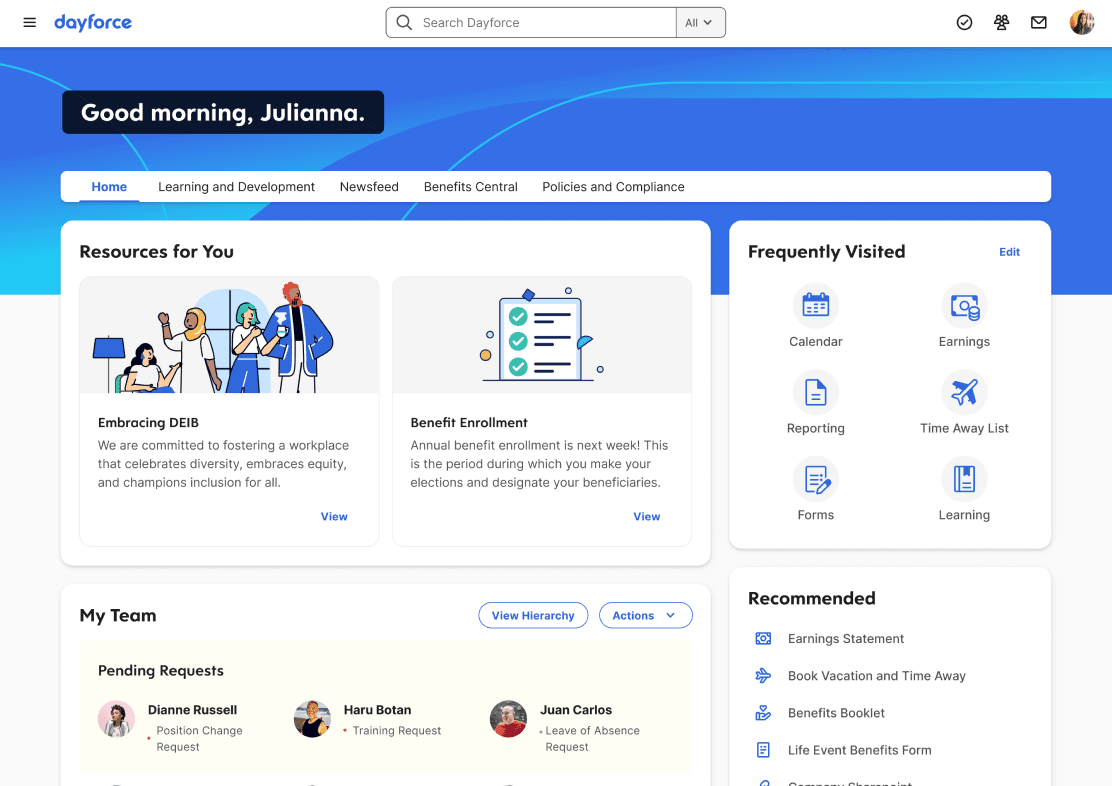
Source: Dayforce
Why do companies choose Dayforce?
- Connects compliance directly with payroll
- Real-time pay calculations show true labour costs as rosters change
- Designed for complex or multi-country compliance (especially between Australia and New Zealand)
“Dayforce HCM is an all-inclusive system that does an excellent job of integrating different HR processes. Payroll, time and attendance, benefits administration, and labour management are all efficiently managed by the centralised system.” - Dayforce Capterra review
User-flagged challenges
Support can be slow
Initial configuration can be complex and time-consuming
Some features still cater more to North American markets
Is Dayforce right for your business?
Dayforce is best for larger businesses across Australia and New Zealand that need a reliable, all-in-one system for HR. It’s a good fit for teams working remotely or managing complex awards.
3. UKG Pro
UKG Pro brings together scheduling, time tracking, and forecasting through AI-powered tools built for large operations. What sets UKG apart is its advanced forecasting engine that uses historical data to predict how busy the work will be and therefore how many staff you’ll need. This is particularly useful in hospitality, healthcare and retail environments.
For businesses that operate across multiple sites or have fluctuating demand, UKG Pro gives a clear view of hours, costs, and compliance. It also supports global payroll standards and integrates with major enterprise systems.
Starting price: Not publicly listed.
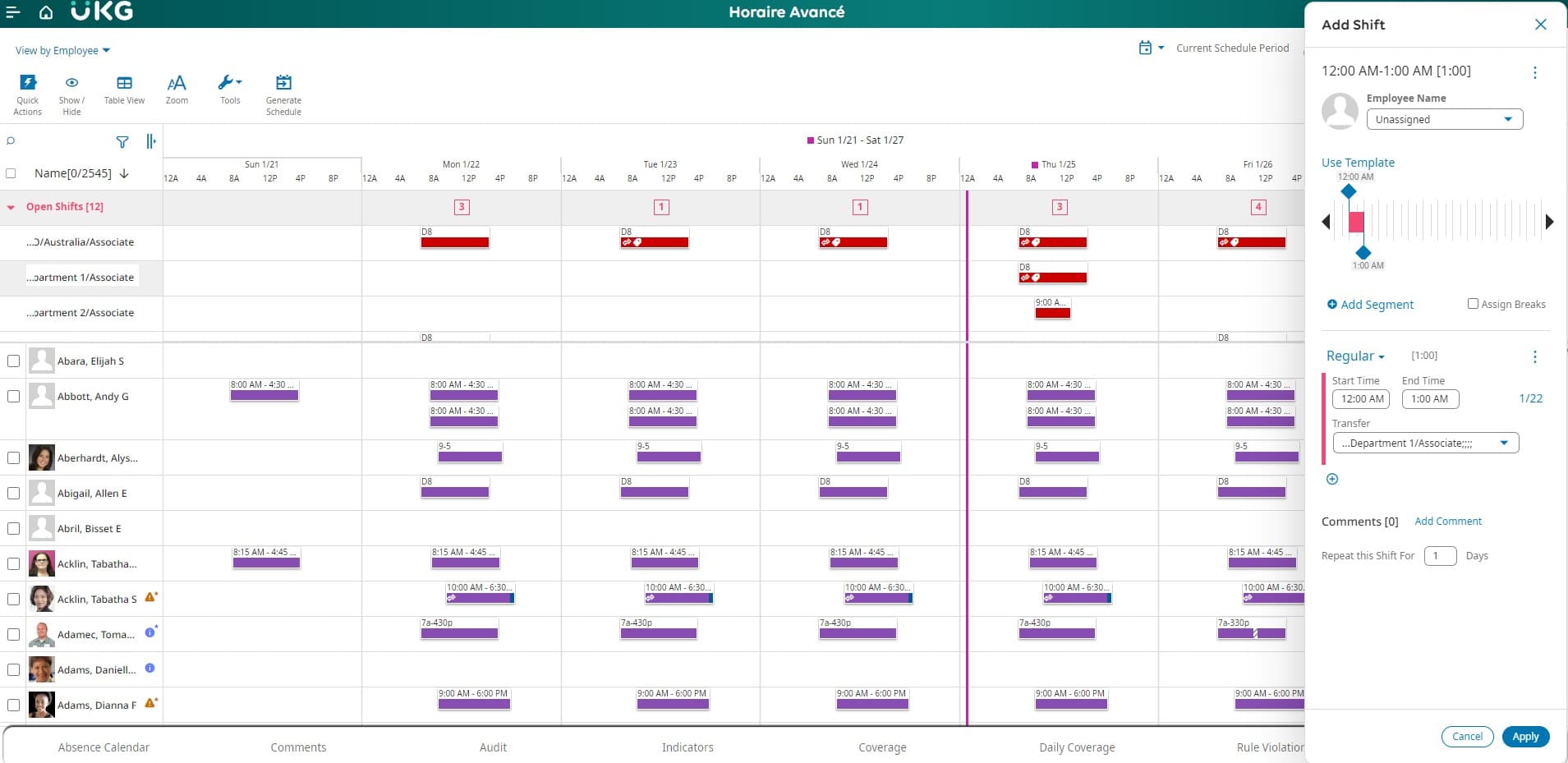
Source: UKG Pro
Why do companies choose UKG Pro?
- Uses AI forecasting to help managers plan rosters accurately
- Connects compliance directly with payroll
- Updates pay in real time as rosters change, showing the true cost of each day
“My overall experience is amazing. I love everything about UKG Pro. It has helped me so much with keeping up with my own payroll.” - UKG Pro Capterra review
User-flagged challenges
Pricing is on the higher side
Set up can be complex for larger organisations
Parts of the interface feel dated compared to newer platforms
Is UKG Pro right for your business?
UKG Pro suits large, shift-based organisations that rely on accurate forecasting and real-time labour insights. Its AI tools help predict staffing needs, control costs, and keep everyone up to date, even when schedules change.
4. Workday
Workday is built for enterprise organisations that want deeper visibility into workforce data and performance. What makes it different is its analytics engine (Prism Analytics), which turns live payroll and scheduling data into insights about labour costs and productivity.
Starting price: Not publicly listed.
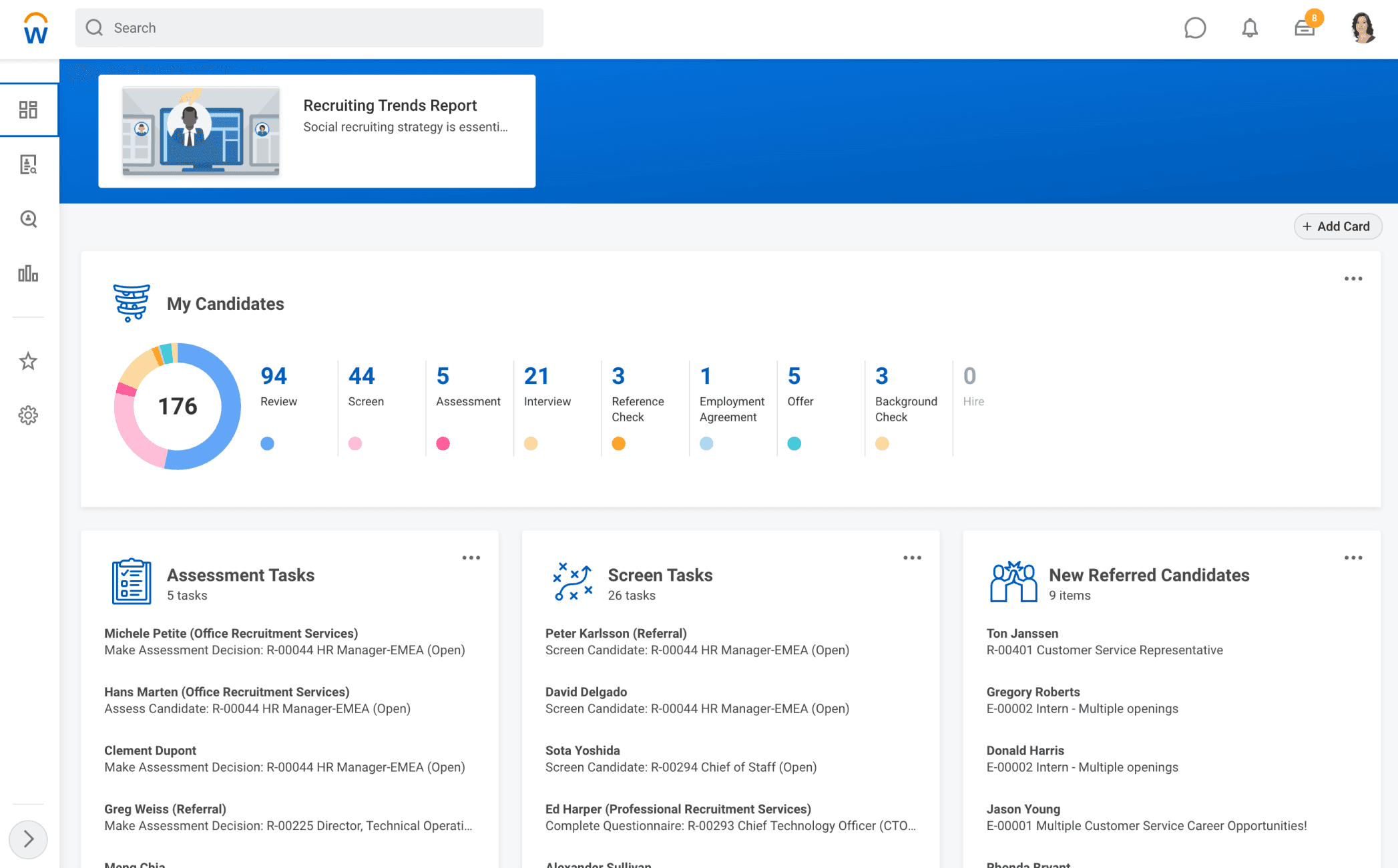
Source: Workday
Why do companies choose Workday?
- Advanced analytics with real-time dashboards and KPIs
- Built-in pay-run simulation and variance checks to catch payroll errors
- Integrates easily with major ERP systems like SAP and Oracle
“Overall, it’s a fantastic tool for organisations if they know how to configure it correctly. Each country is different, and the system allows you to customise processes based on locations.” - Workday Capterra review
User-flagged challenges
Interface can feel heavy and slow for day-to-day users
Configuration takes time and expertise
Pricing and support are designed for large enterprises
5. Humanforce
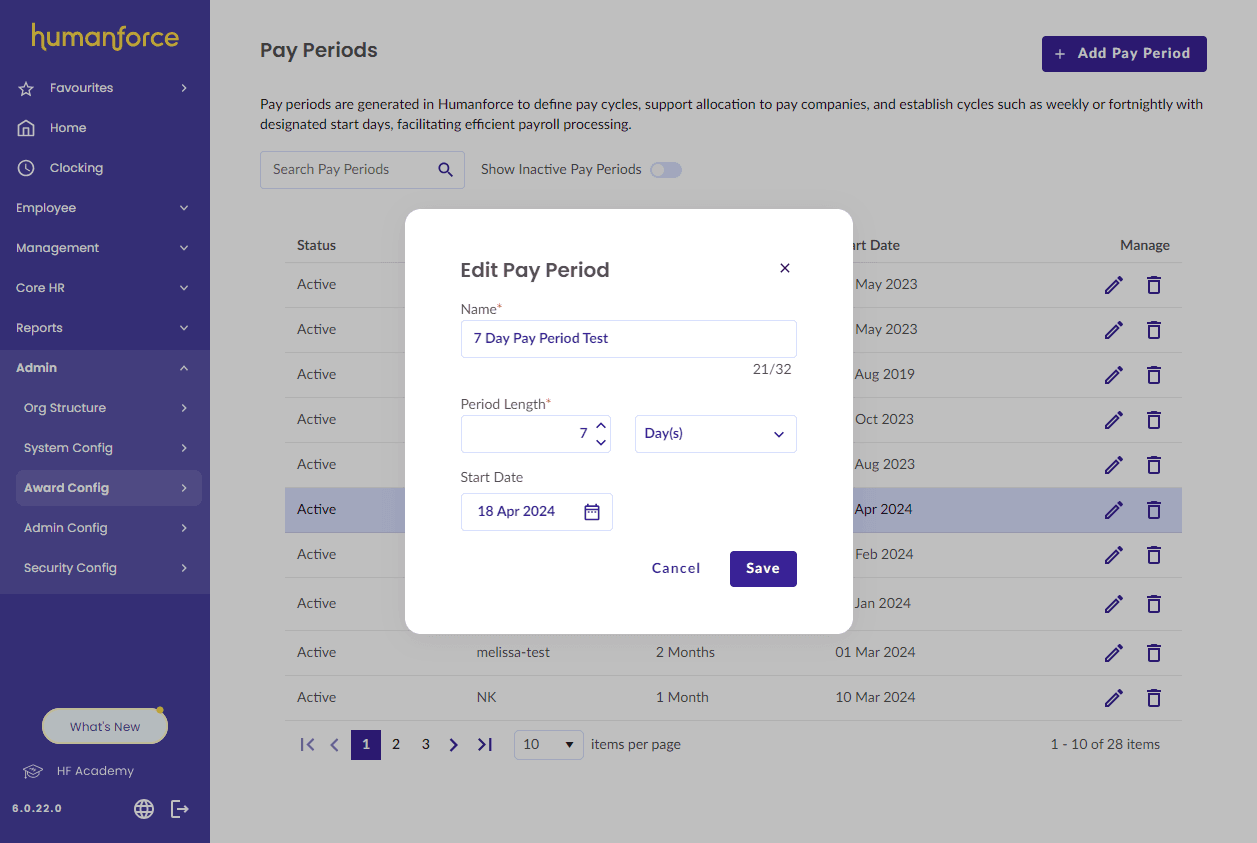
Humanforce is designed for mid to large-sized businesses with shift-based or frontline teams. It’s especially helpful in hospitality, retail, and healthcare, where managing rosters, attendance, and pay in one system can save time and avoid manual errors.
Starting price: Not publicly listed.
Source: Humanforce
Why do companies choose Humanforce?
- Built specifically for shift-based industries
- Real-time costing shows the impact of roster changes before they are approved
- Attendance tools that track sign-ins from kiosks, tablets, or mobile
“Dashboard is clean and easy to look at. Workflows have greatly enhanced onboarding for employees and HR team, reducing our manual and time-intensive tasks.” - Humanforce Capterra review
User-flagged challenges
Support can be inconsistent, with tickets sometimes left unresolved
The interface feels outdated and slower than newer systems
Performance can lag when processing large data sets or rosters
6. foundU
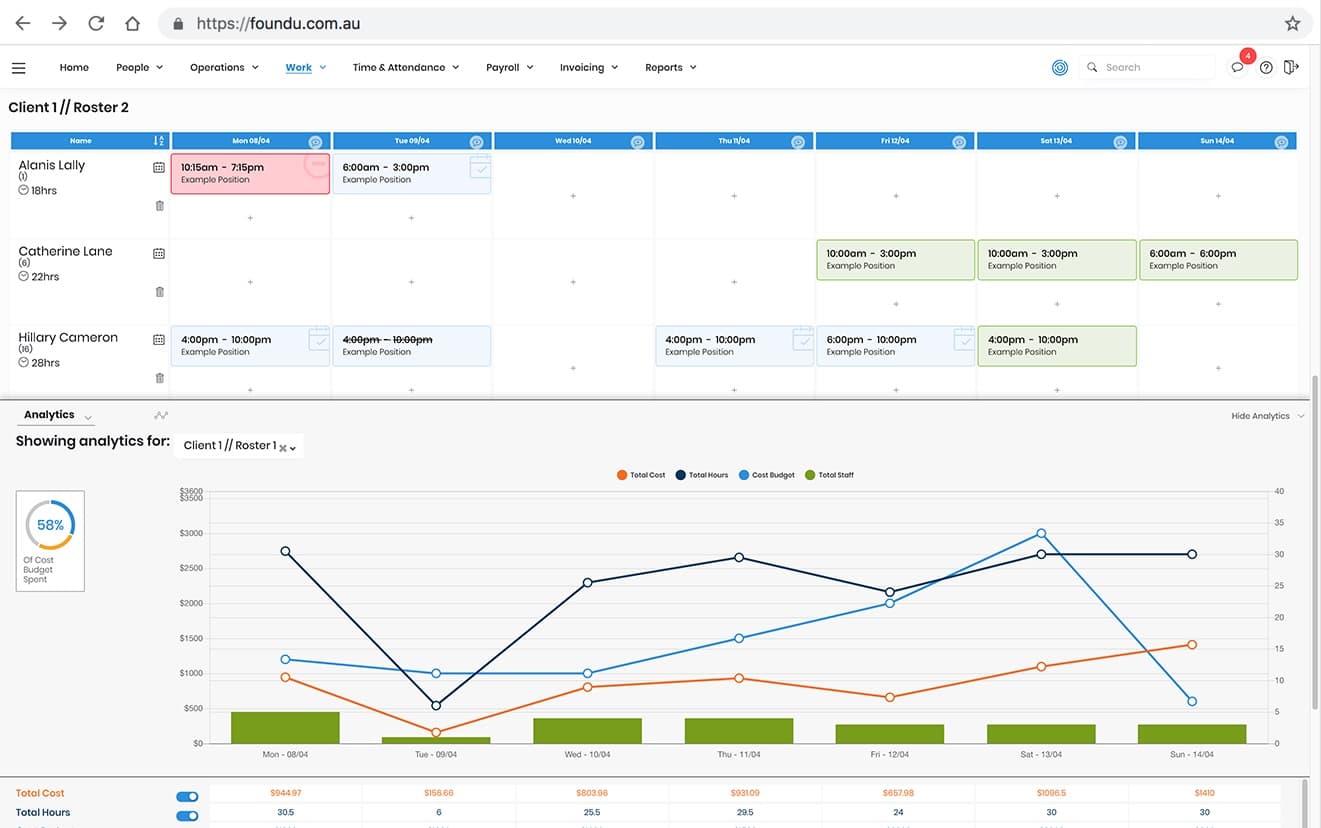
foundU is built entirely around Australian payroll and award conditions. It can automatically apply the right pay rates and entitlements based on award conditions, then syncs them across rosters and timesheets. It also allows managers to set budgets and develop rosters that fit within them.
Starting price: Not publicly listed.
Source: G2
Why do companies choose foundU?
- Built in Australia and fully aligned with local payroll and Fair Work rules
- Real-time costing helps managers approve shifts with budget visibility
- Highly rated support team praised for fast setup and ongoing help
“Very easy and quick for rostering and payroll. Additionally, very helpful in keeping track of employee compliance.” - foundU Capterra review
User-flagged challenges
Reporting tools are improving, but can feel limited for larger data sets
Mobile app performance can be slow when handling big rosters
Lacks advanced forecasting or AI features seen in its competitors
7. Microkeeper
Microkeeper is an Australian-built payroll and workforce management system designed for businesses that want powerful automation without the enterprise price tag.
What makes it different is its biometric approach to time tracking. Instead of trusting manual timesheets or mobile check-ins, employees clock in using fingerprint or facial recognition.
Starting price: $2.25 AUD per user, per month.
Source: Microkeeper
Why do companies choose Microkeeper?
- Biometric time clocks help prevent time fraud
- It’s one of the most affordable platforms
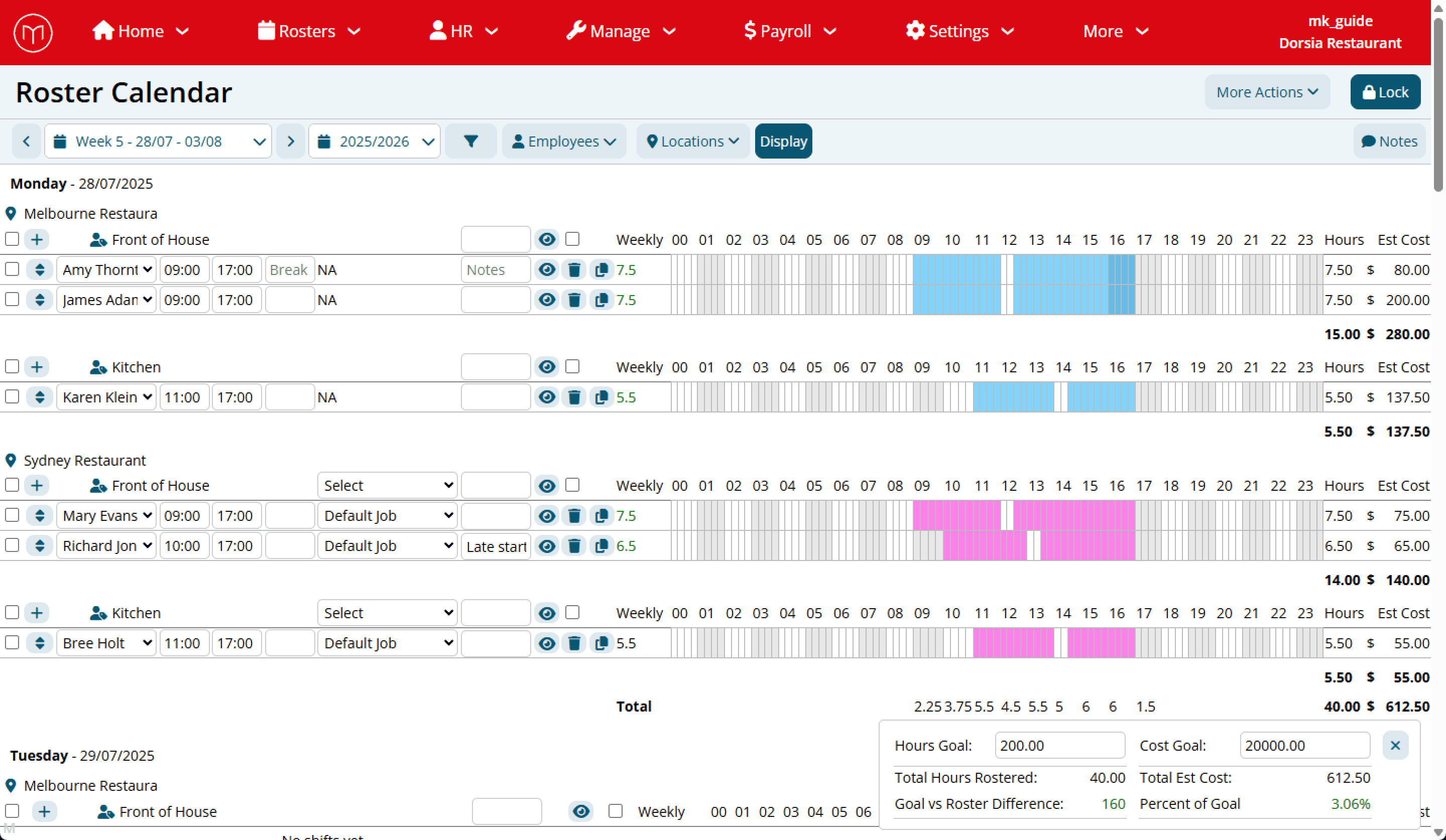
- Wage visibility and automated costing make scheduling easier
“Overall, very good and easy to use, with excellent customer support.” - Microkeeper Capterra review
User-flagged challenges
Biometric tracking can raise privacy concerns for some employees
Reporting tools are less advanced than higher-end competitors
Interface design can feel dated compared to newer platforms
8. ELMO
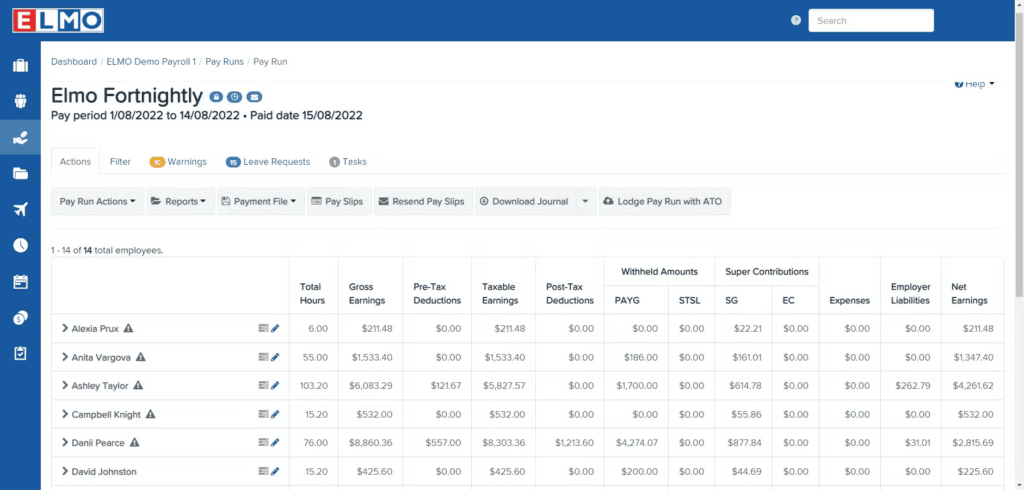
ELMO is an Australian-owned HR and payroll platform built for mid-sized organisations. What sets ELMO apart is that you can start with basic features and build on them as you need or your company grows.
Starting price: $35 AUD per employee, per month.
Source: ELMO
Why do companies choose ELMO?
- Designed specifically for Australian and New Zealand compliance
- Integrates easily with Microsoft for single sign-on
- Reviews mention the support team being helpful
“I really enjoy working with the Elmo payroll and HR Core products, very user-friendly, easy to learn and apply.” - ELMO Capterra review
User-flagged challenges
Some features can feel dated or buggy
Implementation support can be slow or inconsistent
Pricing transparency is limited before you sign the contract
9. Employment Hero
Employment Hero is an Australian-built HR, payroll, and employee engagement platform created to make work more rewarding for employees. What makes it stand out is its focus on the employee experience.
Beyond automating payroll and compliance, Employment Hero brings everything employees need to know into one place, so that teams feel more in control of their employment and connected.
Starting price: $8 AUD per employee, per month.
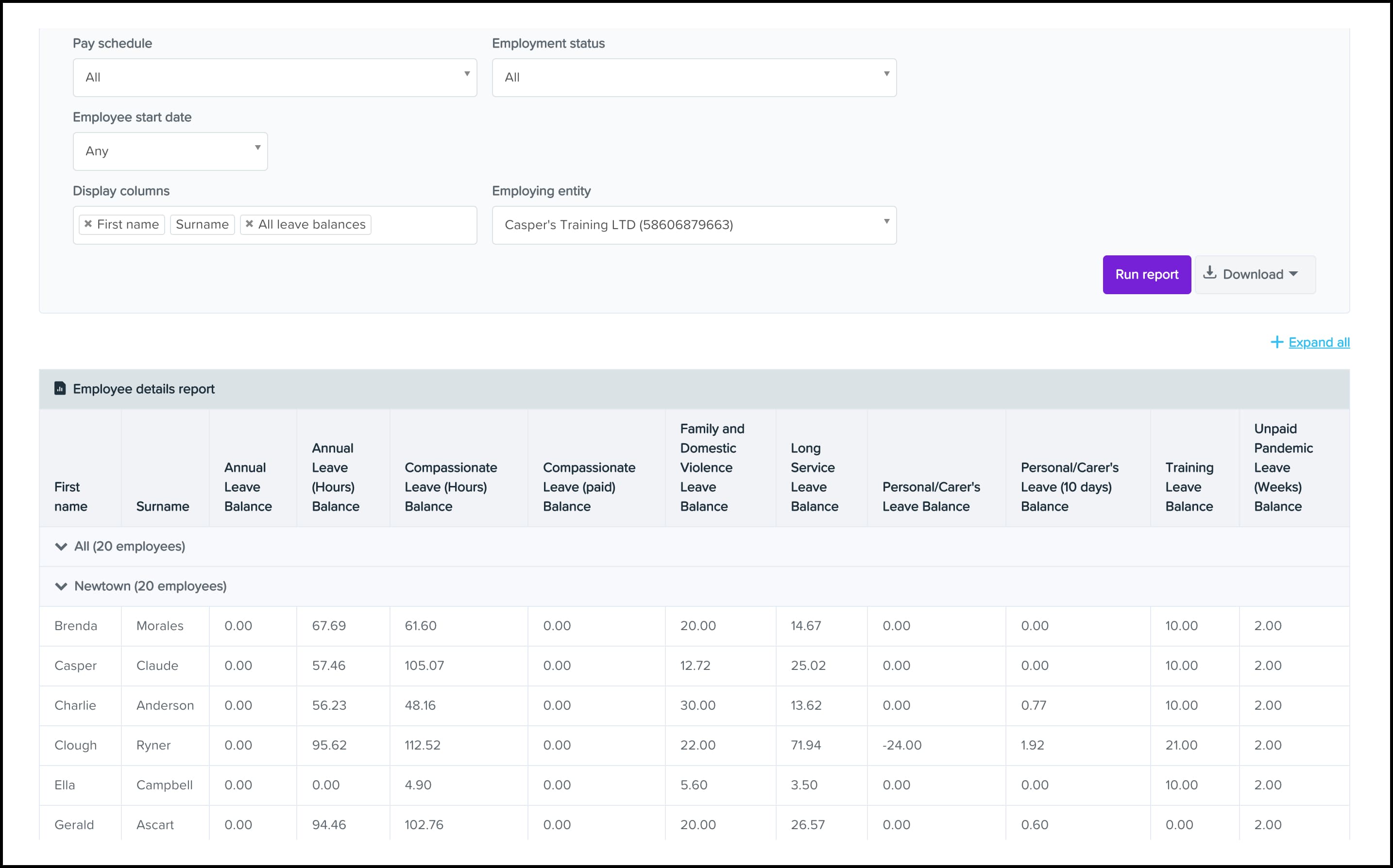
Source: Employment Hero
Why do companies choose Employment Hero?
- Integrates with Xero and QuickBooks
- Built-in award rules automate payroll for Australian conditions
- Employee self-service options on desktop and mobile apps
“I especially appreciate the self-service features, which empower employees to manage their own information and requests. The compliance tools are another plus, helping us stay on top of regulations.” - Employment Hero Capterra review
User-flagged challenges
Some features require training
Initial setup can be time-consuming, especially when migrating from other systems
Customer support response times can be slow during busy periods
10. Roubler
Roubler is designed for businesses that want payroll to run in the background. Its roster-to-pay automation connects scheduling, time tracking, and payroll in one flow. This means that when managers approve a shift, it automatically updates labour costs, compliance checks, and pay runs through Roubler’s KeyPay integration.
Starting price: From $8 AUD per employee, per month.
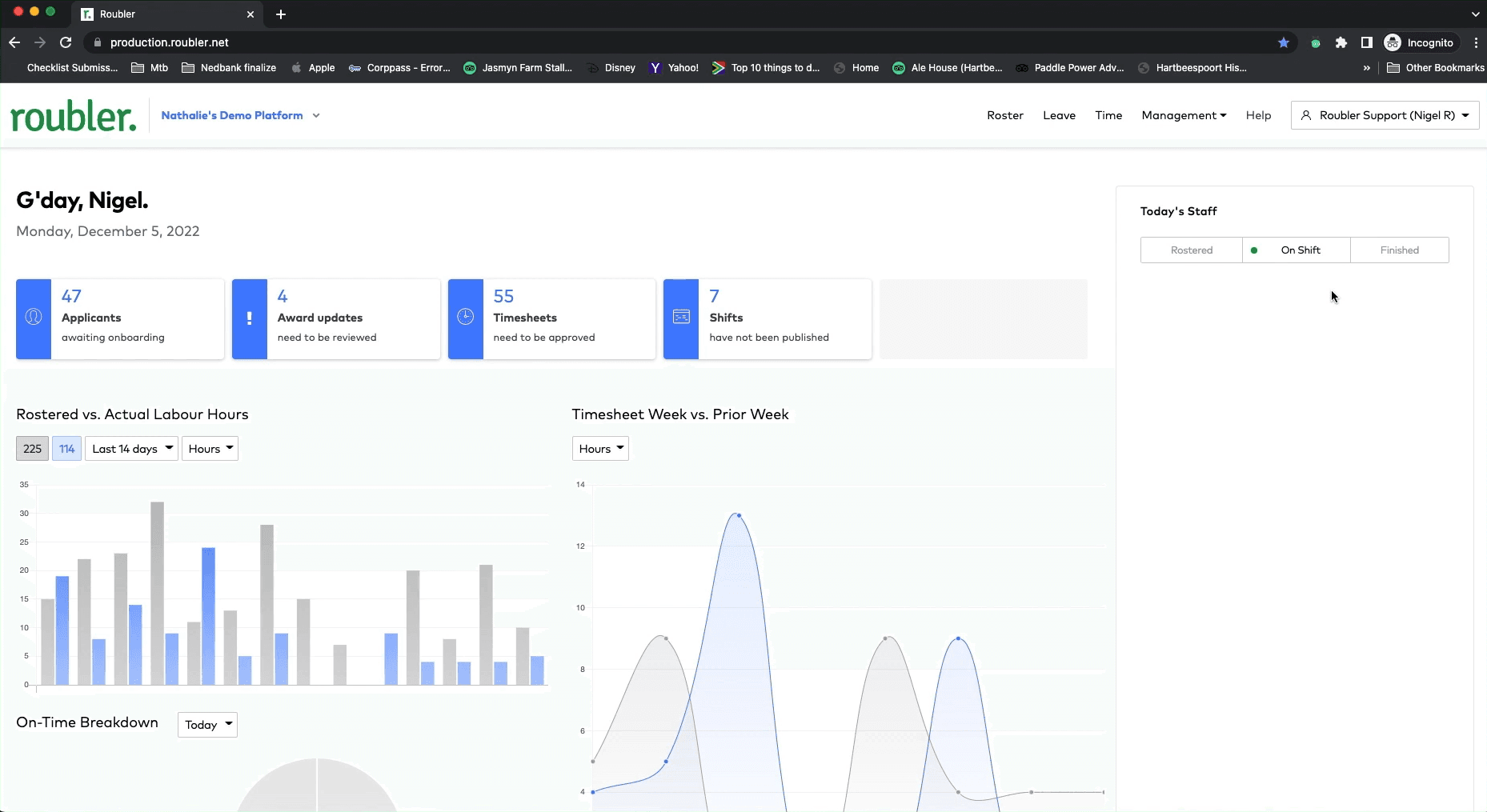
Source: Connecteam
Why do companies choose Roubler?
- Automated workflow eliminates the need for manual entry
- AI-powered rostering predicts staffing needs and controls labour costs
- Built-in compliance checks at the roster and payroll stage
“I no longer need to do payroll as they manage that all for me. Which has saved me loads of time and money and I can actually take holidays without worrying about payroll!” - Roubler Capterra review
User-flagged challenges
Mobile app can be slow or unreliable when clocking in
Leave management tools lack flexibility for complex rosters
Pricing details and contract terms are not fully transparent online
11. The Access Group (Definitiv)
Definitiv is a workforce management platform designed for businesses that need flexible integration options. What makes Definitiv different is its strong focus on ERP connectivity. It supports live APIs exports to major systems like Xero, MYOB, SAP, Oracle, and Microsoft Dynamics 365, and is built on the same ecosystem as the Access ERP suite.
Starting price: Not publicly listed.
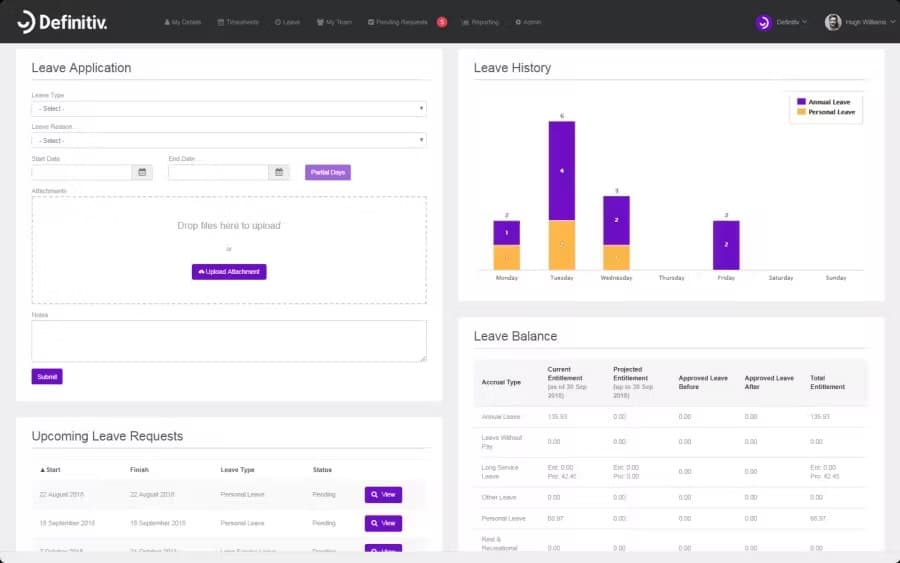
Source: Definitiv
Why do companies choose Access Definitiv?
- Built for complex payroll environments with multiple entities
- Direct integration with major ERP and accounting platforms
- Customisable analytics and dashboards for finance and HR teams
“It's so customisable. I love the reporting centre, its date-driven nature means I can track all changes over time.” - Definitiv Capterra review
User-flagged challenges
Pricing and contract terms are not fully transparent online
Some users report configuration errors with leave and timesheets
Implementation can be lengthy and requires technical setup or partner support
12. SAP SuccessFactors
SAP SuccessFactors is designed for large, complex organisations that need to manage every stage of the employee lifecycle. What makes it unique is its native integration with all the other SAP cloud products. For multinational employers, it also offers strong localisation and compliance features for over 100 countries.
Starting price: Not publicly listed.
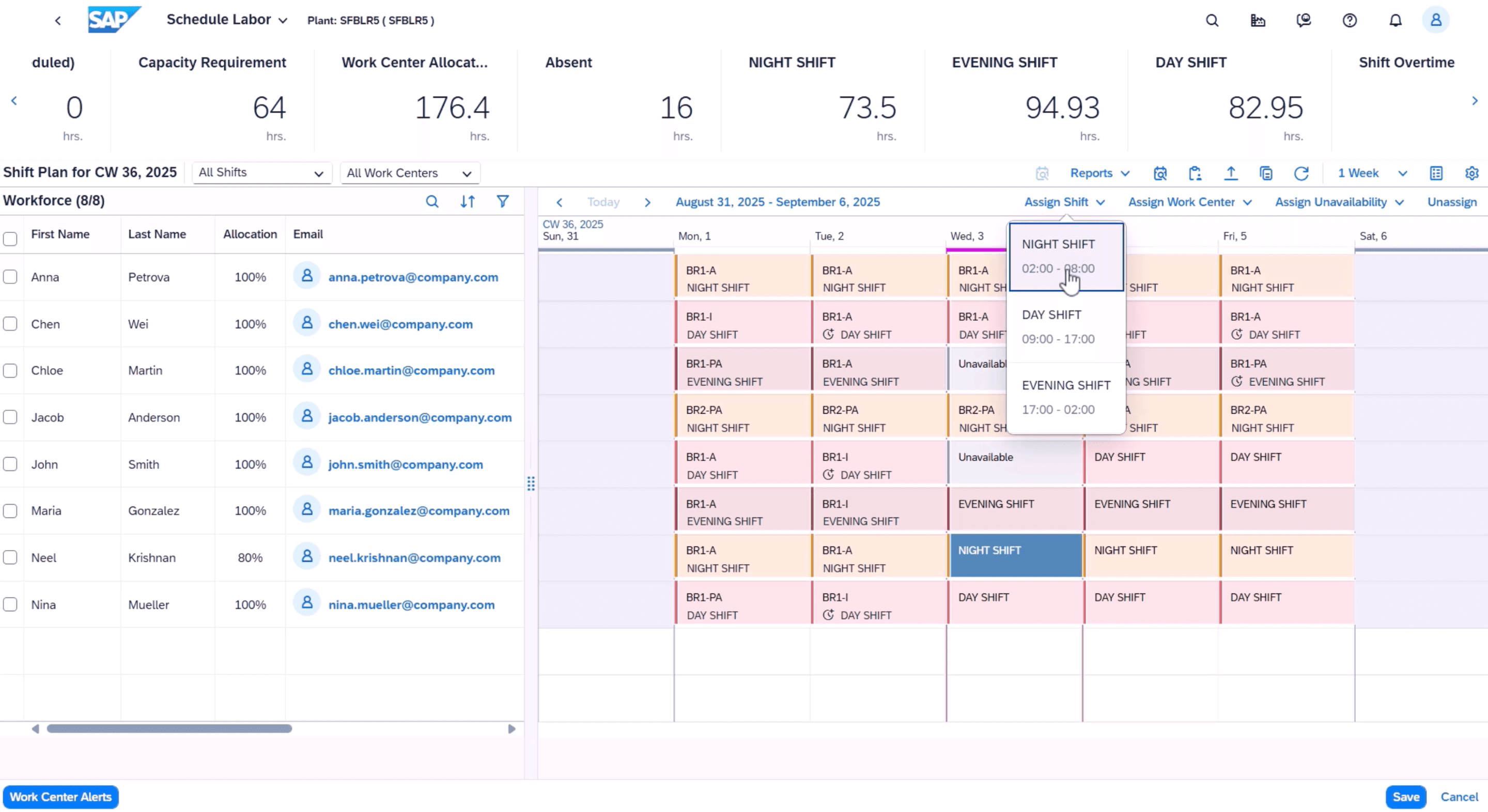
Source: SAP SuccessFactors
Why do companies choose SAP SuccessFactors?
- Native integrations with other SAP products
- Localisation and compliance support for global operations
- Built-in analytics that allow for real-time workforce insights and benchmarking
“The best feature is the native integration with other SAP tools that allow you to leverage the existing data stored in the company's central instance.” - SAP SuccessFactors Capterra review
User-flagged challenges
Interface feels outdated and unintuitive
Implementation is complex, often requiring SAP partners
High costs make it best suited to large enterprises
What to look for in a workforce management system
There are plenty of good workforce management options on the market; the challenge is finding the one that works best for your business and industry.
Before you commit to one platform, it's worth considering the following.
Integrations
Automation
If you’re looking to save time, you’ll want a system that can handle routine tasks automatically. This could be approvals, shift swaps, task allocation, reminders, or booking conflict checks.
Onboarding
For busy teams, onboarding can take up a lot of time, and if not done properly, can make a bad first impression. You can make this process easier with software that supports digital onboarding. Many of the options in this list offer e-signatures, policy acknowledgements, device sign-ins, and secure document storage.
Demand forecasting
If staffing levels impact your bottom line, a platform with demand forecasting tools can help you plan ahead. When you can compare labour hours to sales data, you can set budget caps and be notified if you’re overspending.
Award interpretation
Compliance can be complex, especially under Australia’s Modern Awards. An Australian-ready workforce management system should automatically apply the right penalty rates, allowances, and benefits.
Ease of use
If your team needs days of training just to clock in or build a roster, the system’s too complex. Ease of use always translates into better adoption. Opt for software that’s intuitive enough for managers and staff to pick up in a few hours.
Rostering (if you need it)
If rostering is part of your workflow, choose an option that allows for scheduling. Tools that let you copy rosters week to week, make bulk edits, and post open shifts make scheduling easier and fairer for everyone involved.
Key workforce management compliance changes
Recent Fair Work updates are reshaping how Australian employers manage their people and payroll. Here are the key changes that you should be aware of for compliant workforce management in 2026:
Criminalisation of wage theft: Deliberate underpayments can lead to criminal charges. Having software that can do award interpretation and automated payroll checks can help you avoid these costly mistakes.
Right to disconnect: Employees can legally ignore work contact outside of hours. Rostering tools can help you track and avoid after-hours communication.
New casual employment rules: Updated definitions now clarify when people on casual contracts can move into permanent employment.
Psychosocial hazard management: Employers now must reduce risks linked to fatigue, stress, and inconsistent hours. Using workforce management software, you can plan ahead and avoid unsafe schedules.
Keeping your workforce happy, connected and compliant
What stood out after comparing every major workforce management platform is how much easier compliance becomes when everything works together.
While there are plenty of great options on the market, Rippling topped our list for its ability to manage payroll, HR, IT, and scheduling in real time.
If you’re ready to see why Rippling has an average rating of 4.9 stars from more than 4,000 businesses, schedule a demo today!
FAQs
What does WFM mean?
WFM stands for workforce management. Workforce management software helps businesses with the following:
Employee onboarding
Document management
Scheduling shifts
IT access and approvals
Time and attendance tracking
Payroll
Compliance management
Health and safety
Workflow automation
Labour forecasting
Workforce analytics
Does workforce software integrate with other business tools?
Most modern platforms can integrate workforce data with your existing business software, like HR management, financial management, or document management systems. This connection creates a single, connected software solution.
What does business intelligence do in workforce management?
Business intelligence tools in workforce software turn data about hours and labour costs into simple reports. These insights can help you make informed decisions about staffing, scheduling, and budgets.
Compliantly manage your workforce across 185+ countries
Disclaimer
Rippling and its affiliates do not provide tax, accounting, or legal advice. This material has been prepared for informational purposes only, and is not intended to provide or be relied on for tax, accounting, or legal advice. You should consult your own tax, accounting and legal advisers before engaging in any related activities or transactions.

Author

Maaike van Dijk
Manager, Solutions Consulting
Maaike van Dijk is the Manager of Solutions Consulting for APAC at Rippling. Based in Sydney, she leads the regional team and has extensive experience in HR technology across Australia, New Zealand, and internationally. She works with businesses to simplify and automate global hiring, onboarding, and compliance, helping them modernise their workforce systems. Prior to Rippling, Maaike held senior consulting roles at LiveHire.
See Rippling in action
Increase savings, automate busy work, and make better decisions by managing HR, IT and Finance in one place.